
TBLauncher
 TBLauncher copied to clipboard
 TBog
TBog
Search bar interferes with widget desktop when closing.
Description
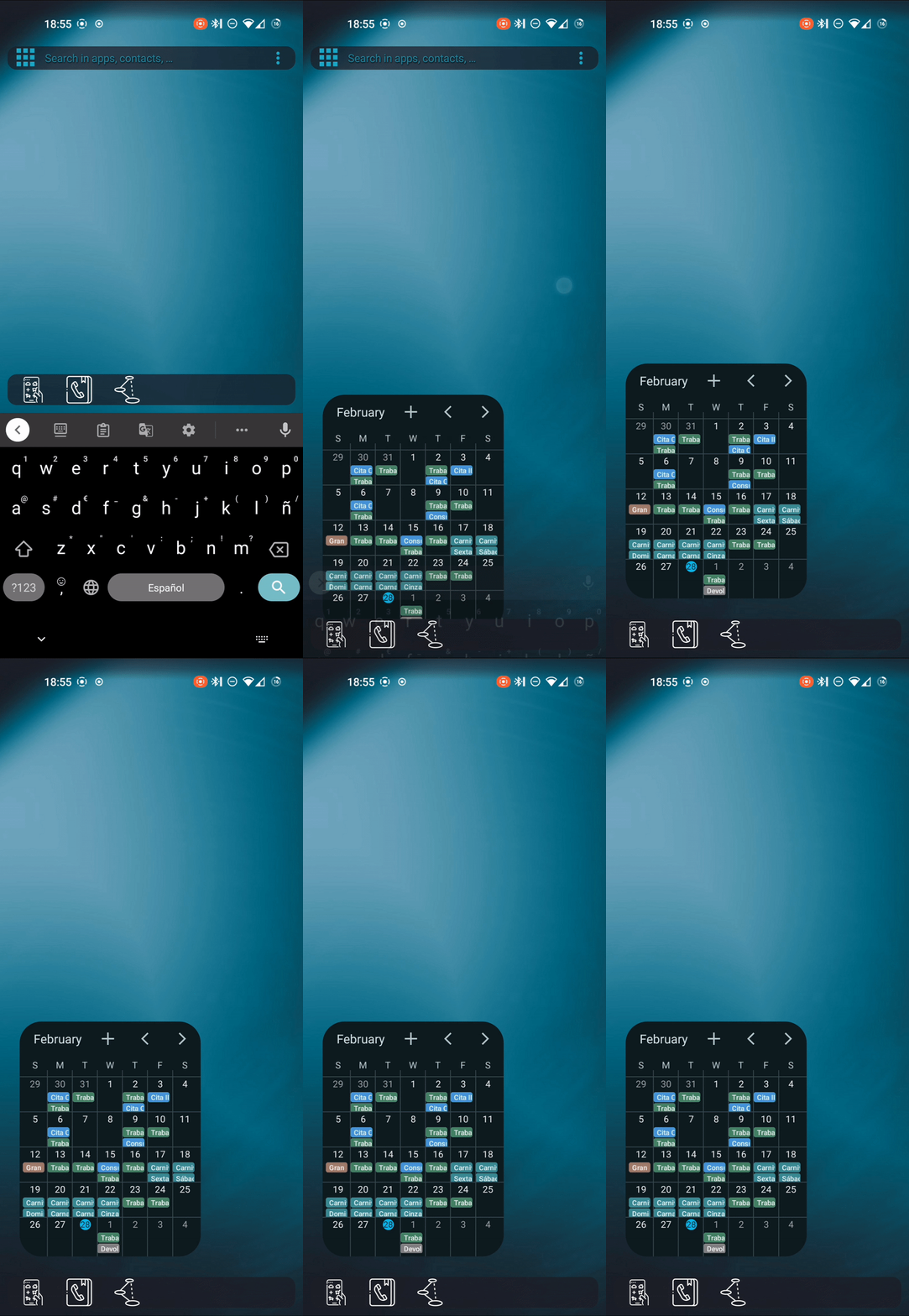
Whenever I close the search desktop, to go back to the widget desktop, the search bar gets stuck, for a fraction of a second, in the widget desktop while it animates out of the screen. While it is still on the screen, it interferes with the widget desktop, pushing every widget down, even a bit behind the dock, going back to normal after the search bar has disappeared.
Is there a way you could make the search bar animate out before the widgets appear? Thanks!
To reproduce the behavior:
- Make widget desktop the default
- Set the search bar to appear on top of the results list
- Put some widgets on the screen
- Open the search bar
- Collapse the keyboard to go back to widget desktop
Expected behavior
The search bar should not interfere with the widgets layout.
Screenshots
Device info
- Device: pixel 4a
- OS: lineage os 20
- TinyBit Launcher version: v7.3

Hello again, I was checking out your code on android studio and seems like there's a hard coded variable in Behaviour.java:
// hide current mode
        if (currentMode != null) {
            switch (currentMode) {
                case SEARCH:
                    resetTask();

                    // this TRUE boolean right here
                    hideSearchBar(UI_ANIMATION_DELAY, true);

                    break;
                case WIDGET:
                    hideWidgets();
                    break;
                case EMPTY:
                default:
                    break;
            }
        }
If I could choose to make this boolean false in the settings, the widget desktop layout wouldn't break anymore whenever I close the search desktop.
##Working:
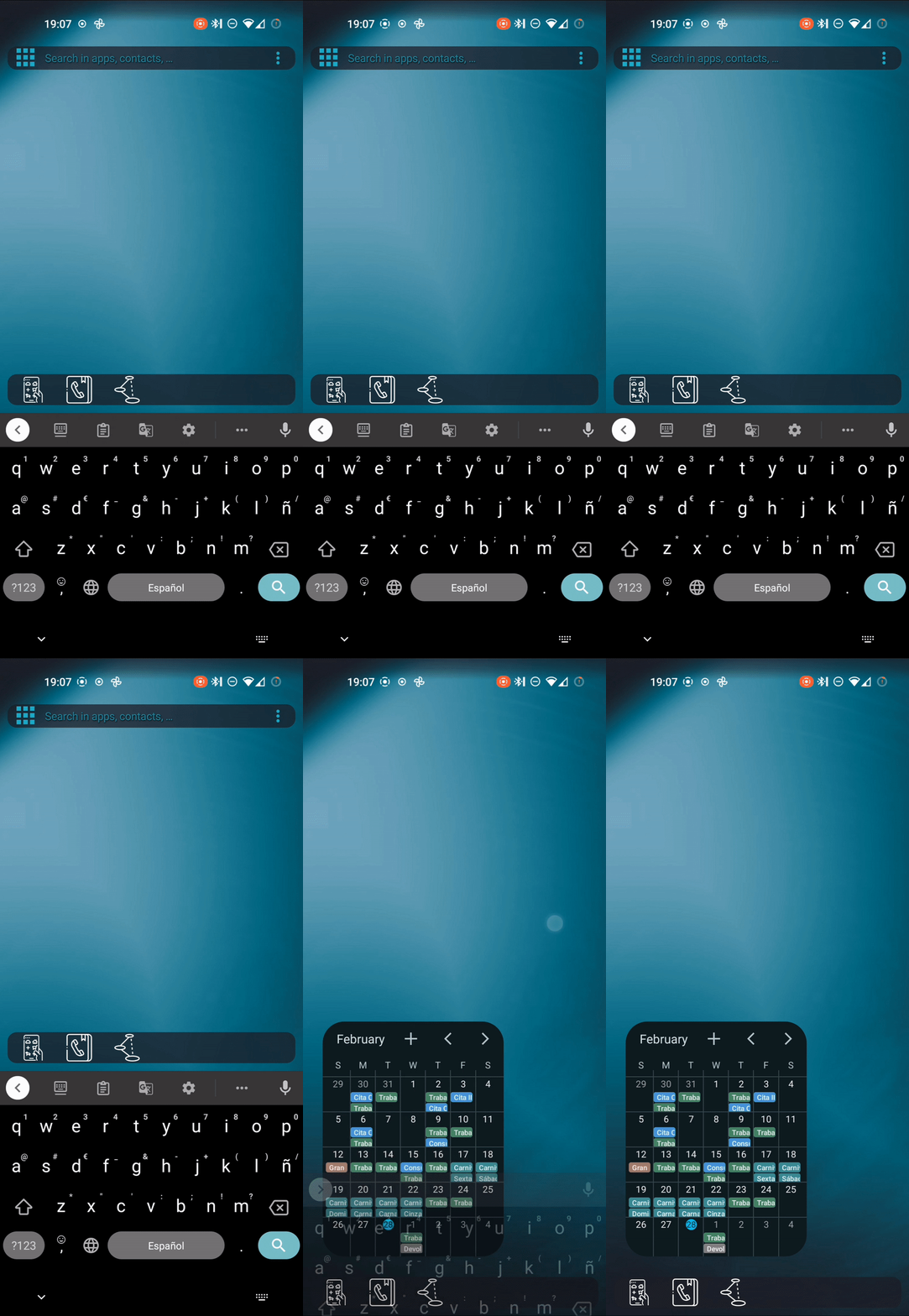
I think that the ideal solution would be to make the desktops kind of cross-fade in and out of each other without interfering with one another. I wish I could help more by actually making a pull request, but I'm a web dev and have never touched an android project before.
I tweaked the code a bit and by changing the showWidgets function to make it wait for the search bar to animate out seems to work. I also removed the UI_ANIMATION_DELAY argument when hideSearchBar( ) is called inside the switchToDesktop function.
private void showWidgets(boolean animate) {
        // Create a new Handler
        Handler handler = new Handler();

        // Create a Runnable that calls the doSomething() method
        Runnable runnable = new Runnable() {
            @Override
            public void run() {

                Log.d(TAG, "showWidgets (anim " + animate + ")");
                if (TBApplication.state().getWidgetScreenVisibility() != LauncherState.AnimatedVisibility.ANIM_TO_VISIBLE)
                    mWidgetContainer.animate().cancel();
                if (mWidgetContainer.getVisibility() == View.VISIBLE)
                    return;
                mWidgetContainer.setVisibility(View.VISIBLE);
                Log.d(TAG, "mResultLayout set VISIBLE (anim " + animate + ")");
                if (animate) {
                    TBApplication.state().setWidgetScreen(LauncherState.AnimatedVisibility.ANIM_TO_VISIBLE);
                    mWidgetContainer.setAlpha(0f);
                    mWidgetContainer.animate()
                        .alpha(1f)
                        .setDuration(UI_ANIMATION_DURATION)
                        .setListener(new AnimatorListenerAdapter() {
                            @Override
                            public void onAnimationEnd(Animator animation) {
                                TBApplication.state().setWidgetScreen(LauncherState.AnimatedVisibility.VISIBLE);
                            }
                        })
                        .start();
                } else {
                    TBApplication.state().setWidgetScreen(LauncherState.AnimatedVisibility.VISIBLE);
                    mWidgetContainer.setAlpha(1f);
                }

                hideResultList(true);
            }
        };

Just afraid to screw up, I've never done it before. As i never tinkered with java or android code, I don't know if there's any side effects or bug i could be adding. Wanted to check it with you first. If it looks good to you, I'll make the PR. Thanks for the reply.
No need to be afraid, just make a branch and commit your change. (You may need to fork the repository) Also it's easy to test the app once you make a PR. If I take the code you pasted here and I copy-paste it wrong it may not work.