

 SunshowerC
[译] Flutter: 图解 Container 部件
- Container 简介
-
布局
- 没有子组件
- 有子组件
-
alignment 对齐(Alignment)
- 位置:居中
- 位置:右下角
- 位置常量
- alignment 对齐(FractionalOffset)
-
constraints (大小约束)
- 容器有子部件
- 容器可以被子部件撑开
- 容器撑开到最大
- 定宽设置
-
margin 外边距
- 四边都有 margin
-
对称 margin (
EdgeInsets.symmetric) -
位置 margin (
EdgeInsets.fromLTRB) - 指定一边 margin
- Padding 内填充
- Decoration 属性
- ForegroundDecoration 属性
- Transform 属性
Container 简介
Container部件用于包含子部件,可以应用某些样式属性。,具备了常见的绘画,定位和大小调整等功能。(相当于 HTML 中的 div)
如果Container小部件没有子节点,它将尽可能大地自动填充屏幕上的给定区域。
布局
由于Container结合了许多其他小部件,每个小部件都有自己的布局行为,因此Container的布局行为有点复杂。
没有子组件
Container尽可能大
Center(
  child: Container(
    color: Colors.green,
  ),
);

有子组件
Container 适应子组件的大小
Center(
  child: Container(
    color: Colors.green,
    child: Text("Flutter CheatSheet."),
  ),
);

alignment 对齐(Alignment)
alignment: Alignment(x, y) 属性接受两个参数:x 和 y。
x, y 坐标轴如下
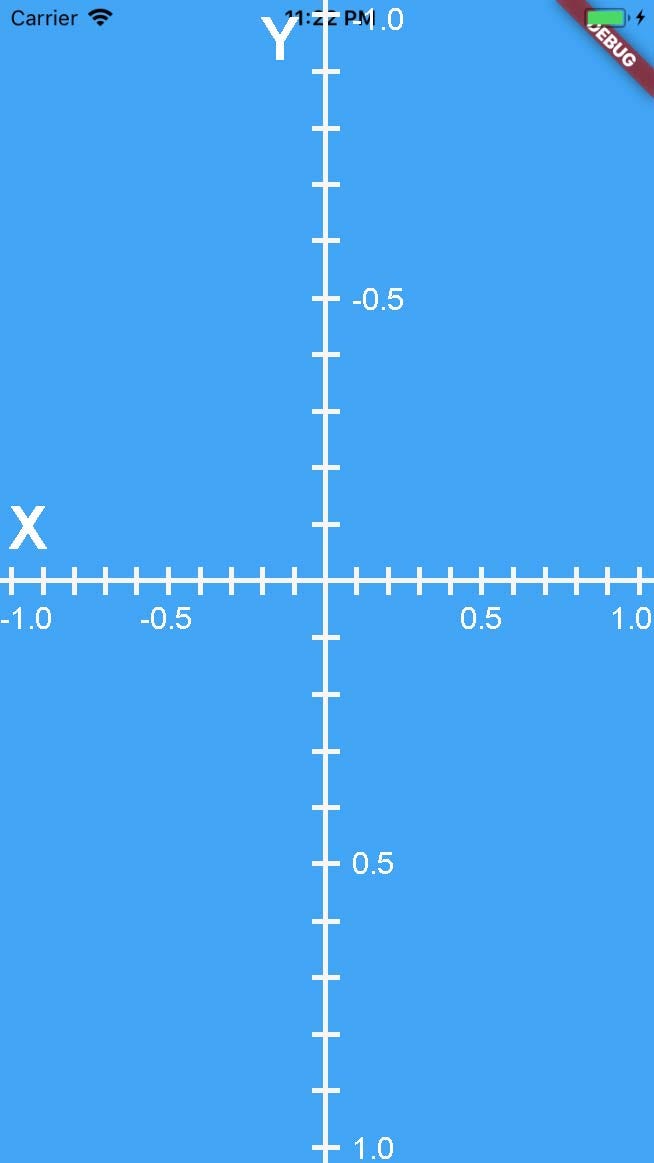
注意:默认情况下,alignment 中 x 值可以大于 1 或者 小于 -1,但除非设置了 constraints 限制, 否则 y 值设置只在 -1 <= y <= 1 范围内有效
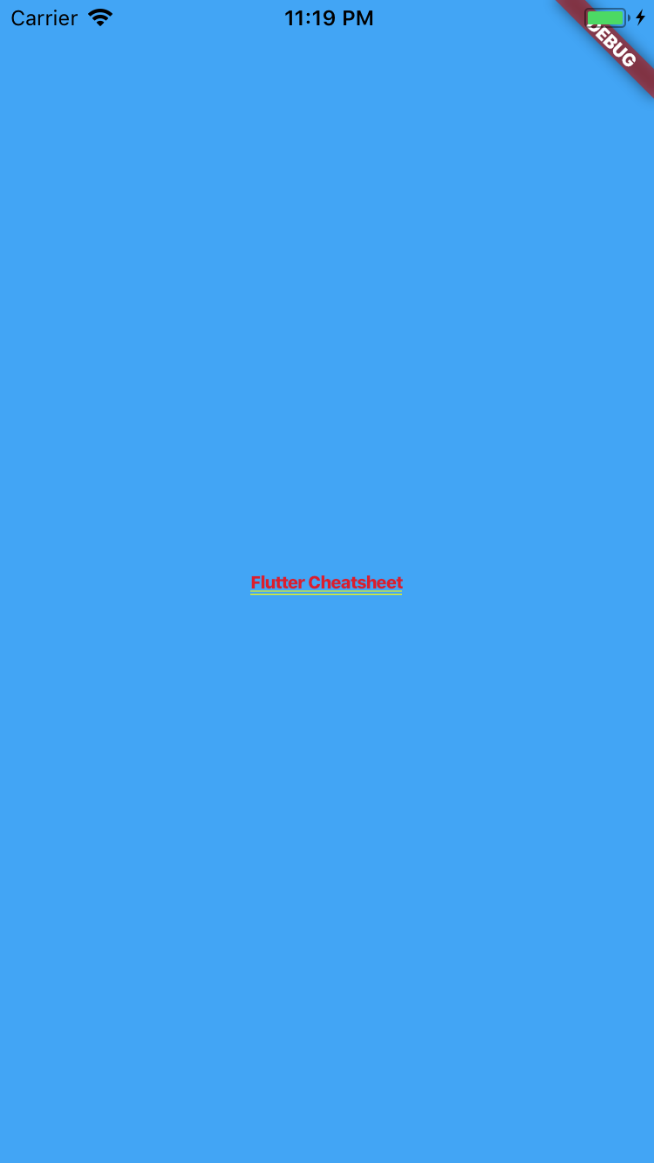
位置:居中
Center(
  child: Container(
    color: Color.fromARGB(255, 66, 165, 245),
    child: new Text("Flutter Cheatsheet",
      style: TextStyle(
        fontSize: 10.0
      ),
    ),
    //  `Container` 的中心。
    alignment: Alignment(0.0, 0.0),
  ),
);
位置:右下角
alignment: Alignment(1.0, 1.0),

位置常量
Alignment.bottomCenter == Alignment(0.0, 1.0)
Alignment.bottomLeft == Alignment(-1.0, 1.0)
Alignment.bottomRight == Alignment(1.0, 1.0)
Alignment.center ==  Alignment(0.0, 0.0)
Alignment.centerLeft == Alignment(-1.0, 0.0)
Alignment.centerRight == Alignment(1.0, 0.0)
Alignment.topCenter == Alignment(0.0, -1.0)
Alignment.topLeft == Alignment(-1.0, -1.0)
Alignment.topRight == Alignment(1.0, -1.0)
alignment 对齐(FractionalOffset)
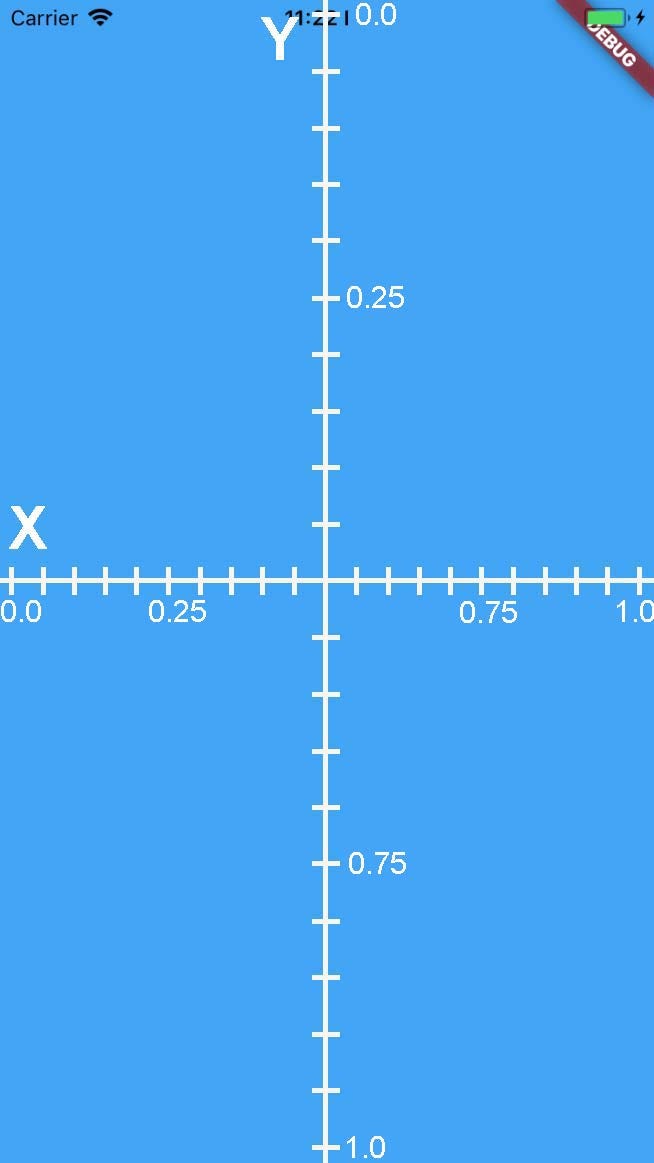
FractionalOffset 和 Alignment 类似,都能表达位置。
两个方式之间的区别在于它们用于表示位置的坐标系。
不同于 Alignment 以 中心为原点, FractionalOffset 是以左上角为原点的,如下图:
constraints (大小约束)
constraints 属性用于指定容器可以占据的大小和空间。一般值为 BoxConstraint 类
基本可以使用简单的 BoxConstraint 构建大多数的部件和UI。
BoxConstraint 只有 4 个属性
- minWidth: 默认为 0,0 不代表宽度为0,而是尽可能小,代表宽度完全由子部件撑开
- minHeighth: 同上
- maxWidth:默认 double.infinity,撑到最大
- maxHeight:同上。
注意:
当没有 child 时,选择 max 的值
当有 child 时,选择 min 值
当设置了 alignment 时,无论有没有 child 值,都选择 max 值。
容器有子部件
因为有 child,所以会渲染 min 值的容器。
Center(
  child: Container(
    color: Color.fromARGB(255, 66, 165, 245),
    alignment: AlignmentDirectional(0.0, 0.0),
    child: Container(
      color: Colors.green,
      child: Text("Flutter"),
      constraints: BoxConstraints(
          maxHeight: 300.0,
          maxWidth: 200.0,
          minWidth: 150.0,
          minHeight: 150.0
      ),
    ),
  ),
);

容器可以被子部件撑开
Center(
  child: Container(
    color: Color.fromARGB(255, 66, 165, 245),
    alignment: AlignmentDirectional(0.0, 0.0),
    child: Container(
      color: Colors.green,
      child: Text("Flutter Cheatsheet Flutter Cheatsheet"),
      constraints: BoxConstraints(
          maxHeight: 300.0,
          maxWidth: 200.0,
          minWidth: 150.0,
          minHeight: 150.0
      ),
    ),
  ),
);

子部件长文本,会撑开容器,最大能够撑开到 max-width 和 max-height。再大就会溢出。
容器撑开到最大
上面说过,如果存在 child 子部件,容器就会限制在 min 值, 那么要让存在 child 子部件的情况下让容器扩展到最大,也是有办法的。
Center(
  child: Container(
    color: Color.fromARGB(255, 66, 165, 245),
    alignment: AlignmentDirectional(0.0, 0.0),
    child: Container(
      color: Colors.green,
      child: Text("Flutter"),
      constraints: BoxConstraints.expand(),
      // 等价于
      /*
      constraints: BoxConstraints(
        minWidth: double.infinity,
        minHeight: double.infinity
      ),
      */
    ),
  ),
);

定宽设置
上面提到的都是 弹性容器,下面介绍下,通过BoxConstraints.expand(width, height) 可以设置定宽容器:
Center(
  child: Container(
    color: Color.fromARGB(255, 66, 165, 245),
    alignment: AlignmentDirectional(0.0, 0.0),
    child: Container(
      color: Colors.green,
      child: Text("Flutter"),
      constraints: BoxConstraints.expand(
        width: 350.0,
        height: 400.0
      ),
    ),
  ),
);

margin 外边距
margin 是外边距,和 CSS 的一样。
四边都有 margin
Center(
  child: Container(
    color: Color.fromARGB(255, 66, 165, 245),
    alignment: AlignmentDirectional(0.0, 0.0),
    child: Container(
      color: Colors.green,
      margin: new EdgeInsets.all(20.0),
      // 相当于 CSS 的 margin: 20px;
    ),
  ),
);

对称 margin (EdgeInsets.symmetric)
margin : EdgeInsets.symmetric(
  vertical: 20,
  horizontal: 50
)
// 相当于 CSS 的 margin: 20px 50px;
位置 margin (EdgeInsets.fromLTRB)
EdgeInsets.fromLTRB(left, top, right, bottom)
margin: new EdgeInsets.fromLTRB(20.0, 30.0, 40.0, 50.0),
// 相当于 CSS 的 margin: 30px 40px 50px 20px;
注意,CSS 的 margin 的顺序是上右下左,而EdgeInsets.fromLTRB 的顺序是 左上右下,千万不要弄混
指定一边 margin
EdgeInsets.only({double left: 0.0, double top: 0.0, double right: 0.0, double bottom: 0.0})
margin: new EdgeInsets.only(
    left: 20.0,
    top: 50.0
),
// 相当于 margin-left: 20px; margin-top: 50px;
Padding 内填充
Center(
  child: Container(
    color: Color.fromARGB(255, 66, 165, 245),
    alignment: AlignmentDirectional(0.0, 0.0),
    child: Container(
      color: Colors.green,
      padding: EdgeInsets.all(20.0),
      // 相当于 CSS 的 margin: 20px;
    ),
  ),
);
使用方式同 margin,不再多说
Decoration 属性
修饰背景。 值可以是:
- BoxDecoration 类
- FlutterLogoDecoration 类
- ShapeDecoration 类
- UnderlineTabIndicator 类
原作者将在另外的文章中讨论上述类
PS: 前面提到了 margin, padding,但是 Container 是 没有 border 属性的哦,要实现 border,需要在 decoration 属性中进行设置。
Center(
  child: Container(
    color: Color.fromARGB(255, 66, 165, 245),
    alignment: AlignmentDirectional(0.0, 0.0),
    child: Container(
      color: Colors.green,
      decoration: BoxDecoration(
          border: Border.all(width: 2, color: Color(0xffaaaaaa))
      )
      // 相当于 CSS 的 border: 2px solid #aaaaaa;
    ),
  ),
);
ForegroundDecoration 属性
修饰前景
同上。
Transform 属性
值为 Matrix 类
Center(
  child: Container(
    color: Color.fromARGB(255, 66, 165, 245),
    alignment: AlignmentDirectional(0.0, 0.0),
    child: Container(
      padding: new EdgeInsets.all(40.0),
      color: Colors.green,
      child: Text("Flutter Cheatsheet"),
      transform: new Matrix4.rotationZ(0.5)
    ),
  ),
);
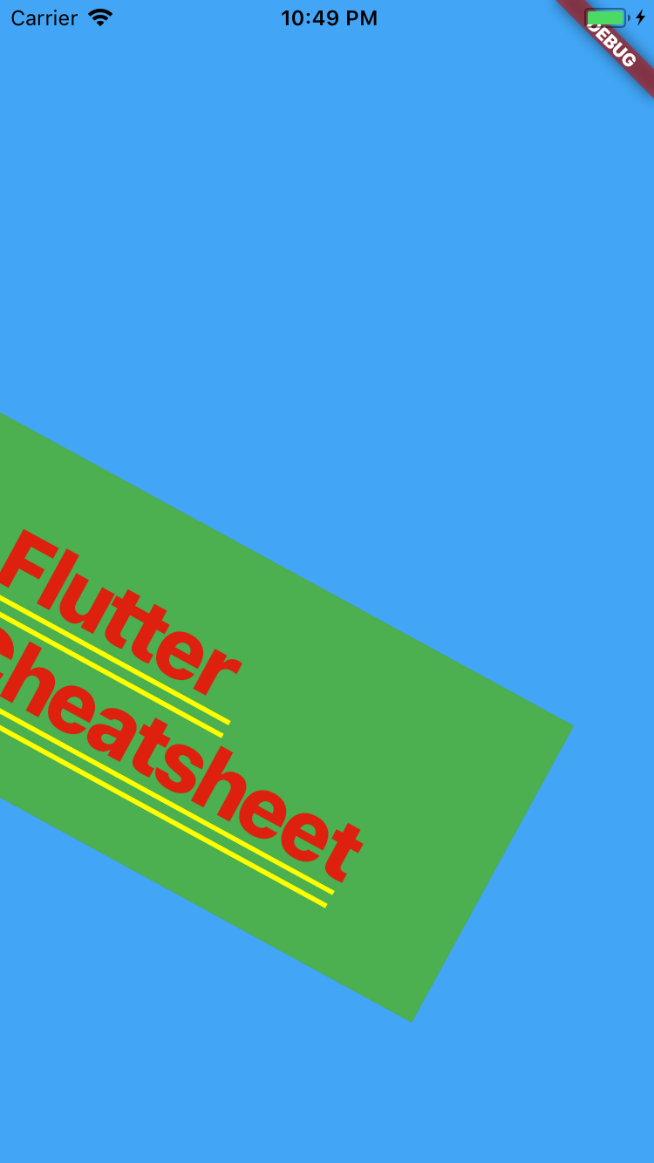
原作者将在另外的文章中讨论 Matrix

