
Console
 Console copied to clipboard
 SitecorePowerShell
Send-file -NoDialog gives "There is no file attached" message
Expected Behavior
Send-file -NoDialog should start download of for example a media item attachment to the default download folder on the client.
Actual Behavior
A messagebox "There is no file attached" message is shown. After that the Sitecore back end 'hangs' with the Copy of Download dialog, the abort button is not working, IIS restart is needed to get it up and running again. No info found in the Sitecore logs.
Steps to Reproduce the Problem
Sitecore 8.2, SPE version 4.7.2.26422
Create a subfolder "temp" in the Media Library Upload a file (in this case a Doc, see query in script) in that subfolder. Create a Powershell Script item under /sitecore/system/Modules/PowerShell/Script Library/Media Library Maintenance/Content Editor/Context Menu. I duplicated the existing Download item and replaced the script with the following: $location = get-location; $language = $SitecoreContextItem.Language.Name; Get-Item -Language $language $location | Send-file -NoDialog;
First test the script without the -NoDialog. Right click the media library item, select scripts, Copy of Download.
Of course the -NoDialog could be left out, but I want to download multiple files without having a dialog for every file. There is a solution where the item plus child items are zipped, and the zip file can be downloaded, but in my scenario this results in a 1GB+ file which is not downloadable any more. This could be tweaked by creating multiple zip files that can be downloaded, but again this leaves me with multiple download dialogs.

@JimFokkens good discovery! Turns out that Factory.GetDatabase(...).GetItem(...) does not like using an ItemUri for locating items.
We'll need to update the code to use the item ID.
Thank you.

This line is broken: https://github.com/SitecorePowerShell/Console/blob/10e9f168e62f0a3a91a321df8800afdce334b281/Cognifide.PowerShell/Commandlets/Interactive/Messages/DownloadMessage.cs#L45
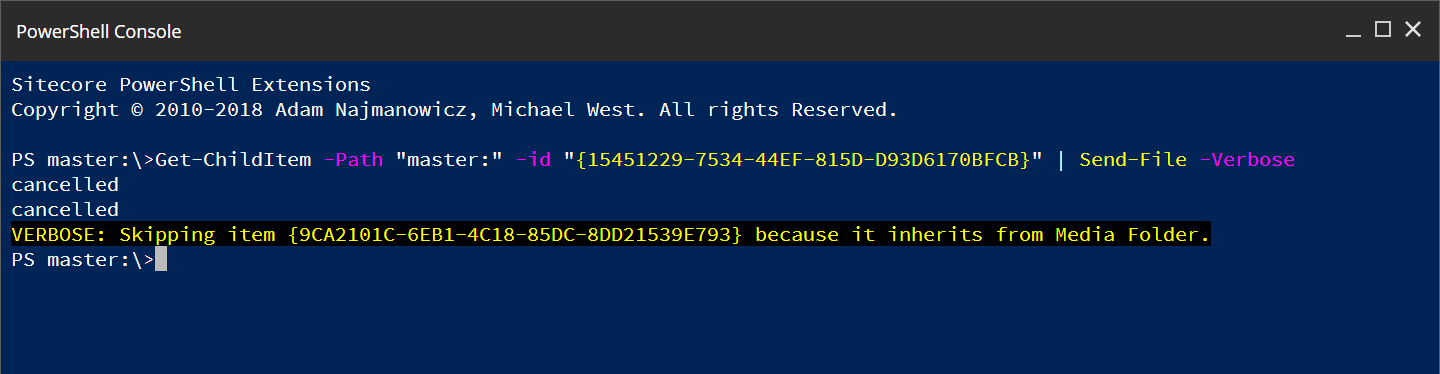
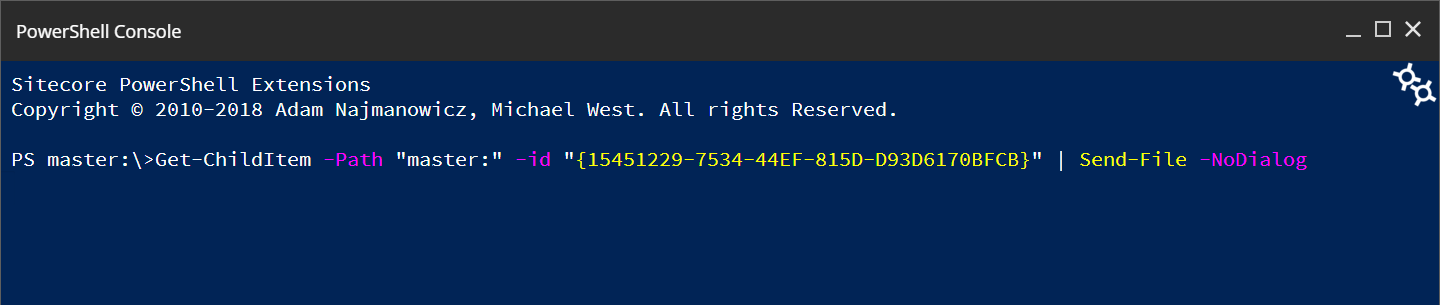
@AdamNaj while testing this, the -NoDialog causes the console to never return.
It just stays here:

@alvaropmontenegro I think this was included with 6.3. Can you please give it a test? I'll be releasing 6.4 soon and would like to know that it's addressed.
@michaellwest It's strange, I'm using Sitecore 10.2 and Powershell 6.3, as you can see in the image below, and it's not working:
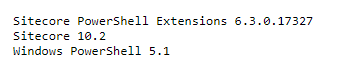
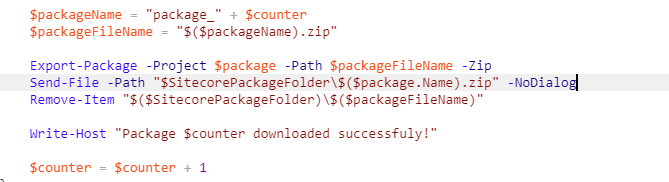
I've created a script to generate many packages and it only downloads the first package, after it, the console never returns and I have to restart the IIS to reset the Sitecore.
part of my script:
So to be clear, I should test downloading one package, and then downloading many packages in a row. Correct?
Yes, you have to download many packages in a row. It happens in a ForEach loop. E.g: Package_1.zip, Package_2.zip.....
Each package has a lot of items.
Below is a piece of my code, showing the ForEach loop: ` $packages | ForEach-Object {
Write-Host "Preparing Package $counter"
$package = New-Package "Packages";

$package.Sources.Clear();

$package.Name = "package_" + $counter
$package.Metadata.Author = "Alvaro";
$package.Metadata.Publisher = "Powershell";
$package.Metadata.Version = "1.0";
$package.Metadata.Readme = ''

$_.Items | ForEach-Object {
	$source = $_ | New-ItemSource -Name $_.Name -InstallMode Merge
	$package.Sources.Add($source);
}

    $packageName = "package_" + $counter
$packageFileName = "$($packageName).zip"

Export-Package -Project $package -Path $packageFileName -Zip
Send-File -Path "$SitecorePackageFolder\$($package.Name).zip"
Remove-Item "$($SitecorePackageFolder)\$($packageFileName)"

    Write-Host "$packageName done!"

$counter = $counter + 1
} `
If you'd like I can email you the whole script
Using the following script where -NoDialog is excluded I'm able to see each of the prompts to download the item and clicking Close or Download (then Close) results in the desired experience.
$counter = 0

while($counter -lt 5) {
    Write-Host "Preparing Package $counter"
    $package = New-Package -Name "Packages"

    $package.Sources.Clear();

    $package.Name = "package_" + $counter
    $package.Metadata.Author = "Michael West";
    $package.Metadata.Publisher = "Powershell";
    $package.Metadata.Version = "1.0";
    $package.Metadata.Readme = ''

    $source = Get-Item 'master:\templates\sample' | New-ItemSource -Name 'Sample Templates' -InstallMode Skip
    $package.Sources.Add($source)

    $packageName = "package_" + $counter
    $packageFileName = "$($packageName).zip"

    Export-Package -Project $package -Path $packageFileName -Zip
    Send-File -Path "$SitecorePackageFolder\$($package.Name).zip"
    Remove-Item "$($SitecorePackageFolder)\$($packageFileName)"

    Write-Host "$packageName done!"

    $counter = $counter + 1
}
From here I'll investigate the -NoDialog behavior.
Yes @michaellwest! Nowadays I've excluded the "-NoDialog" and it works well as you described. The problem is only when "-NoDialog" is included. I'd like to use the "-NoDialog" to avoid clicking every time on the Close/Download buttons. Any test or extra information you need, please, let me know. Thank you!
Here is what I think is happening.
When running with -NoDialog the job results are never updated with a call to PutMessage. This results in the thread just waiting until something causes it to break a while look. At the moment I think a possible solution would be to still show a dialog but to auto close as soon as the save dialog is closed. There is no native browser feature to report that the dialog closed so we would likely have to go with a cookie to signal that it's closed.
Any solution at this point is likely to be a big effort.