

 SitecorePowerShell
Invoke-RemoteScript : Server response: Method Failure
Expected Behavior
The script should complete with a valid output when calling Invoke-RemoteScript
Actual Behavior
It errors out with the below error: Invoke-RemoteScript : Server response: Method Failure At line:16 char:13
-
Invoke-RemoteScript -ConnectionUri $website -Username $us ... -
~~~~~~~~~~~~~~~~~~~~~~~~~~~~~~~~~~~~~~~~~~~~~~~~~~~~~~~~~- CategoryInfo : ConnectionError: (https://authori....xyz.com/:) [Write-Error], 424
- FullyQualifiedErrorId : System.Net.Http.HttpRequestException,Invoke-RemoteScript Invoke-RemoteScript : Server response: Method Failure At C:\Program Files\WindowsPowerShell\Modules\SPE\Stop-ScriptSession.ps1:85 char:5
-
Invoke-RemoteScript -Session $newSession -ScriptBlock { -
~~~~~~~~~~~~~~~~~~~~~~~~~~~~~~~~~~~~~~~~~~~~~~~~~~~~~~~- CategoryInfo : ConnectionError: (https://authori....xyz.com/:) [Write-Error], 424
- FullyQualifiedErrorId : System.Net.Http.HttpRequestException,Invoke-RemoteScript
Steps to Reproduce the Problem
I am able to execute the same script from inside the authoring VM but it fails from outside the VM like my laptop as well as from Devops release pipelines which has always worked with previous versions of SPE.
SPE.Minimal-6.1.1.zip SPE.Remoting-6.1.1.zip Sitecore Version 9.3 Initial Release
-
[Y] Tested issue with clean install of Sitecore and the latest available version of SPE.
-
[N] Asked questions on the Sitecore Slack Chat channel.
-
[Y] Reviewed questions and answers on the Sitecore Stack Exchange.

What version did you have when it worked?
What other changes have you made since upgrading to this new version?

Update: It was working from authoring VMs as i had not restarted it after getting the version 6.1.1. As soon as i restarted it fails from the auth VMs as well since after the restart it shows the version 6.1.1 now in the auth VMs as well.
Working version was 5.1.0
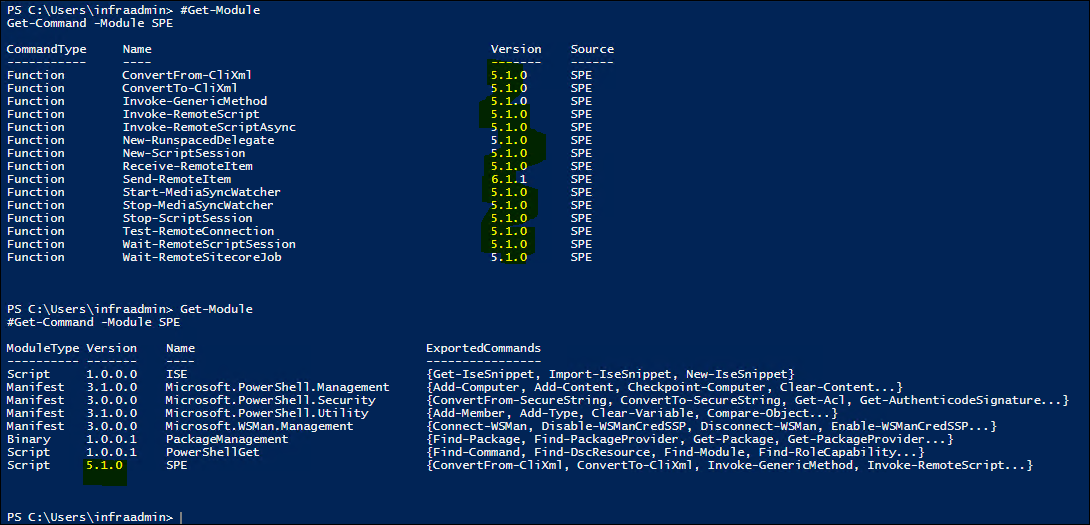
Further Update: To continue testing, i did the below and it is working as expected for now. Installed Minimal 6.1.1 and used remoting 5.1.0 Please have a look at the remoting zip file as it errors out.
At that point of time, i had not restarted the VM, hence that could be the cause.
Currently i have got rid of the 6.1.1 remoting SPE module and replaced with 5.1.0 and restarted my box & my scripts are working now.
Note: I am still using Minimal 6.1.1 with Sitecore 9.3 but with remoting 5.1.0 as remoting 6.1.1 throws error which i mentioned above.
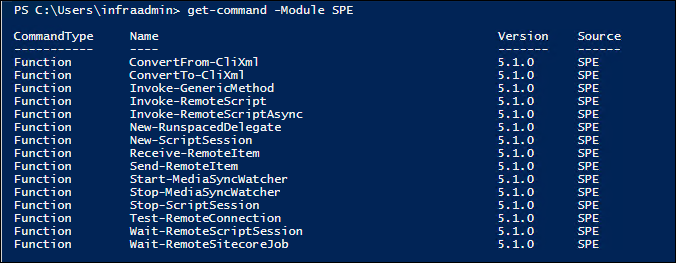
I can confirm this. I'm having the exact same issue after upgrading to SC9.3 and SPE 6.1.1. Reverting to SPE Remoting 5.1.1 for now has solved it.
What I did find was that the PS code in Invoke-RemoteScript:350 has changed significantly in comparison to 5.1. Not sure if this is the cause or if the new code just exposed an issue that was always there but went unnoticed.

A coworker of mine has done some further experimenting. If you install the full version things mysteriously start working. In our case he ended up using 6.2 on both sides of the connection, but he tried various version mixes before we tried to install the full version of SPE on the server side.
So now the question becomes why the minimal version doesn't work and the full version does work with remoting.
Just for completeness: Our server os is Win 2016 with PS 5.1 (also tried PS core 7.0.3)
We did some further digging but nothing conclusive yet.
It seems that the Powershell host is doing something that triggers the writeerrorline() function somewhere. The weird thing is: in the host we can see the script executing succesfully without errors. So something else is making the custom PS host throw an error. Haven't had time to look into why and what that is since we only get a "One or more errors have occurred." in the writeerrorline funtion.
For reference: We used 6.2 while digging deeper.
I wonder if the minimal configs are creating an issue. Some of the UI parts are excluded in the patches for minimal otherwise you would encounter errors. Are you using Identity Server?
So to be clear, using SPE 6.2 minimal package along with SPE Remoting 6.2 result in errors? Correct?
Im so sorry. The error I posted before is unrelated. This seems to be a seperate authentication issue on my local machine.
I ran 6.2 SPE from my local machine to a server that is running 6.2 minimal and got the error mentioned above:

To maybe confirm your suspicions: copy-ing only the files from a full install it starts working.