
openui5
 openui5 copied to clipboard
 SAP
SAP
sap.ui.table.Table and Message with target, incorrect control in error when scrolling
Hi,
OpenUI5 version: 1.96 (also with 1.71)
Browser/version (+device/version): Chrome/ last version
Any other tested browsers/devices(OK/FAIL): Edge (Chromium) FAIL
URL (minimal example if possible): i made a plunker example: https://plnkr.co/edit/BxxuCcPRSMghloEb?preview
Steps to reproduce the problem:
- in the plunker example, clic on the "Generate Error" Button
- => the input control in the second column and third row is in error
- scroll
- the same input control stay in error but it does not correspond anymore to the correct target in error (it is how works sap.ui.table.Table, the control in the DOM stay but the bindings change when we scroll)
What is the expected result? the control in error have to change when we scroll
What happens instead? the control in error stay the same although the bindings change
Any other information? (attach screenshot if possible) the control stay the same because the values in the next rows are the same. if we have different values the control in error is correct.
after debugging i found that there is test on the value and if the new value is the same than the old value, we do not "refresh" the control. Here screenshots of my debugging steps:

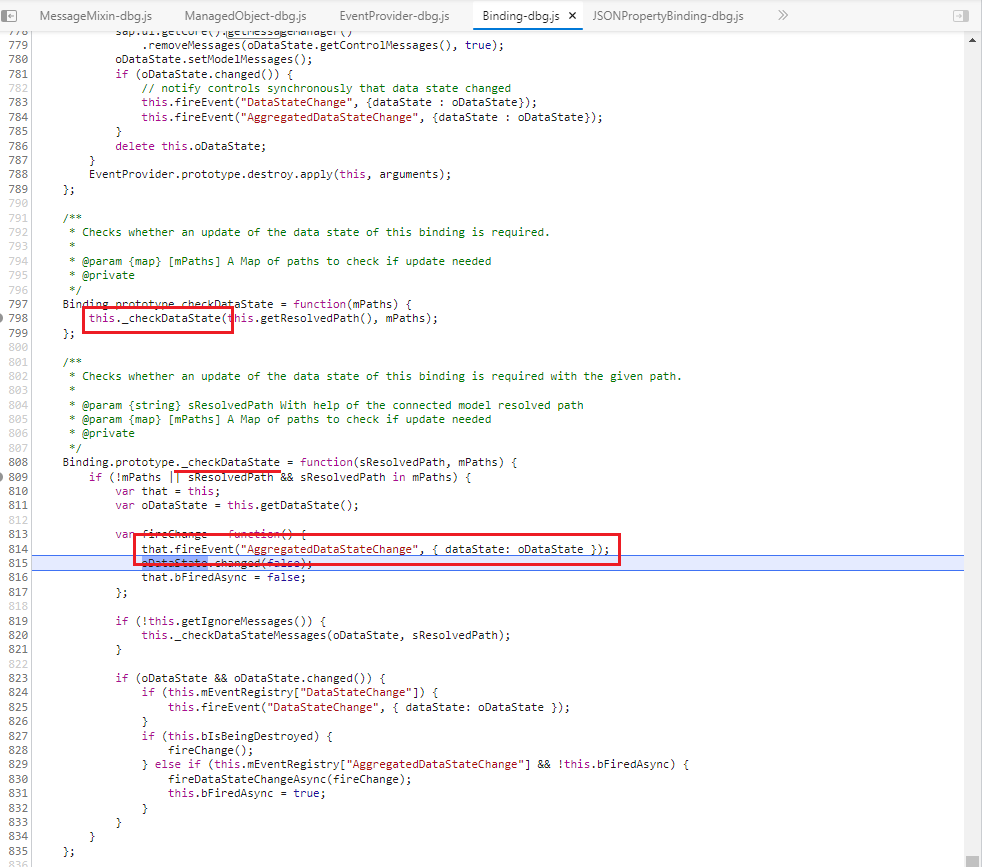
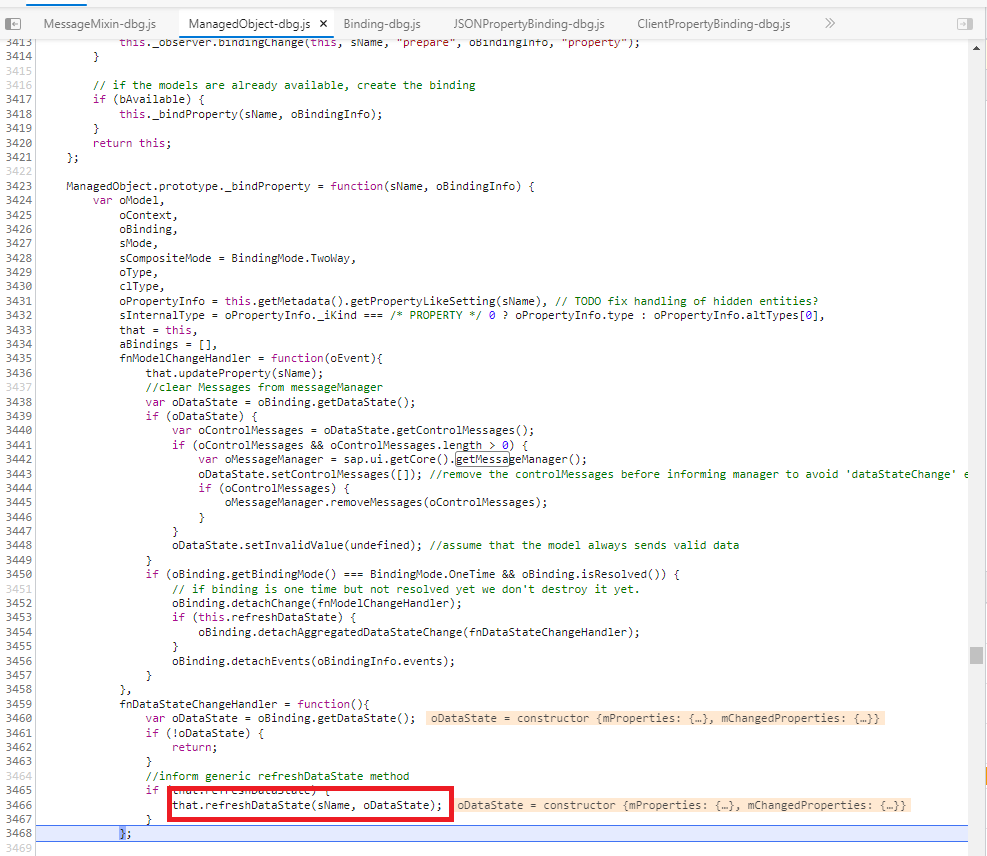

Thank you in advance
Fabrice

Could you share a sample use case or scenario, in which a set of inputs in a column has identical values but only one or few of the input controls have a different value state (e.g. Error)?

Hello @fabricepodevin , Thank you for sharing this finding. I've created an internal incident 2270148478. The status of the issue will be updated here in GitHub.

Hi @boghyon , a sample use case would be a table with a list of controls (but not in the sens of sapui5 controls) . For each control (row) i can give a visibility (column Visible) value and a position (column Position) value. The position value have to be greater than 0 only if the control have the visibility property set to true. I update the plunker example with a second table that use this use case. Regards Fabrice
Hi Fabrice,
you have run into an issue that is known for some time and has several facets. An actual solution is unfortunately quite complex. This is being tracked as FIORITECHP1-13263 internally. We will not be able to provide FIORITECHP1-13263 in the next months.
The typical manifestation of the problem is that an illegal value (not parseable or invalid) is entered in a grid table. A UI5 message is created to inform the user, the red bar around the input is shown and the illegal value is not taken over into the model. This entered illegal value just stays in the control. When scrolling in the grid table, the rows get different binding contexts. This causes an update of control value and data state. But there is also a performance optimization if the model value (which is in this case not what the user sees) is unchanged. This has two effects:
- Illegal value and error do not scroll through the table.
- The illegal value and the error may stay at the control where they were entered if the model value of the new and the old row is identical.
Your scenario contains only the error message but the root cause is the same.
For this second point we provided a small fix for OData V2 and OData V4 model in SAPUI5 1.85 and 1.86. The illegal value and the error will be removed when scrolling in all cases. To provide a similar fix for the JSONModel is less effort than FIORITECHP1-13263. Would that already be helpful?
If not, I can, unfortunately, only refer to a future solution with FIORITECHP1-13263. This future solution will ensure that illegal value and error are scrolling through the table as expected.
Best regards Mathias.

Hi Mathias,
Sorry for the delay.
After a discussion with my supervisor we decided to wait for FIORITECHP1-13263. This problem does not occur often and is not really blocking ( we add a workaround to recheck the errors after some user actions).
Thanks a lot for your help.
Best regards Fabrice