

 SAP-samples
404 Not Found error for POST request
HI developers. I must be doing something wrong, and I hope you can tell me what. Here is my modified manifest.yaml:
---
applications:
- name: objectstore-sample-svc
  host: i826690-objectstore-sample-svc
  memory: 2G
  buildpack: https://github.com/cloudfoundry/java-buildpack.git
  path: target/objectstore-sample-1.0.0.jar
  services:
    - objectstore-service
Here is my application after deployment (cf a)
name                     requested state   processes           routes
objectstore-sample-svc   started           web:1/1, task:0/0   objectstore-sample-svc.cfapps.us21.hana.ondemand.com
And the route definition (cf routes):
space    host                     domain                          port   path   protocol   apps
Helium   objectstore-sample-svc   cfapps.us21.hana.ondemand.com                 http       objectstore-sample-svc
Using Postman, I try to POST to this URL:
https://i826690-objectstore-sample-svc.cfapps.us21.hana.ondemand.com/objectstorage.svc/api/v1/storage/
But the response is "404 Not Found: Requested route ('i826690-objectstore-sample-svc.cfapps.us21.hana.ondemand.com') does not exist."
Any ideas please?

Hi @tomslee
I could see you have given the host in manifest.yml as i826690-objectstore-sample-svc. But your cf a and cf routes shows that the application is bounded to the host objectstore-sample-svc.cfapps.us21.hana.ondemand.com
Using Postman, You have to POST to the following URL instead
https://objectstore-sample-svc.cfapps.us21.hana.ondemand.com/objectstorage.svc/api/v1/storage/
This could be because, you're using the latest CF CLI (V7) which runs on the CF API v3 where host is deprecated.
You have to use routes instead.
Kindly refer to the documentation under routes section.
Regards Navin

Thank you @navinkrishnan for the quick response.
I now get a 202 Accepted response (Hooray), but the file does not seem to be stored. The response is: "Accepted for processing"
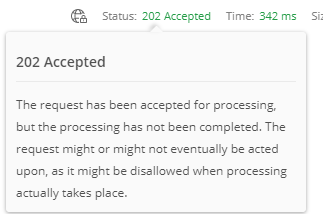
A request to GET to the URL with a Content-Type of application/json returns a 200 OK response with an empty list of items []
You are correct that I am using CF CLI v7. It looks like the URL would not be unique in the us21 domain. Is there something I should change in the manifest file to obtain a unique URL?
(Appologies if this is multiplying questions: I can open separate issues if that is preferred).
Hi @tomslee,
The reason your file is not uploaded although a response of 202 Accepted is received, because the Key Value for the request is not properly set. Please follow the below steps in POSTMAN: Make sure the Body is set to form-data, Key is set to File, type file as name of the Key and tick the checkbox on left and then select a file to upload under Value. Upon a successful event a response of 202 Accepted with a message "file_name is successfully uploaded." would be received.
Though the issue is not related to route, but as @navinkrishnan suggested you may also consider using routes in place of host as the later is deprecated in CF CLI v7 or you can simply use "random-route: true" in your manifest.yml file.
Hope this helps.
Thanks
