
dotnet-maui-check
 dotnet-maui-check copied to clipboard
 Redth
Redth
Workload installation failed: Workload not found
After install preview7 try to install workload, I am getting below error
Workload installation failed: Workload not found: microsoft-android-sdk-full. Known workloads: android android-aot ios maccatalyst macos maui maui-mobile maui-desktop maui-core maui-android maui-maccatalyst maui-ios maui-windows tvos microsoft-net-sdk-emscripten wasm-tools microsoft-net-runtime-android microsoft-net-runtime-android-aot microsoft-net-runtime-ios runtimes-ios microsoft-net-runtime-maccatalyst runtimes-maccatalyst microsoft-net-runtime-macos microsoft-net-runtime-tvos runtimes-tvos microsoft-net-runtime-mono-tooling

- Microsoft.NET.Sdk.ImportWorkloads.targets(35,5): error NETSDK1147: To build this project, the following workloads must be installed: ios
- Microsoft.NET.Sdk.ImportWorkloads.targets(35,5): error NETSDK1147: To install these workloads, run the following command: dotnet workload install ios
The same as workload android.
But maui-check reports everything is fine.
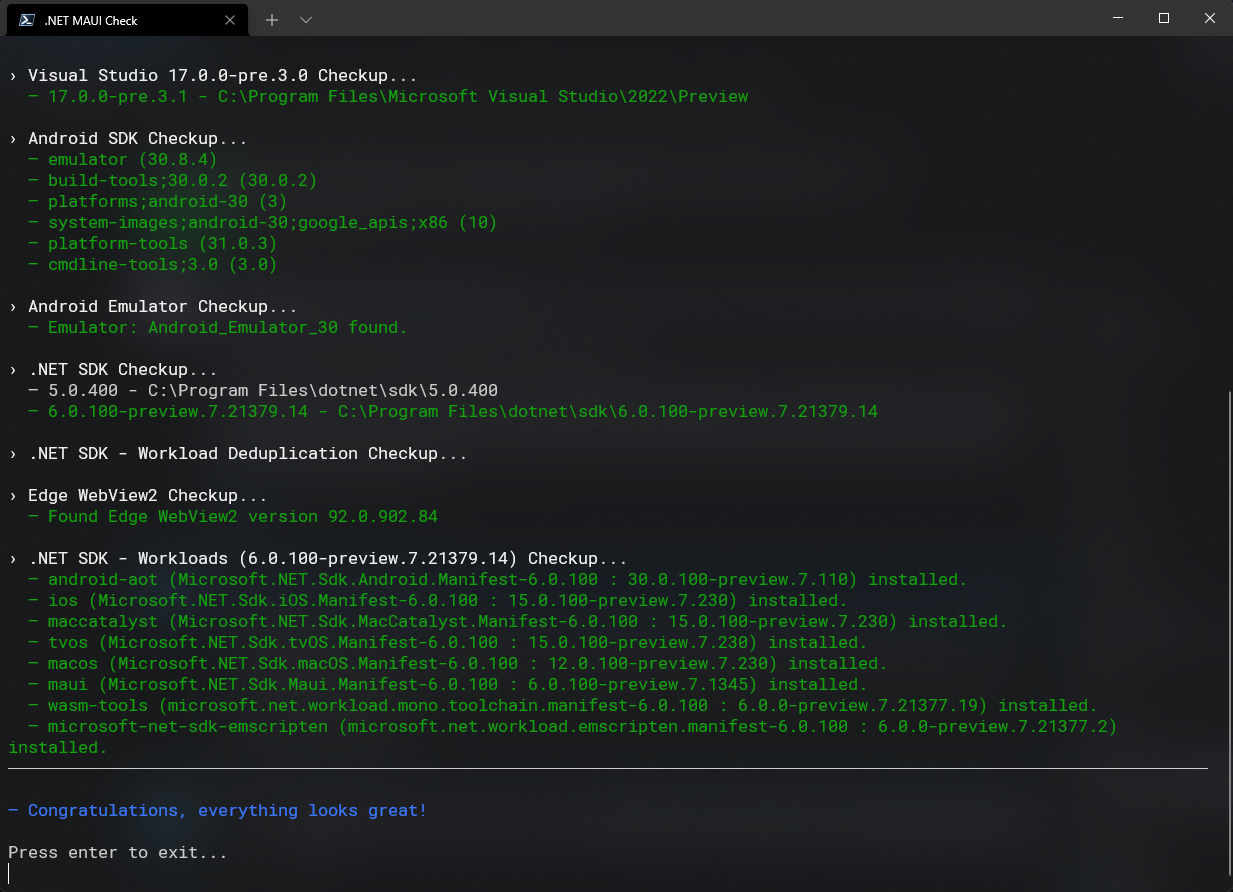

I have the same kind of problem and likely same issue. I updated maui-check and then ran it. This is the error I got:
Fix failed - Workload Update failed: dotnet workload update --sdk-version 6.0.100-preview.7.21379.14 --no-cache --disable-parallel --from-rollback-file "C:\Users\TimBemlvin\AppData\Local\Temp\maui-check-dotnet-work-dir\workload.json" --source "https://api.nuget.org/v3/index.json" --source "https://pkgs.dev.azure.com/dnceng/public/_packaging/6.0.100-preview.7.21379.14-shipping-1/nuget/v3/index.json"
I reran maui-check and it reported "- Congratulations, everything looks great!"
Still missing workloads.
I tried to rerun the part that failed - dotnet workload update --sdk-version 6.0.100-preview.7.21379.14 --no-cache --disable-parallel --from-rollback-file "C:\Users\TimBemlvin\AppData\Local\Temp\maui-check-dotnet-work-dir\workload.json" --source "https://api.nuget.org/v3/index.json" --source "https://pkgs.dev.azure.com/dnceng/public/_packaging/6.0.100-preview.7.21379.14-shipping-1/nuget/v3/index.json" and then I realized that somehow maui-check picked up the wrong name for the user - it should be TimBelvin and NOT TimBemlvin.
This time, I got this error: Workload update failed: The JSON value could not be converted to Microsoft.NET.Sdk.WorkloadManifestReader.WorkloadPackId. Path: $.Id | LineNumber: 0 | BytePositionInLine: 52.

I followed the post from the "uninstall maui-check" thread and reinstalled maui-check. Everything is working as expected now.

i have same issue on visual studio 17.2 preview 6 when i wana to create Maui visual studio dont have maui template and when i execute maui check maui call android-aoi maccatalyst and etc dont install and need to fixed it when i execute fix command that throw an error like error in above my dotnet versions : 6.0.202 6.0.300-preview22204.3
