
revanced-manager
 revanced-manager copied to clipboard
 ReVanced
Bug: `potentially fix apps disappearing when update is available`
Type
Error while running the manager
Bug description
Even though #674 seems to show the apps that are patched and installed using the manager, the data regarding the version number of the patched app and the date when it was patched isn't accurate and is showing a way older version and date currently. Repatching after installing the latest manager also doesn't seem to update these informations. And I doubt its consistency on every version of android skins as it's not appearing on my Pixel device but is okay on the other devices.
P.S: Tried reinstalling on the pixel and it still didn't show up. Haven't tried clearing all data yet. Update: Tried clearing all data and still nothing's changed.
Steps to reproduce
- Update to manager version 0.0.55.
- There you have it.
Android version
Seen on both Android 12 & 13 (MIUI & Funtouch OS) In Stock, "No patches applications installed"
Manager version
0.0.55
Target package name
ReVanced Manager
Target package version.
Nil
Installation type
Non-root
Patches selected.
Nil
Device logs (exported using Manager settings).
Nil
Installer logs (exported using Installer menu option) [unneeded if issue is not during patching].
Nil
Screenshots or videos
MIUI 13 on top of android 12:
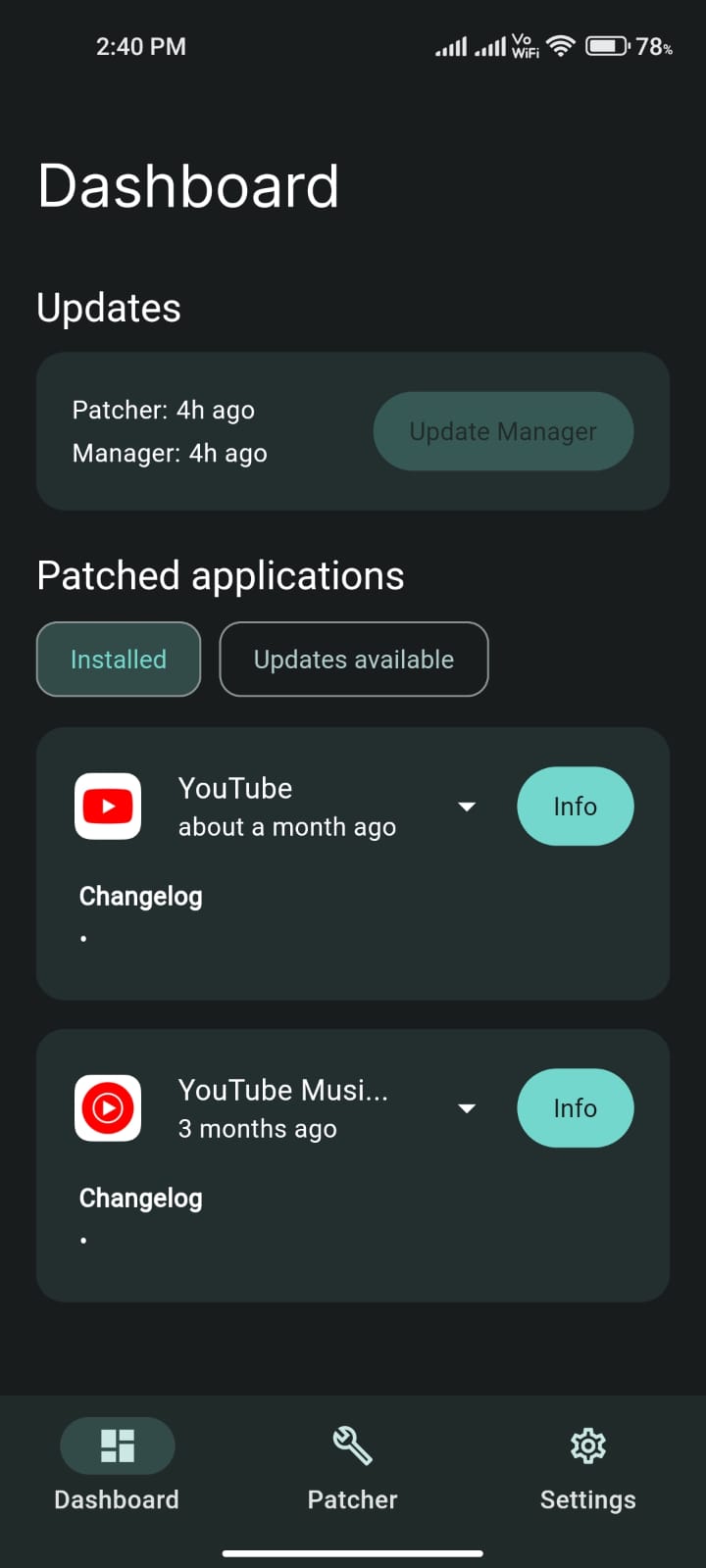
Solution
Identify the latest version and date of installation.
Additional context
No response
Acknowledgements
- [X] I have searched the existing issues and this is a new and no duplicate or related to another open issue.
- [X] I have written a short but informative title.
- [X] I filled out all of the requested information in this issue properly.
- [X] The issue is related solely to the ReVanced Manager and not related to patching errors or patches

Okay I seem to have found why in my device (Pixel) in particular was showing "no patched applications installed". I was having a custom source (inotia00). Today, due to a bug occuring in RVX I installed ReVanced and lo and behold, there's a YouTube app under patched applications. The date and app version is accurate to what ReVanced is offering currently but when I swapped back to custom source again and installed RVX, the installed time looks okay but the app version is still what ReVanced is offering and the applied patches list is showing RVX patches in it. And when I uninstalled ReVanced YouTube, it once again became "no patched applications installed".
This issue is related to the manager right? Cause for rooted users I've seen that even though they have custom sources they're still having the patched apps show up under installed section.
If one is not quick enough it'll disappear after a few seconds:
https://user-images.githubusercontent.com/117499019/234251990-9de9427c-19d4-447b-bf63-9ae5de43b07a.mp4
If one is quick enough they can go into info but when backing out it'll disappear:
https://user-images.githubusercontent.com/117499019/234251812-55c89e74-fd14-41a2-ac4e-4b8cd842f864.mp4
@ILoveOpenSourceApplications, maybe we should wait until the next release to confirm this issue still exists and needs to be fixed. If it exists even after the release, then update the steps to reproduce in the description.

If one is not quick enough it'll disappear after a few seconds.
If one is quick enough they can go into info but when backing out it'll disappear.
This isn't happening anymore after #1022 either. Now there is no sign within the manager that such applications got installed.

No actually. Previously there was a second where the manager would show the installed app which can be seen in this comment. But now that's not even the case as it's completely blank irrespective of how many times the user installs the app.
I believe #1311 resolved this issue and can be closed. Thanks for the fix @oSumAtrIX .