
qwik
 qwik copied to clipboard
 QwikDev
[🐞] Bundle size regression for Qwik 0.21.0
Which component is affected?
Qwik Runtime
Describe the bug
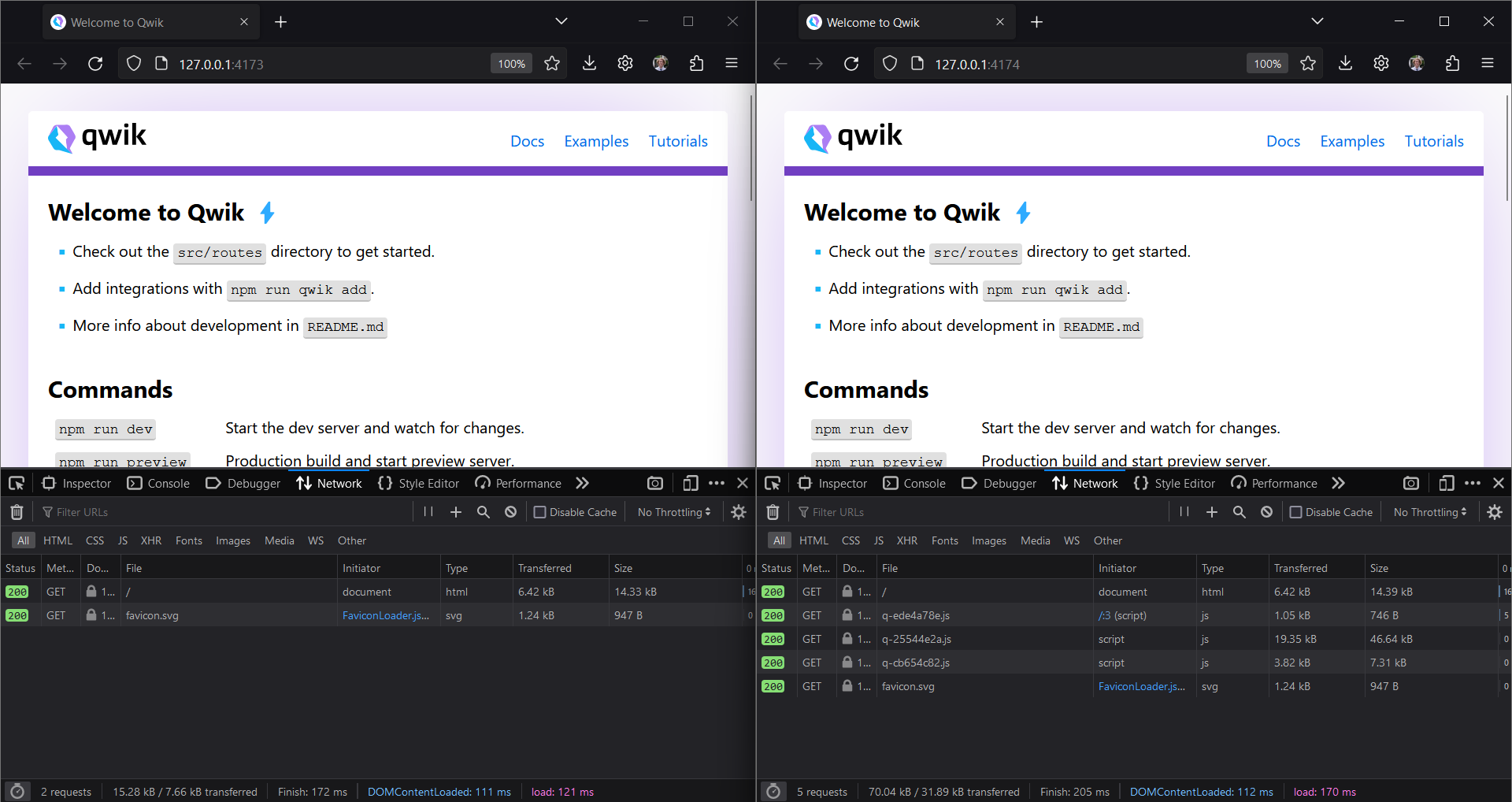
In the latest version of Qwik, 0.21.0, there is quite a lot of eagerly loaded Javascript that was not present in version 0.20.1. I'm not quite sure where this is coming from, but it is quite a regression for the same app. In the screenshot below, the window on the left is running the starter app on the old version, and the window on the right the latest version. Notice the difference in JS loaded in the Network tab.
Reproduction
pnpm create qwik@latest
Steps to reproduce
Run pnpm create [email protected] and then pnpm preview to run the starter app. Do the same for pnpm create [email protected], and compare Network tabs.
System Info
System:
    OS: Windows 10 10.0.22621
    CPU: (8) x64 AMD Ryzen 7 4700U with Radeon Graphics
    Memory: 1.65 GB / 7.39 GB
  Binaries:
    Node: 16.15.0 - C:\Program Files\nodejs\node.EXE
    Yarn: 1.22.17 - ~\AppData\Roaming\npm\yarn.CMD
    npm: 8.10.0 - C:\Program Files\nodejs\npm.CMD
  Browsers:
    Edge: Spartan (44.22621.1325.0), Chromium (110.0.1587.57), ChromiumDev (111.0.1661.27)
    Internet Explorer: 11.0.22621.1
Additional Information
No response

Hi @Coretteket 👋
Thanks a lot for raising this issue 🙏
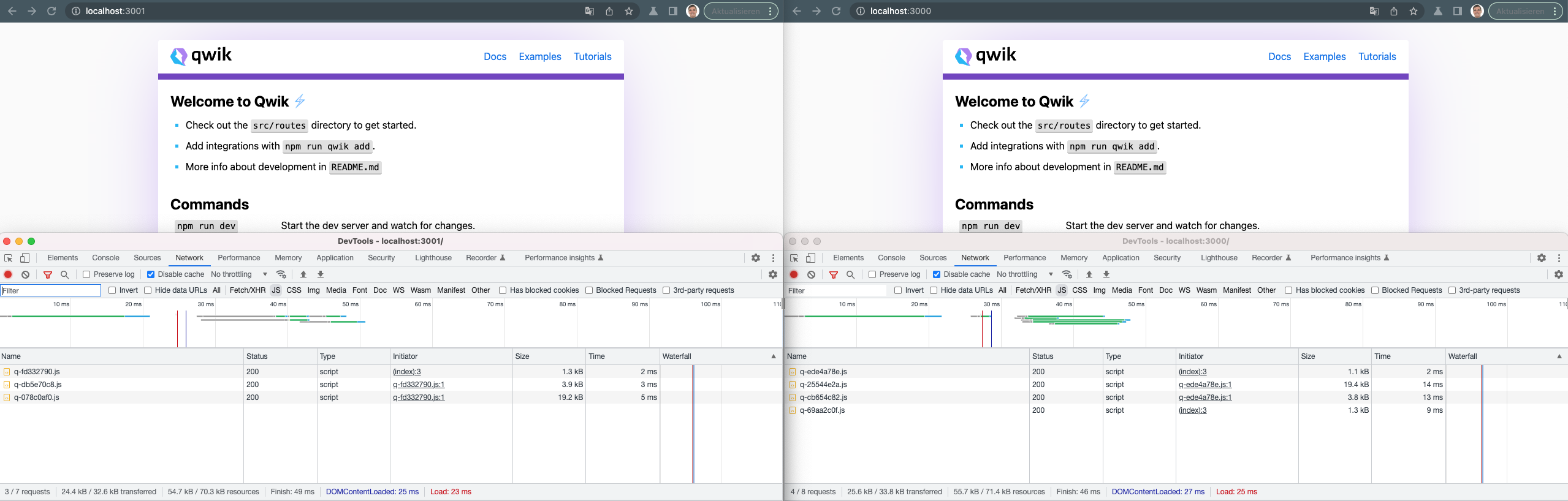
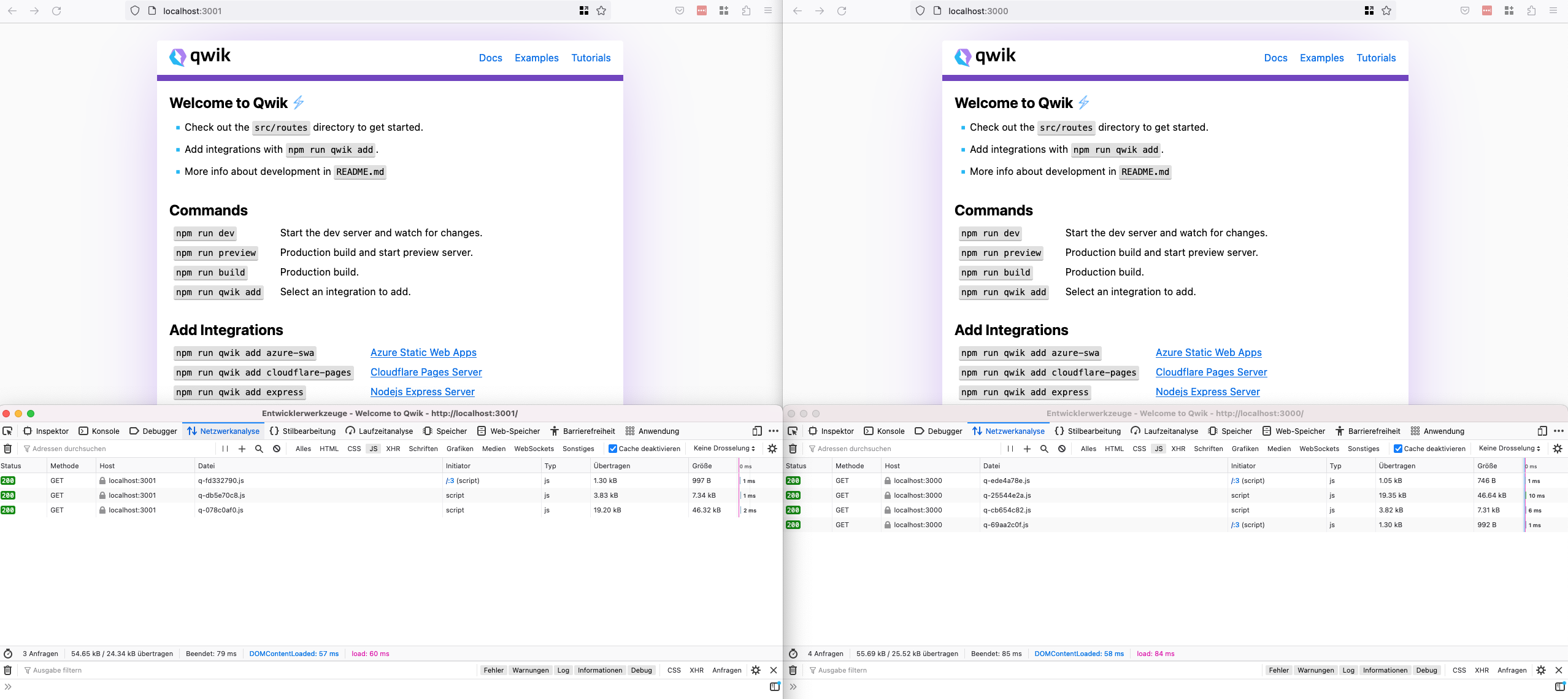
just gave it a spin locally with the two mentioned versions (0.20.1 and 0.21.0). the results on my end are pretty close together on chrome and firefox but on osx:
chrome
Version 112.0.5609.0
firefox
Versio 110.0.1 (64 Bit)

Interesting. Looking closer, it appears there is more going on after scrolling. On my end, the 0.20.1 version loads the three files you show, only on scroll when the two links become visible. For the 0.21.0 version, these three files are eagerly loaded, and a fourth (which appears on your end as well), loads when the links become visible. This is happening for me in both Chrome and Firefox.
I'm now seeing there are some differences in the starter app between the two versions as well, so this might not be an entirely fair comparison? I'm not sure.
This is a common issue when using the Link component. Try removing any and the unwanted JavaScript should disappear. If you want to keep the SPA feature, implement your own Link component with useNavigate. However, the browser history will be buggy.
EDIT: I just checked and it is a bug presented on version 0.21.0

Can confirm as well. For example, one of my pages went from 0 to 3 scripts loaded after upgrading to 0.21.0

Thanks for all the inputs 🙏 had a chat with @manucorporat today and i hope he finds some time to have a look at it 🙏 created a similar issue at #3390 .

@manucorporat it is normal that the vite plugin code is included in production build?
As you can see the code downloaded in production (from qwik docs):
 is the same as:
https://github.com/vitejs/vite/blob/main/packages/vite/src/node/plugins/importAnalysisBuild.ts#L71
is the same as:
https://github.com/vitejs/vite/blob/main/packages/vite/src/node/plugins/importAnalysisBuild.ts#L71
This is just an example, but file is ~45kB (currently ~~https://qwik.builder.io/build/q-d7b721b9.js~~ https://qwik.builder.io/build/q-6994ab19.js) and there are more similarities. For apps with more interactivity (like qwik docs) file is always downloaded. However for simple apps with low interactivity (or none) file is not downloaded, but still is generated during build process.
I'm just curious if this is normal or a bug?

