code-d
 code-d copied to clipboard
 Pure-D
Launching a dub project from a nested directory
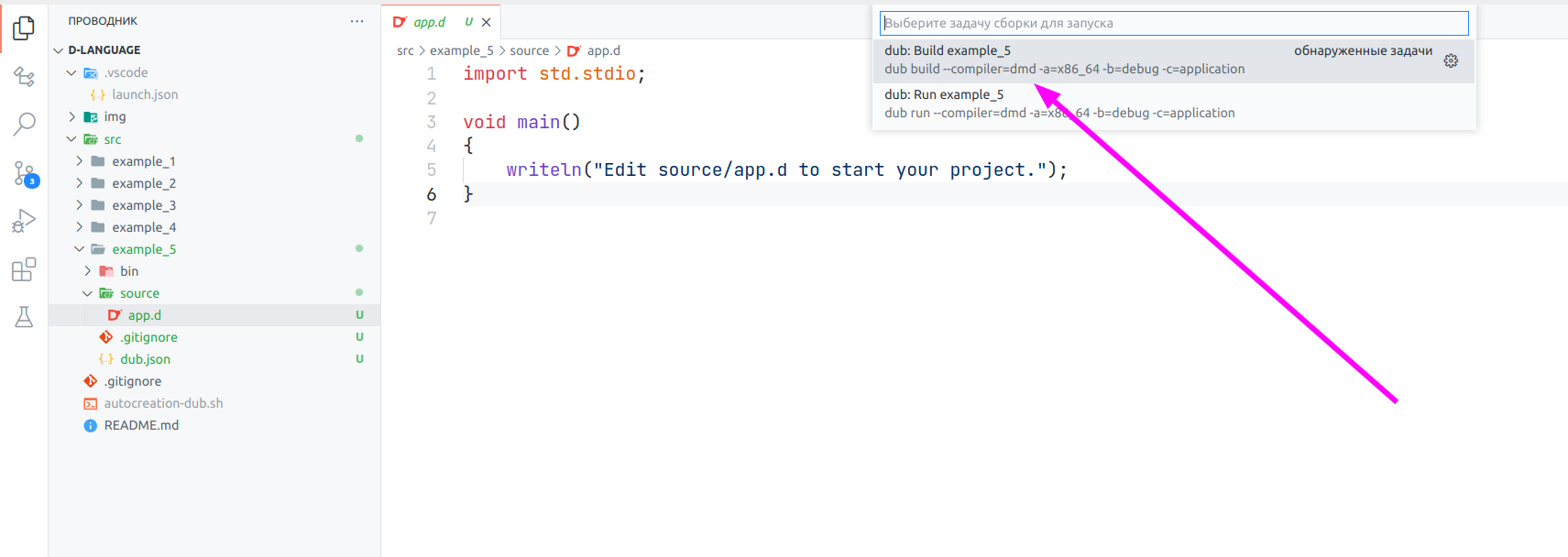
I have a nested DUB projects structure (example_1, example_2, ...):
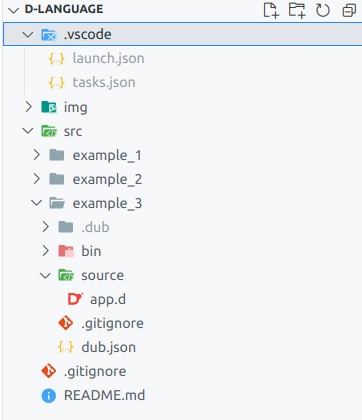
When I create a new project, I want to run it without reconfiguring the project path using universal variables. When you press Ctrl+Shift+B, the assembly and launch of the open current file is successful. It is not possible to configure debugging for the DUB project, because the paths are not recognized. I tried to configure manually, but the project is still not going to.

But running the usual debugging works fine.
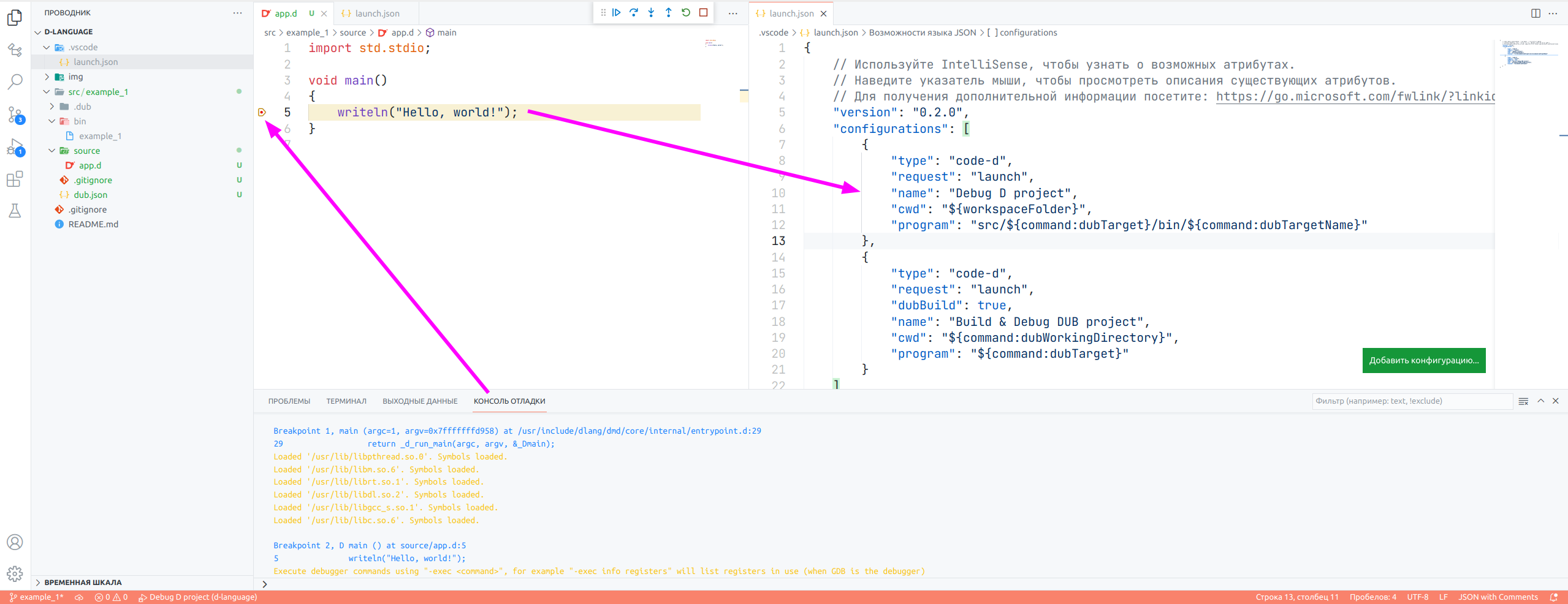

the problem is that in the bottom configuration you have dubBuild set to true and that build is failing because it seems code-d is not spawning dub in the correct directory.
In the top one I'm not even sure how that is running because dubTarget should return an absolute path, so the src/ prefix would mess that one up.
Can you add "args": ["${command:dubTarget}", "${command:dubTargetName}", "${command:dubWorkingDirectory}"] to your launch config and add string[] args in your D main, build it manually and then in the debugger look at the values?

Can you add
"args": ["${command:dubTarget}", "${command:dubTargetName}", "${command:dubWorkingDirectory}"]to your launch config and addstring[] argsin your D main, build it manually and then in the debugger look at the values?
After passing the arguments, I got this output:
["/mnt/lin_disk_data/Programming/D/d-language/src/example_1/bin/example_1", "example_1", "example_1", "/mnt/lin_disk_data/Programming/D/d-language/src/example_1/"]
I launched it with this configuration:

In the top one I'm not even sure how that is running because dubTarget should return an absolute path, so the src/ prefix would mess that one up.
Yes, I have now corrected this parameter to:
"program": "${command:dubWorkingDirectory}/bin/${command:dubTargetName}"
Now we need to somehow try to build the project through DUB debugging... 🧐
I noticed another feature. When creating a NEW dub project, it is necessary to reboot VSCode, since it does not detect the created project, while pulling up the configuration from the previous project.
Before restarting VSCode:
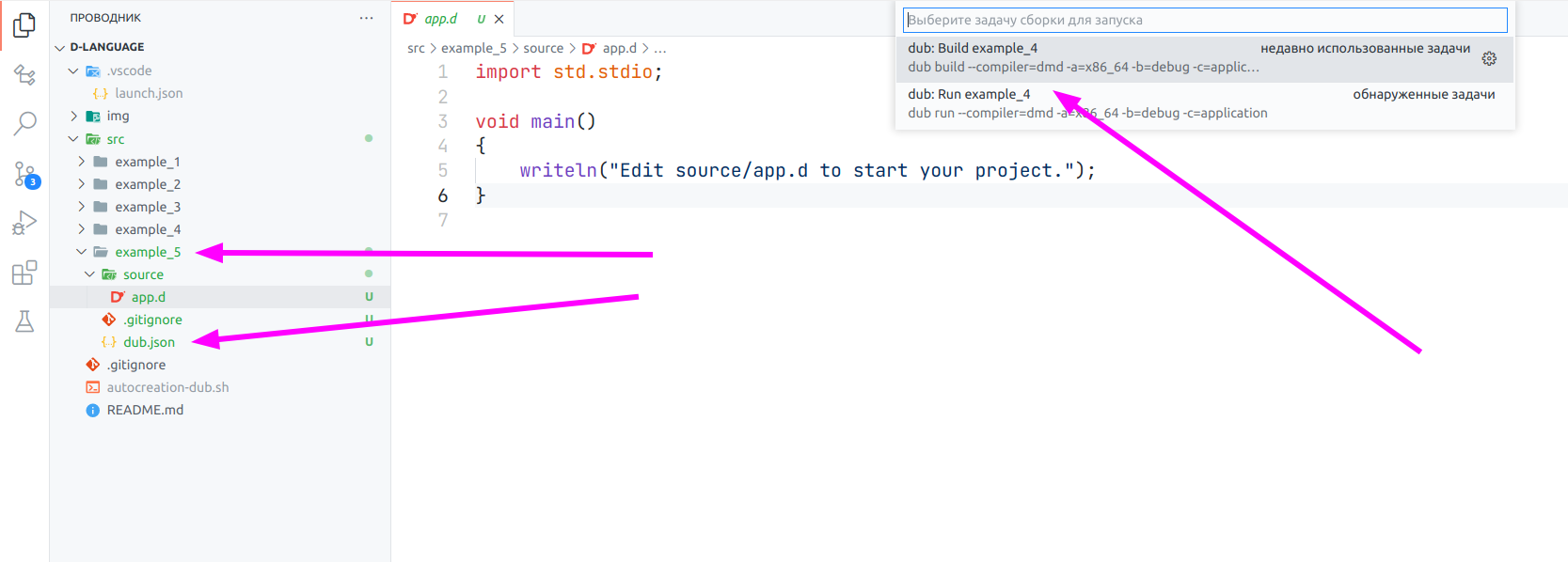
After restarting VSCode: