PowerShellGetv2
 PowerShellGetv2 copied to clipboard
 PowerShell
Uninstall-Module error (pwsh v7.03): Index (zero based) must be greater than or equal to zero and less than the size of the argument list
Steps to reproduce
any module uninstall (modules installed by default in user mode, user documents file path on a onedrive synced folder):
Uninstall-Module -Name "AWSPowerShell.NetCore" -Force -AllVersions Uninstall-Module -Name "AIPService" -Force -AllVersions Uninstall-Module -Name "Microsoft.Online.SharePoint.PowerShell" -Force -AllVersions
Expected behavior
Successfull uninstall
Actual behavior
ERROR: PS > Uninstall-Module -Name "AWSPowerShell.NetCore" -Force -AllVersions Uninstall-Package: C:\Users...\Documents\PowerShell\Modules\PowerShellGet\2.2.4.1\PSModule.psm1:12731 Line | 12731 | … $null = PackageManagement\Uninstall-Package @PSBoundParameters | ~~~~~~~~~~~~~~~~~~~~~~~~~~~~~~~~~~~~~~~~~~~~~~~~~~~~~~ | Index (zero based) must be greater than or equal to zero and less than the size of the argument list.
PS > Uninstall-Module -Name "AIPService" -Force -AllVersions Uninstall-Package: C:\Users...\Documents\PowerShell\Modules\PowerShellGet\2.2.4.1\PSModule.psm1:12731 Line | 12731 | … $null = PackageManagement\Uninstall-Package @PSBoundParameters | ~~~~~~~~~~~~~~~~~~~~~~~~~~~~~~~~~~~~~~~~~~~~~~~~~~~~~~ | Index (zero based) must be greater than or equal to zero and less than the size of the argument list.
PS > Uninstall-Module -Name "Microsoft.Online.SharePoint.PowerShell" -Force -AllVersions Uninstall-Package: C:\Users...\Documents\PowerShell\Modules\PowerShellGet\2.2.4.1\PSModule.psm1:12731 Line | 12731 | … $null = PackageManagement\Uninstall-Package @PSBoundParameters | ~~~~~~~~~~~~~~~~~~~~~~~~~~~~~~~~~~~~~~~~~~~~~~~~~~~~~~ | Index (zero based) must be greater than or equal to zero and less than the size of the argument list.
- The exact same process occurs successfully using Windows PowerShell (5.1)
- This behavior occurs with any previous pwsh installed module, these 3 were just an example.
- Windows Powershell and PWSH uses different module file path (with Windows Powershell I have the same modules installed on c:\Program Files\WindowsPowerShell\Modules aka LocalMachine mode)
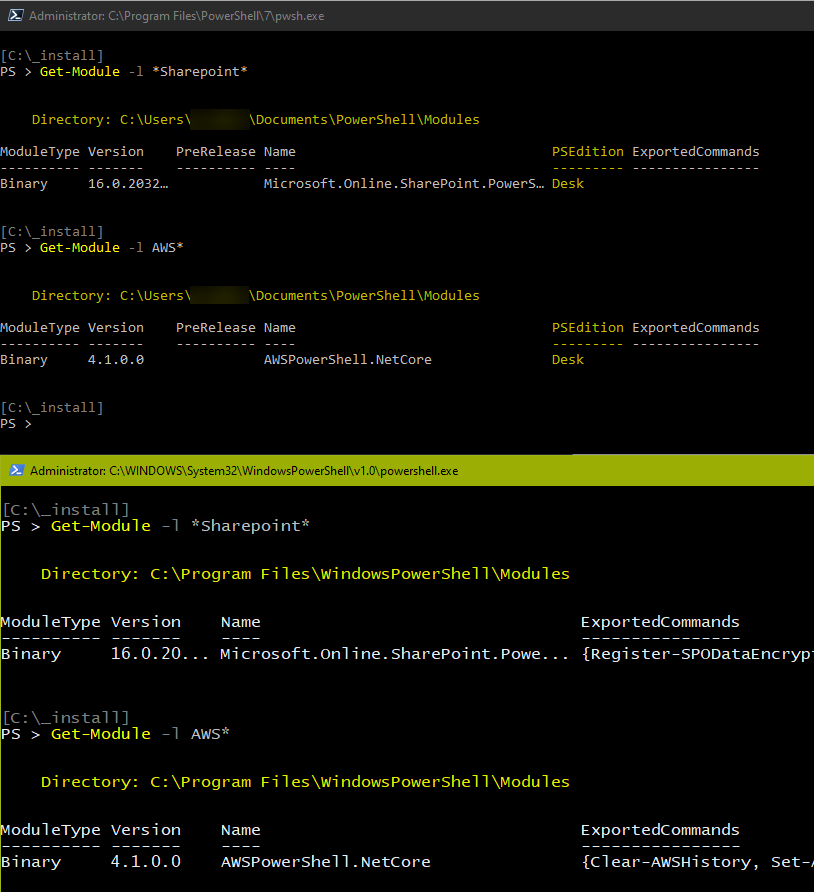
- All the modules were installed using PWSH 7x
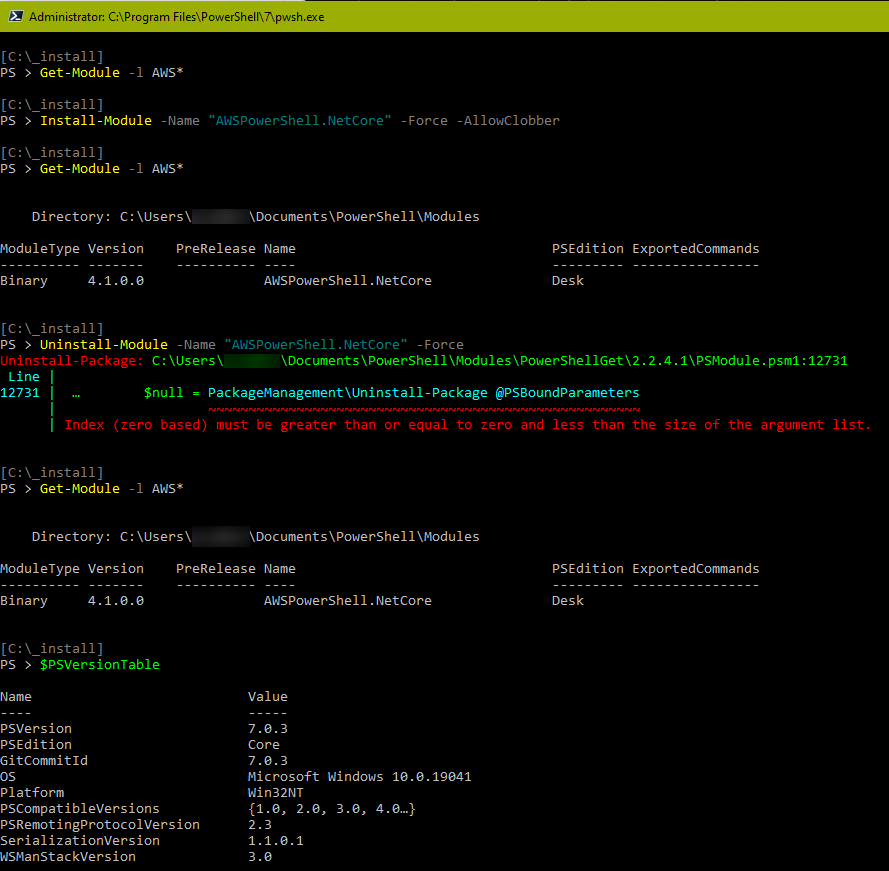
Basically, my current workaround is to delete the module folder through Explorer when PWSH process is closed.
Environment data
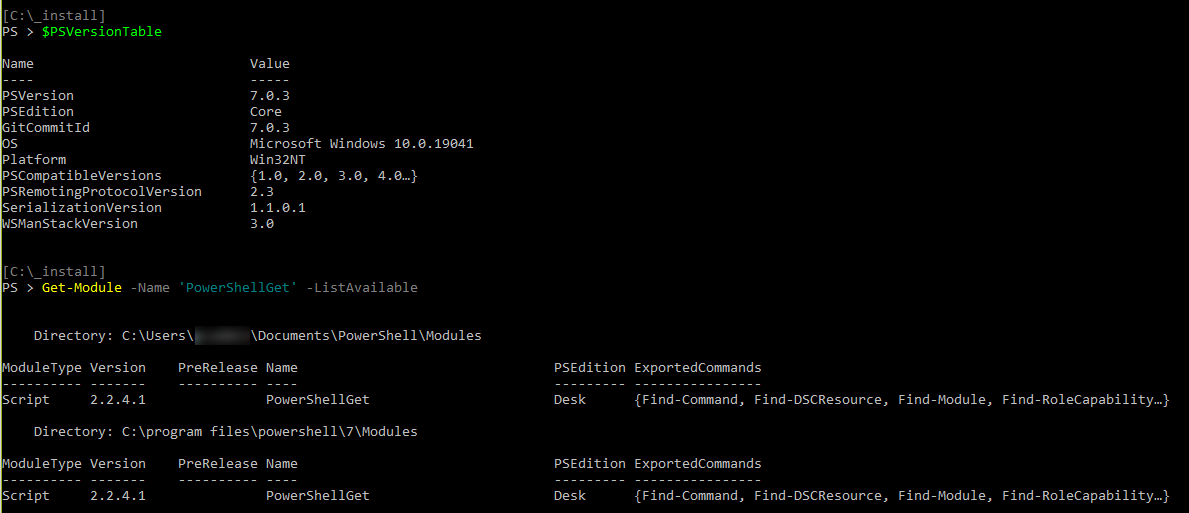
Name Value
PSVersion 7.0.3 PSEdition Core GitCommitId 7.0.3 OS Microsoft Windows 10.0.19041 Platform Win32NT PSCompatibleVersions {1.0, 2.0, 3.0, 4.0…} PSRemotingProtocolVersion 2.3 SerializationVersion 1.1.0.1 WSManStackVersion 3.0

@tiberius-code Are you finding that deleting the module folders works fine for you? I'm having the same issue, but I don't want to delete folders if they're going to leave behind broken references etc.
Also, seems to be the same issue at #610

@tiberius-code Are you finding that deleting the module folders works fine for you? I'm having the same issue, but I don't want to delete folders if they're going to leave behind broken references etc.
Also, seems to be the same issue at #610
Yes, it works perfectly for me.
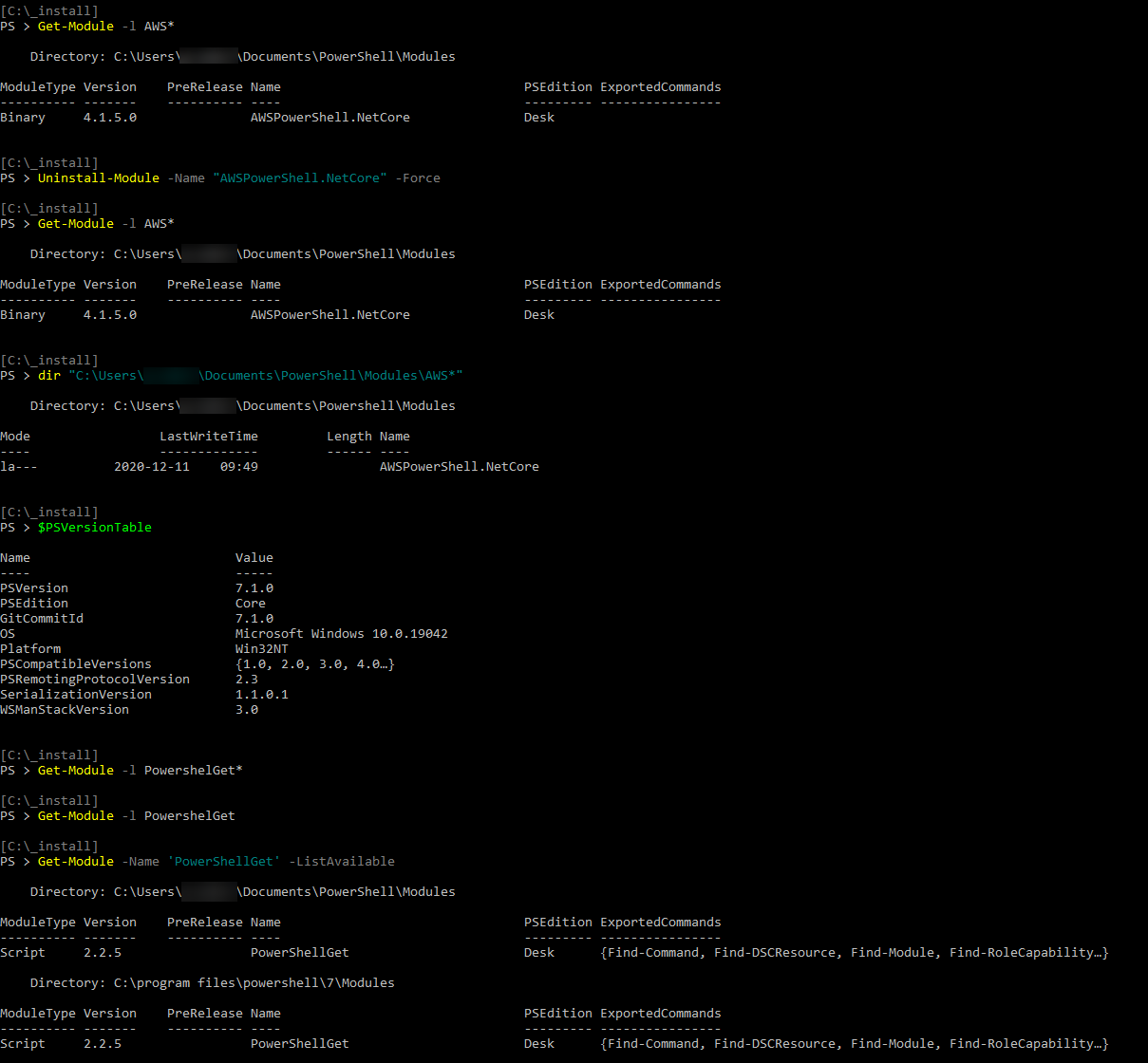
In the latest PWSH v7.1 and PoweshellGet v2.2.5 I no longer have these errors, but the folders (and then the modules) are not deleted.