
Home-Assistant-custom-components-Xiaomi-Cloud-Map-Extractor
 Home-Assistant-custom-components-Xiaomi-Cloud-Map-Extractor copied to clipboard
 PiotrMachowski
Weird map display for STYJ02YM
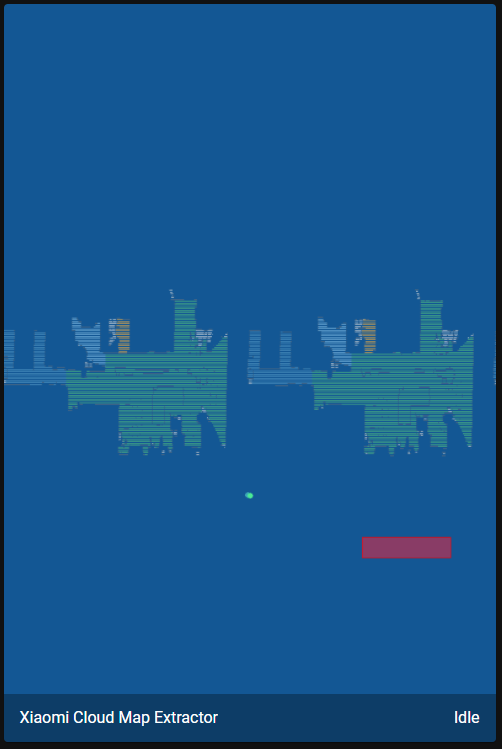
Hi, I have a STYJ02YM (chinese version) and the map is displayed in a weird way, like it's 3 different pieces. Here's the extracted map file: map_data_viomi.vacuum.v7.zip
I've also enabled debug logging but nothing shows up.
What I see in HA:
What I see in Mi home app (VEVS modified version):
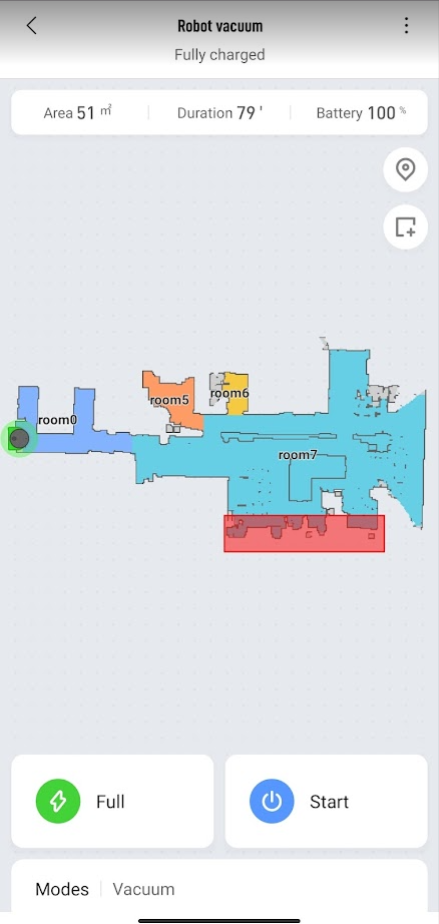


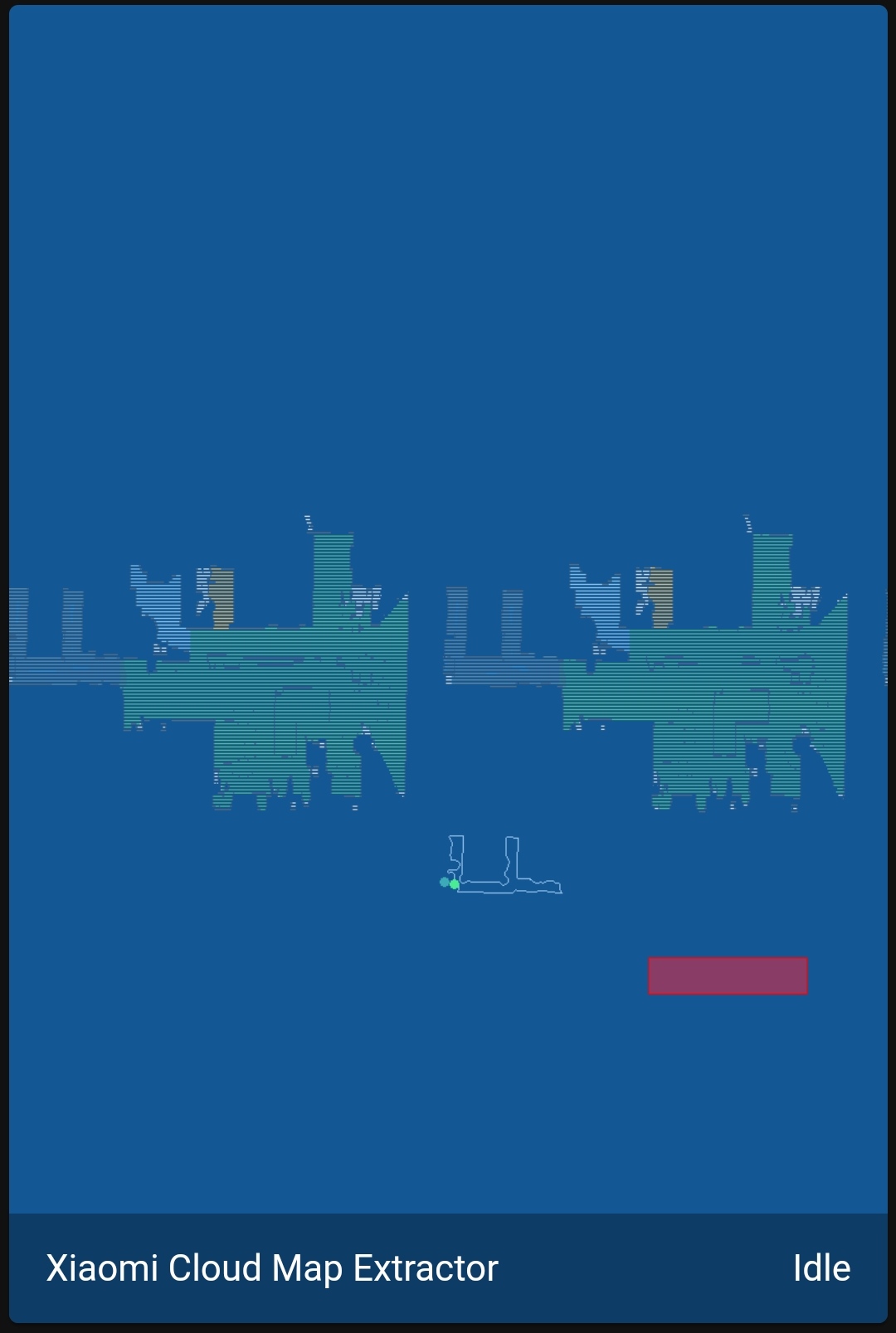
Can you try to remove the map in Xiaomi Home and create it again, or is it not possible? It looks like image dimensions got updated, but its content didn't...
Also tried that but got again the same map. I see in the logs the following but I think it's not related to the rendering issue.
The camera entity camera.xiaomi_cloud_map_extractor does not support requesting width and height, please open an issue with the integration author
Yup, it's completely unrelated. Have you updated your vacuum/app recently?
The app today, it was 6.11.something and now is latest 6.12.709 (VEVS modified version). I had the issue both before and after the update.
I've had no time to check this problem yet, but I think this problem could lie within the firmware of the robot. Sometimes my own robot displays the map in the same way, even in the Mi Home app. About a year ago the Mi Home app got an update: some seconds after a broken image it will reload automagically. So my bet is they fixed the problem in the client (app) side instead of in the firmware. I'll look into it...
Does this problem persist always or just accidentally?

I have no issues in Mi home app, in HA it's always displayed like this. I have the Chinese version of the vacuum, could this be related?
I updated to latest version of component and now I get this error:
Logger: homeassistant.helpers.entity
Source: custom_components/xiaomi_cloud_map_extractor/viomi/map_data_parser.py:313
Integration: xiaomi_cloud_map_extractor (documentation, issues)
First occurred: 11:21:23 AM (4 occurrences)
Last logged: 11:21:38 AM

Update for camera.xiaomi_cloud_map_extractor fails
Traceback (most recent call last):
  File "/usr/src/homeassistant/homeassistant/helpers/entity.py", line 468, in async_update_ha_state
    await self.async_device_update()
  File "/usr/src/homeassistant/homeassistant/helpers/entity.py", line 658, in async_device_update
    raise exc
  File "/usr/local/lib/python3.9/concurrent/futures/thread.py", line 52, in run
    result = self.fn(*self.args, **self.kwargs)
  File "/config/custom_components/xiaomi_cloud_map_extractor/camera.py", line 257, in update
    self._handle_map_data(map_name)
  File "/config/custom_components/xiaomi_cloud_map_extractor/camera.py", line 314, in _handle_map_data
    map_data, map_stored = self._device.get_map(map_name, self._colors, self._drawables, self._texts,
  File "/config/custom_components/xiaomi_cloud_map_extractor/common/vacuum.py", line 28, in get_map
    map_data = self.decode_map(response, colors, drawables, texts, sizes, image_config)
  File "/config/custom_components/xiaomi_cloud_map_extractor/viomi/vacuum.py", line 15, in decode_map
    return MapDataParserViomi.parse(unzipped, colors, drawables, texts, sizes, image_config)
  File "/config/custom_components/xiaomi_cloud_map_extractor/viomi/map_data_parser.py", line 112, in parse
    MapDataParserViomi.parse_section(buf, 'image', map_id)
  File "/config/custom_components/xiaomi_cloud_map_extractor/viomi/map_data_parser.py", line 313, in parse_section
    raise ValueError(
ValueError: error parsing section image at offset 0x30: magic check failed 0x619f7ce4
Which version did you have before? (latest release was published over 4 months ago)
Sorry, you're right, the update I did was for the Xiaomi Vacuum Map Card not the extractor.
I cleared the errors and started the vacuum now, it seems they don't show up as long as it's cleaning.
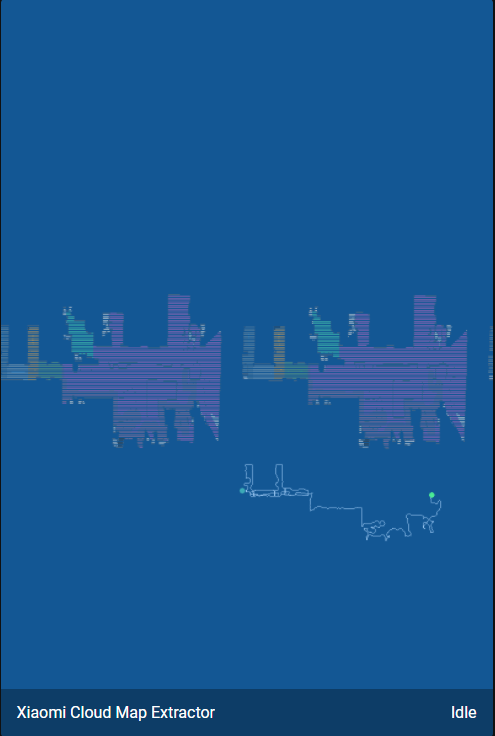
Ok, I have mostly finished everything I wanted to do in the Map card, so I think I will switch to improving Extractor and will try to take a deeper look at your issue as well

I get the same error (https://github.com/PiotrMachowski/Home-Assistant-custom-components-Xiaomi-Cloud-Map-Extractor/issues/189#issuecomment-979815769) using v13 (Viomi V3) together with "viomise". Controls work fine. But where the map would render I see "Invalid calibration, please check your configuration"
Logger: homeassistant.helpers.entity
Source: custom_components/xiaomi_cloud_map_extractor/viomi/map_data_parser.py:313
Integration: xiaomi_cloud_map_extractor ([documentation](https://github.com/PiotrMachowski/Home-Assistant-custom-components-Xiaomi-Cloud-Map-Extractor), [issues](https://github.com/PiotrMachowski/Home-Assistant-custom-components-Xiaomi-Cloud-Map-Extractor/issues))
First occurred: 10:00:44 PM (97 occurrences)
Last logged: 10:11:33 PM

Update for camera.xiaomi_cloud_map_extractor fails
Traceback (most recent call last):
  File "/usr/src/homeassistant/homeassistant/helpers/entity.py", line 515, in async_update_ha_state
    await self.async_device_update()
  File "/usr/src/homeassistant/homeassistant/helpers/entity.py", line 751, in async_device_update
    await task
  File "/usr/local/lib/python3.9/concurrent/futures/thread.py", line 58, in run
    result = self.fn(*self.args, **self.kwargs)
  File "/config/custom_components/xiaomi_cloud_map_extractor/camera.py", line 261, in update
    self._handle_map_data(map_name)
  File "/config/custom_components/xiaomi_cloud_map_extractor/camera.py", line 318, in _handle_map_data
    map_data, map_stored = self._device.get_map(map_name, self._colors, self._drawables, self._texts,
  File "/config/custom_components/xiaomi_cloud_map_extractor/common/vacuum.py", line 28, in get_map
    map_data = self.decode_map(response, colors, drawables, texts, sizes, image_config)
  File "/config/custom_components/xiaomi_cloud_map_extractor/viomi/vacuum.py", line 15, in decode_map
    return MapDataParserViomi.parse(unzipped, colors, drawables, texts, sizes, image_config)
  File "/config/custom_components/xiaomi_cloud_map_extractor/viomi/map_data_parser.py", line 157, in parse
    MapDataParserViomi.parse_section(buf, 'unknown2', map_id)
  File "/config/custom_components/xiaomi_cloud_map_extractor/viomi/map_data_parser.py", line 313, in parse_section
    raise ValueError(
ValueError: error parsing section unknown2 at offset 0x9c4d5: magic check failed. Magic: 0xbd1c0000, Map ID: 0x0

It should be gone when you regenerate the map, sometimes full cleaning solves this issue as well
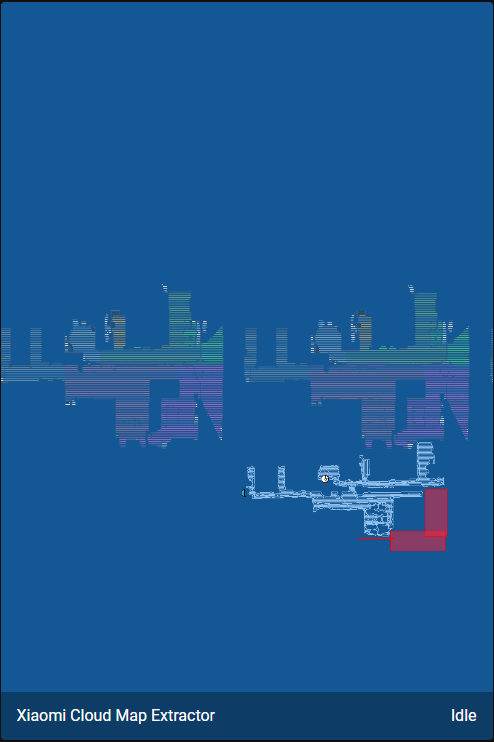
Seems that the issue has been resolved with some update, not sure which one, but the map looks good now!