
pcsx2
 pcsx2 copied to clipboard
 PCSX2
PCSX2
[BUG]: Sega Rally Championship '95 Loading Screens Black + Hash Cache Message
Describe the Bug
I noticed an issue with Sega Rally Championship '95 it appears that background textures are not showing in the loading screens.
Settings are default other than Upscaling to 4K and 4:3 Forced Aspect Ratio. I have checked with just all default settings and this issue is still present.
You can see in the screens that any splash screens or background image assets seem to load blank.

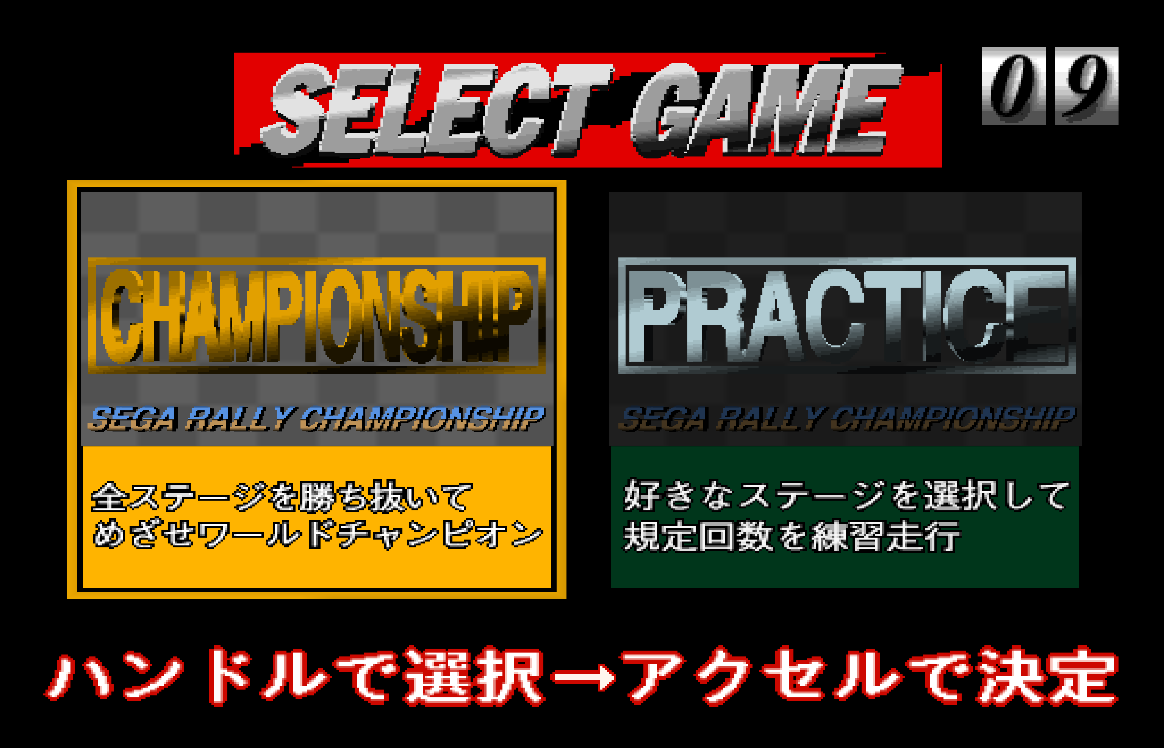
If you check the software renderer these images do in fact load.
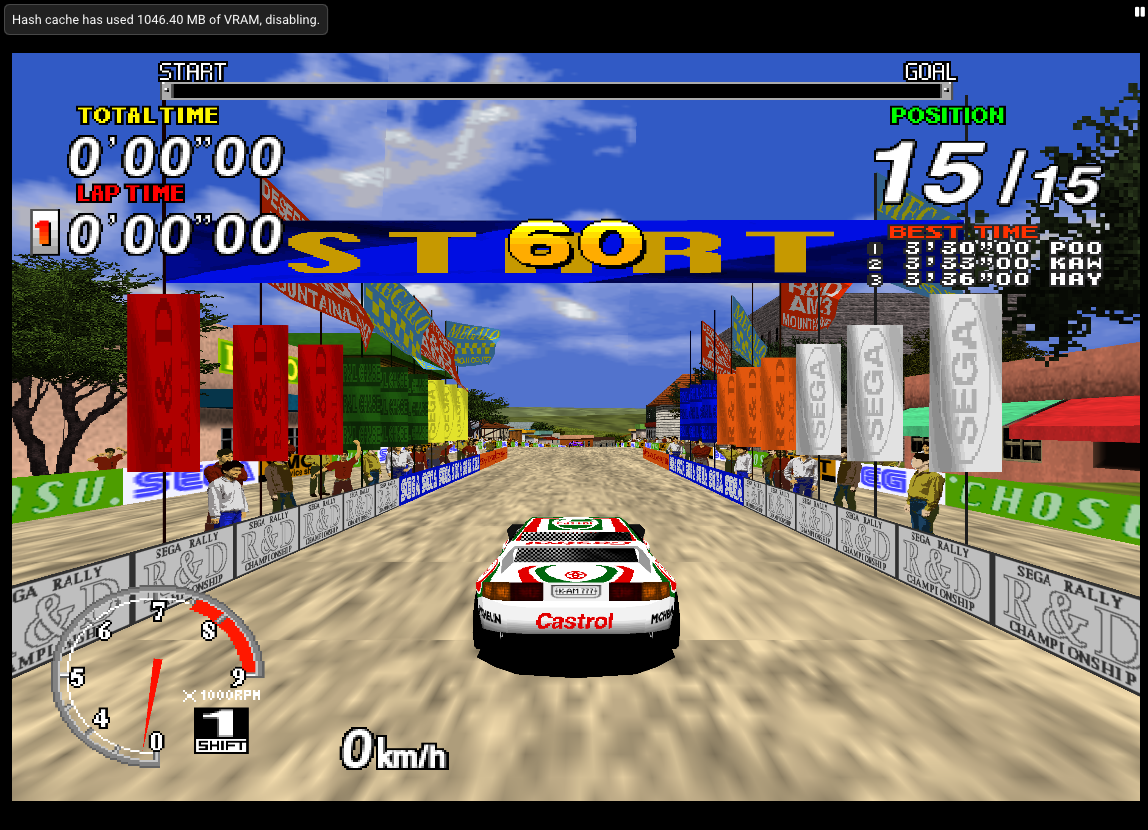
I believe this is possibly related to #5582 and #5578 due to the fact that I am seeing the Hash Cache Message upon loading into the first area. This seems like the only time this message appears.
Reproduction Steps
Run Sega Rally Championship '95 Check the initial splash screen (Press Start Button Screen) and Car Select Screen. Load into initial game play.
Expected Behavior
Background images should be present and Hash Cache Message should not show on initial Gameplay Load in.
PCSX2 Revision
1.7.4383
Operating System
Windows 11
If Linux - Specify Distro
No response
CPU
Ryzen 5600X
GPU
Nvidia RTX 3080 TI
GS Settings
Defaults other than: Aspect Ratio Standard(4:3) Renderer Automatic (Default) it is Vulkan by default Internal Resolution 6X Native Adapter: Nvidia Geforce RTX 3080 Ti
Emulation Settings
All Defaults
GS Window Screenshots
No response
Logs & Dumps
Press Start Screen.zip Select Car Screen.zip Hash Cache Message.zip


@silentq The first and the third only have a few garbage pixels in comparison to software. Highly inconsequential in my view. The second one requires a larger CPU Sprite Render Size such as 8 or Disable depth emulation.
Ok Interesting right on the money with sprite render size 8.
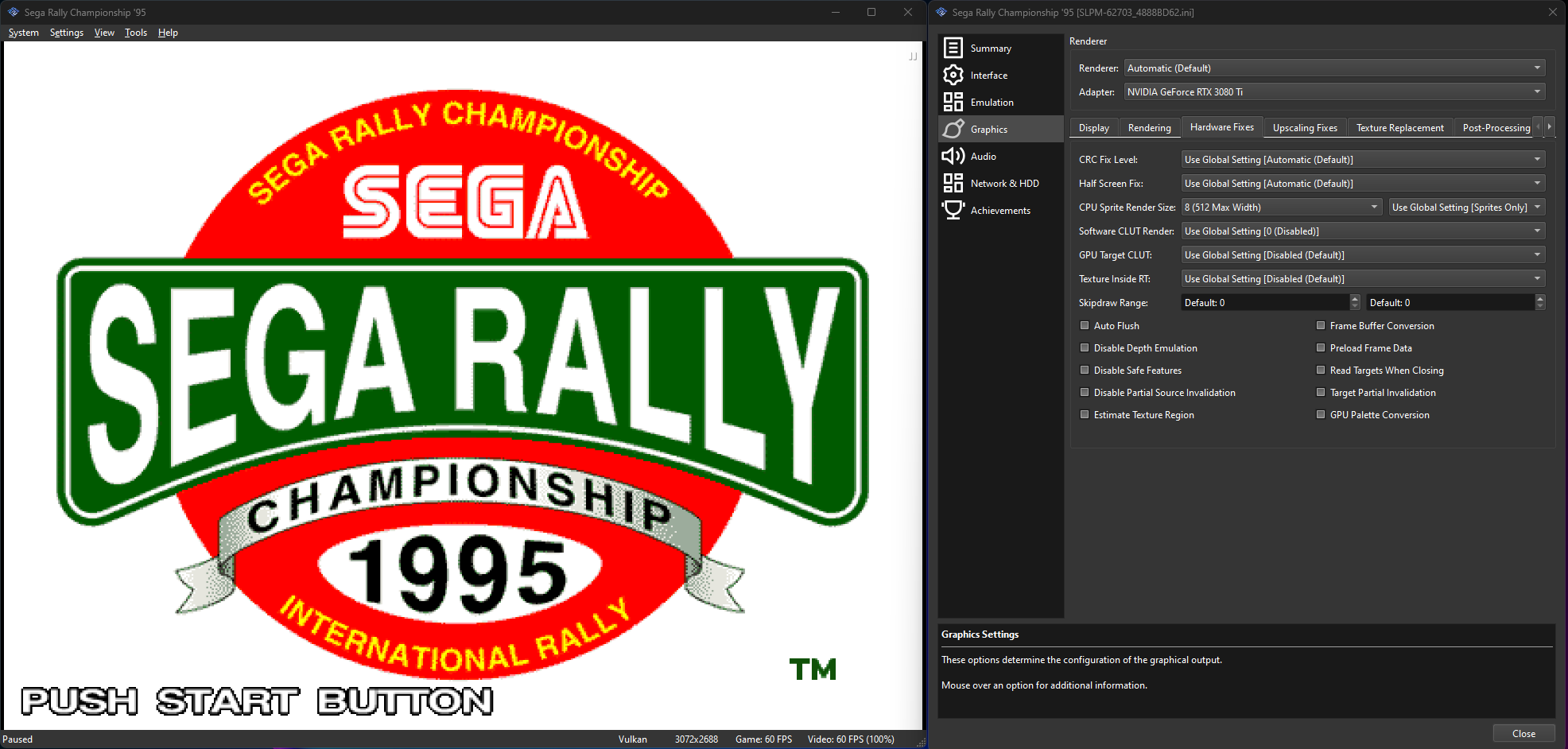
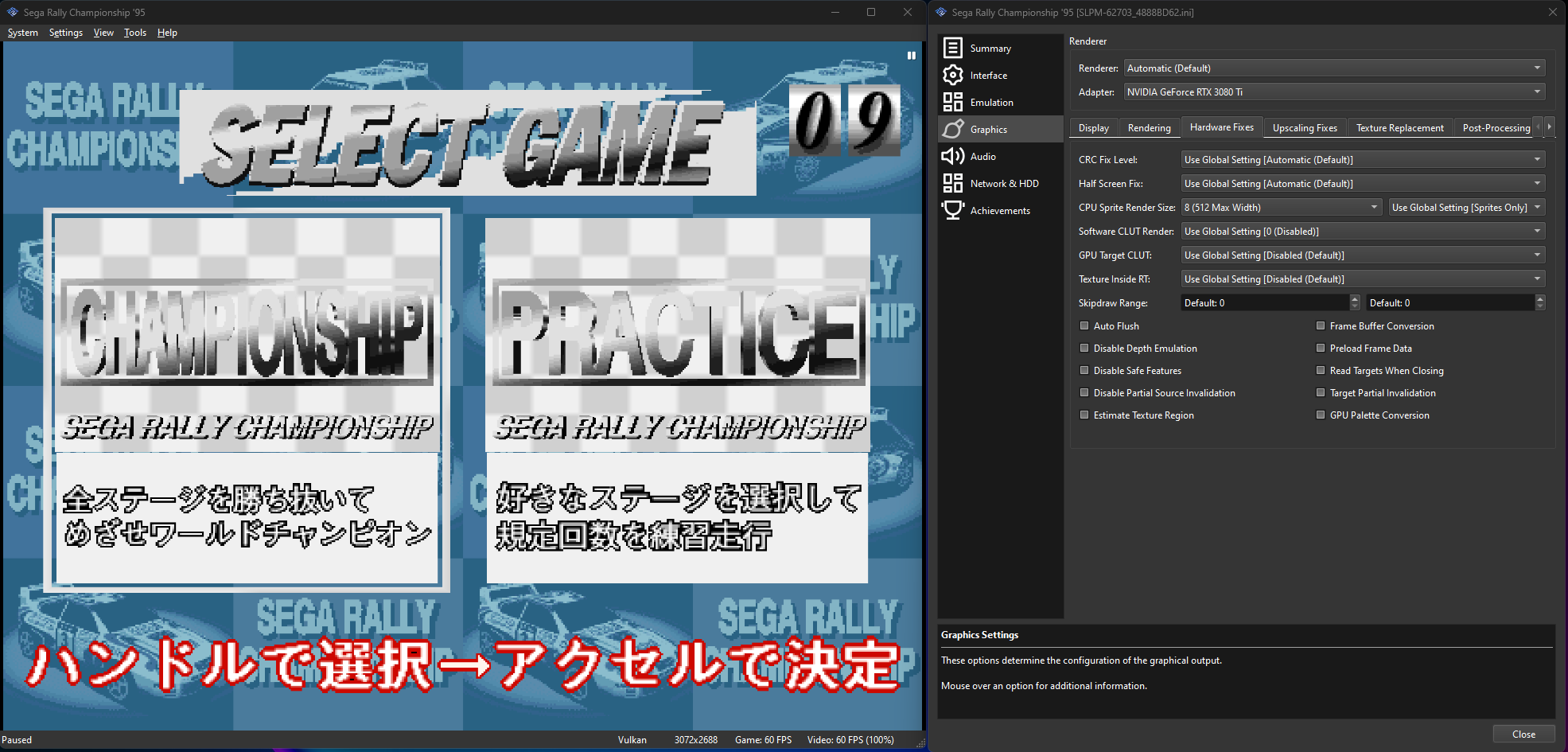
The consequences seem to be just turning on manual hardware fixes and setting CPU Sprite Render Size = 8 sent everything Else to Black and White.
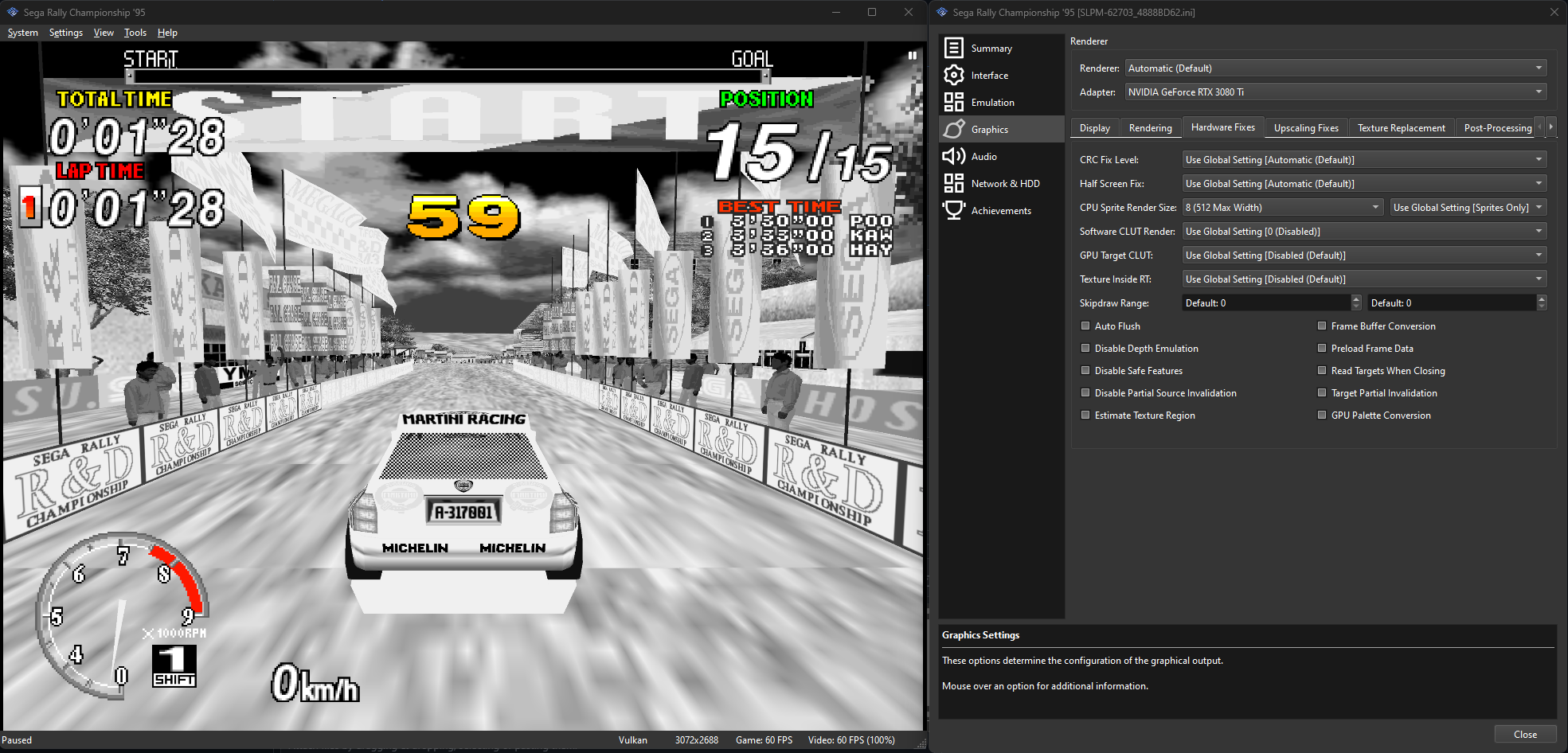
Curious as to if some other fix needs to be in place when running manually?
You need to re-enable the SW CLUT (Aggressive) fix, if you're gonna do manual fixes.

@refractionpcsx2 Thanks! Fixed the graphical glitches. One question any reason why turning that on brings back the Hash Cache Message? It seemed to go away without the SW CLUT setting?
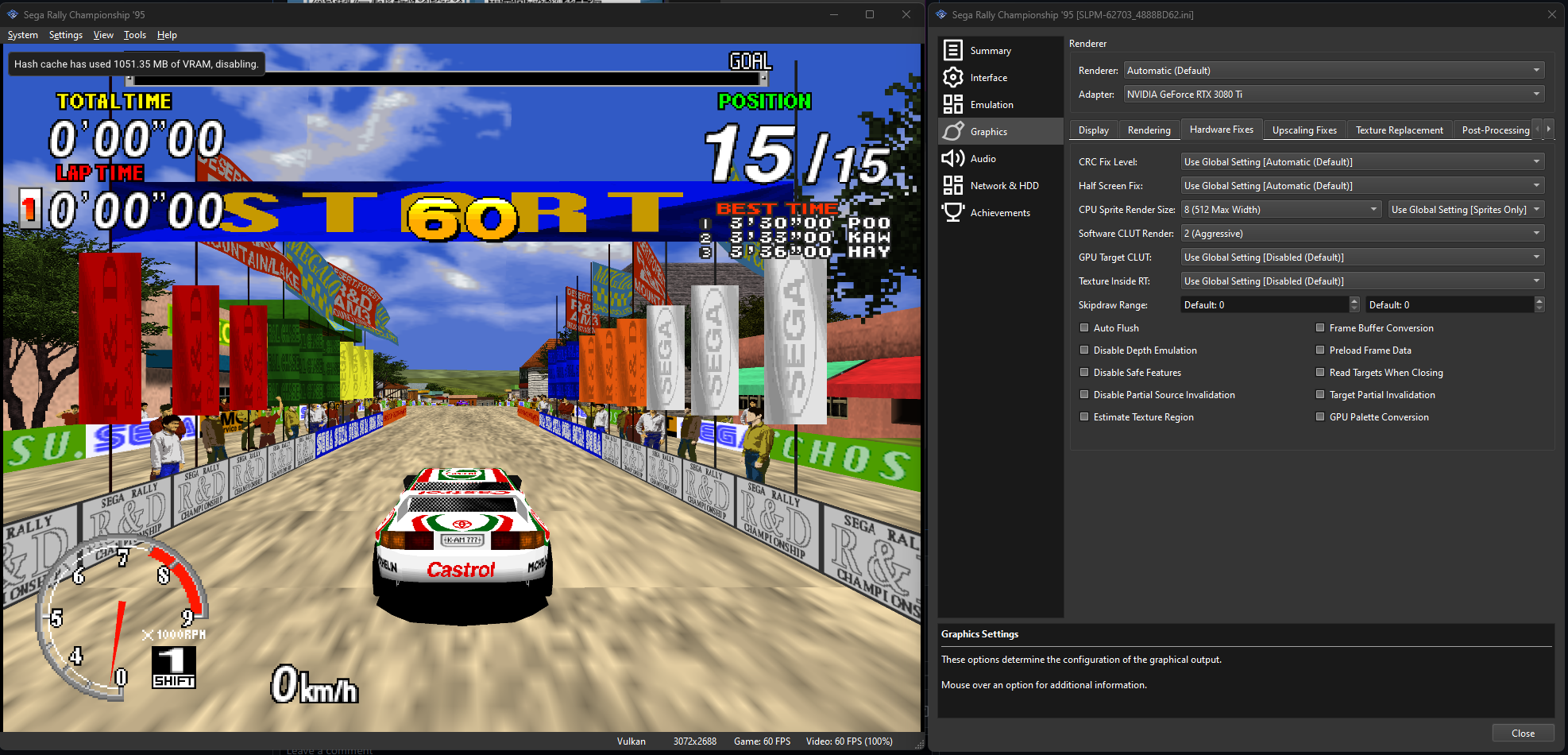
without it, you're moving the load somewhere else, which is why it runs like crap, I guess you could set Texture Preloading on the Rendering tab to "Partial" that should solve it.
@refractionpcsx2 Gotcha was just curious. It seems to have no performance impact for my setup this game runs locked 60fps but I suppose this moving of the load somewhere else could affect others.
Thanks for all the help!
@refractionpcsx2 Gotcha was just curious. It seems to have no performance impact for my setup this game runs locked 60fps but I suppose this moving of the load somewhere else could affect others.
Thanks for all the help!
Don't close it, it's a valid issue
Another comment here. @refractionpcsx2 moving to partial Texture loading as you mentioned seems to get rid of the Hash Cache Message. Thankfully I see no performance impact here after running through the game. So it would appear the combination of the following settings gets this game running without a hitch at least on my system.
Rendering Tab: Texture Preloading = Partial Manual Hardware Fixes = Checked
Hardware Fixes Tab: CPU Sprite Render Size = 8 (512 Max Width) Software CLUT Render = 2 (Aggressive)
@Buzzardsoul hope this helps as well. Thanks again to you both.
There's very little legit reason to set CPU sprite render that high - it's only for debugging, and is going to be quite slow.
It's probably a TC bug.
