
otter-browser
 otter-browser copied to clipboard
 OtterBrowser
Dark icons with a dark system theme are not ok

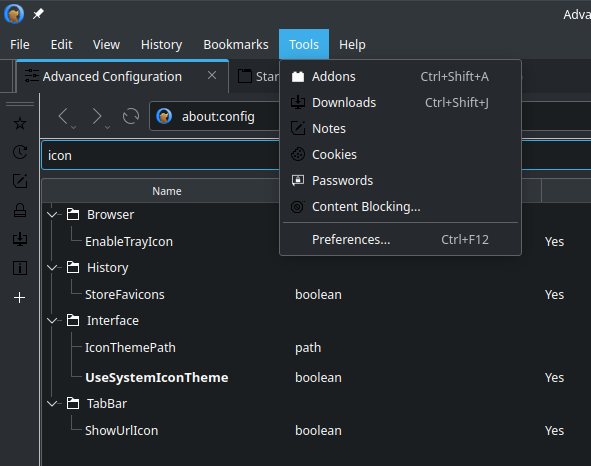
You can tell Otter to use your system icon theme, that option is pretty well hidden so you may not have found it. In the bottom left corner of the Preferences dialog, click All Settings. That will open about:config in a tab (or you can just type that in the address bar). Under Interface, set UseSystemIconTheme to yes. It didn't change all the icons for me, I assume it's using some special icons that aren't in my theme, but it got most of the important ones.

You can tell Otter to use your system icon theme...
Unfortunately, this does not always work for everyone and not for every DE
You can tell Otter to use your system icon theme, that option is pretty well hidden so you may not have found it. In the bottom left corner of the Preferences dialog, click All Settings. That will open about:config in a tab (or you can just type that in the address bar). Under Interface, set UseSystemIconTheme to yes.
Just tried that, but it doesn't work for me. Using KDE Plasma 5.23 on Void Linux.
Edit: never mind. After a restart, it does work.

This does not work for custom icons, which there are many, it seems. (as commented above)
 There are even custom icons, that have built-in versions. In my opinion built-ins should always be preferred, and if that is not possible then the icon should either be the negative of the original, or the app could take the dominant color of every built in icon, from which it could take the most used color, and use that. Though this works mostly for flat icons, that have the same colors.
