
script-lab
 script-lab copied to clipboard
 OfficeDev
Can't run custom functions
Bug Report
- Host:Excel My excel version is 1912(Build 12325.20172 Monthly Channel(targeted) And it's a business account which has Microsoft Office365 ProPlus subscription
Actual behavior:
Steps to Reproduce:
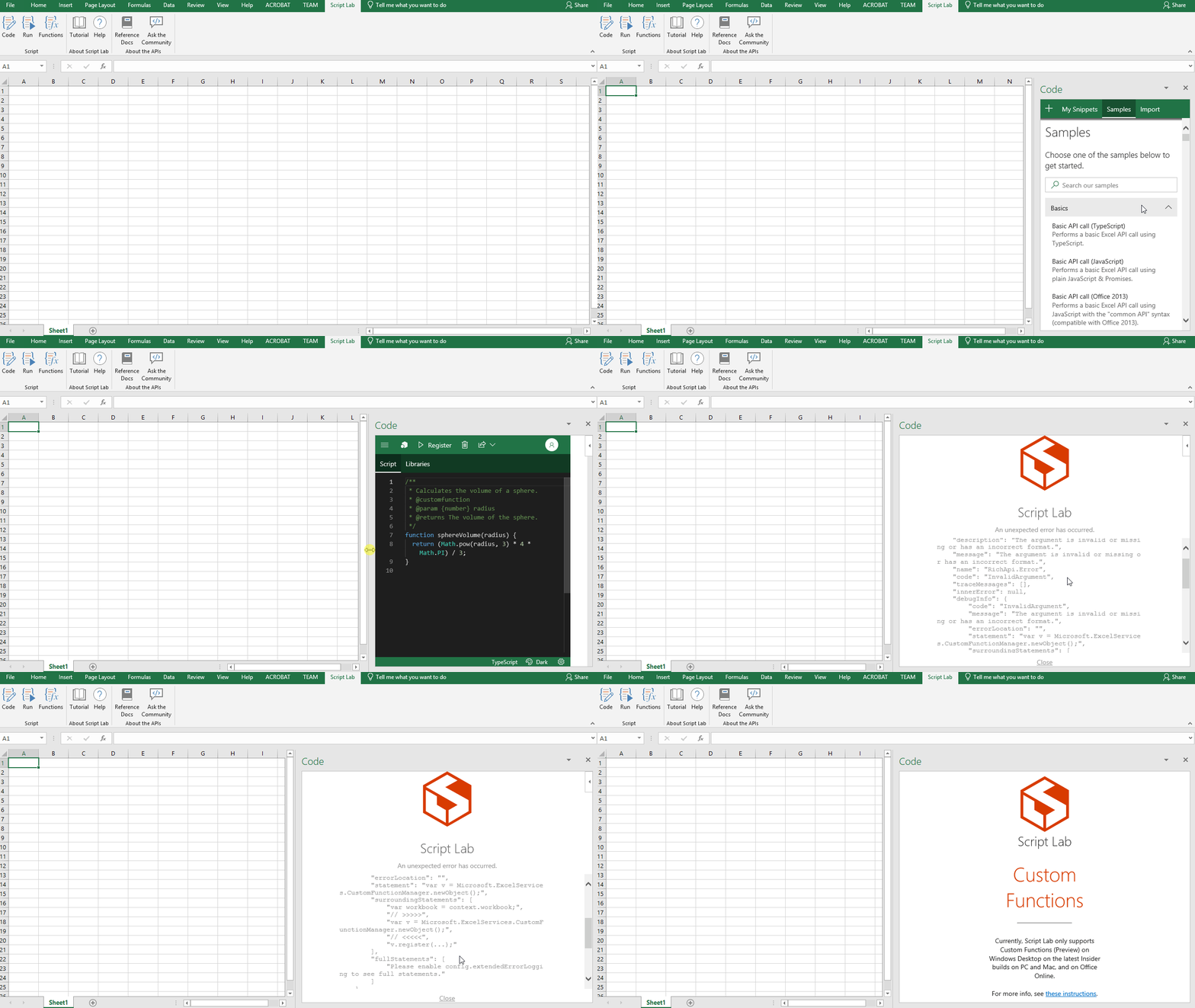
I just run the sample of custom functions and have this error
Failure Logs:
Error: { "description": "The argument is invalid or missing or has an incorrect format.", "message": "The argument is invalid or missing or has an incorrect format.", "name": "RichApi.Error", "code": "InvalidArgument", "traceMessages": [], "innerError": null, "debugInfo": { "code": "InvalidArgument", "message": "The argument is invalid or missing or has an incorrect format.", "errorLocation": "CustomFunctionManager.register", "statement": "v.register(...);", "surroundingStatements": [ "var workbook=context.workbook;", "var v=Microsoft.ExcelServices.CustomFunctionManager.newObject();", "// >>>>>", "v.register(...);", "// <<<<<" ], "fullStatements": [ "Please enable config.extendedErrorLogging to see full statements." ] }, "stack": "InvalidArgument: The argument is invalid or missing or has an incorrect format.\n at Anonymous function (https://appsforoffice.microsoft.com/lib/beta/hosted/excel-win32-16.01.js:24:283976)\n at o (https://script-lab.azureedge.net/static/js/2.87213c66.chunk.js:1:3080913)\n at Anonymous function (https://script-lab.azureedge.net/static/js/2.87213c66.chunk.js:1:3081060)\n at c (https://script-lab.azureedge.net/static/js/2.87213c66.chunk.js:1:2415424)" }


Well it seems from this issue that custom functions only work if :
Excel on Windows (version 1904 or later, connected to a Microsoft 365 subscription) or Excel on the web
That connected to a Microsoft 365 might be the issue.
We have exactly same issue- RichApi.Error: The argument is invalid or missing or has an incorrect format. at new n (https://appsforoffice.microsoft.com/lib/1/hosted/excel-win32-16.01.js:26:235644) at n.i.processRequestExecutorResponseMessage

@swiftinitdotcom, I cannot repro the old issue demoed here on Windows latest version. Want to confirm what's the exactly gist and excel file used to repro the issue you met here? And what's the build number you used?

