

 OSGeo
OSGeo
[Bug] Python errors prevent v.rast.bufferstats from running
This is my first time submitting a bug report on Github so please let me know if additional information needed. I can also provide the data I'm using to produce this bug if needed.
Describe the bug
When attempting to run the v.rast.bufferstats tool in the GRASS 7.8 GUI to tabulate areas of raster categories in buffers surrounding vector areas, the following Python error prevents the tool from running:
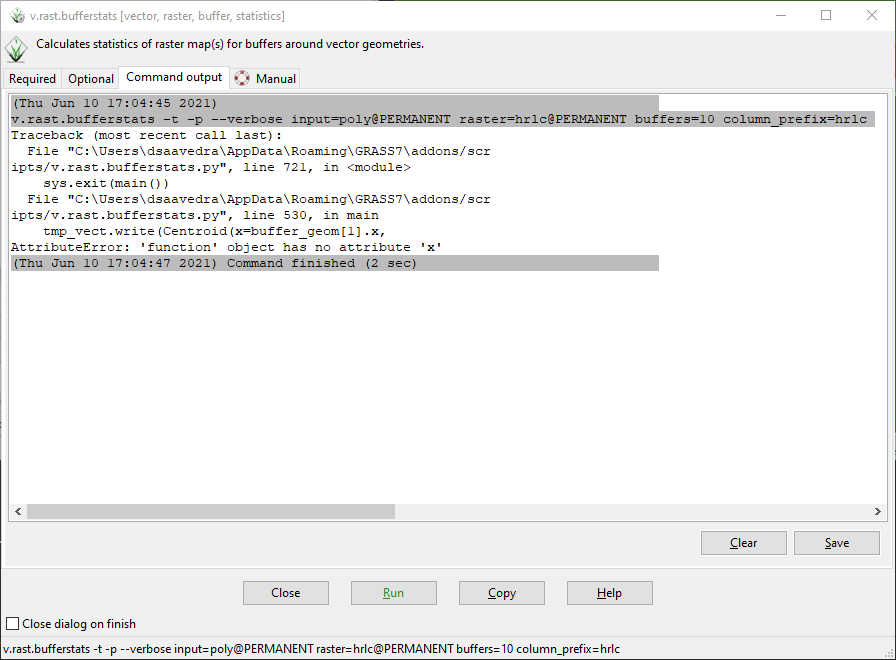
Traceback (most recent call last): File "C:\Users\dsaavedra\AppData\Roaming\GRASS7\addons/scr ipts/v.rast.bufferstats.py", line 721, in <module> sys.exit(main()) File "C:\Users\dsaavedra\AppData\Roaming\GRASS7\addons/scr ipts/v.rast.bufferstats.py", line 530, in main tmp_vect.write(Centroid(x=buffer_geom[1].x, AttributeError: 'function' object has no attribute 'x'
After running the tool and receiving this error, a vector file with a random name is shown under the "Data" tab within the GUI, though this vector file does not display on the Map Display (I assume this is a temporary vector file created by the tool and meant to be deleted by the tool). Additionally, the appropriate columns are added to the attribute table of the original vector file, though the columns are not populated with the appropriate statistics/area tabulations.
To Reproduce
- Open GRASS GIS 7.8 GUI and navigate to the Location and Mapset containing the data to be analyzed, in this case a vector file called
polycontaining 3 areas and a raster file calledhrlccontaining 9 categories. - Open v.rast.bufferstats using the "Console" tab at the bottom of the GUI.
- Under required parameters, specify
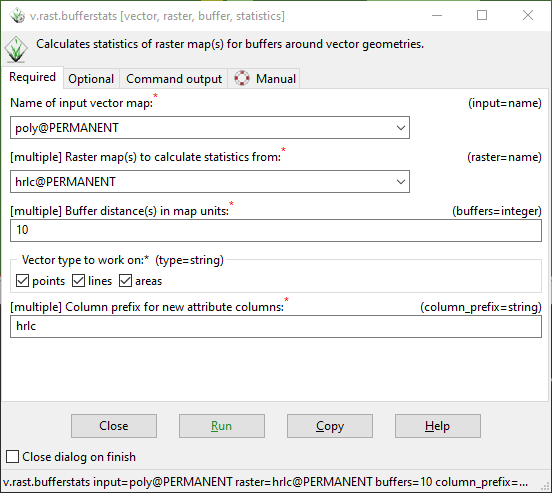
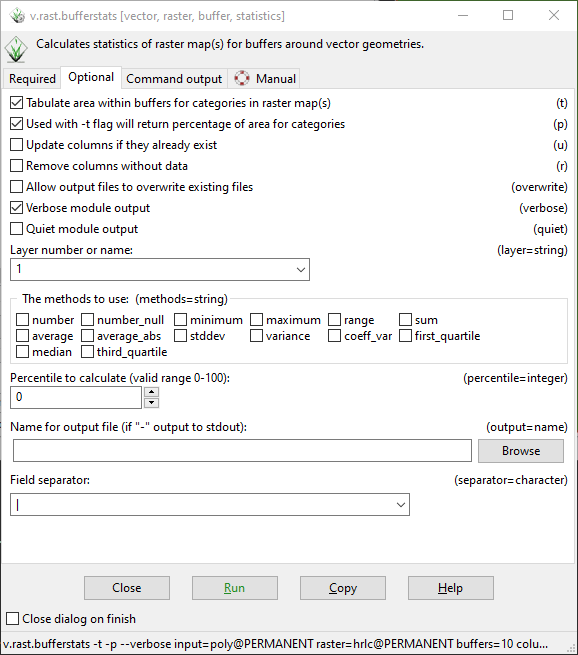
polyas the vector input,hrlcas the raster input, "10" as the buffer distance, "points" "lines" and "areas" as the vector type (this is the default setting, though I get the same error if I only specify "areas" ), and "hrlc" as the column prefix. - Under optional parameters, enable area tabulation (-t flag), percentage calculation (-p flag), and verbose output. Uncheck all statistics under "methods" parameter. Leave remaining parameters ("layer", "percentile", "output", and "separator") at their default values ("1", "0", blank, and "|", respectively)
- Click "Run" to run the tool
Expected behavior
With the specified parameters, I expect columns to be added to the attribute table of the poly vector that report the total area of each category in the hrlc raster within a 10 meter buffered version of the vector areas, as well as columns reporting the percentage of the buffered areas occupied by each of the raster category values.
Screenshots
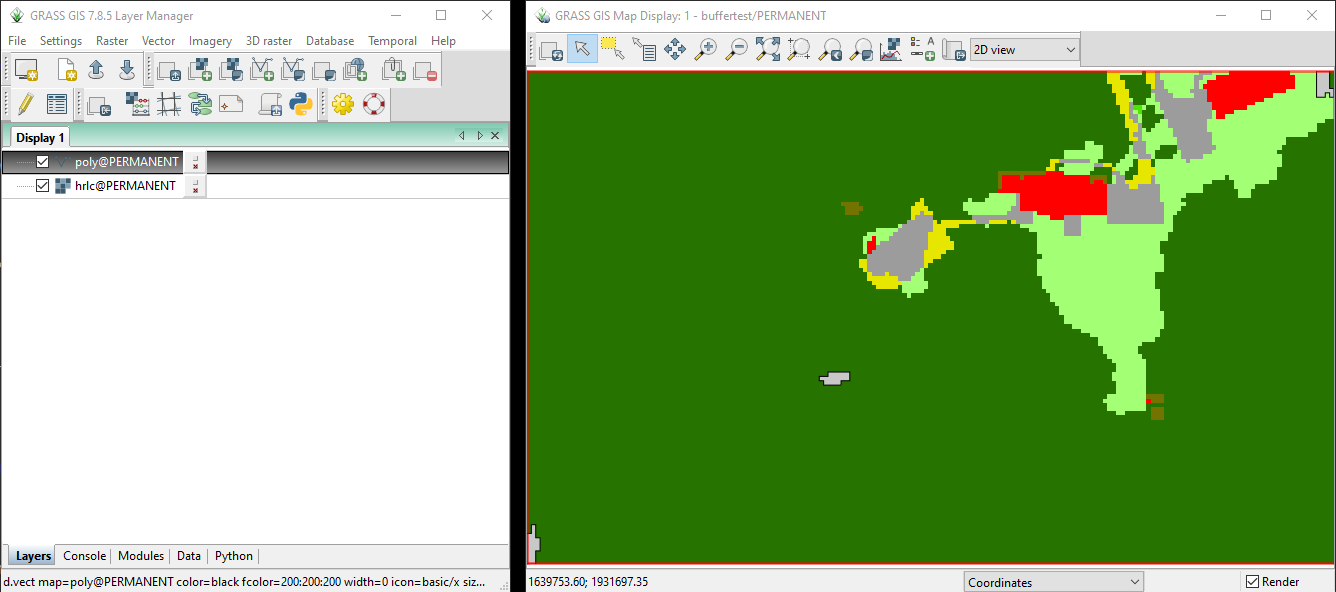
Screenshot 1: GRASS Map Display and Layers window showing the data used to produce this bug as well as the computational region (red border around Map Display). The 3 poly vector areas are light gray with black outline and are located in the bottom left corner, center, and top right corner. The hrlc raster is shown beneath the vector layer.
Screenshot 2: Required parameters of v.rast.bufferstats, as described above.
Screenshot 3: Optional parameters of v.rast.bufferstats, as described above.
Screenshot 4: Command output of the tool as run with the parameters described above.
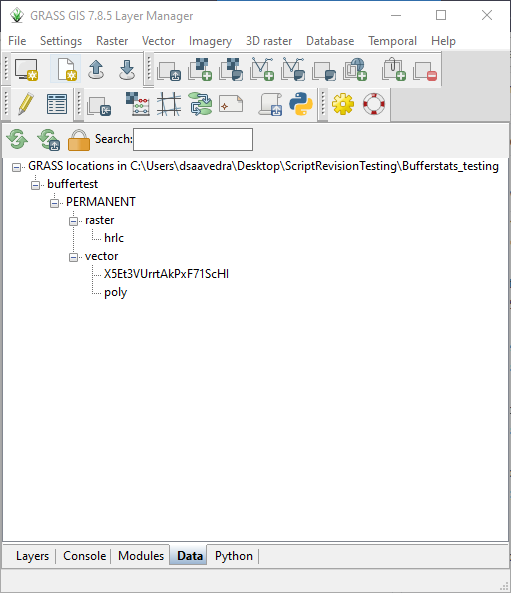
Screenshot 5: Vector file with random name X5Et3VUrrtAkPxF71ScHI added to Data tab after running tool and getting the error, presumed to be a temporary file created by the tool and intended to be deleted by the tool
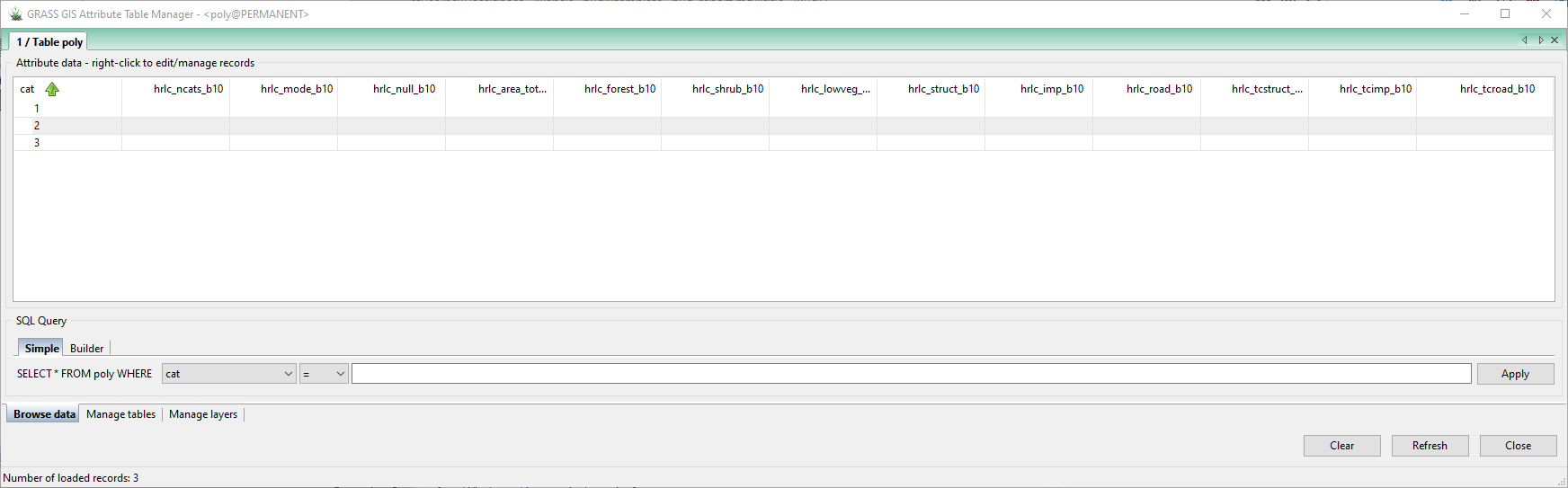
Screenshot 6: Attribute table of original vector file poly after running the tool and getting the error. The appropriate columns have been added to the table but they are not populated with any area tabulations.
System description (please complete the following information):
-
Operating System: Edition: Windows 10 Pro Version: 20H2 Installed on: 4/21/2021 OS build: 19042.867 Experience: Windows Feature Experience Pack 120.2212.551.0
-
GRASS GIS System Info: GRASS version: 7.8.5
Code revision: 89780d372
Build date: 2021-01-26
Build platform: x86_64-w64-mingw32
GDAL: 3.1.4
PROJ: 6.3.2
GEOS: 3.8.1
SQLite: 3.29.0
Python: 3.7.0
wxPython: 4.0.7
Platform: Windows-10-10.0.19041-SP0
Additional context In this test I am using a small subset of my vector and raster data. I chose these 3 vector areas for testing and troubleshooting because they are small and would not overlap when buffered by 10 meters. Eventually I will need to use this tool on thousands of vector areas at a time, some of which will be hundreds or thousands of square meters in size and almost all of which will overlap when buffered by 10 meters.

Thanks for the comprehensive bug-report, @fatalError99999
Since v.rast.bufferstats is an addon, the report would idealy have gon into: https://github.com/OSGeo/grass-addons (but that only as info for next time).
Could you make your subset of the poly map available for testing (e.g. at https://transfer.sh/)? I assume it is an issue with the input geometry type that is not caught in v.rast.bufferstats, so that test dataset would help...


@ninsbl My apologies for adding the bug report to the wrong location. Thanks for moving it.
Here is a URL to my data: https://transfer.sh/1g8gR6B/buffertest.zip
I wasn't quite sure how to isolate just the poly vector layer from the GRASS mapset without exporting as shapefile, so I zipped up the whole GRASS location and PERMANENT mapset. So the location/mapset I'm sharing also includes my hrlc raster and the seemingly non-functional X5Et3VUrrtAkPxF71ScHI vector. I hope this is sufficient, please let me know if you need anything else from me. Thanks for looking into this!
Thanks, @fatalError99999 for the comprehensive bug report and esp. the test data (for other readers, data will be removed after 14 days). In #544 I came up with a fix. I should write some tests for the module, to avoid such issues...
Thanks for the updates @ninsbl. Using g.extension I reinstalled v.rast.bufferstats and tried to run it again with exactly the same data and parameters as in my original bug report. Now I get the following Python error:
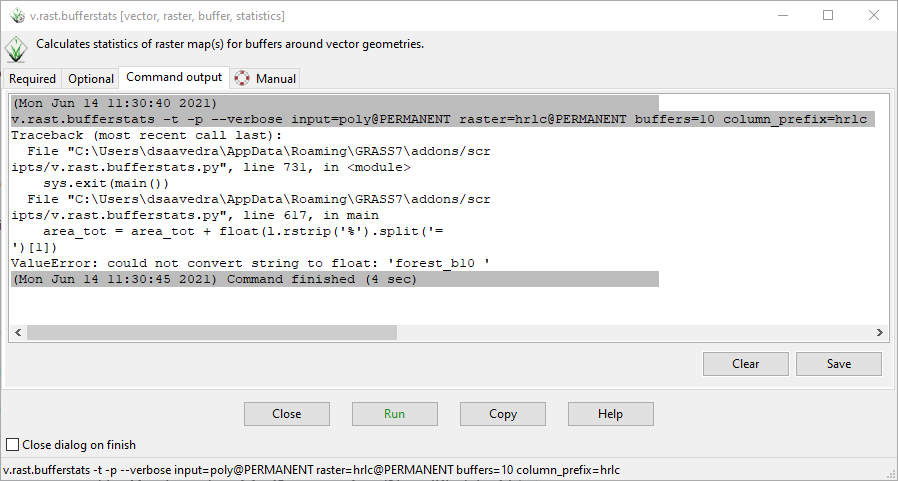
(@fatalError99999 : preferably copy errors as text message, not as image, then they are easier to look up in the code. Thanks)
My apologies, I'm new to Github. Below is the error in text form:
Traceback (most recent call last): File "C:\Users\dsaavedra\AppData\Roaming\GRASS7\addons/scr ipts/v.rast.bufferstats.py", line 731, in <module> sys.exit(main()) File "C:\Users\dsaavedra\AppData\Roaming\GRASS7\addons/scr ipts/v.rast.bufferstats.py", line 617, in main area_tot = area_tot + float(l.rstrip('%').split('= ')[1]) ValueError: could not convert string to float: 'forest_b10 '
I suspect the problem comes from the [1] index specified on the line area_tot = area_tot + float(l.rstrip('%').split('= ')[1]). As an experiment, I changed this index to [-1] on the local copy of the source code installed on my computer and I no longer get the above error. However, now I get a new error that seems to be related to the way the code handles categories and labels from the input raster. The new error is below:
Traceback (most recent call last): File "C:\Users\dsaavedra\AppData\Roaming\GRASS7\addons/scr ipts/v.rast.bufferstats.py", line 731, in <module> sys.exit(main()) File "C:\Users\dsaavedra\AppData\Roaming\GRASS7\addons/scr ipts/v.rast.bufferstats.py", line 685, in main sql_str_end)) sqlite3.OperationalError: no such column: hrlc_forest_b10
It seems the code is looking for a column called hrlc_forest_b10, but because I did not use the "-l' flag when running the tool (to use labels instead of category values), the column doesn't exist. Instead the column corresponding to the forest category is called hrlc_3_b_10. If I do use the "-l" flag to use labels instead of category values, I get the following error:
Traceback (most recent call last): File "C:\Users\dsaavedra\AppData\Roaming\GRASS7\addons/scr ipts/v.rast.bufferstats.py", line 731, in <module> sys.exit(main()) File "C:\Users\dsaavedra\AppData\Roaming\GRASS7\addons/scr ipts/v.rast.bufferstats.py", line 685, in main sql_str_end)) sqlite3.OperationalError: no such column: hrlc_data_b10
This error confuses me because I am not sure why the code would expect there to be a column called hrlc_data_b10 as there are no labels within my raster layer called "data".
Hm... That is confusing indeed. I cannot reproduce the issues you report with the test data you provided...
Maybe a corner case that can be triggered by writing tests with North Carolina sample data. Will look into that possibility...
It seems also temporary data is not cleaned properly in case of errors /script abortion. Will have a look into that too.
OK, now I can reproduce the issue in a systematic test. Will try to fix it ASAP and add the testcase...
@ninsbl Great to hear, I really appreciate your help with this issue.
After tinkering with the source code installed on my PC (essentially just adding print statements throughout) I think the issue with hrlc_data_b10 comes from how the tool parses No data/null values in the raster. Where the code produces vals and adds them to the list of "updates" (lines 612 - 615), The first vals that gets produced is ['null_b10 ', ' no_b10 ', ' data_b10 ', ' 12833411.000000'] (the number in val[-1] may be different in the test data I sent). Then when the code creates the update list using vals[-2] in line 614, it is trying to add an update called hrlc_data_b10 which does not have a corresponding column. I've been able to avoid this all together by adding stats.flags.n = True immediately below line 440 to ignore null values in the r.stats calculation (you do this already if the "percent" option is enabled by the user).
This has allowed me to successfully tabulate areas for the first geometry in my vector file, but the tool fails to produce t_stats (line 593) for the second geometry. Because t_stats is an empty list, vals is also empty, thus the tool fails on line 614 with the following error:
Traceback (most recent call last): File "C:\Users\dsaavedra\AppData\Roaming\GRASS7\addons/scr ipts/v.rast.bufferstats.py", line 753, in <module> sys.exit(main()) File "C:\Users\dsaavedra\AppData\Roaming\GRASS7\addons/scr ipts/v.rast.bufferstats.py", line 625, in main vals[-2].strip(), IndexError: list index out of range
Note that the traceback says lince 625 but that is because I have added print statements throughout the code. In the published source code this line would be line 614.
Currently I'm thinking that the issue is that the mask is not getting updated properly with each iteration, so while it's trying to compute statistics for the second geometry the mask is still set around the first geometry.
I hope this helps you narrow down the issue and sorry if this kind of speculation about the underlying problems within a bug report is considered bad etiquette, again, I'm new to Github :)
@fatalError99999 #556 should solve the issue and tests should catch most cases now. Please test.
Thanks @ninsbl. I'm getting the following error now, when running the command as stated above the traceback. I get this error when using any combination of flags "-t", "-t -l", "-t,-p"
v.rast.bufferstats -t -l --verbose input=poly@PERMANENT raster=hrlc@PERMANENT buffers=10 column_prefix=hrlc
Traceback (most recent call last):
  File "C:\Users\dsaavedra\AppData\Roaming\GRASS7\addons/scr
ipts/v.rast.bufferstats.py", line 870, in <module>
    sys.exit(main())
  File "C:\Users\dsaavedra\AppData\Roaming\GRASS7\addons/scr
ipts/v.rast.bufferstats.py", line 702, in main
    l.rstrip("%").split("= ")[1]
ValueError: could not convert string to float: 'lowveg_b10 '