
community-platform
 community-platform copied to clipboard
 ONEARMY
[mobile] Inconsistent space btw how-tos
Issue: In the how-tos in the list page have inconsistent spacing.
Link: https://community.preciousplastic.com/how-to
Screenshots:
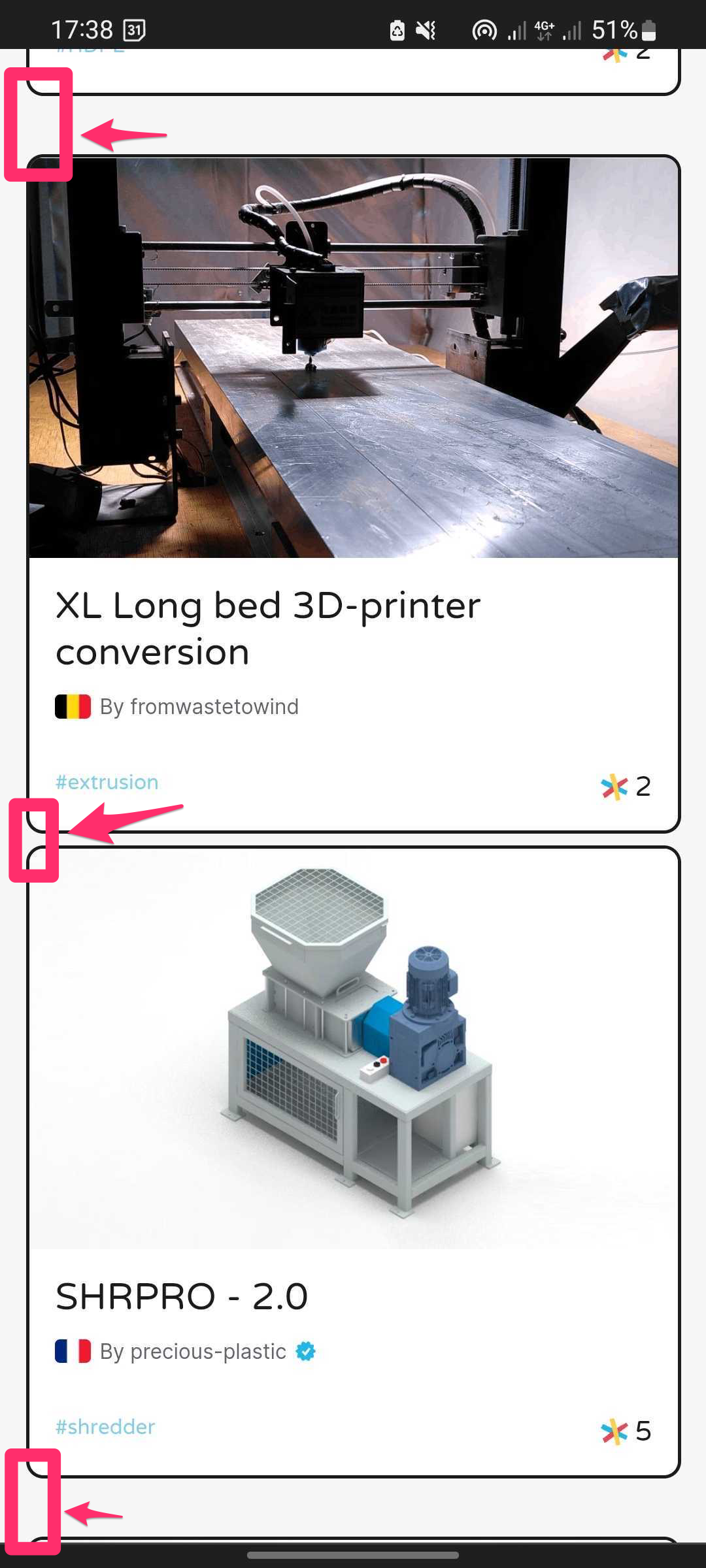
Proposal: All how-tos have equal spacing btw them (30px).


Nice one @asheerrizvi let me know if you need any help/support on that
It seems like these cards can have different heights based on their text. Should I go for a grid based solution (will result in extra space where the adjacent cards aren't equal in height), or we can go for a masonic layout?
@thisismattia
hey @asheerrizvi thanks for following up on this. If I understand it correctly, masonic layout is what we're after.
This would be desired layout on desktop which I would assume cascading trough mobile. Let me know if that is what you meant or if I am getting it completely wrong 😇
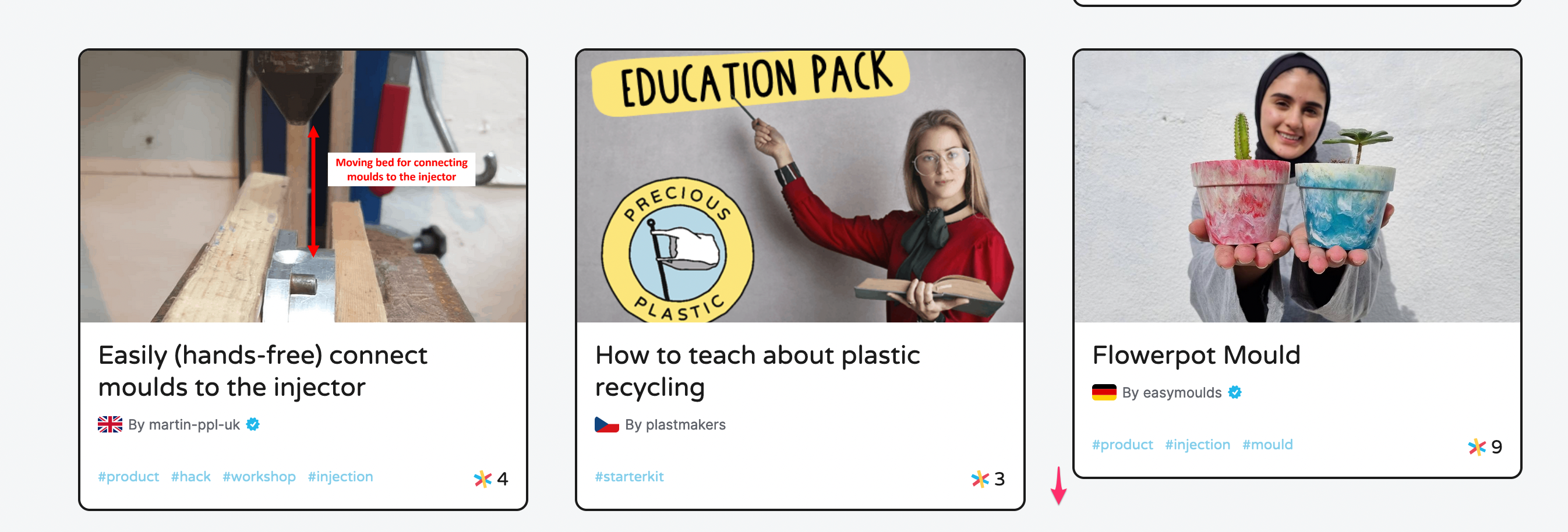
@thisismattia you can see an example over here:
https://bvaughn.github.io/react-virtualized/#/components/Masonry
On mobile it will be a single column. Since we can have variable height cards Masonic layout seems to be the most appropriate imo. Plus, react-virtualized seems to support it out of the box so +1 for that as well. 😆
Let me know if this looks alright to you.
Oh ok, I see what you mean. Actually that wouldn't the preferred layout. Ideally we go for a grid system where each card take up the same height on the page. Is there a simple way out of the box to achieve that?
@thisismattia shoot almost forgot about this. Can you assign this to me so that I can track it. Will come up with a PR as soon as I can.
@thisismattia was thinking of a solution along the following lines:
- Make each card be 434px in height. This will have enough space to list all the available tags as well.
- Clamp the heading to 2 lines. If it is bigger than 2 lines then it will show ellipsis.
This will make it look somewhat like this:
https://user-images.githubusercontent.com/17976252/184534462-6c147d21-df60-4d73-8402-c5bf2f4d38d5.mp4
Let me know if this is a viable solution and I'll open a PR.
Also @thisislawatts we should refactor this component to use a Grid (from React Virtualized) instead of List like it is currently doing.
hey @asheerrizvi thanks for this proposal. Unfortunately I am not sure this would be the best practice for responsiveness and will result in much unnecessary white space.
Wouldn't something like flex:stretch work in this case? Also grids could work indeed but ideally we stay away from fixed px based sizes.
Thanks!
@thisismattia true. Tell me this though. Lets say we have three cards in a row with auto height. One of them has a height of let's say 500px due to its content. What should happen to the two other cards which are less than 500px? Should they stretch to be 500px? Those two stretched cards will also have white space in that scenario since their content is less.
Yes I would say that's the desired scenario.
We rarely will have a card that is 500px as we have a char limit on the title so it is really just the pixel difference btw having the title in one line of text or two I think.

Hey guys, I am somewhat stuck on this one. This grid uses react-virtualized and is using its CellMeasurer component to measure each row. The issue is that CellMeasurer is not able to correctly calculate the heights of these rows. For example the height of the first row in the below image should be much more than 403px.
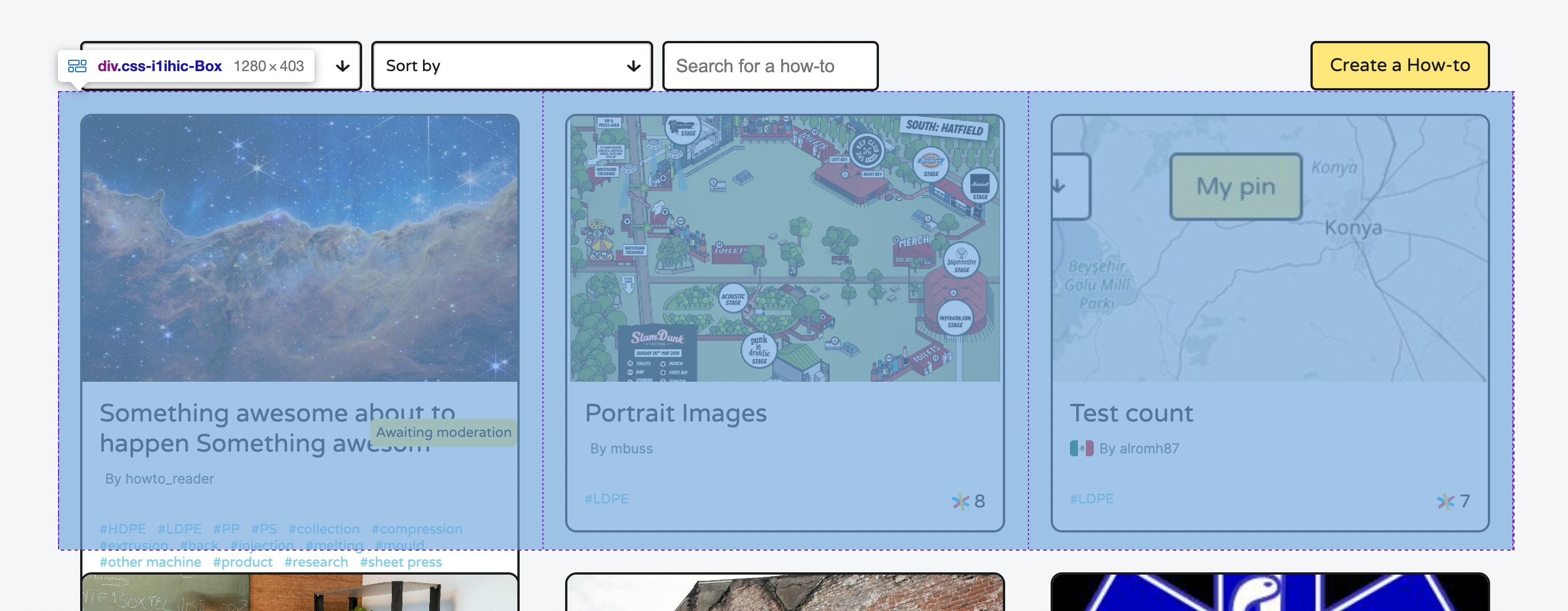
Another example:
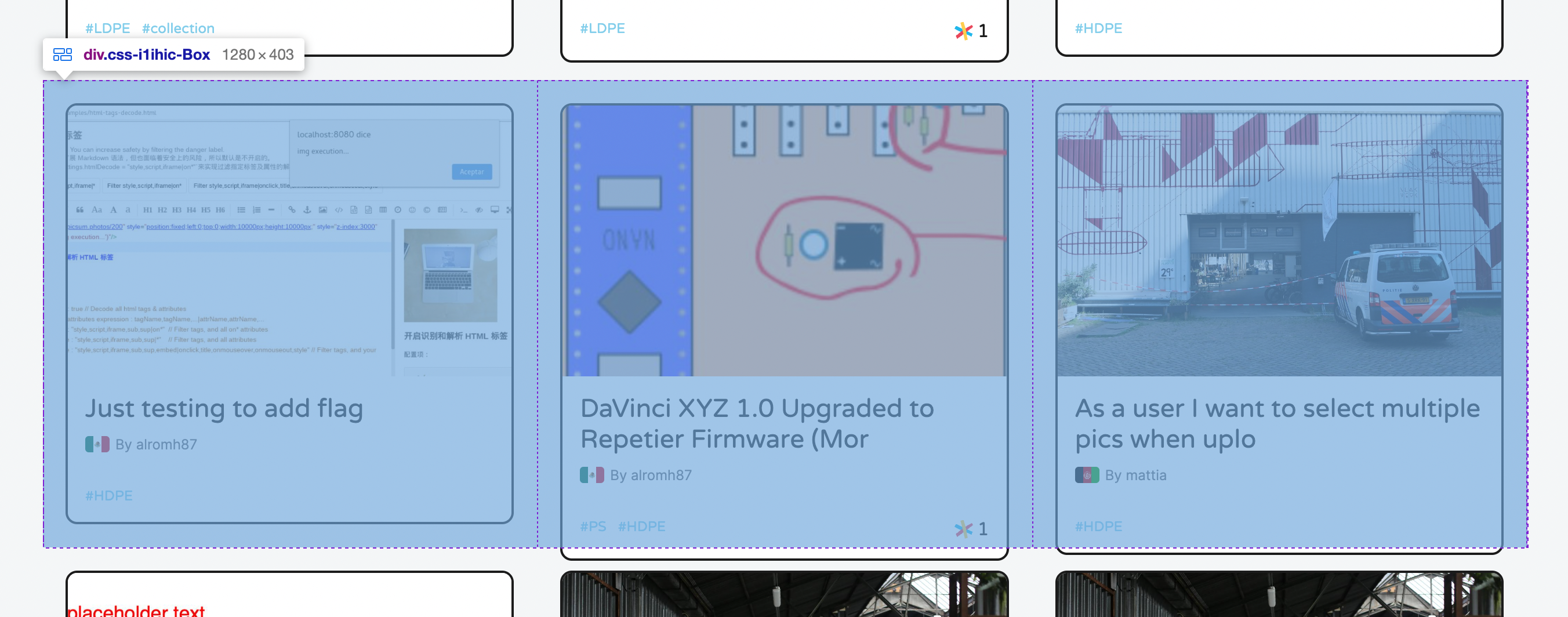
The issue seems to be with CellMeasurerCache (particularly the keyMapper function) and how we are passing 0 for row and column indexes. But using index for rowIndex doesn't resolve the issue either. Relevant code is here:
https://github.com/ONEARMY/community-platform/blob/3e61b713f2daaa316ce0a2fa3a1dcac428d5d78f/src/pages/Howto/VirtualizedFlex/VirtualizedFlex.tsx#L28
https://github.com/ONEARMY/community-platform/blob/3e61b713f2daaa316ce0a2fa3a1dcac428d5d78f/src/pages/Howto/VirtualizedFlex/VirtualizedFlex.tsx#L76
Would appreciate if someone can chime in and offer help.
Hey hey thanks for the update. I am not the best person for this. Hopefully maintainers find the time to help you on this 🤞

I think I have finally found a fix 😄
https://github.com/ONEARMY/community-platform/pull/1947
@thisismattia @davehakkens can you guys check out?
You are a persistent guy :) I like it ♡ Thanks for this looks much better!
:tada: This issue has been resolved in version 1.31.0 :tada:
The release is available on GitHub release
Your semantic-release bot :package::rocket:
