
metacatui
 metacatui copied to clipboard
 NCEAS
NCEAS
Add more config options for layers in the Map Config
Author Name: Margaret O'Brien (Margaret O'Brien) Original Redmine Issue: 4683, https://projects.ecoinformatics.org/ecoinfo/issues/4683 Original Date: 2010-01-20 Original Assignee: Margaret O'Brien
For a long time we have noticed that for some EML datasets, the HTML rendered by the knb or lter XSLT stylesheets (from metacat) is squashed over to the left side. It appears to be something about the column-width. Just now we found 2 consecutive revisions of a dataset where the earlier one does not squish, but the second one does. Those ids are: knb-lter-mcr.9.4 (not squished) knb-lter-mcr.9.5 (squished) the difference between the 2 EML docs might help identify the XSLT problem. Both are EML2.1. The main difference between the 2 files is that the second one includes a methods tree. There might be a bug for this already -- if so sorry, I had no luck finding one.

showInLayerList has been implemented in https://github.com/NCEAS/metacatui/pull/2204
-
See this guide for how we configure Cesium maps in MetacatUI portals, and see the MapConfig for all configuration options.
-
The
MapAssetConfigshows the configuration options for each layer in a Cesium map (configured aslayersin theMapConfig). -
The goal of this issue is to be able to add two more options to that
MapAssetConfig:showOpacitySlider- a boolean that determines whether to show an opacity slider for the layer in the layer details panelclickFeatureAction- a string that determines what action to take when a feature is clicked on the layer. Options areshowDetailsorzoom.
e.g.
{ "label": "Local Stories", "layerId": "ls", "type": "GeoJsonDataSource", "opacity": 0.75, "showOpacitySlider": false, "clickFeatureAction": "zoom", "cesiumOptions": { "data": "https://www.leonetwork.org/en/explore/posts?query=&type=TWEET&type=POST&type=ARTICLE&mode=geojson_compact®ion=&polygon=&bbox=&minlat=&maxlat=&near=&radius=&categories=PERMAFROST%7cPermafrost+Change&categories_anyOrAll=ANY&fromdate=&todate=" } } -
The
MapAssetmodel (src/js/models/maps/assets/MapAsset.js) handles the majority of the configuration for each layer in a Cesium map. -
Other models in the
src/js/models/maps/assets/directory are just extensions of theMapAssetmodel for specific types of layers. -
The
LayerDetailsView(src/js/views/maps/LayerDetailsView.js) is responsible for rendering the panel that shows info and controls for each layer, including the opacity slider.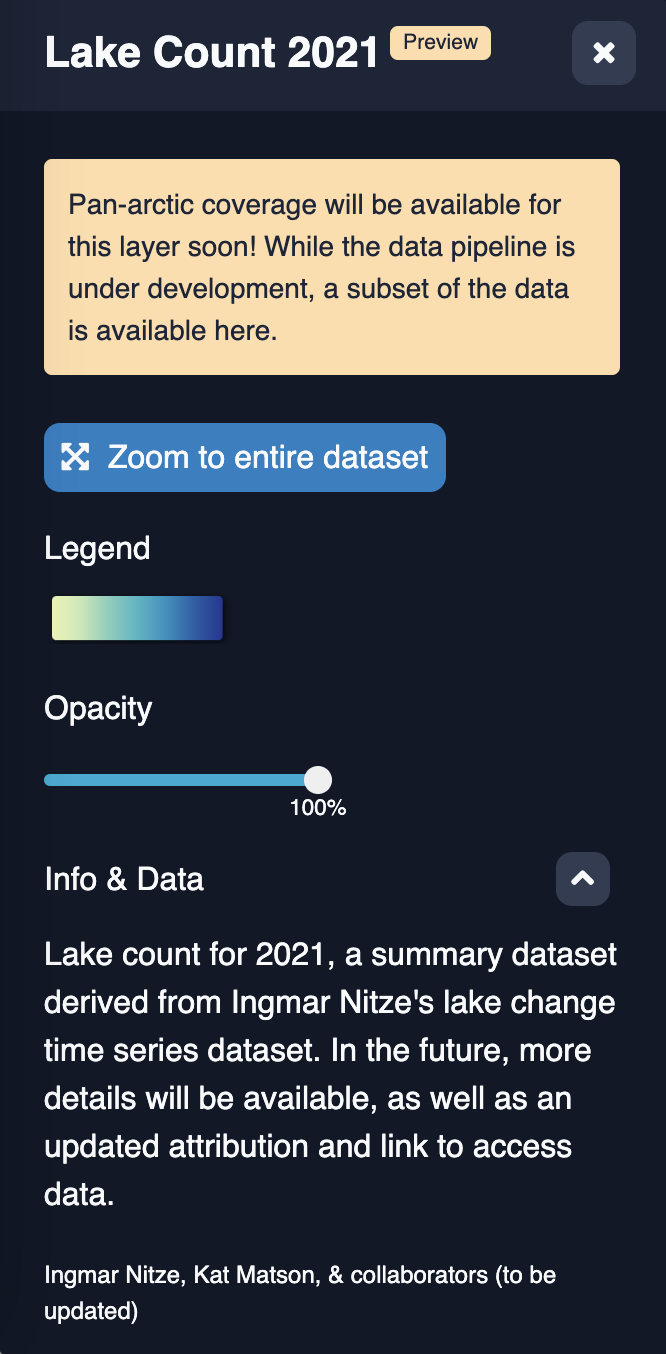
-
A quick way to test changes to the map config during development is to directly modify the map config options that are passed to the Map model in the
initializemethod. For example, you could add the following to the very top ofMap.initialize:config.layers = [ { "label": "Local Stories", "layerId": "ls", "type": "GeoJsonDataSource", "opacity": 0.75, "showOpacitySlider": false, "clickFeatureAction": "zoom", "cesiumOptions": { "data": "https://www.leonetwork.org/en/explore/posts?query=&type=TWEET&type=POST&type=ARTICLE&mode=geojson_compact®ion=&polygon=&bbox=&minlat=&maxlat=&near=&radius=&categories=PERMAFROST%7cPermafrost+Change&categories_anyOrAll=ANY&fromdate=&todate=" } } ]Now any Cesium map you load locally will be overridden to show just one "Local Stories" layer with the two new configuration options that we want to use!
