quick-color-picker
 quick-color-picker copied to clipboard
 ModuleArt
Great app! One request, though.
Hey there, As someone who is somehow overly colorblind, this app saves my ass quite often. At least it saves me time, for sure with the saved list. Sometimes though, I just need to see what a color is super quickly without going through the hassle of having to click on the window first, so I make sure it has focus, then hitting alt+x, which accidentally deleted stuff before somehow when I wasn't paying attention and didn't realize the color picker window didn't have focus.
It would be great if I could turn on an option to have the color values updated constantly, either by enabling a bool, or perhaps holding a specific hotkey. In case I want to, for example, compare a value I currently have in code with multiple others. Instead of having to go to each color, hit the hotkey, click on it in the list, etc, etc. I can just hold down a button, such as Alt when the window is focused or similar. Then I can just move the mouse to each color, see the hex and that will be that. If I want to save it, sure, then I can hit the hotkey.
Thanks, -MH

Thanks for the issue! I can make a shortcut (Alt + Z for example) holding which these fields will be updated without saving to the list.
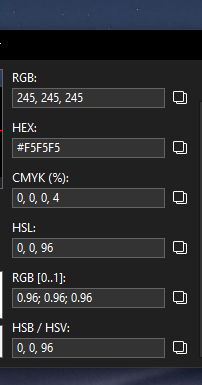

Hint: Alt + X works even with a minimized window. Or your Windows is different from mine.
Or I can make something like a status panel where in real time the color that is under the cursor will be displayed.
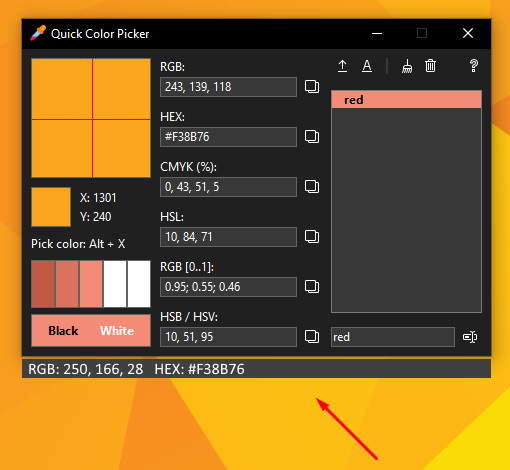
I definitely like the idea of an always updating status panel. Is it possible to have a few shortcuts? Perhaps one shortcut saves the current under mouse value, another takes the current value and saves it right to your clipboard in hex format (which could toggle to RGB or one of the other values), so that you can just quickly hit the hotkey, then paste somewhere else. It would make adjusting or creating a list of different values much quicker, for sure.
This is by no means a necessity, but what would be really amazing is would be if it could also display, based on a small lookup table, the close approximation of color name/hue like this: https://www.color-blindness.com/color-name-hue/. When talking with other devs, I often find myself saying things like, "Yeah man, it might be nice to make the #0078D7 area a little more like the #181853 area", because while I can tell they are different when I see the hex and see them side by side, I couldn't tell well enough what the second one is to call it anything other than "the darker one" by just glancing at it.
I would usually have to take that value, pull up a site and paste it in, then I would know it is "midnight blue" and can then use it in a conversation, lol.
Thanks, -MH
Hey there,
Hope you are well. Any chance you might release what you had so far in that second example? It would be super useful!
Thanks, -MH
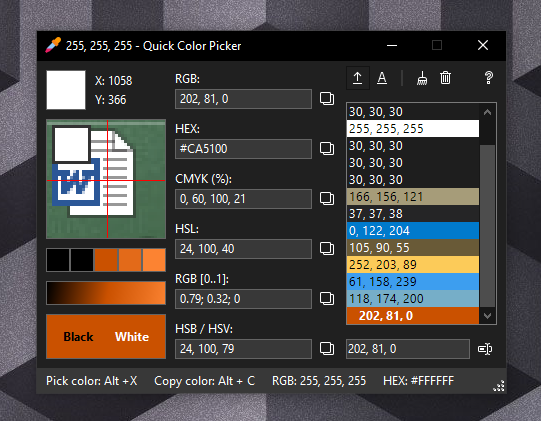

Good stuff man, I appreciate it. 👍 👍
Not super important, especially since it's too late already, but perhaps it could be added to a future release, but it would be super nice if the list of colors could either be saved to a file or exported and then reimported. I ran the installer and all the colors I had in my list are gone and I often would pop the app open to reference the colors in the list for different things. I definitely realize it is my own fault, I should have maintained my own list of colors. >_<
"list of colors could either be saved to a file or exported and then reimported" - OK
There will be something like a color book with grouping.