
osmeditor4android
 osmeditor4android copied to clipboard
 MarcusWolschon
Lock current imagery
Here we need to zoom in a little further to be able to complete delicate alignment tasks,
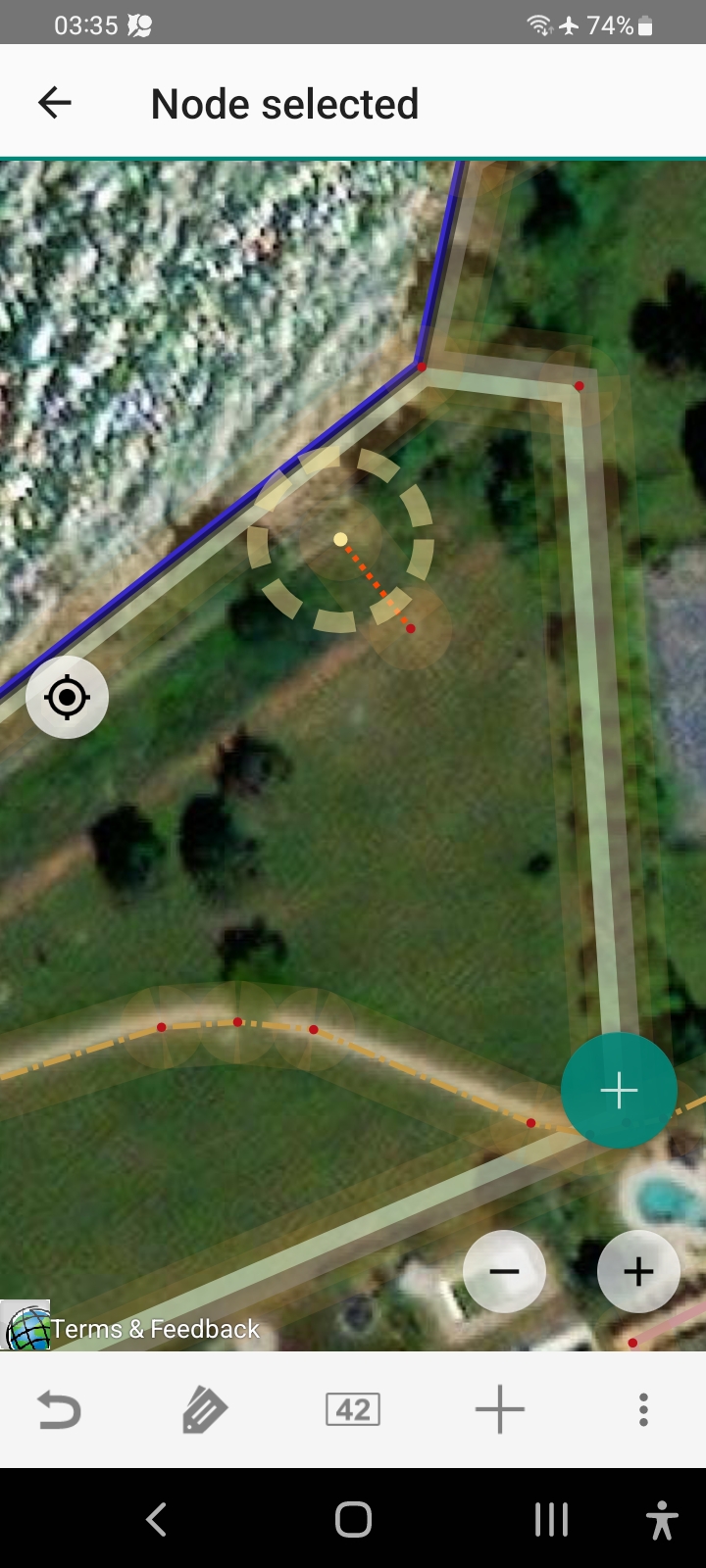 Alas, for this particular background layer...
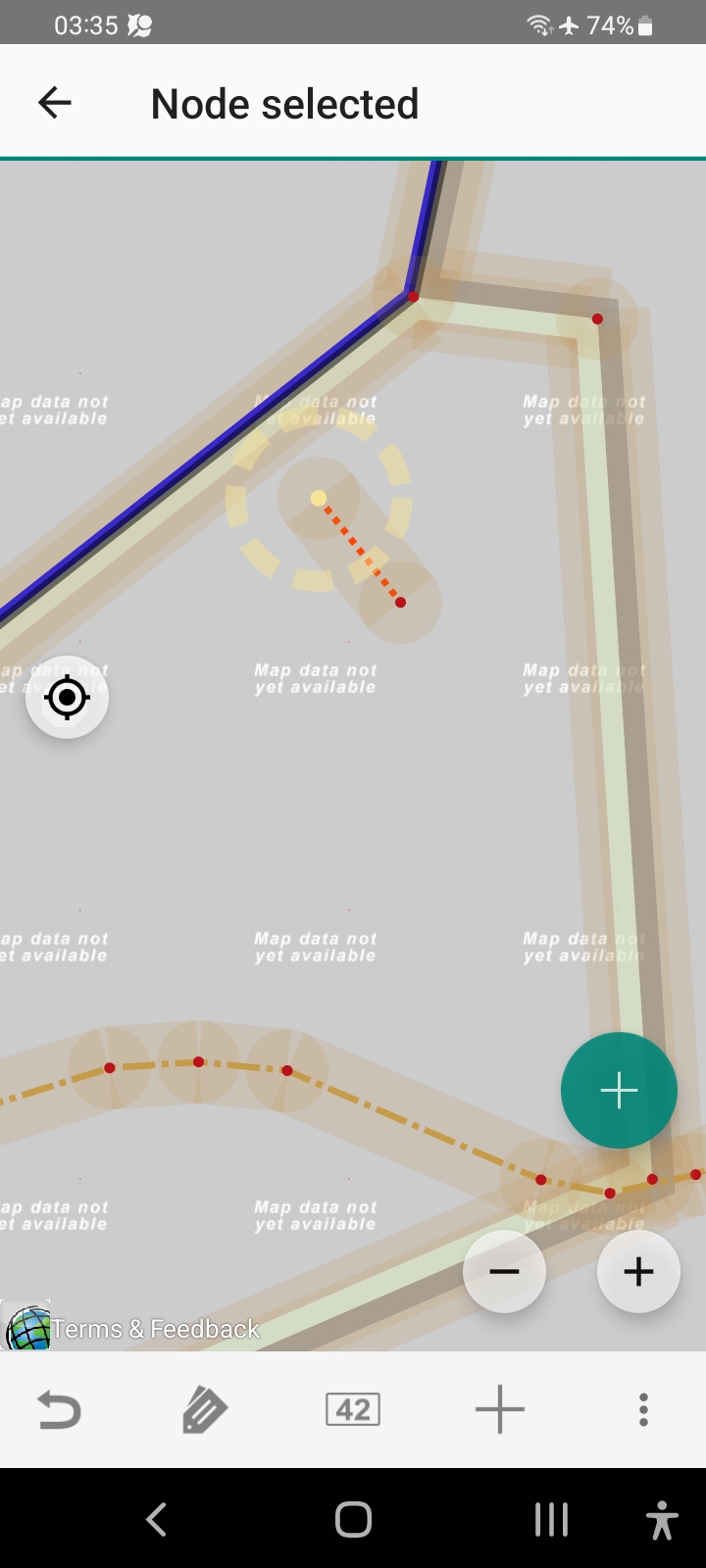
It would be nice if we could somehow say that we don't want the next magnification, just blow up the current magnification...

(I'm not complaining about the imagery. I'm just saying that there should be some kind of lock in case we need it.)
This is caused by the imagery layer not having it's max-zoom configured correctly, this is not 100% solvable when max-zoom varies depending on location (Bing provides bounding boxes with the information, but that in turn requires querying an API and all the issues that come with that).

(It seems like a sneaky workaround might be for the user to go offline before zooming in too far, thus preventing the bad tiles getting cached! Then continue zooming.)
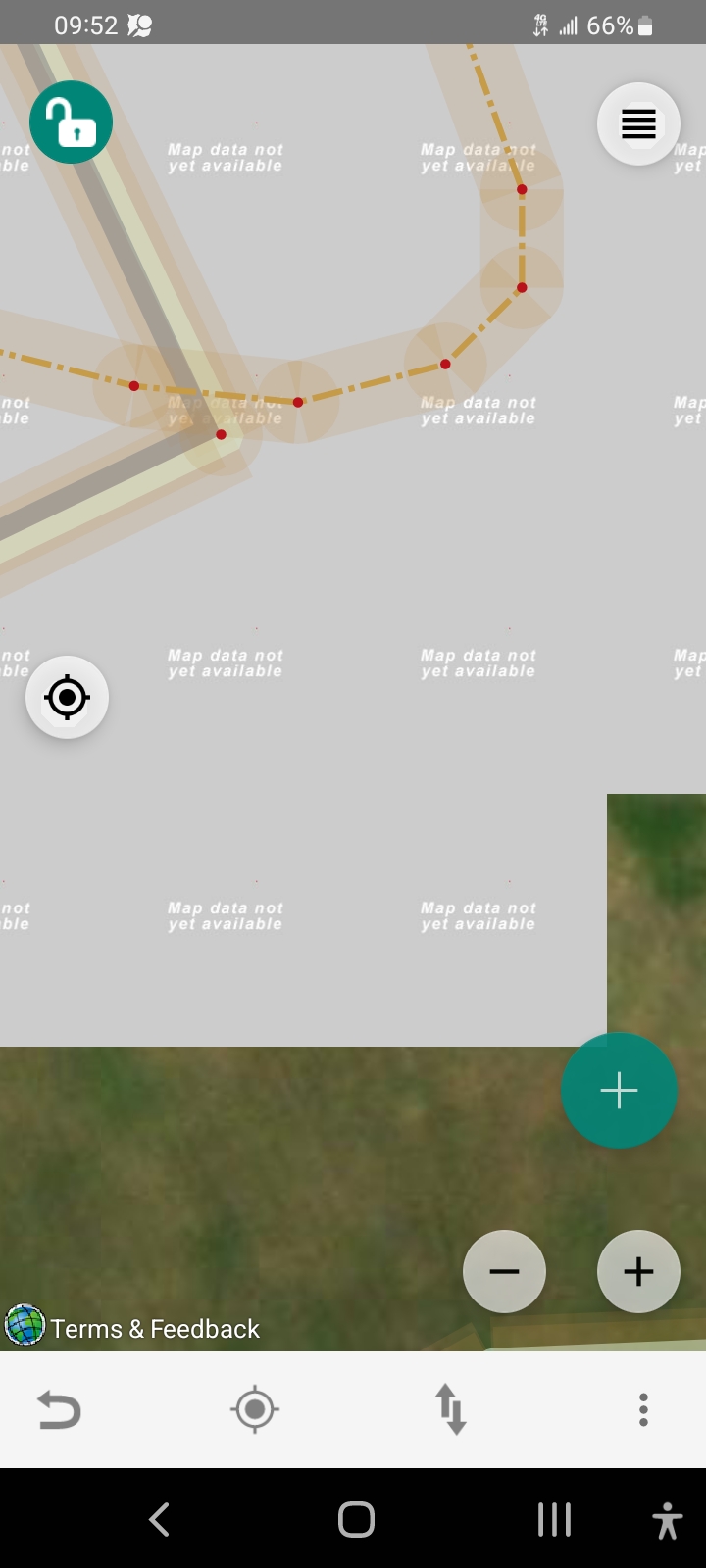
What is so painful is we get a tiny little taste of what we want, and then it fills in right away with the ugly gray tiles.
Here I got a quick snapshot as the grey tiles were filling in.
I propose on this screen:
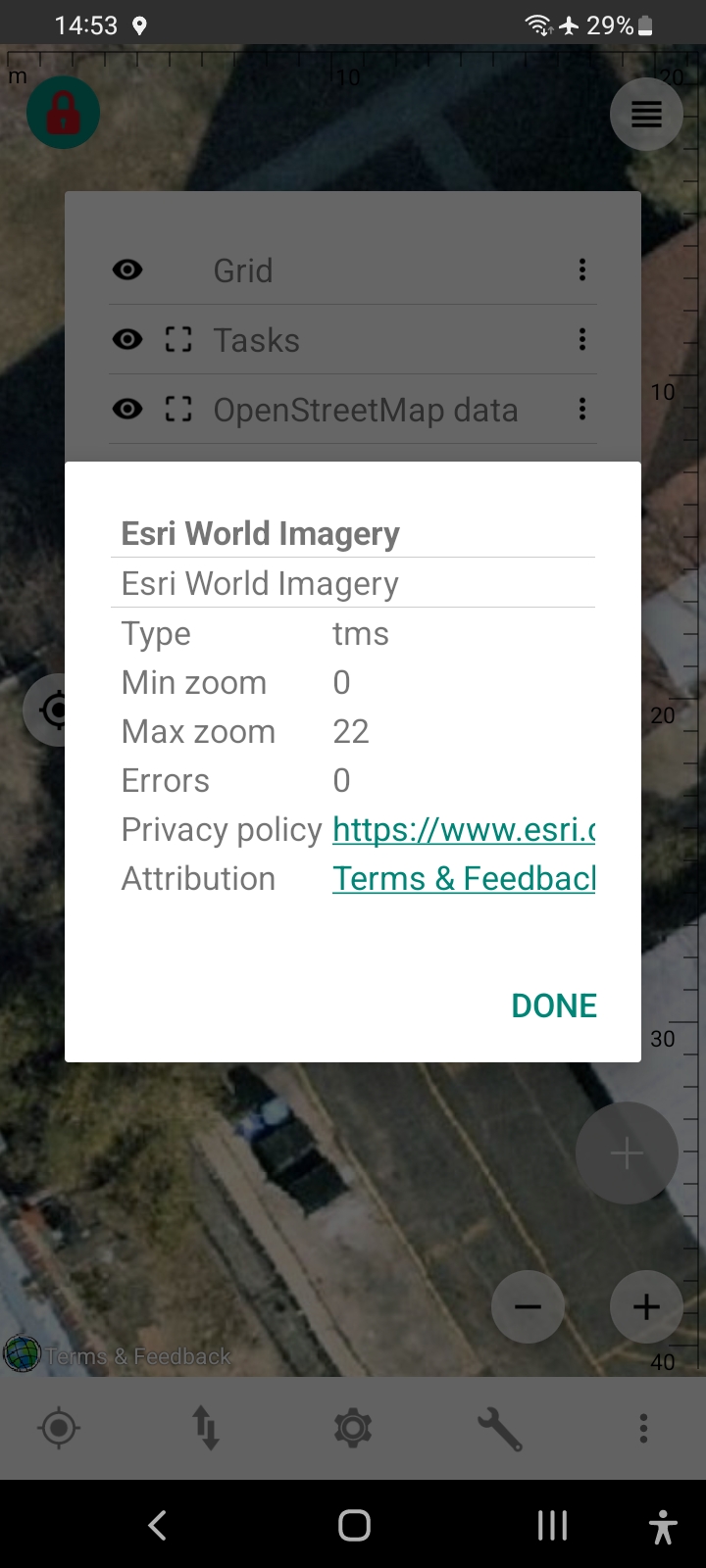 the user should be allowed to edit the 22, to enable overriding such problems. Otherwise the user must wait months and months for some fix from upstream. Thank you.
He could put in bigger values and smaller values until he finds the value he's comfortable with. Yes it may vary by location, but at least he can solve the problem for himself as a workaround for the area he is looking at.
Indeed this would give the user ways to control situations like the following:
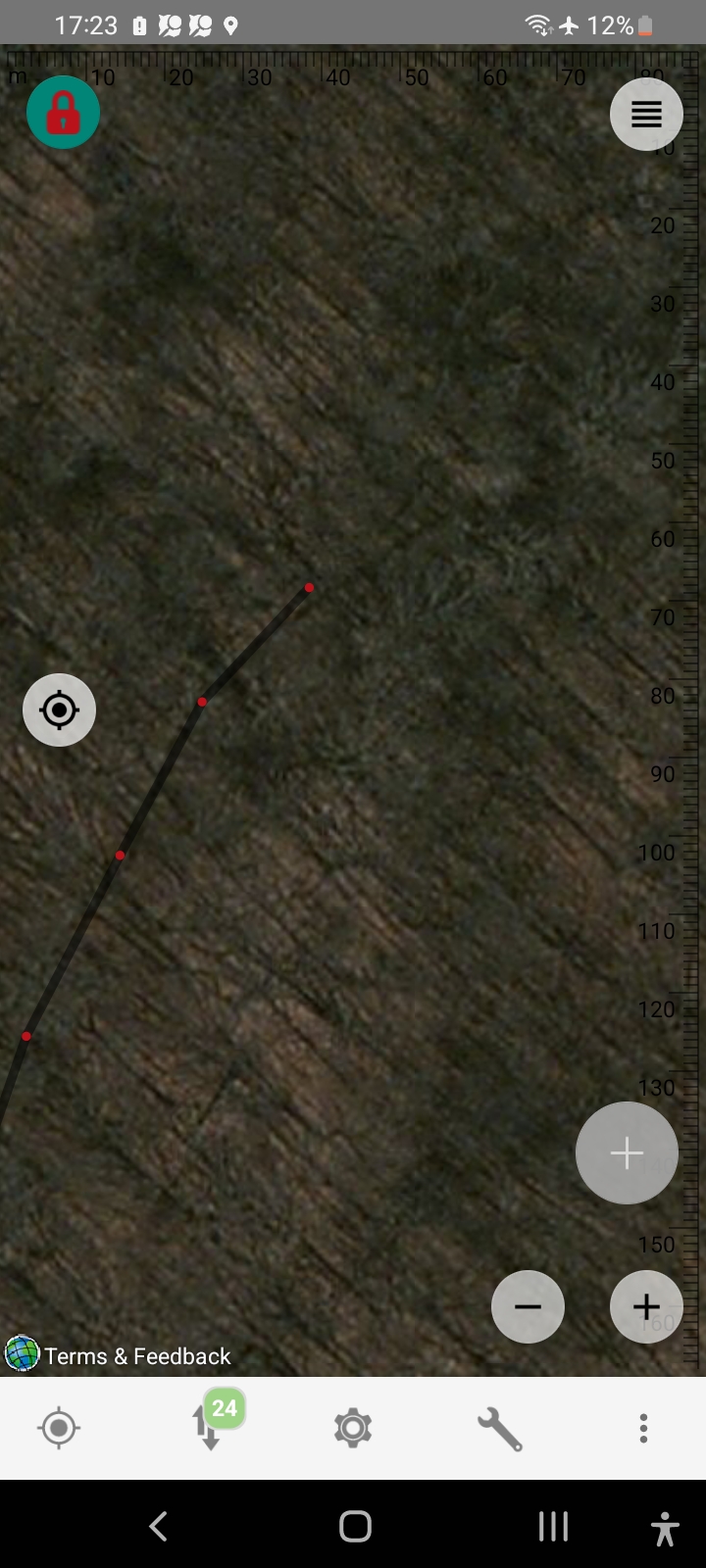
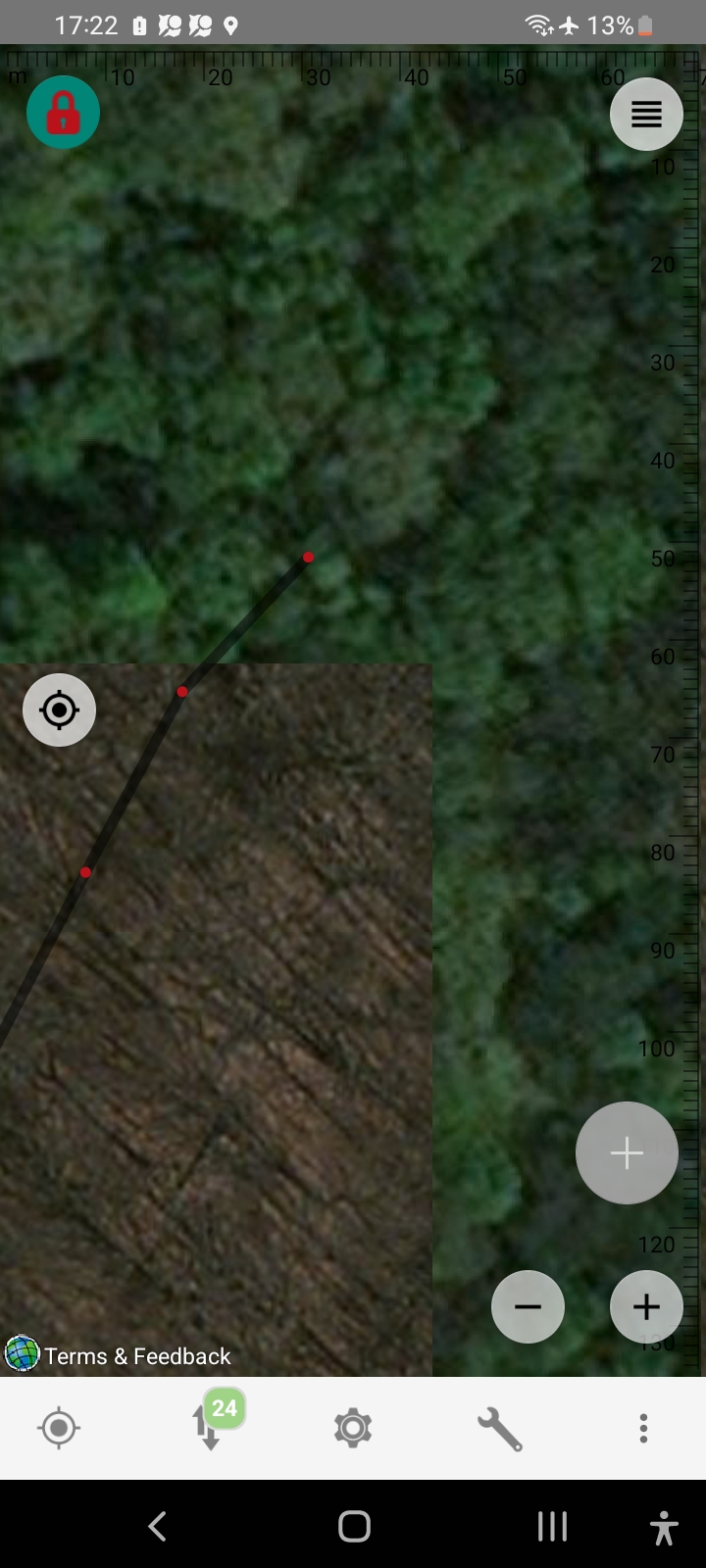
Here we see that when he zooms in part of the imagery becomes from Winter into Summer. He just wants to lock in the Winter imagery even at large zoom values, just making the current imagery bigger (yes, just bigger pixels, no added detail) and not get any more tiles from the server.
No this is not the fault of the imagery company. It's their choice to use what pictures they want at what zoom levels. So I don't even need to mention who the company is here.
Just sometimes users would like finer control...
OK, for testing: geo:42.1366032,-87.8035531?z=20 Esri World Imagery (Clarity) Beta