

 LunarVim
Add auto update imports on file rename
Feature Description
Modern IDEs/Text Editors like VSCode have the ability to automatically update import statements where the language server supports this (e.g. for TypeScript and Rust). For large code bases where a import may be used dozens if not hundreds of times this is a real life saver. It would be great to have similar funcitonality in LunarVim where appropriate.
Describe the alternatives you have considered
Going into a seperate editor like VSCode to facilitate the refactor
Support information
No response

we should already have this ( for example in rust) though we might have better support for them (after these PRs get merged)
for example, hitting in the following picture, selecting Error, and hitting <CR> would auto import the proper thing
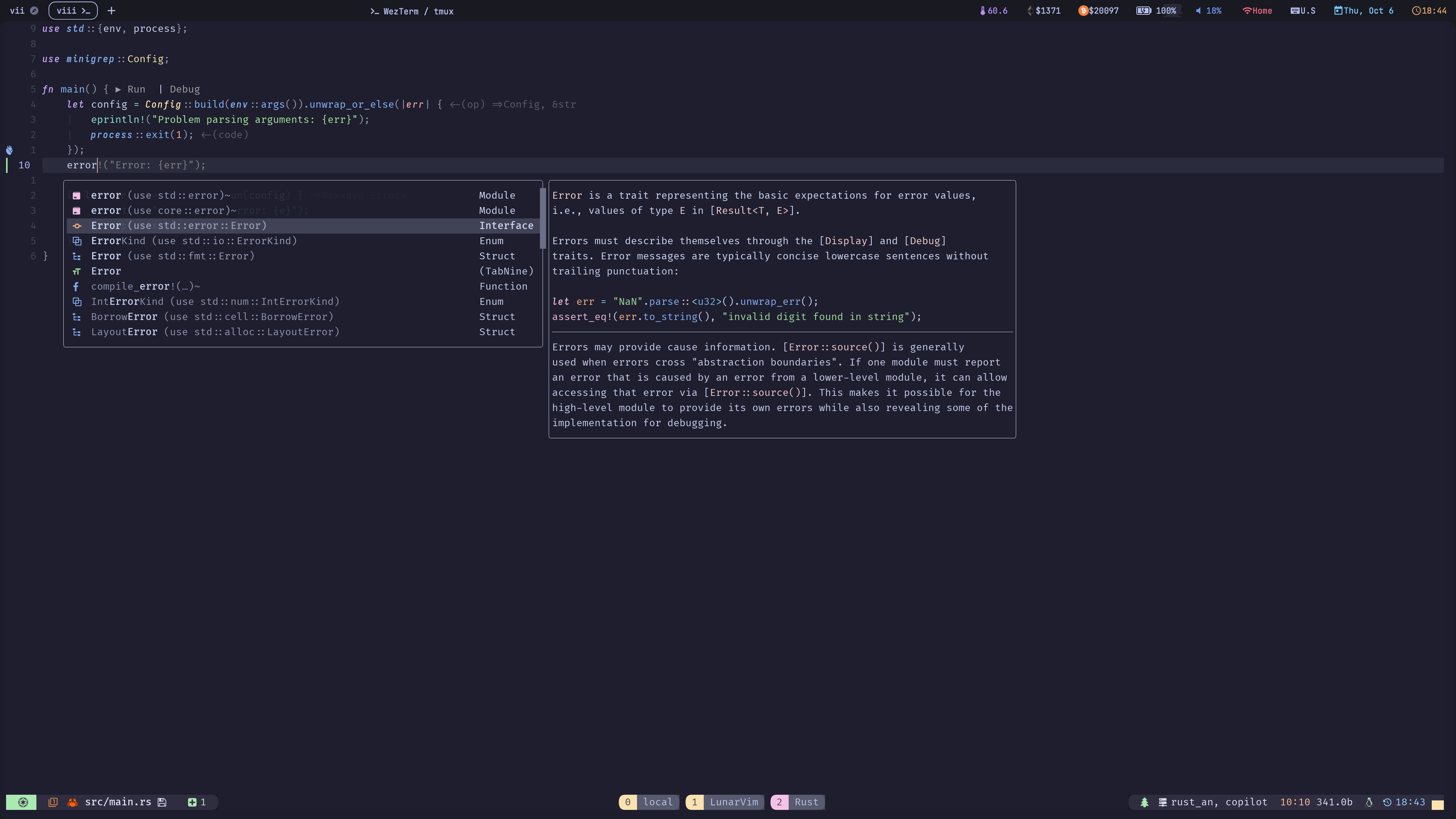
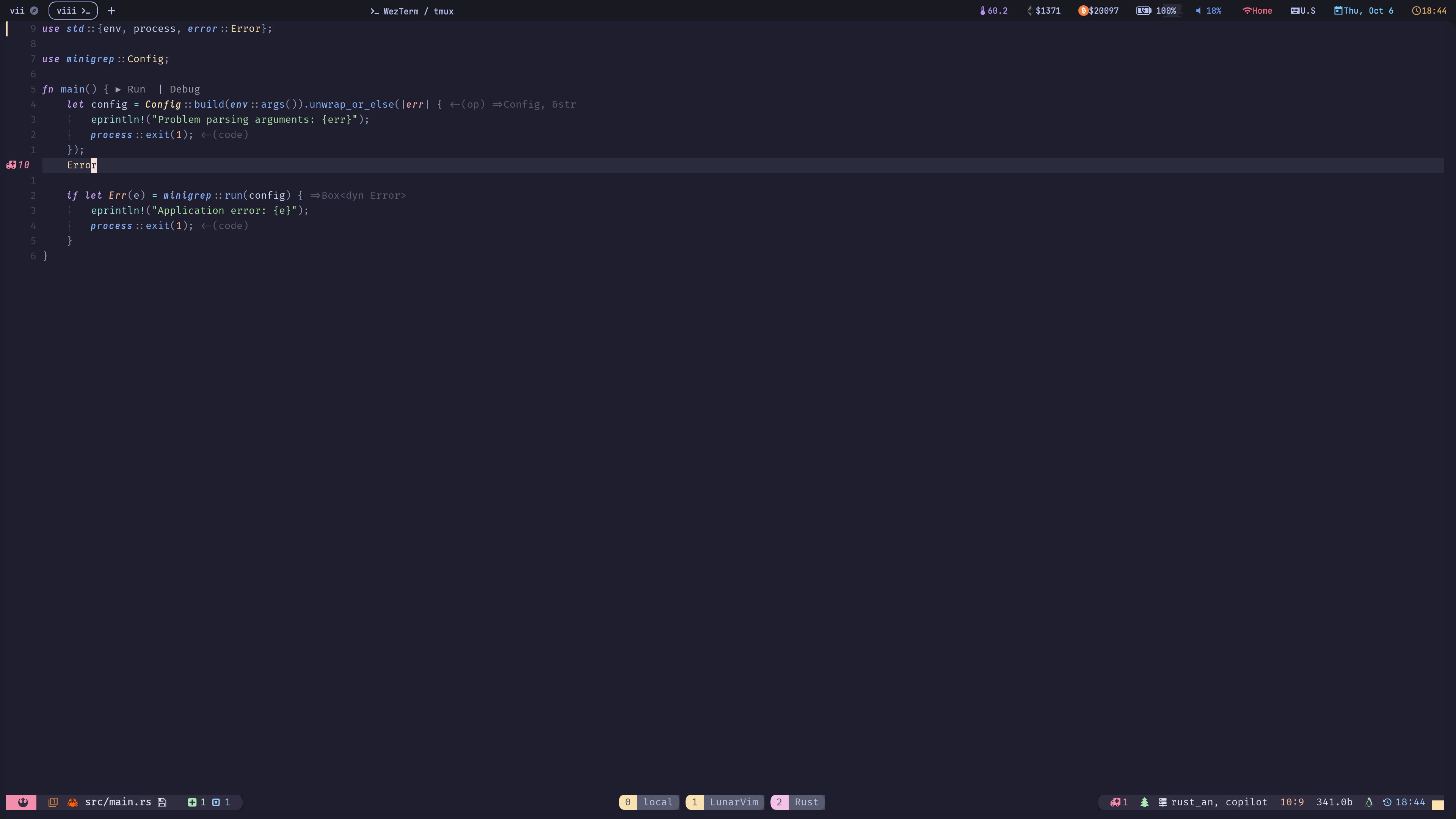

Yes the auto import works, but I was thinking more about LunarVim detecting changes to the file name itself (following the Rust example, if a module/folder changes name). See pictures
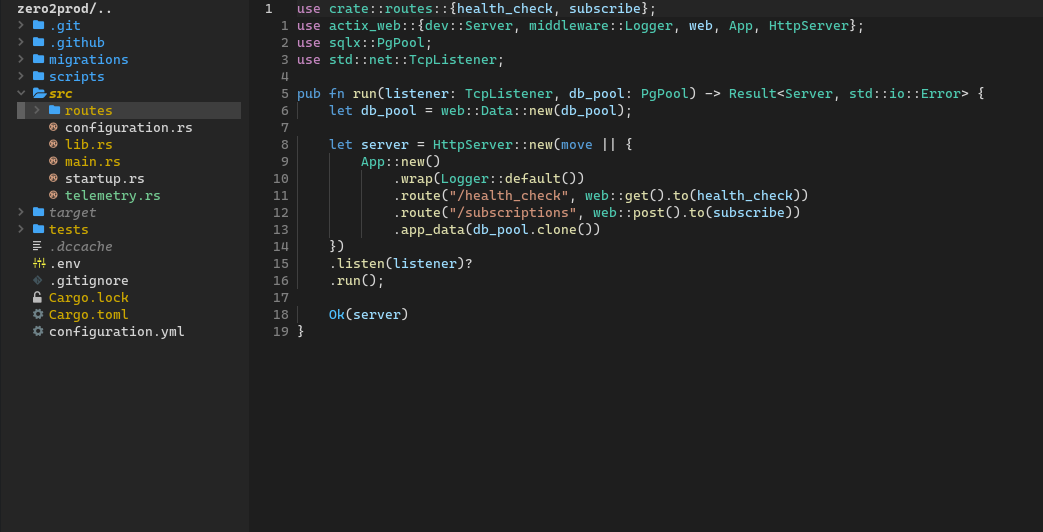
If I change the name of the routes folder I would like the module to detect these changes and update accordingly:
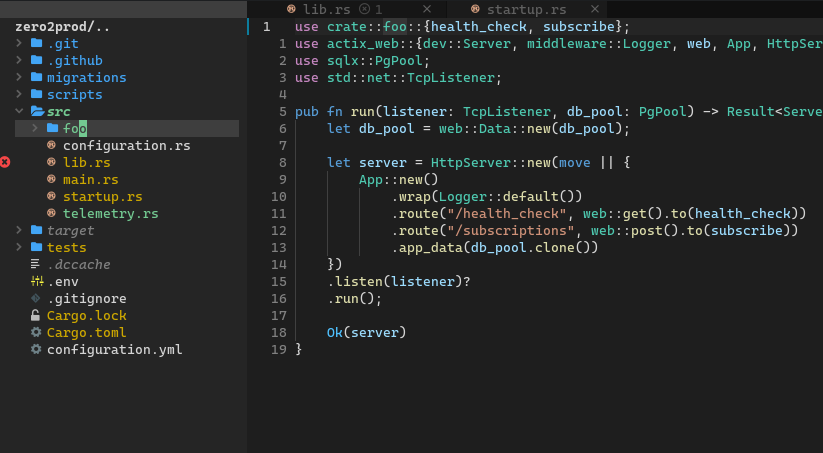
That might be tricky since you are changing sth inside nvimtree plugin( and eventually the filesystem) and expect the language server to pick that up and do the right thing.
So I'm not sure if we should do that inside lunarvim or if we should use/create a new plugin to provide functionality
cc: @kylo252 @ChristianChiarulli
This issue is stale because it has been open for 30 days with no activity.
![github-actions[bot] avatar](https://avatars.githubusercontent.com/in/15368?v=4 "Published by a pub.dev verified publisher")
This issue was closed because it has been inactive for 14 days since being marked as stale.
@benediktms Did you end up finding a workaround?
I wonder if it would it be possible to implement something like this in lunarvim? https://github.com/neovim/neovim/issues/20784#issuecomment-1288085253
Not as good as the suggestion above but at least allows a way to run a command to get the desired result

I believe if you create this file file lua/lvim/lsp/providers/tsserver.lua with this content, you should be able to use :RenameFile command.
local function rename_file()
    local source_file, target_file

    vim.ui.input({
        prompt = "Source : ",
        completion = "file",
        default = vim.api.nvim_buf_get_name(0)
    },
        function(input)
            source_file = input
        end
    )
    vim.ui.input({
        prompt = "Target : ",
        completion = "file",
        default = source_file
    },
        function(input)
            target_file = input
        end
    )

    local params = {
        command = "_typescript.applyRenameFile",
        arguments = {
            {
                sourceUri = source_file,
                targetUri = target_file,
            },
        },
        title = ""
    }

    vim.lsp.util.rename(source_file, target_file)
    vim.lsp.buf.execute_command(params)
end


return {
    commands = {
        RenameFile = {
            rename_file,
            description = "Rename File"
        },
    }
}
Credit for the function: https://github.com/neovim/neovim/issues/20784#issuecomment-1288085253

@olalonde thanks link led me to find antosha417/nvim-lsp-file-operations which works for this use case