
Home_Assistant_files
 Home_Assistant_files copied to clipboard
 JuanMTech
Here are my Home Assistant configuration files







About
Hey guys, Juan here from juanmtech.com. These are the Home Assistant configuration files I use in my personal Home Assistant set up. Hopefully, this repository can help you get started with Home Assistant and give you some ideas for your own configuration.
If you are new to Home Assistant, I recommend visiting my YouTube channel and website where you can find easy to follow tutorials on how to get started.
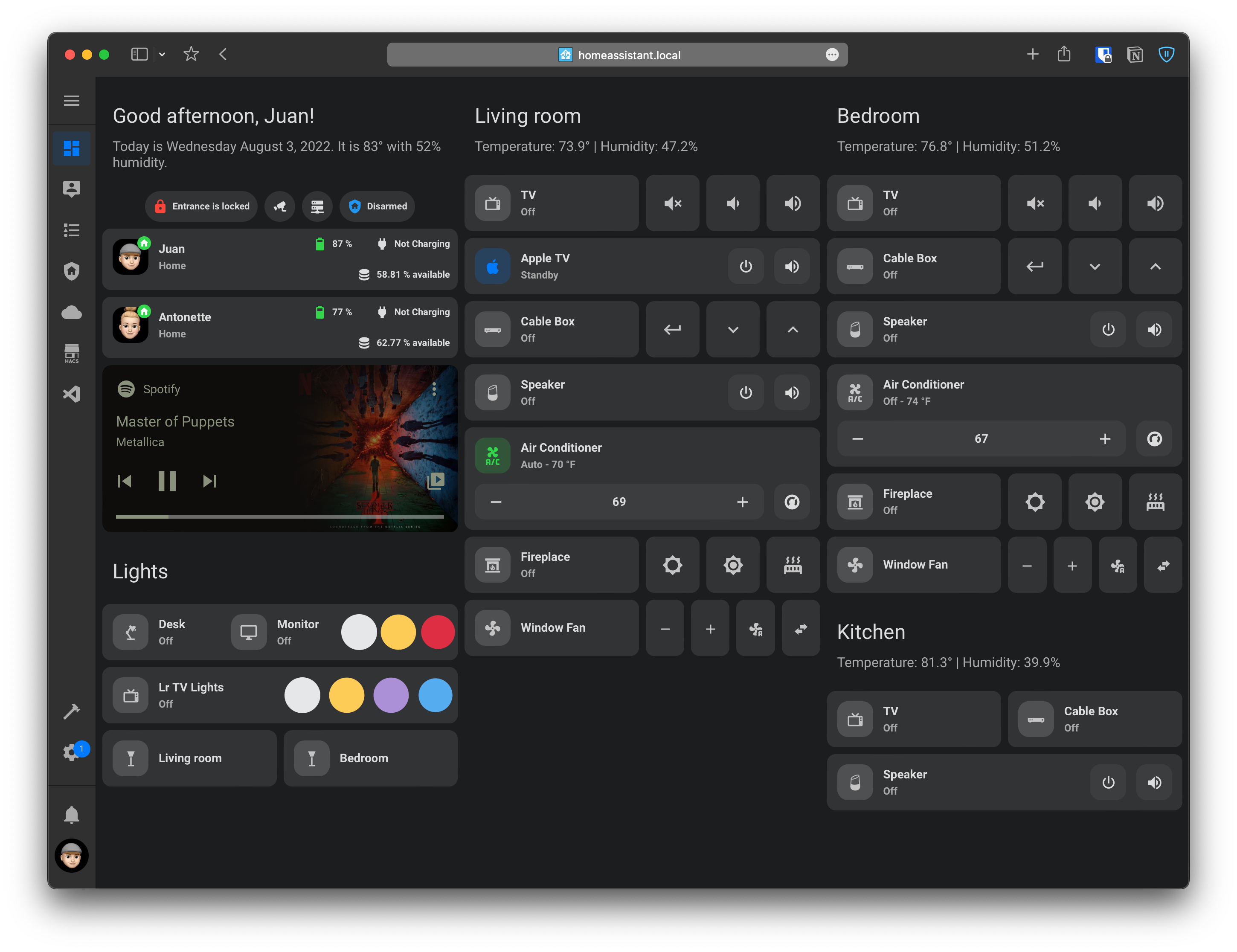
Lovelace set up
Home Assistant tutorials
Here are some of the tutorials that can get you started with Home Assistant:
 |
 |
 |
 |
 |
 |
 |
 |
Video tutorials and written guides
- YouTube Playlist - Easy to follow tutorials to get you started with Home Assistant
- Written guides - Companion writtent guides for all video tutorials
Themes I made for Home Assistant (Available via HACS)
- macOS-Theme (Dark/Light) - ⭐
- iOS Theme (Dark/Light) - ⭐
- Google Theme (Dark/Light) - ⭐
- Google Dark Theme
- Google Light Theme
- iOS Dark Mode Theme
- iOS Light Mode Theme
- AMOLED Blue Theme
- Green Dark mode Theme
- Green Light mode Theme
- Orange Dark Theme
- Orange Light Theme
Devices running Home Assistant
- Server running Unraid with Home Assistant in a virtual machine
Common equipment to run Home Assistant
- Raspberry Pi 4
- Raspberry Pi 4 case - Best case for the Raspberry Pi 4
- Samsung microSD card 32GB
- Intel NUC - For extra performance
Devices to use with Home Assistant to automate your home
- Smart Speakers
- InfraRed Remote
- Zigbee Devices
- ConBee II - Zigbee USB Gateway
- Aqara Door and Window Sensor
- Aqara Smart Plug
- Aqara Wireless Mini Switch
- Aqara Temperature and Humidity Sensor
- Philips Hue Play Black & Color Smart Light
- Philips Hue Smart Dimmer Switch
- Z-Wave Devices
⚠️ DISCLOSURE: Some of the links here, are affiliate links, meaning, at no additional cost to you, I will earn a commission if you click through and make a purchase.**
 JuanMTech