

 Instagram
Nested Adapter - Bad performance when having many items (gets laggy)
Hey,
I'm using the nested adapter approach to have horizontally scrolling collectionViews inside a vertically scrolling collectionView (just like in the nested adapter example).
The approach works fine when you only have a few cells inside the horizontal collectionViews. When I tried having about 500+ items, it starts to stutter every time a new row is being displayed. The scrolling stops for a few milliseconds and then goes on. I created a demo project to showcase this (I exaggerated the amount of items to make it clearer):
https://github.com/d3mueller/NestedAdapterTest
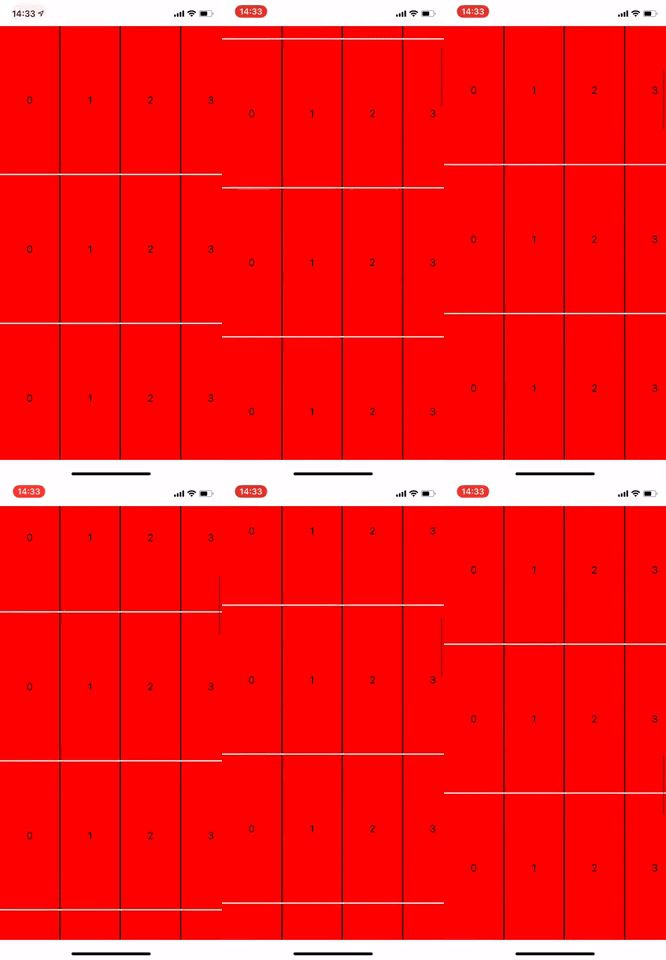
I looked into it and it looks like the problem is here (in the section controller that's holding the nested list adapter):
override func cellForItem(at index: Int) -> UICollectionViewCell {
        if let cell = collectionContext!.dequeueReusableCell(of:  NestedCell.self, for: self, at: index) as?  NestedCell {

            // This call takes a long time (sometimes a few dozen or hundred milliseconds)
            listAdapter.collectionView = cell.collectionView

            return cell
        }
        fatalError()
    }
The listAdapter.collectionView property has a setter method that runs every time the cell is being displayed. And something inside there takes a very long time. And that is causing problems while scrolling.
I guess this setter has to access all items from the data source (maybe to get the contentSize for the collectionView?), which takes some time for big arrays.
Having thousands of items is no problem for a single collectionView, it's still incredibly smooth. But when you have these nested adapters, vertical scrolling is quite laggy for many items per row.
Is there any way to improve the performance of this? Can I maybe cache some things to make setting listAdapter.collectionView faster? If yes, how would I do that?
If that's not possible, I would have to reduce the amount of items per row. I thought about dynamically loading new items as you scroll (while also deleting items you have long scrolled past). (Also, I load the data locally using CoreData, I don't have to download them or anything). That kind of works, but it has a big problem:
Using the ideas from #242, I'm trying to maintain the contentOffset while removing items at the beginning of the collectionView. It works, but after setting the contentOffset, every active scrolling animation is stopped, so there's no way to smoothly scroll through the cells. It stops every time new data is being loaded. I implemented this in the demo project. It's commented out
I've been trying to figure this out for the past week or so, I can't think of any solutions to this :D. I'm thankful for any thoughts/ideas you might have. Thanks!
General information
IGListKitversion: master branch- iOS version(s): 12.1
- CocoaPods/Carthage version: 1.5.3
- Xcode version: 10.1
- Devices/Simulators affected: All (but it's hard to see in the simulator)
- Reproducible in the demo project? (Yes/No): Yes
- Related issues: #242 maybe

Okay, I think I found a possible solution, that still has one small problem.
I took the approach of dynamically loading the data (as described above). I solved the problem with the scrolling by replacing
listAdapter.collectionView?.setReversedContentOffset(reversedContentOffset, animated: false)
with
listAdapter.collectionView?.reversedContentOffset = reversedContentOffset
Then it continues to scroll after the updates. This seems to be working really well, except for one visual glitch:
Before I can update the reversedContentOffset to adjust for the missing items in the beginning, the collectionView renders the new data at the old contentOffset. So it looks like it's jumping to a new position and then back, creating a flicker on the screen.
I tried capturing this behavior using breakpoints (reload is triggered when cell 41 is being displayed):
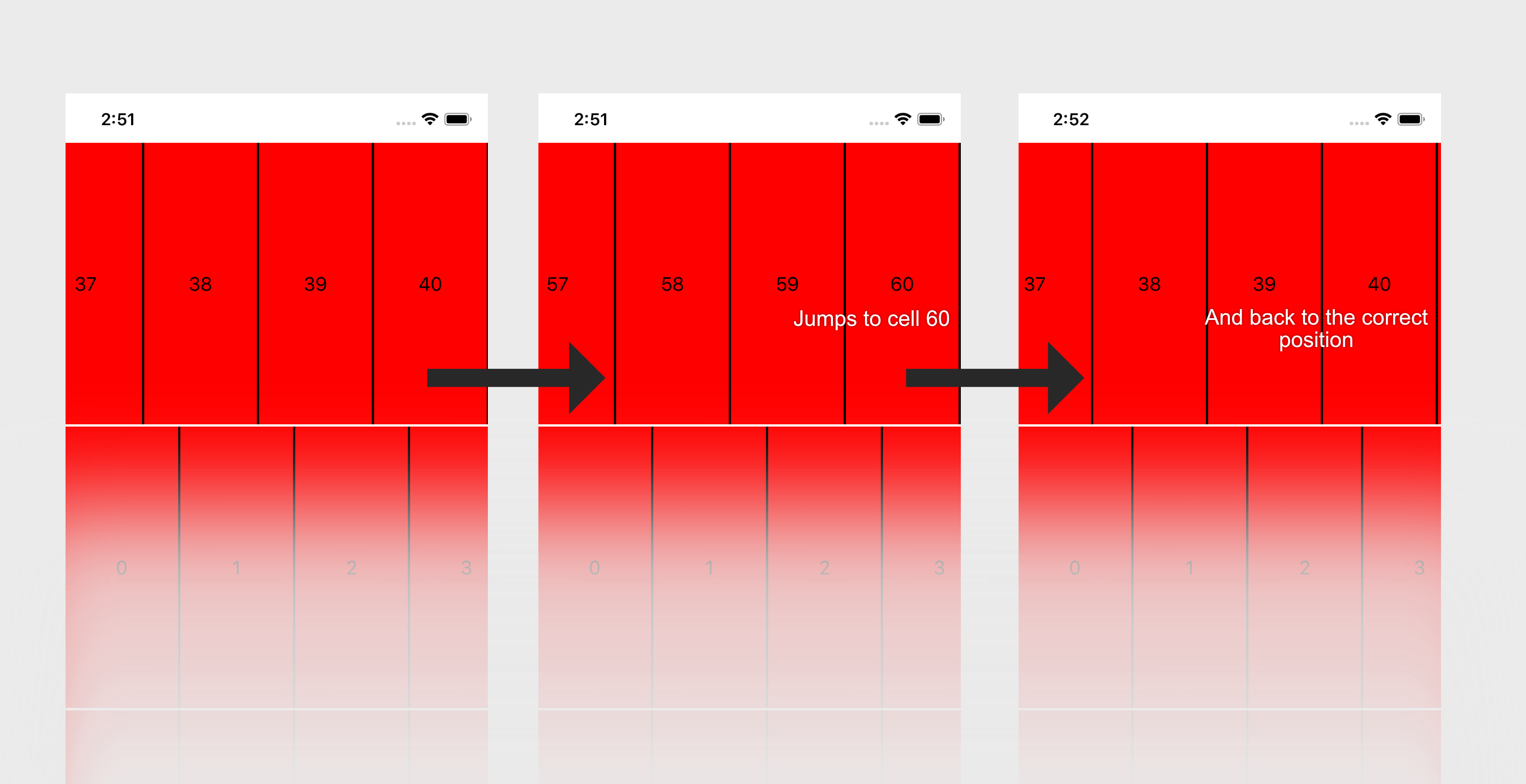
Is there any way to update the contentOffset a little bit earlier? At the moment, I'm doing it right after performUpdates() finishes:
...

let reversedContentOffset = listAdapter.collectionView!.reversedContentOffset
listAdapter.performUpdates(animated: false) { (finished) in
    listAdapter.collectionView?.reversedContentOffset = reversedContentOffset
    ...
}

...
And something inside there takes a very long time
Did you run Time Profiler to trace exactly what is slow?
Is there any way to update the
contentOffseta little bit earlier?
Unfortunately we run into this problem too where we want to "fix" the scroll offset while updates happen. There are some hacks to make this work. See #242

Did you run Time Profiler to trace exactly what is slow?
I think it's this method inside IGListAdapter.m:
-[IGListAdapter _updateObjects:dataSource:]
This is being called every time a collectionView is set. Inside, there are quite a few iterations over (probably) all objects in the data source. This looks like code that's needed to set up the collectionView.
Unfortunately we run into this problem too where we want to "fix" the scroll offset while updates happen. There are some hacks to make this work. See #242
I think I have the same problem as yood in this answer:(https://github.com/Instagram/IGListKit/issues/242#issuecomment-392850132)
However, his proposed solution doesn't fix it for me. The contentOffset is still being updated too late. Which is strange because batchUpdatesCompletionBlock(finished) is being called before actually committing the CATransaction.
Did you have any luck with this issue? It looks like I having same problems with performance on embedded / reused collectionviews.

Unfortunately, no. I just changed my approach so that I don't have too many items inside my collectionViews at any point in time. I dynamically load them as needed (which still has the above mentioned visual glitch though).
Is there anyone who solved this problem? I am using nested adapter but got lag issue while scrolling vertically. @rnystrom , can you help me?
