
python-opcua
 python-opcua copied to clipboard
 FreeOpcUa
Regarding alarms and events client program exits without any error or exception for alarms coming in seconds.
Hi ,
I am using opcua python client example for storing alarms data .. using subscription concept using the below code :
Subscription Code - One Time executed for subscription to BaseEventType.
Code :
if __name__ == "__main__":
    logging.basicConfig(level=logging.WARN)

    client = Client("opc.tcp://WINCCSERVERA:4862")

    try:
        client.connect()


        # Client has a few methods to get proxy to UA nodes that should always be in address space such as Root or Objects
        root = client.get_root_node()
        print("Root node is: ", root)
        objects = client.get_objects_node()
        print("Objects node is: ", objects)


        # Now getting a variable node using its browse path
        obj = root.get_child(["0:Objects", "0:Server"])

        myevent = root.get_child(["0:Types","0:EventTypes","0:BaseEventType","0:ConditionType",
                                  "0:AcknowledgeableConditionType","0:AlarmConditionType","2:WinCCAlarmConditionType"])
        print("TYPE",type(myevent))

        myevent2 = root.get_child(["0:Types","0:EventTypes","0:BaseEventType","2:WinCCEventType"])

        myvar3 = root.get_child(["0:Types","0:EventTypes","0:BaseEventType","0:ConditionType",
                                  "0:AcknowledgeableConditionType","0:AlarmConditionType","2:WinCCAlarmConditionType",
                                "0:EventId"])

        myvar2 = root.get_child(["0:Types","0:EventTypes","0:BaseEventType","0:ConditionType",
                                  "0:AcknowledgeableConditionType","0:AlarmConditionType","2:WinCCAlarmConditionType",
                                 "0:EventType"])
        print("MyFirstEventType is: ", myevent)

        # subscribing to a variable node
        handler = SubHandler()
        sub = client.create_subscription(500, handler)
        #handle = sub.subscribe_data_change(myvar3)
        time.sleep(0.1)

        # we can also subscribe to events from server
        sub.subscribe_events(obj,myevent)
        # sub.unsubscribe(handle)
        # sub.delete()


    finally:
        print("myvar is:")
After subscription the below is called frequently every seconds flooded with too many alarms.
def event(self, handle, event):
        ......insertion code below....
**when i run the program , it runs successfully and it runs for some minutes , say 15 minutes and then it shuts/ exits automatically without exceptions or errors. Also i m tracing the exception and storing into DB , but there are no exceptions and error are raised .
Request anyone from this forum to assist me on the same and suggest me steps to overcome this weird problem.**
Thanks
Rajnish Vishwakarma


Thanks Andreas,
A very good morning to you. hope you are fine. I added the below code as per your suggestions.
Code :
except Exception as exe: ...................
*-BUT STILL the program stopped unexpectedly without any errors and exceptions. *
Plz help me on this on this weird behavior.
Thanks Rajnish Vishwakarma
this is a thought one... i typically make a wireshark trace to see whats going on on the wire aswell as a ping to the server to figure out if there is a network issue
Thanks Andreas ,
If you can help me with some links of video reference of tracing alarms and also if possible any specific topic on alarms in the wireshark documentation
Hi Andreas ,
when i added the below code in the my client
import logging.
logging.basicConfig(level=logging.DEBUG)
After the alarms not recieved from the WINCC End m=, client programs ends.= and the below messages are traced and displayed.
Not sure is its the SDK issues or the WINCC SCADA issue.
Andreas , if you can help me by going through the below traces and error and let me know what would be the probable problem and suggest me should i do to ovecome the below probel.
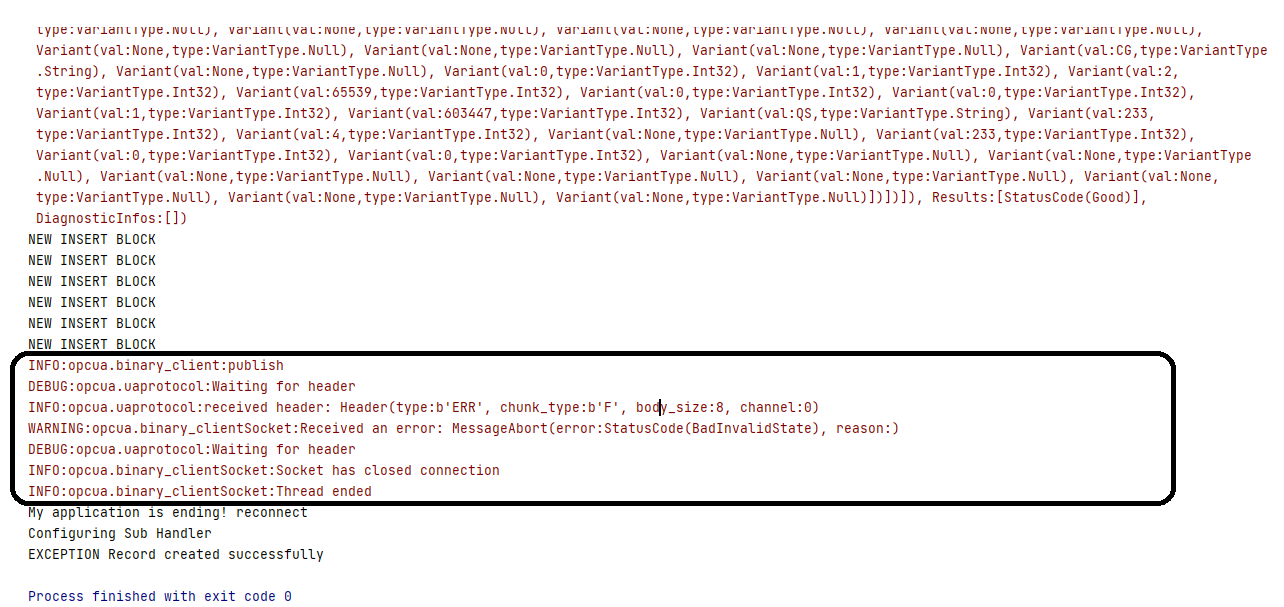
INFO:opcua.binary_client:publish DEBUG:opcua.uaprotocol:Waiting for header INFO:opcua.uaprotocol:received header: Header(type:b'ERR', chunk_type:b'F', body_size:8, channel:0) WARNING:opcua.binary_clientSocket:Received an error: MessageAbort(error:StatusCode(BadInvalidState), reason:) DEBUG:opcua.uaprotocol:Waiting for header INFO:opcua.binary_clientSocket:Socket has closed connection INFO:opcua.binary_clientSocket:Thread ended
SNAP of console :
It will be very good of you , if you can help me for the above problem.
Thanks
Rajnish Vishwakarma
as you see in the log python opcua client recv. an error from opcua server (wincc) Statuscode https://reference.opcfoundation.org/v104/Core/docs/Part4/7.34.2/
Bad_InvalidState The operation cannot be completed because the object is closed, uninitialized or in some other invalid state.
Hi Andreas, the below is the architecture diagram for the WinCC SCADA server and the Python OPCUA Client.
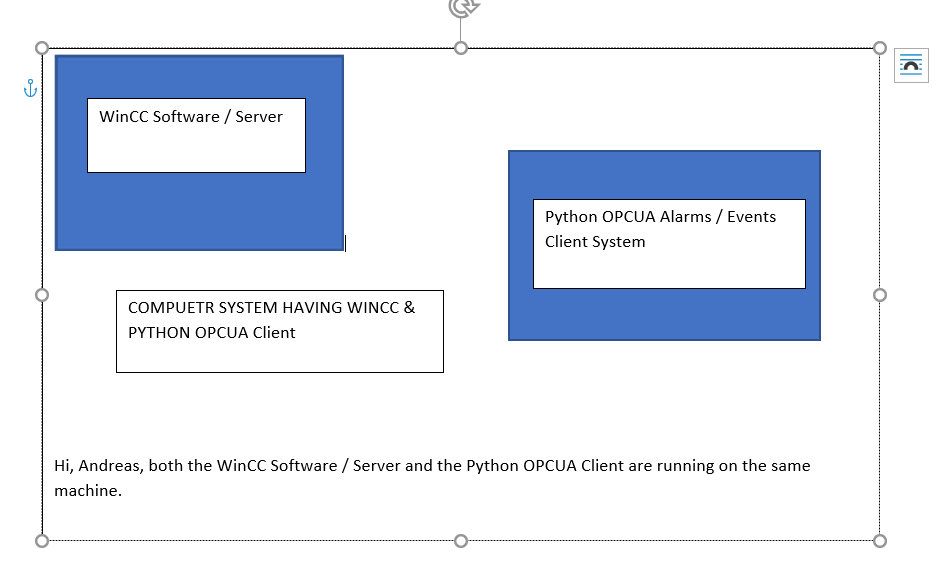
Andreas, both the WinCC Software / Server and the Python OPCUA Client are running on the same machine.
Thanks and Regards
Rajnish Vishwakarma
Contact Siemens and send them a WireShark Trace, i dont have the products to test anything the WinCC OPC UA Server sends the fault so i cant help u until i know why WinCC throws the error!