
Flow.Launcher
 Flow.Launcher copied to clipboard
 Flow-Launcher
Up Arrow key cycles through Query history
Similar to how arrow keys work in most shells this PR allows the user to press Up to cycle through their last used queries.
Todo:
- [x] Cycle through entire history if user hasn't moved selection
- [x] Fix not being able to move selection in History view
- [ ] ~~Add custom hotkey support~~
https://user-images.githubusercontent.com/535299/144291288-73ffa191-5deb-4f42-9675-90b748a82e32.mp4

- The same problem exists in the context menu.
- I think there should be a shortcut to erasing it. (ctrl+u?)
And do we really need this function? In my experience, the command line selects a re-input item by looking at the screen entered by itself. in this function, we have to guess and turn the record around. So there is a history list. From a modern command point of view, Using the command-like method is more of a modern commander, backstep to the past. If were me, I would simply add hotley (alt+up?) in history menu. or add setting history in first screen.

i cant seem to cycle past the first history that showed, basically if i keep pressing up after the first history it just cycle through the results from it.
also need to check and not trigger when in context menu
is this pr still draft?

i cant seem to cycle past the first history that showed, basically if i keep pressing up after the first history it just cycle through the results from it.
also need to check and not trigger when in context menu
is this pr still draft?
Yeah it's still just a proof-of-concept...
https://user-images.githubusercontent.com/535299/145690824-1d2a8f17-d8ee-4463-a792-55eff6351b41.mp4
Working
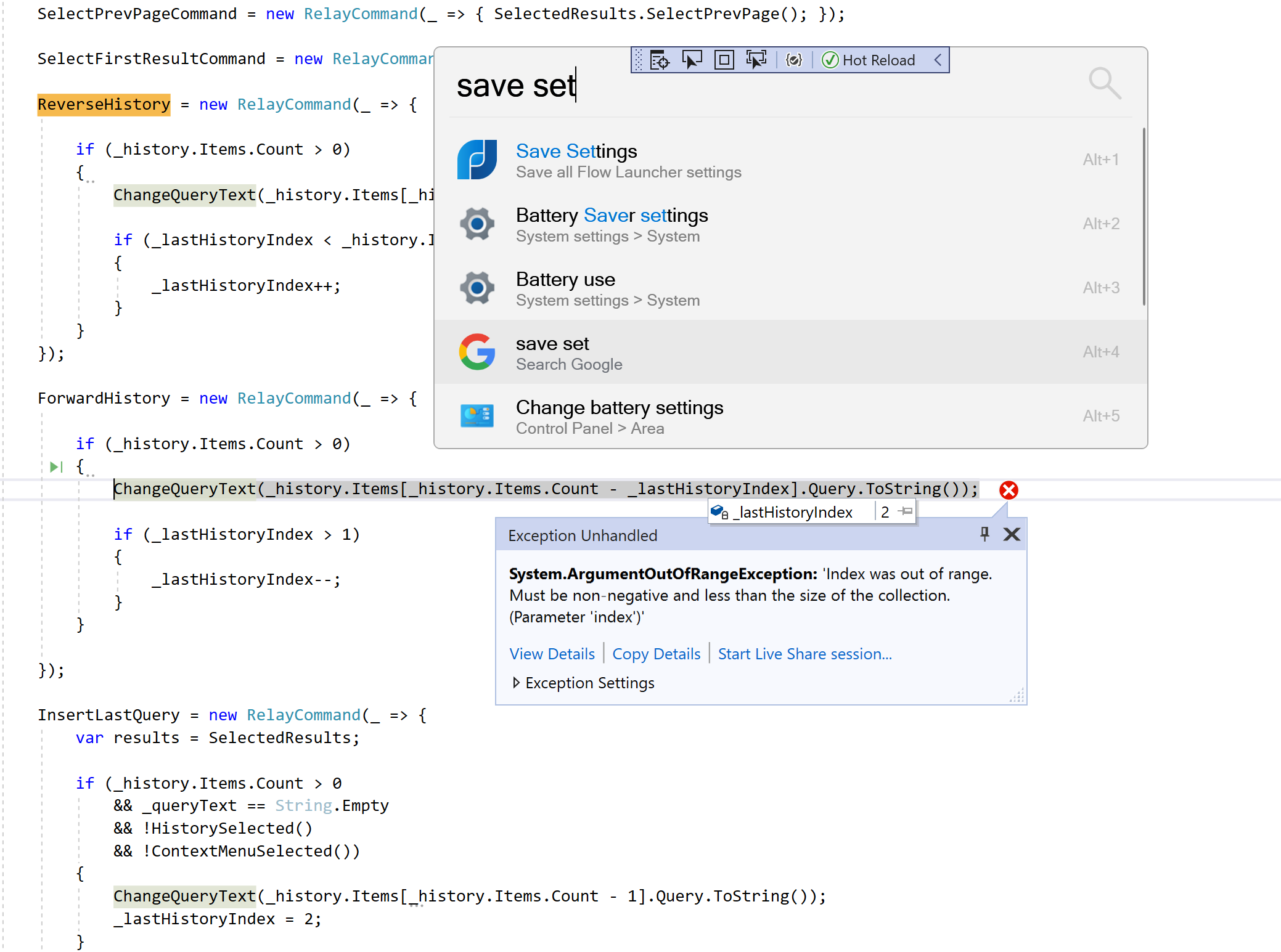
i am getting this error. repro:
- only one history result present
- up arrow to insert the query
- alt + down arrow to forward search
so i am finding it a bit weird when i press up arrow on an empty query and only the one history result (the last one shows) then the subsequent up arrow presses will just cycle through the results. what are your throughts, up arrow only is able to cycle up one result, do we want to do this where the alt + up/down arrows work like a treat.
so i am finding it a bit weird when i press up arrow on an empty query and only the one history result (the last one shows) then the subsequent up arrow presses will just cycle through the results. what are your throughts, up arrow only is able to cycle up one result, do we want to do this where the alt + up/down arrows work like a treat.
This intended behavior as the previous way got in the way of default behavior. Sorry I haven't documented yet as I was still testing.
Still need to fix Ctrl+Up Ctrl+Down not working
Currently Alt+Up & Alt+Down Only trigger if defined in MainWindow.xaml and will not trigger from MainWindow.xaml.cs. Custom modifiers "work" but it's not the ideal solution to define them in both. Currently looking for a solution.
i am getting this error. repro:
- only one history result present
- up arrow to insert the query
- alt + down arrow to forward search
Fixed: https://github.com/Flow-Launcher/Flow.Launcher/pull/852/commits/c6d5525dec46631db6cf587573d6ecc55c8b9419
Currently Alt+Up & Alt+Down Only trigger if defined in
MainWindow.xamland will not trigger fromMainWindow.xaml.cs. Custom modifiers "work" but it's not the ideal solution to define them in both. Currently looking for a solution.
Could not find a good method to set Alt & Ctrl modifiers. Should I hard code it to Alt or keep as is?
Thoughts @Flow-Launcher/team ?
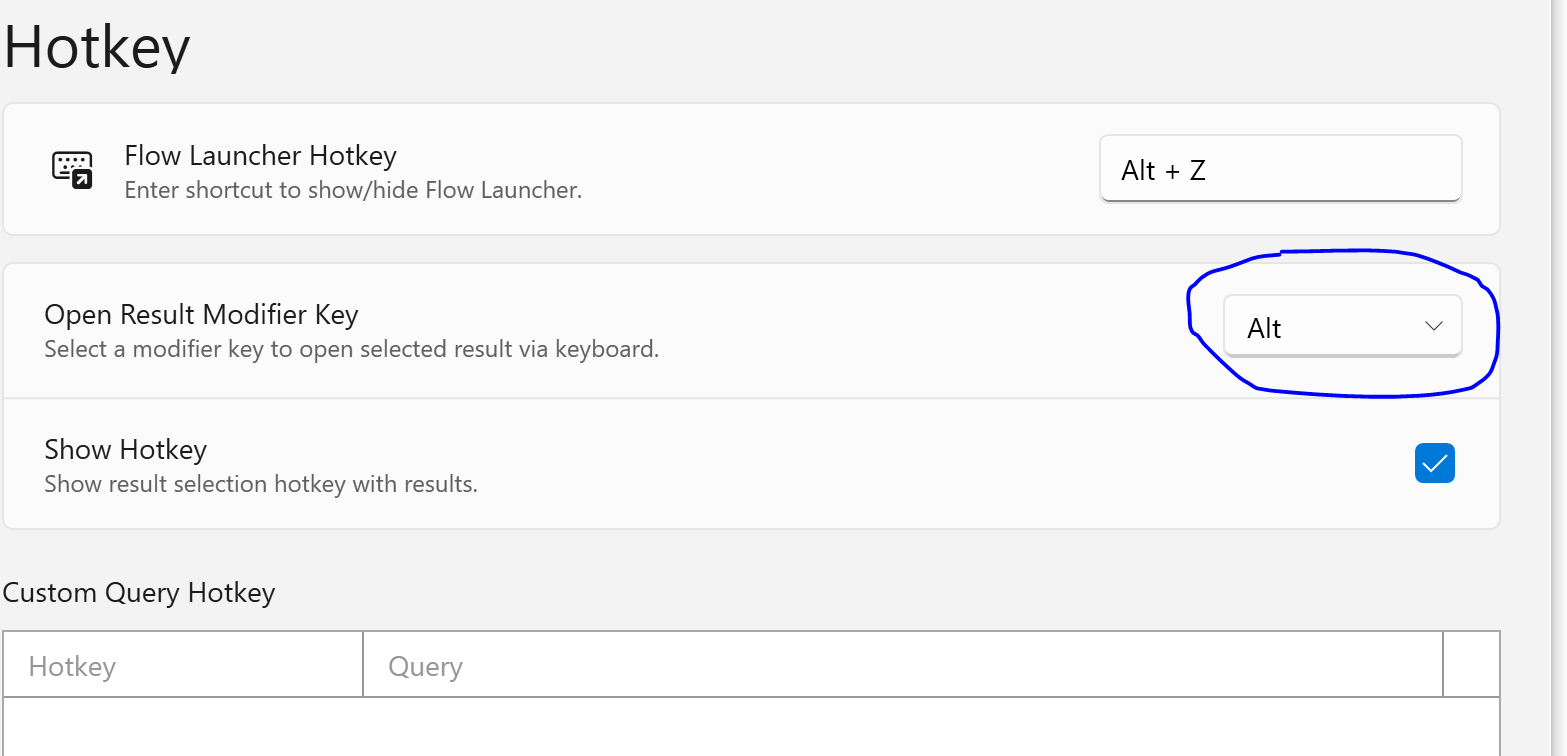
The modifier hotkey can set Alt, does that part of the code offer any help?
The problem is the current implementation requires the hotkey be coded in two separate files. Doesn't feel like a great fix.