
App
 App copied to clipboard
 Expensify
[$2000] Feature Request: Open link in Desktop app if it is installed and not in browser
If you haven’t already, check out our contributing guidelines for onboarding and email [email protected] to request to join our Slack channel!
Action Performed:
- Have desktop app installed
- Create a new account on desktop app
- Click the validation link from email
Expected Result:
Link should open in Desktop app
Actual Result:
Link always open in browser
Workaround:
Can the user still use Expensify without this being fixed? Have you informed them of the workaround? For users: They can still use the app on web and then move to desktop
For contributors: None I think contributors are not able to test the workflow on the desktop app
Platform:
Where is this issue occurring?
- Web
- Desktop
Version Number: Reproducible in staging?: Reproducible in production?: Email or phone of affected tester (no customers): Logs: https://stackoverflow.com/c/expensify/questions/4856 Notes/Photos/Videos: Any additional supporting documentation Upwork job URL: https://www.upwork.com/jobs/~01c5b3dd89b6a749b1 Issue reported by: @MonilBhavsar Slack conversation: https://expensify.slack.com/archives/C01GTK53T8Q/p1662630927711119
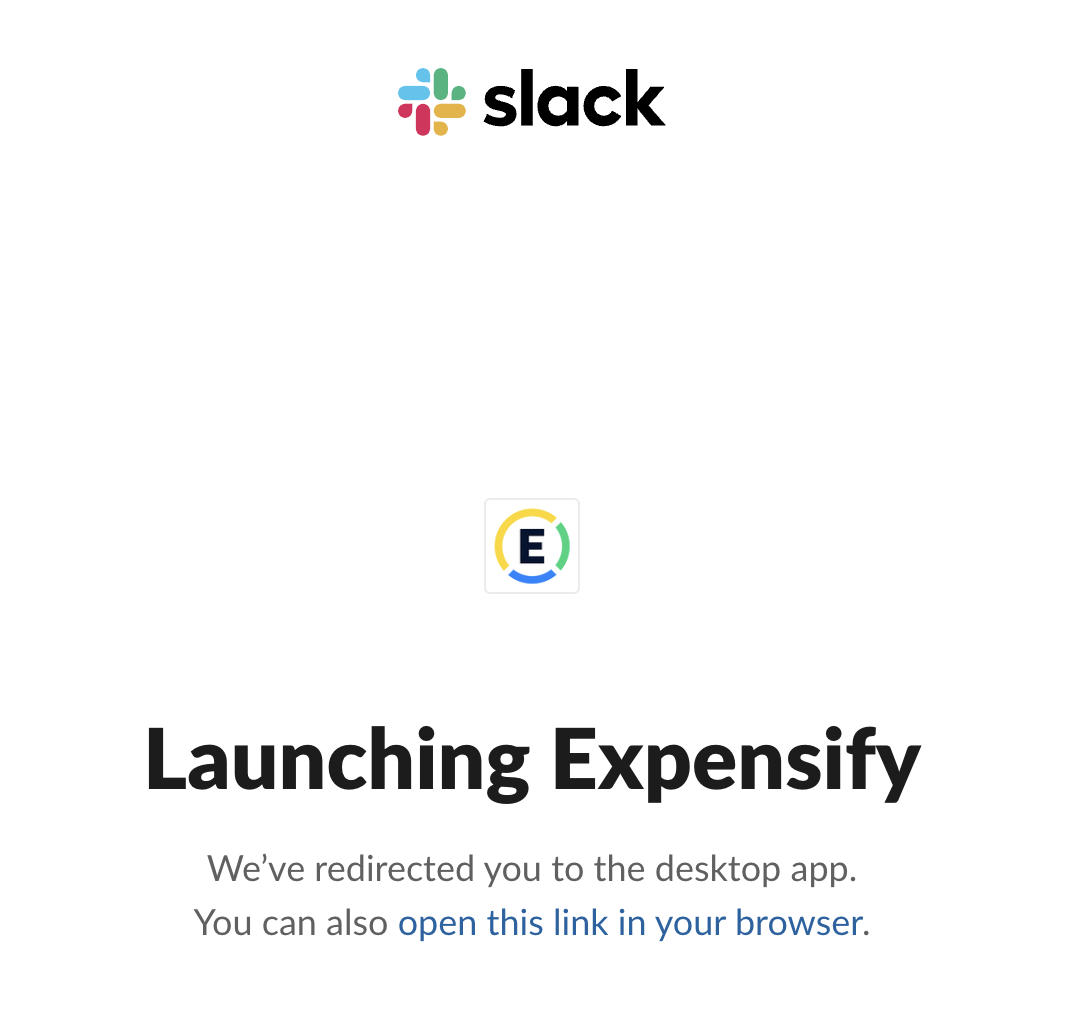
Slack handles this nicely! If desktop app is installed, Link opens in app and they ask if one wants to open it in the browser.


Triggered auto assignment to @stephanieelliott (AutoAssignerTriage), see https://stackoverflow.com/c/expensify/questions/4749 for more details.
![melvin-bot[bot] avatar](https://avatars.githubusercontent.com/in/179547?v=4 "Published by a pub.dev verified publisher")
@stephanieelliott Uh oh! This issue is overdue by 2 days. Don't forget to update your issues!

Triggered auto assignment to @madmax330 (Engineering), see https://stackoverflow.com/c/expensify/questions/4319 for more details.

Triggered auto assignment to @michaelhaxhiu (External), see https://stackoverflow.com/c/expensify/questions/8582 for more details.
Whoops! This issue is 2 days overdue. Let's get this updated quick!
Triggered auto assignment to Contributor-plus team member for initial proposal review - @Santhosh-Sellavel (Exported)
Triggered auto assignment to @NikkiWines (Exported), see https://stackoverflow.com/c/expensify/questions/7972 for more details.
Job is posted to upwork - https://www.upwork.com/jobs/~01c5b3dd89b6a749b1

FYI this issue would also happen coming from the android or iOS apps. So if we go with this solution we should also deeplink it in those apps.

Nvm my comment above, that link is already deeplinked in the native apps

PROPOSAL
Solution
If we directly change validation link in email to deeplink such as new-expensify://new.expensify.com/setpassword/accoundId/validateCode, user click validation link can launch our desktop app (after we update our app source code to handle deeplink), but if user does not install desktop app, clicking validation link will lead to error.
A reasonable way to do it is to launch desktop app in a transition page like slack does, we can do it in setpassword page, and the validation procedure would be:
- User click validation link in email
- Set password page open in browser, we remind user they can launch desktop app in that page, and user confirm to launch desktop app in browser
- If desktop app is already running, redirect to set password page of desktop app, otherwise launch desktop app and open set password page
Step 1 - Update SetPasswordPage.js so we can remind user that they can launch desktop app
Create a new component named DeeplinkIFrame in src/components, and put the following code into DeeplinkIFrame/index.website.js
import React from 'react';
import PropTypes from 'prop-types';

const propTypes = {
    source: PropTypes.string.isRequired,
};

const DeeplinkIFrame = (props) => {
    if (!navigator.userAgent.match(/Mac/i)) {
        return <></>;
    }

    return (
        <iframe title="launch-desktop-app" style={{display: 'none', visibility: 'hidden'}} src={props.source} />
    );
};

DeeplinkIFrame.propTypes = propTypes;
DeeplinkIFrame.displayName = 'DeeplinkIFrame';

export default DeeplinkIFrame;
And put the following code into DeeplinkIFrame/index.js
const DeeplinkIFrame = () => null;

export default DeeplinkIFrame;
Update SetPasswordPage.js
https://github.com/Expensify/App/blob/7d1e65fe22a4f59c93d6aeaa1615468c61ed2983/src/pages/SetPasswordPage.js#L95
+        const accountID = lodashGet(this.props.route.params, 'accountID', '');
+        const validateCode = lodashGet(this.props.route.params, 'validateCode', '');
+        const urlObj = new URL(CONFIG.EXPENSIFY.NEW_EXPENSIFY_URL);
+        const deeplinkUrl = `${CONST.DEEPLINK_BASE_URL}${urlObj.host}/setpassword/${accountID}/${validateCode}`;
https://github.com/Expensify/App/blob/7d1e65fe22a4f59c93d6aeaa1615468c61ed2983/src/pages/SetPasswordPage.js#L123
+ <DeeplinkIFrame source={deeplinkUrl} />
Step2 - Update config/electronBuilder.config.js to associate our app with URI Schema new-expensify in macOS
https://github.com/Expensify/App/blob/7d1e65fe22a4f59c93d6aeaa1615468c61ed2983/config/electronBuilder.config.js#L39-L42
+    protocols: {
+        name: 'New Expensify',
+        schemes: ['new-expensify'],
+    },
electron-builder will do the trick for us in building process.
Step3 - Update desktop/main.js so we can handle deeplink in app no matter it's already running or not
https://github.com/Expensify/App/blob/7d1e65fe22a4f59c93d6aeaa1615468c61ed2983/desktop/main.js#L126
+ let deeplinkURL;
+ let browserWindow;
https://github.com/Expensify/App/blob/7d1e65fe22a4f59c93d6aeaa1615468c61ed2983/desktop/main.js#L134-L138
+    app.on('will-finish-launching', function() {
+        app.on('open-url', (event, url) => {
+            event.preventDefault();
+            const urlObj = new URL(url);
+            deeplinkURL = `${APP_DOMAIN}${urlObj.pathname}`;
+            if (browserWindow) {
+                browserWindow.loadURL(deeplinkURL);
+            }
+        });
+    });
https://github.com/Expensify/App/blob/7d1e65fe22a4f59c93d6aeaa1615468c61ed2983/desktop/main.js#L142
-        const browserWindow = new BrowserWindow({
+        browserWindow = new BrowserWindow({
https://github.com/Expensify/App/blob/7d1e65fe22a4f59c93d6aeaa1615468c61ed2983/desktop/main.js#L326
-       loadURL(browserWindow);
+       loadURL(browserWindow).then(() => {
+           if (deeplinkURL) {
+               browserWindow.loadURL(deeplinkURL);
+           }
+       });
Screenshot
https://user-images.githubusercontent.com/103875612/194872332-acc17694-a88d-408a-a4f2-f4c7958fae91.mp4

Thanks for the proposal @b1tjoy.
I think we should have an open in desktop popup first before loading the page password page on the web, on confirmation we should open it on the desktop.
Also, is this a recommended approach commonly practiced by others if so can you share an example/reference?
I think there might be a better approach, let's wait for other proposals.
cc: @NikkiWines

Wait a second... maybe we shouldn't double actually, since we are laser-focused on delegating bugs to contributors right now.
Let's pause on doubling. @b1tjoy's proposal is still valid for consideration though.
I think we should have an open in desktop popup first before loading the page password page on the web, on confirmation we should open it on the desktop.
Agreed on this, we shouldn't show the same view in both web + desktop. Maybe we could also have some sort of interstitial page like what Slack has, but that could be a follow up improvement.
Validation procedure on macOS Web we prefer:
- User click validation link in email
- Interstitial page open in browser, if desktop app not installed, redirect to set password page
- If desktop app installed, we remind user they can launch desktop app in that page, and user confirm to launch desktop app in browser
- If desktop app is already running, redirect to set password page of desktop app, otherwise launch desktop app and open set password page
Update 2022-10-16, it does not work on macOS/Safari, need to find a solution for Safari
~~A minimal code to show it can be done, the code need to be refactored in final PR, and interstitial page need to be updated to production ready too.~~
Step 1 - Update ROUTES.js and SetPasswordPage.js so we can remind user that they can launch desktop app
Update ROUTES.js so we can open set password page in browser directly.
https://github.com/Expensify/App/blob/e38df100d62d197689bb16888a3ac7859f157681/src/ROUTES.js#L73-L74
- SET_PASSWORD_WITH_VALIDATE_CODE: 'setpassword/:accountID/:validateCode',
+ SET_PASSWORD_WITH_VALIDATE_CODE: 'setpassword/:accountID/:validateCode/:accessType?',
Update SetPasswordPage.js to open deep link in browser.
https://github.com/Expensify/App/blob/e38df100d62d197689bb16888a3ac7859f157681/src/pages/SetPasswordPage.js#L58-L66
+ let hasFocus = true;
https://github.com/Expensify/App/blob/e38df100d62d197689bb16888a3ac7859f157681/src/pages/SetPasswordPage.js#L74-L76
+ openDeeplinkState: 'UNDETERMINED',
        };
    }
+
+    componentDidMount() {
+        const accessType = lodashGet(this.props.route.params, 'accessType', '');
+        if (!this.isMacOSWeb() || accessType) {
+            return;
+        }
+
+        window.addEventListener('blur', () => hasFocus = false);
+        setTimeout(() => {
+            if (hasFocus) {
+                this.setState({openDeeplinkState: 'FAILED'});
+            } else {
+                this.setState({openDeeplinkState: 'SUCCESS'});
+            }
+        }, 500);
+
+        const urlObj = new URL(CONFIG.EXPENSIFY.NEW_EXPENSIFY_URL);
+        window.location = `${CONST.DEEPLINK_BASE_URL}${urlObj.host}${this.getSetPasswordPagePath()}`;
+    }
+
+    getSetPasswordPagePath() {
+        const accountID = lodashGet(this.props.route.params, 'accountID', '');
+        const validateCode = lodashGet(this.props.route.params, 'validateCode', '');
+        return `/setpassword/${accountID}/${validateCode}`;
+    }
+
+    isMacOSWeb() {
+        if (typeof navigator === 'object'
+            && typeof navigator.userAgent === 'string'
+            && /Mac/i.test(navigator.userAgent)
+            && !/Electron/i.test(navigator.userAgent)) {
+            return true;
+        }
+        return false;
+    }
https://github.com/Expensify/App/blob/e38df100d62d197689bb16888a3ac7859f157681/src/pages/SetPasswordPage.js#L95
+ const accessType = lodashGet(this.props.route.params, 'accessType', '');
        return (
            <SafeAreaView style={[styles.signInPage]}>
+                { this.isMacOSWeb() && !accessType && this.state.openDeeplinkState !== 'FAILED' ?
+                <View>
+                    <Text>Opening set password page</Text>
+                    {this.state.openDeeplinkState === 'SUCCESS' &&
+                        <Text>
+                            We have redirected to the desktop app.
+                            You can also <TextLink href={`${this.getSetPasswordPagePath()}/redirect`}>open this link in your browser</TextLink>.
+                        </Text>
+                    }
+                </View>
+                :
https://github.com/Expensify/App/blob/e38df100d62d197689bb16888a3ac7859f157681/src/pages/SetPasswordPage.js#L123
+ }
Step2 - Update config/electronBuilder.config.js to associate our app with URI Schema new-expensify in macOS
Same as previous proposal https://github.com/Expensify/App/issues/10893#issuecomment-1272495980
Step3 - Update desktop/main.js so we can handle deeplink in app no matter it's already running or not
Same as previous proposal https://github.com/Expensify/App/issues/10893#issuecomment-1272495980
Screenshot
Desktop app installed.
https://user-images.githubusercontent.com/103875612/195975918-e9068027-94d0-4042-90c2-32dd535472a5.mp4
Desktop app not installed.
https://user-images.githubusercontent.com/103875612/195975960-c5fae6c1-bbcd-4e74-94fc-ef438a411b5f.mp4
The feature should not be specific to the Set Password Page, we need a comprehensive solution for the whole app or at least for links configured here
@NikkiWines Do you agree?
@Santhosh-Sellavel good point, we'd need a solution that works for any link that a user would open in a browser
@b1tjoy are you interested in adapting your proposal to accommodate the latest feedback? Doubled the job value to encourage that :)
Proposal
Simple and straightforward proposal since I don't have much time available at this exact moment, but could weigh in a little more later today.
Create a new DeeplinkWrapper component that would be a global wrapper of the web app and would listen to URL changes. At first we could decide on a subset of routes we want to have deeplink (we could use this as a start). The DeeplinkWrapper component would match the current route with the routes we want to deeplink and, if it's a match, we would display the popup with the option for the user to open that specific page on the Mac desktop app. If they want to open the page on the desktop we can display a message just like Slack does.
If the user do not want to do that, I suggest we use some simple storage service (like localStorage) to store that the user did NOT want to deeplink that specific page and also the timestamp, which we would then take into consideration the next time the user accesses that page, so we don't keep bothering them with the deeplink popup every single time (in a timespan) they open that route.
Besides that a simple change would be necessary on the desktop app to handle these deeplink URLs.
Later today I can do some small coding proposal here on the comments if you all think this is a good solution.

Proposal
Ok so here's a more formal proposal for the issue.
A new component called DeeplinkWrapper would be created as below (only for web - and desktop -, on mobile it would just return children):
import  PropTypes  from  'prop-types';
import {PureComponent} from  'react';
import {deeplinkRoutes} from  './deeplinkRoutes';

const  propTypes  = {
	/** Children to render. */
	children: PropTypes.node.isRequired,
};

class  DeeplinkWrapper  extends  PureComponent {
	constructor(props) {
		super(props);

		// check if pathname matches with deeplink routes
		const  pathname  = window.location.pathname
		const  matchedRoute  = deeplinkRoutes.find(route => {
			const  routeRegex  =  new  RegExp(route.pattern)
			return routeRegex.test(pathname)
		})

		if (!!matchedRoute &&  this.isMacOSWeb()) {) {
			this.state  = {
				deeplinkMatch:  true,
			};

			// open desktop app
		}
		else {
			deeplinkMatch:  false,
		}
	}

	isMacOSWeb() {
		if (
			typeof navigator ===  'object'  &&
			typeof navigator.userAgent  ===  'string'  &&
			/Mac/i.test(navigator.userAgent) &&
			!/Electron/i.test(navigator.userAgent)
		) {
			return  true;
		}

		return false;
	}

	render() {
		if (this.state.matchedDeeplinkRoute) {
			// return Slack-like page with
			// option for the user to open
			// page on the browser
		}

		return  this.props.children;
	}
}

DeeplinkWrapper.propTypes  = propTypes;
export  default  DeeplinkWrapper;
Please note that isMacOSWeb is a courtesy from @b1tjoy
Besides that we would just need a simple way of handling the deeplink URL on the dekstop app, and @b1tjoy's solution for that seems like it'll do the trick.
This proposal is a bit different from the one I suggested in the other comment, since I figured it would be very annoying for the user if we kept asking to open the desktop app every single time they navigate to a subroute of a route we want to deeplink (e.g.: any sobroute in /bank-account/*) .
And another detail of the "Slack-like" approach is that ideally we would need a design for the page we would show on the browser when the deeplink route is a match, like the image posted by @NikkiWines in the comments above.
@cowboycito Thanks for the proposal
Besides that we would just need a simple way of handling the deeplink URL on the dekstop app, and @b1tjoy's solution for that seems like it'll do the trick.
Like you used isMacOSWeb you could've added that also in your proposal.
How we will be using DeeplinkWrapper component?
Can you break it done it to steps like here send an updated proposal in a new comment. thanks!