
mqtt-bed-sensor
 mqtt-bed-sensor copied to clipboard
 EverythingSmartHome
Remote configuration
- WiFi web server that allows configuration of the device via browser instead of using constants in code
- Web server goes into access point mode if it can't connect to a WiFi network
- All configurations are saved in a JSON file on the device
- Auto discovery for Home Assistant
- MQTT topic to adjust the calibration factor via Home Assistant
- MQTT topic to reboot the device
- Device publishes link to configuration page
- Device publishes link to main repo and device IP address in device attributes

Hello and thanks for the PR, sorry for the delay - took a bit of time to get some time to install it.
It looks like this is for esp32 only since files need to be stored on device, presumably SD card?

Hi Lewis,
This works on ESP8266. I originally intended to have it work on ESP32 and ESP8266 but didn’t have an ESP32 on hand to test it. I might be able to do that at a later time.
There are files stored directly in the flash memory of the ESP8266 using the LittleFS library. There are two versions of this library, and it’s confusing. LittleFS.h is for ESP8266 and LITTLEFS.h is for ESP32.
The documentation for the LittleFS is here: https://arduino-esp8266.readthedocs.io/en/latest/filesystem.html
This allows to load files and make them writable on the device storage without the need for an SD card. I use a Wemos D1 Mini and it works very well on my end. You do need to first install the file upload tool that will initialize the file system on the ESP8266, then upload all the files stored in the data folder into that memory space.
The instructions on this page explain how to install the upload tool and how to use it: https://randomnerdtutorials.com/install-esp8266-nodemcu-littlefs-arduino/
Hopefully this answers your questions, but please let me know if you need further clarifications.
Pascal On Apr 25, 2022, 3:56 PM -0400, Everything Smart Home @.***>, wrote:
Hello and thanks for the PR, sorry for the delay - took a bit of time to get some time to install it. It looks like this is for esp32 only since files need to be stored on device, presumably SD card? — Reply to this email directly, view it on GitHub, or unsubscribe. You are receiving this because you authored the thread.Message ID: @.***>
Got it thanks - hadn't heard of that tool before and assumed it used an SD card. All up and running now.
Seems to work well, well done!
I think we need to improve the documentation before it could merge, there are a few additional libraries and steps required to make this work that should be documented.
If you have something already then feel free to add in or I can try soon when I get some time.
Thanks again, this is cool!
Thanks, I’m glad you like the updates!
I’m happy to update the documentation. Would you mind pointing out what you saw was missing?
I also have a small update regarding the wifi connection that sometimes doesn’t happen if the wifi takes too long to authenticate the client. I can easily integrate the documentation update with this.
Pascal On Apr 25, 2022, 5:08 PM -0400, Everything Smart Home @.***>, wrote:
Got it thanks - hadn't heard of that tool before and assumed it used an SD card. All up and running now. Seems to work well, well done! I think we need to improve the documentation before it could merge, there are a few additional libraries and steps required to make this work that should be documented. If you have something already then feel free to add in or I can try soon when I get some time. Thanks again, this is cool! — Reply to this email directly, view it on GitHub, or unsubscribe. You are receiving this because you authored the thread.Message ID: @.***>
Updated libraries list, hopefully there are no other ones missing.
Also increased wifi connection timeout to avoid cases where the connection doesn't happen fast enough and the device returns back to access point mode.
@belangp I'm running on esp32, and have just setup from the original repo. Very interested in your PR, remotely configuring etc. I took it for a spin, but can't get beyond compiling for LittleFS.
Bed_Sensor.ino:301:13: error: 'class fs::FS' has no member named 'begin'
   if (!(lfs.begin())) {
Is the intention to support Esp32 still with your PR? If so, I'd be happy to be a tester here.

@ahaverty I unfortunately don't have any ESP32 boards that I can test my code on at the moment, so I wouldn't be able to easily update the code to support it right now. What I do know is that there is a different library that has to be used for LittleFS with ESP32 boards. I could always try to update the code and see if it compiles with an ESP32 board selected, but I wouldn't be able to test it physically on a board.
Cheers @belangp, I'm testing now with an esp8266.
Would you have details on the specific versions of each library you're using?
I hit compilation issues with the latest ArduinoJson (v6.20.1) ArduinoJson v6.19.3 compiles and uploads, ~but when I connect to the 192.168.4.1 I just get a blank page, with an almost empty html in inspect element.~ ~I'm guessing there's another library that's fallen out of sync with this PR.~
~Here's what I see in serial monitor, it seems to print a "1" every time I refresh 192.168.4.1~
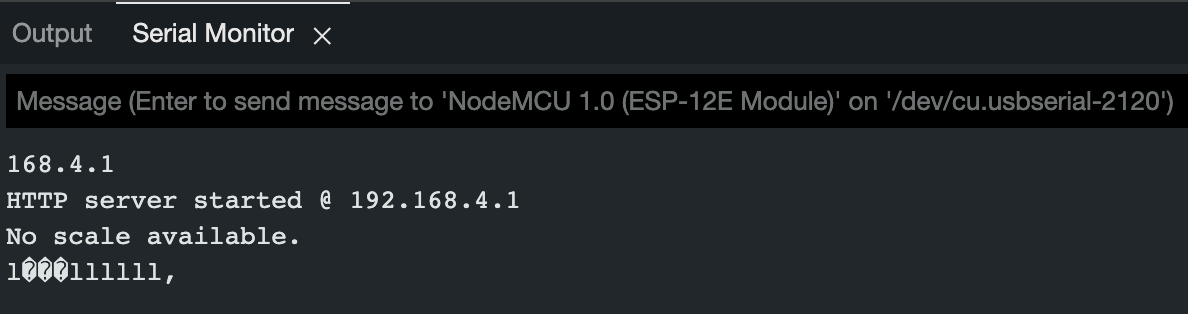
Disregard my empty html page issue for the moment, I forgot to follow step 2 for LittleFS tool + upload (🤦). Arduino IDE v2 doesn't support tools either 😮💨 https://github.com/earlephilhower/arduino-esp8266littlefs-plugin/issues/21#issuecomment-1251292713
I'll see if I can downgrade.
Yes, I can see the web page configurator now after running the upload tool. @belangp Perhaps the readme should also include:
- ESP8266 support only
- ArduinoJson = v6.19.3 (v6.20.X will not compile)
- Arduino IDE v1 required for data upload step (v2 doesn't support tools/LittleFS tool) [Note: At least on Mac, both IDE's can be installed simultaneously without needing to uninstall v2, just download and drag 'Arduino' into your application folder]
I've got this running on an az delivery 8266 now. I had some issue with the data upload tool, I needed to downgrade esp8266 in board manager to below v2 (v1.9.3 if I remember right).
In other news (perhaps out of scope for this issue/PR) @robtillart has released a modified hx711 library that allows for mutlipoint calibrations.
For those of us using bed occupancy weights to distinguish between Person A or B or A+B, this could be a major improvement to accuracy: https://github.com/RobTillaart/HX711_MP i.e a different calibration for each of the above scenarios
I'd give it a shot at implementing, but I'm very new to ESP unfortunately, might take a few months 😅