
Android-FilePicker
 Android-FilePicker copied to clipboard
 DroidNinja
Photopicker and document picker for android

I have crash when got images from gallery FilePickerBuilder.instance .setMaxCount(5) .setActivityTheme(R.style.LibAppTheme) .pickPhoto(fragment, GALLERY_MULTIPLY_REQUEST_CODE) 2020-11-23 12:40:30.059 14514-14514/? E/AndroidRuntime: FATAL EXCEPTION: main Process: ru.vtb.smb.debugK3, PID: 14514 java.lang.NoClassDefFoundError: Failed resolution of: Lkotlinx/coroutines/Dispatchers; at...

Using this code: ``` FilePickerBuilder .instance .setActivityTheme(R.style.LibAppTheme) .pickFile(this, RC_TENDER_DOCS) ``` I got this: 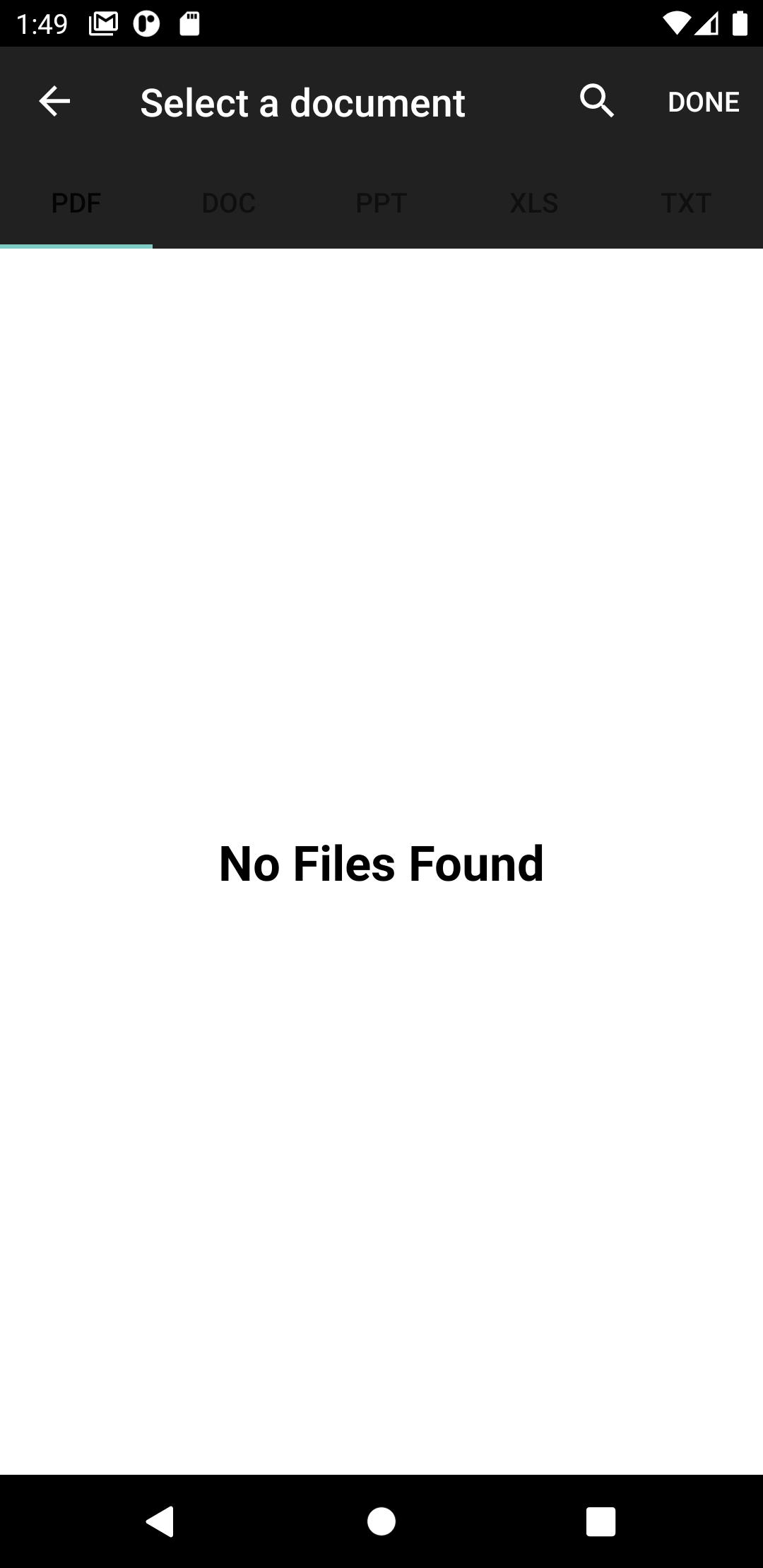 As we can see, the text in sub action bar (pdf, ppt, etc) can't be seen...

@JvmStatic fun getFilePath(context: Context, fileUri: Uri): String? use @JvmStatic annotation so that Java can invoke function like Kotlin

I try to take picture and the result is rotating the image 90 degrees ccw. how to fix it?


Done Button is visible when MAXCount = 1 and nothing is selected,just entered a directory in Video picker and Done Button shows up even when nothing is selected.


 i am using version 2.2.0 and getting this error

I'm using that library with `.setMaxCount(1)` How could I check if the file in onActivityResult is a video or an image ?
