DefectDojo
ERROR: Service 'nginx' failed to build : Build failed


Can you please explain error, and your environment?
i am doing ./dc-up.sh mysql-rabbitmq while doing this I am getting the error of nginx server is not able o build
What os? Can you dig into logs and see why it fails, from this single line it is not possible to conclude.
Linux Ubuntu nginx server is not able to build
E: Unable to fetch some archives, maybe run apt-get update or try with --fix-missing? The command '/bin/sh -c apt-get -y update && apt-get -y install --no-install-recommends gcc build-essential dnsutils default-mysql-client libmariadb-dev-compat postgresql-client xmlsec1 git uuid-runtime && apt-get clean && rm -rf /var/lib/apt/lists && true' returned a non-zero code: 100 ERROR: Service 'uwsgi' failed to build : Build failed
Can you launch https://hub.docker.com/r/curlimages/curl and test fetching of one of the repos.

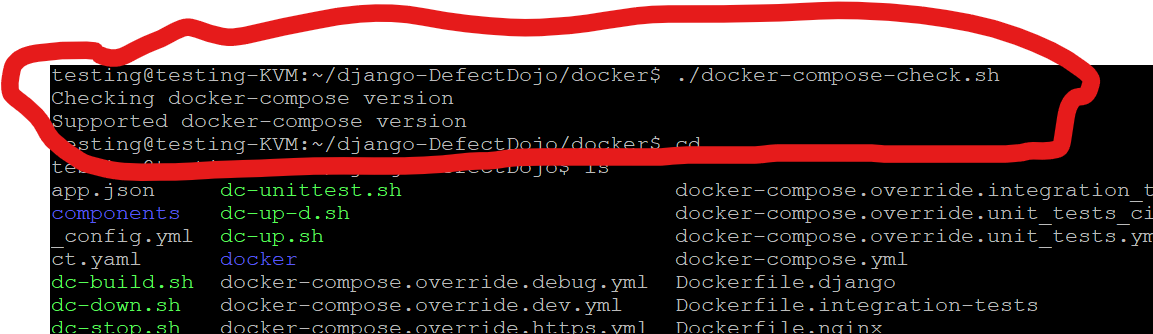
What is your default shell, building process is broken at the beginning, when it validates version of the docker-comnpose
how @dsever it's saying ERROR: Service 'uwsgi' failed to build : Build failed
Scripts are calling additional script to check for the docker-compose version https://github.com/DefectDojo/django-DefectDojo/blob/master/dc-build.sh#L3 , do you have script, form what I see I assume it is not in place

./docker/docker-compose-check.sh should be there, but check permissions as well to have rx

Something is broken in this 3 lines, execute it one by one and echo output of each var