

 CuppaLabs
When shown on top, dropdown is always positioned as if it were at its maximum height
Tested with angular2-multiselect-dropdown v5.0.4 and Angular v9, 10, 11 and 12.
When the dropdown is shown on top, if the data list is empty, the dropdown is positioned "floating" far above the input field. This bizarre position matches the position that the dropbox would have if it were full of items.


I have a similar problem (angular2-multiselect-dropdown v5.0.4 and angular 12.2.10)

And it is ok when on the bottom
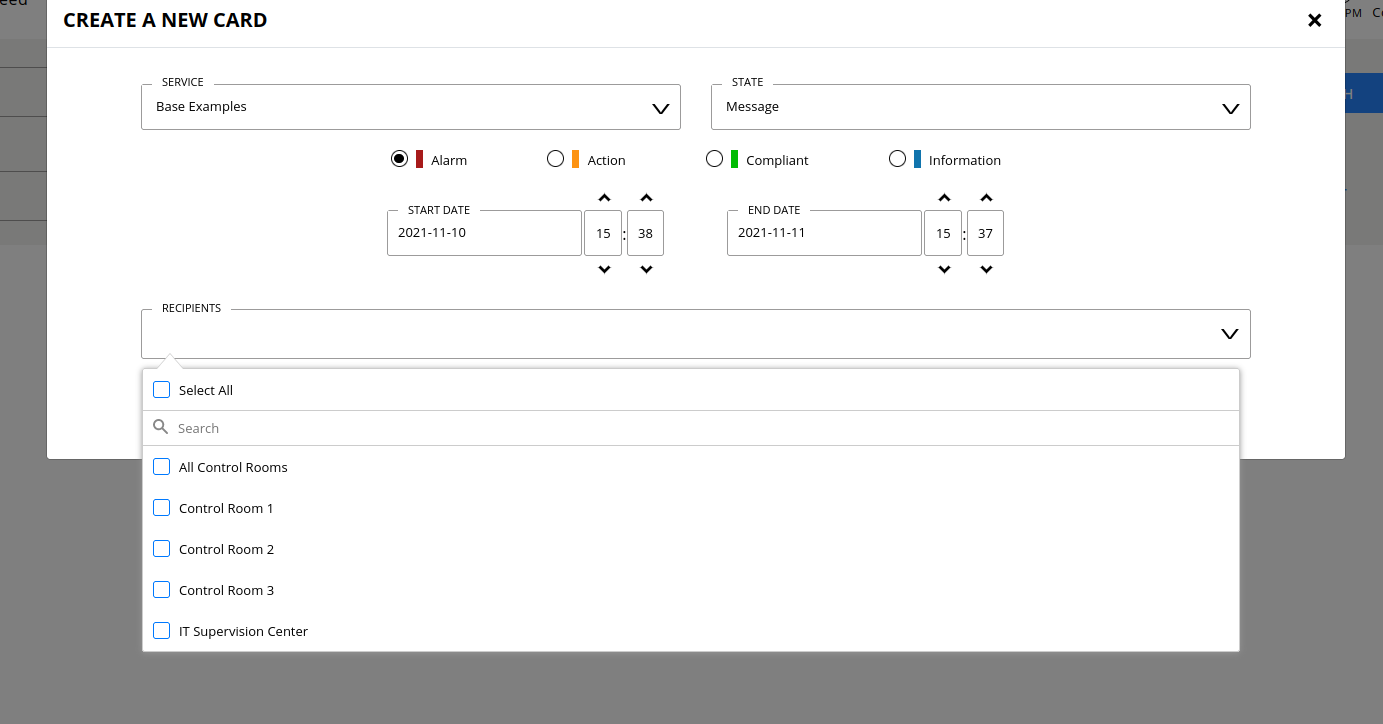

I have a same problem as @freddidierRTE on same versions.
But temporary solution as set position to 'bottom' is not always appropriate. For example when multiselect lays on bottom of the page then it out of page zone and you cannot scroll it down to see.
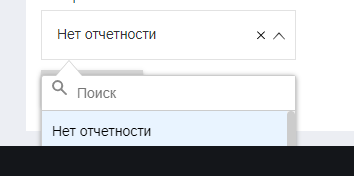

I fixed it with a little css hack for now
.dropdown-list .arrow-down + .list-area .lazyContainer {
    min-height:300px;
}
the hack/solution could be better if there were classes that informed which position was being used. That min-height needs to also match the max-height used.

I fixed it with a little css hack for now
.dropdown-list .arrow-down + .list-area .lazyContainer {
    min-height:300px;
}
the hack/solution could be better if there were classes that informed which position was being used. That min-height needs to also match the max-height used.
For my opinion, it just solve the problem of too high position of dropDown list.
For example, if enableSearchFilter or enableCheckAll will be turned off it wiil be unnecessary spaces between dropdown list and select field. And if enableFilterSelectAll turn on and add this CSS hack wil be another position bug:
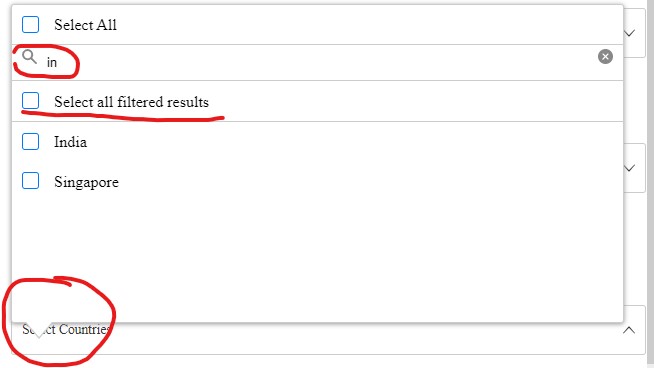
Described in more detail here #605 And here my Stackblitz example - last multiselect is with this css hack
I have the same css position bug. When i use position:'top', setting autoPosition: false, dont work for top only for bottom
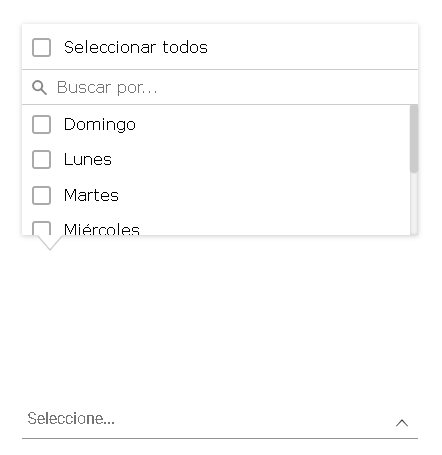
A temporary solution is to use the position:'bottom', although that is not the use case I want to give it, since it breaks the UI, I have no other option until the bug is fixed.
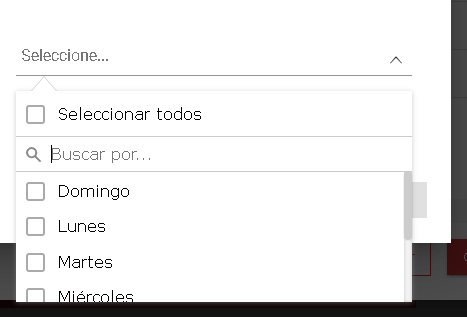

I see this behavior when I use ngIf. If the multiselect is on dom on init, the location is fine.

So I haven't done the fix yet, but what needs to be done is this unfortunately. do a query of dom for arrow-down class. If it's there, the picker modal is top. Then get height of modal, get position of text field. set modal top to adjusted position in window.
I added the attribute tagToBody: false to the settings object and it worked for me, it no longer takes the full height. Give it a try.

is there a specific version to try this on?
On Sat, May 20, 2023 at 9:41 PM Dragonnx54 @.***> wrote:
I added the attribute tagToBody: false to the settings object and it worked for me, it no longer takes the full height. Give it a try.
— Reply to this email directly, view it on GitHub https://github.com/CuppaLabs/angular2-multiselect-dropdown/issues/584#issuecomment-1556060336, or unsubscribe https://github.com/notifications/unsubscribe-auth/AAKPAJUZSMU6WENBQLJTI2DXHFXE3ANCNFSM47R7D57Q . You are receiving this because you commented.Message ID: @.***>
-- Jose Weeks 571.215.5045 @.***
I tried this with Angular 14.2.0 and angular2 multiselect dropdown 5.0.4
ThanksSent on the go by JoseOn May 21, 2023, at 7:55 PM, Dragonnx54 @.***> wrote: I tried this with Angular 14.2.0 and angular2 multiselect dropdown 5.0.4
—Reply to this email directly, view it on GitHub, or unsubscribe.You are receiving this because you commented.Message ID: @.***>