
FlowNetPytorch
 FlowNetPytorch copied to clipboard
 ClementPinard
issue on output image on a webcam
Hi,
I'm working with your model on the research side and was testing it on a live webcam. I found that the model replicates a lot of noise colors when no object in the frame. I have attached an output snippet below for your reference. Is this the normal behavior of the model? Please let me know. Waiting to hear from you. Thanks for your time.
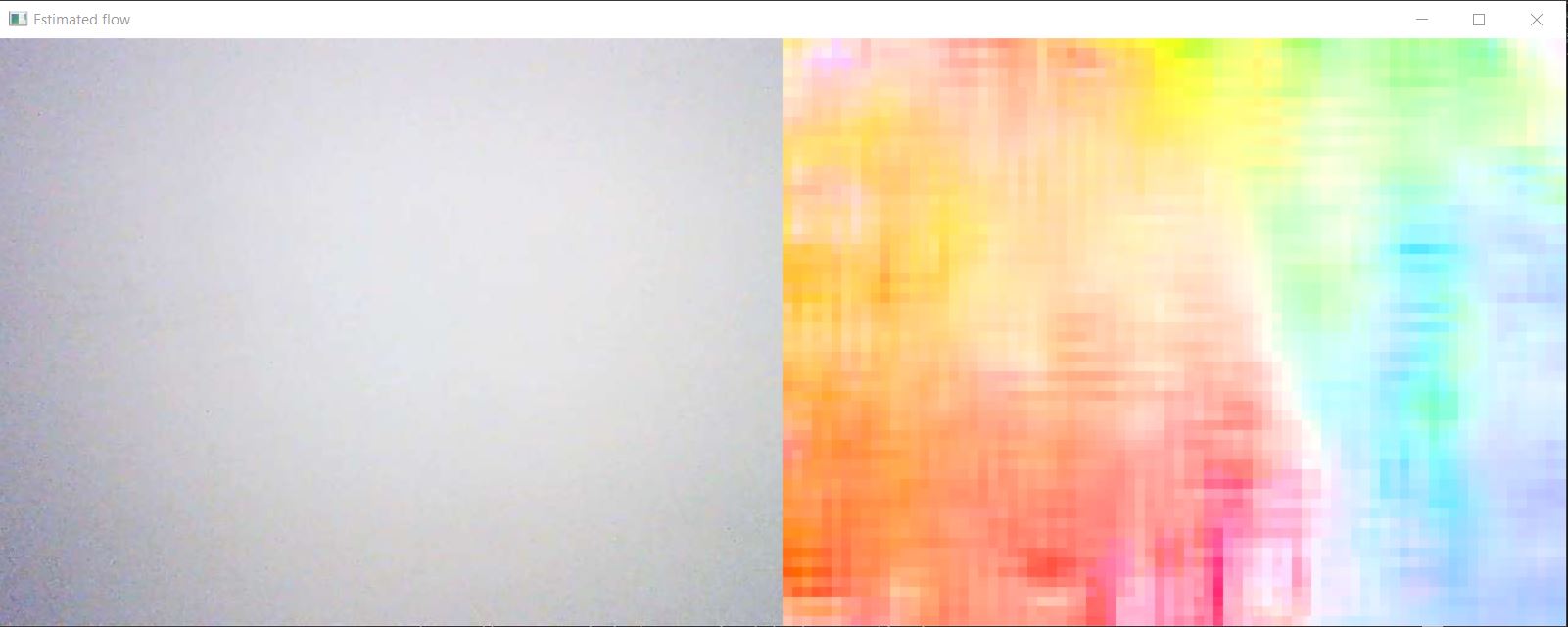

Hard to say without the code you used, but my guess would be that optical flow is normalized so that the ighest values is fully colored. As such, when there almost no optical flow, the flow will be divided by somthing very small and thus will be very noisy.
See how in flow2rgb, when you put max_value to None, the flow gets divide by the maximum flow value, even if it's very small.
https://github.com/ClementPinard/FlowNetPytorch/blob/6b409990e17139941685560a4802d73732d76e00/util.py#L35-L47

I'm using the same code posted by you. Thanks a ton for making me understand the importance of max_value. Could you please explain the significance of div_flow used in run_inference.py?
https://github.com/ClementPinard/FlowNetPytorch/blob/6b409990e17139941685560a4802d73732d76e00/run_inference.py#:~:text=if%20args.output_value%20in%5B%27vis%27%2C,().transpose(1%2C2%2C0)
div_flow is purely conventional, it was deemed to ease training stability that the network had to output small values (hence the division of target optical flow by 20 by default) during training.
As a consequence, if we want the actuall optical flow values during inference, we need to re-multiply the network's output by 20 (or the value of div-flow that was used during its training)
Keep in mind this was in 2017, today we would probably not do this trick, but some other stability techniques.