
Employee-Management-System
 Employee-Management-System copied to clipboard
 ChrisJabb21
A Spring boot full stack web application that lets you add, delete, edit and update employees information. Uses Vaadin for the frontend and backend routing. username:user and password:password for the...
Project Overview
A Spring boot web application application that lets you add, delete, edit and update employees in different departments for enterprise needs and contact info.
Technologies used: Java programming language, Spring Boot, H2 in-memory database to test mock data, Spring Security.
Front-end UI and Routing implementation: Vaadin UI framework
Showcase
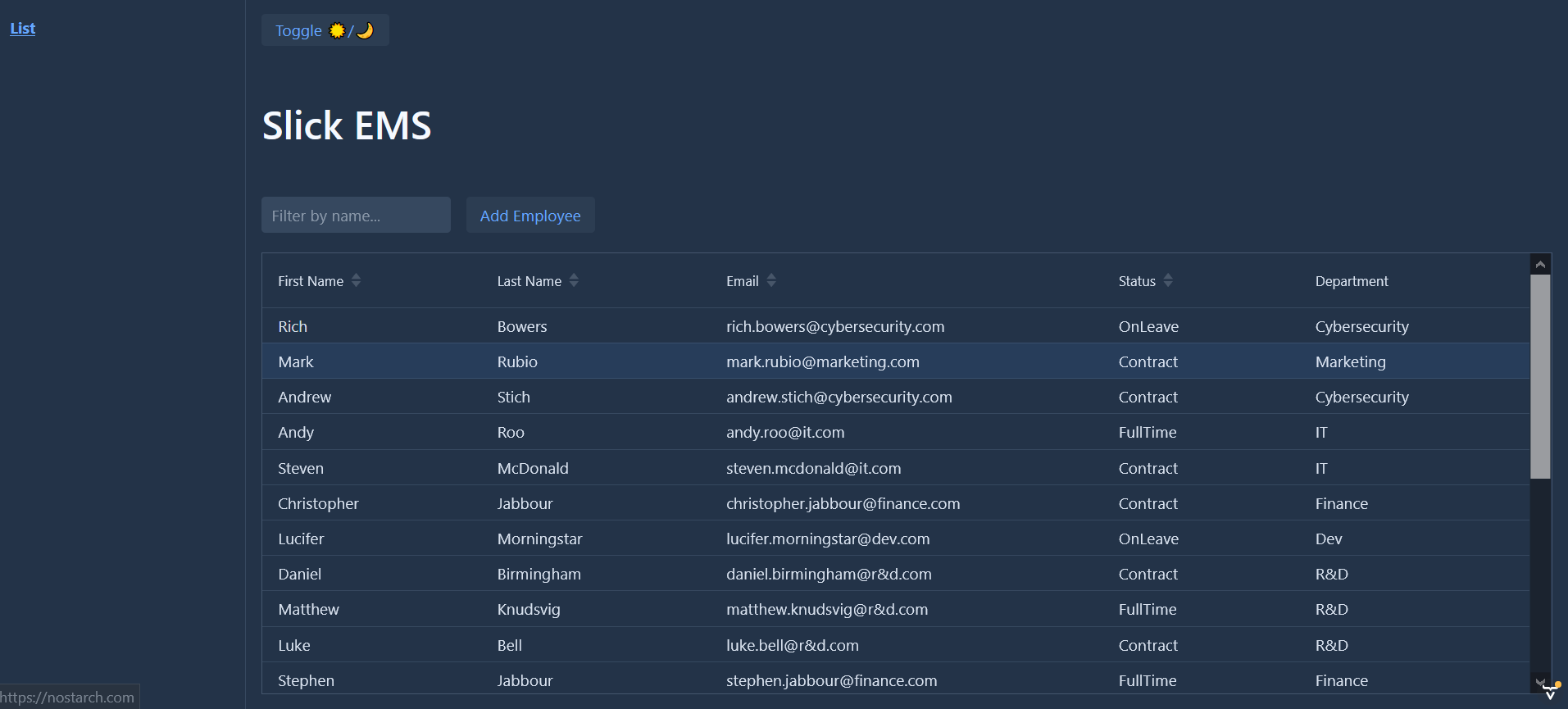 test demo version 1
Testing: Running the Application
There are two ways to run the application : using mvn spring-boot:run or by running the Application class directly from your IDE.
You can use any IDE of your preference,but we suggest Eclipse or Intellij IDEA.
Below are the configuration details to start the project using a spring-boot:run command. Both Eclipse and Intellij IDEA are covered.
Eclipse / STS
- Right click on a project folder and select
Run As-->Maven build... After that a configuration window is opened. - In the window set the value of the Goals field to
spring-boot:run - You can optionally select
Skip testscheckbox - All the other settings can be left to default
Once configurations are set clicking Run will start the application
Intellij IDEA
- On the right side of the window, select Maven --> Plugins-->
spring-boot-->spring-boot:rungoal - Optionally, you can disable tests by clicking on a
Skip Tests modeblue button.
Clicking on the green run button will start the application.
After the application has started, you can view your it at http://localhost:8080/ in your browser.
If you want to run the application locally in the production mode, use spring-boot:run -Pproduction command instead.
Project overview
A Java Web App with Vaadin follows the Maven's standard directory layout structure:
- Under the
src/main/javaare located Application sources - Under the
src/testare located test files src/main/resourcescontains configuration files and static resources- The
frontenddirectory in the root folder contains client-side dependencies and resource files- All CSS styles used by the application are located under the root directory
frontend/styles - Templates would be stored under the
frontend/src
- All CSS styles used by the application are located under the root directory
More Information and Next Steps, Vaadin Documentation
- Vaadin Basics https://vaadin.com/docs
- More components at https://vaadin.com/components and https://vaadin.com/directory
- Experiment with Vaadin and other examples at https://vaadin.com/start
- Using Vaadin and Spring https://vaadin.com/docs/v14/flow/spring/tutorial-spring-basic.html article
- Join discussion and ask a question at https://vaadin.com/forum
Notes
If you run application from a command line, remember to prepend a mvn to the command.
Metadata
Owner
 ChrisJabb21
Metadata
A Spring boot full stack web application that lets you add, delete, edit and update employees information. Uses Vaadin for the frontend and backend routing. username:user and password:password for the...