
UWPHook
 UWPHook copied to clipboard
 BrianLima
cant find games installed on different drives
Hi, I install all my games on either a HDD or SSD. Both are different from the C: drive i use exclusively for Windows. The Hook can only find the software installed on C:/ not others.

I have the same problem, I have a storage unit to install the games and the app does not recognize them


How are your drives mounted? Are they external/hotswap or have any special configuration? I my self have two drives and the GamePass app allows me to choose either to install, then it creates a symbolic link and then the games from both drives show up on UWPHook.
I would really like if you guys could elaborate a little because i cannot reproduce the behavior myself

Well I'm not really sure, but the drive is just connected to my motherboard via a SATA cable just like my C: drive
@BrianLima symbolic? Can you explain how you created it ?, a symbolic to where?
Hi, I kinda forgot about this. I removed and didn't use the software anymore. Ive got an HDD and SSD on sata, NVME with M.2 and an external HDD on USB3. All 3 internal devices can have games on them. UWP showed at the time of the OP only the MS store files from the C: drive. I install most games on K: or W: (that's not indicative of the amount of drives I have. I just pick letters I like, not consecutive or anything.
I've just downloaded and ran UWP hook and although all games are not installed in C: they do show up as if there were installed on C: and show up in Steam. So what ever changed in the past four months, it now works in my case.
That´s how it is supposed to work, originally UWP apps could not be installed on another drive besides the primary, this was changed with Windows 10, so that any time you installed a game or app on another drive, it would create a symbolic link automatically from C: to wherever you installed your app. That`s how UWP apps work and UWPHook does not change anything regarding this behavior, it always sees as if all your apps were installed at your primary drive.
And the documentation for the Get-AppxPackageManifest Powershell function makes no distinction of where the app is installed, because it reads apps registered by the system, not on a by drive way. Maybe the documentation is missing details, or the function is bugged, but as Anoniempje noticed, sometimes it will work, and it works most of the time... And since i can´t reproduce the behavior, it is becoming very annoying to deal with Microsoft´s occasional bugs messing with you guys.
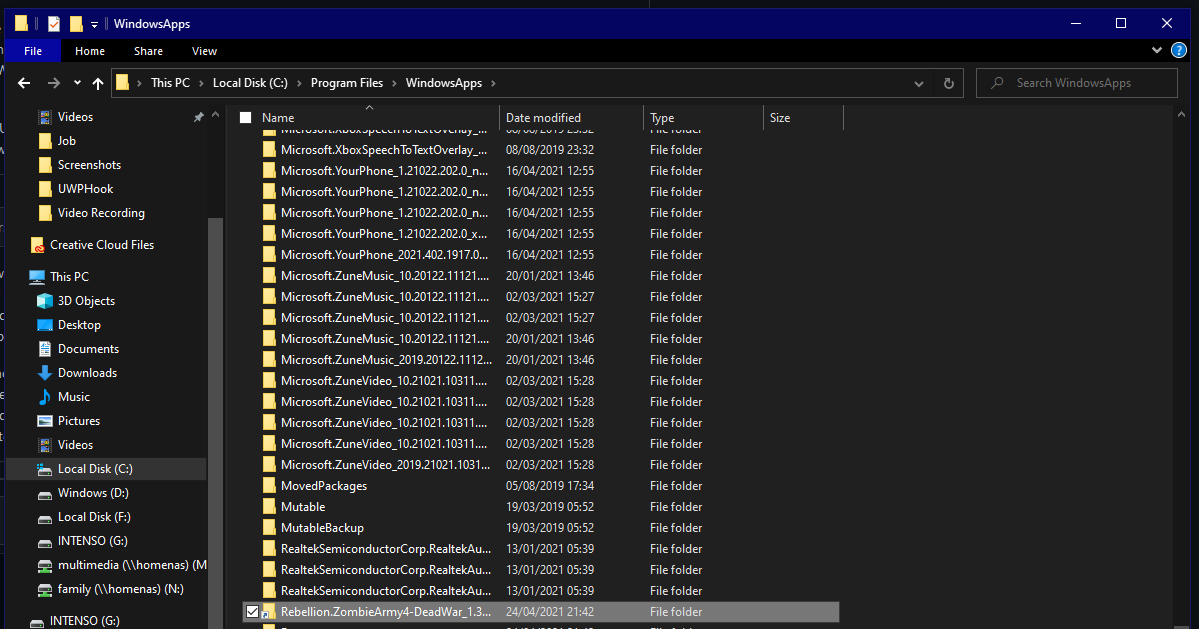
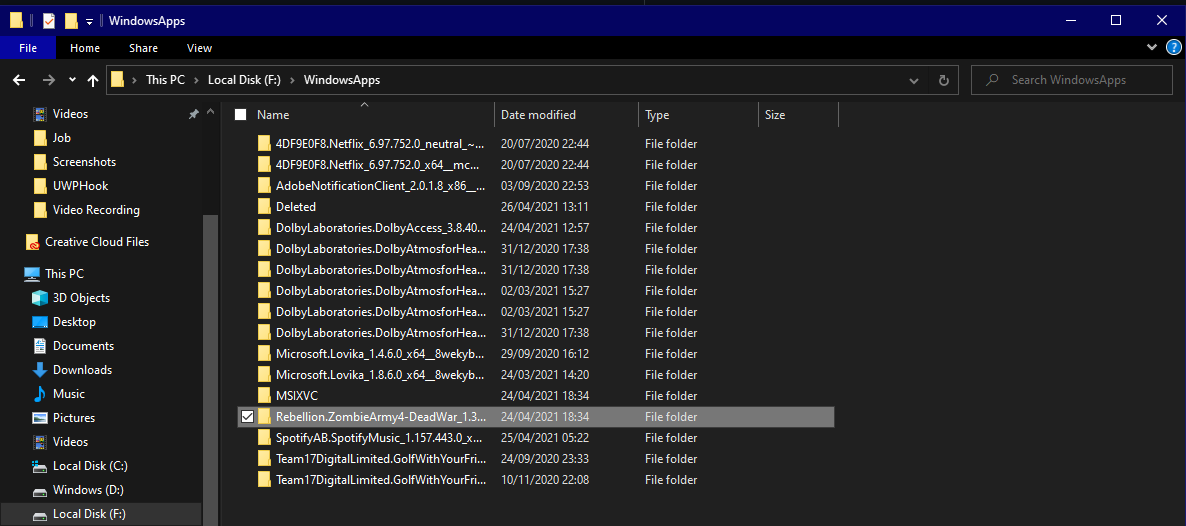
I do see the link in my C: direcotry, however the programme does not recognize it somehow. I have attached both directories here.
C: directory with folder highlighted
F: directory with folder highlighted
I had this issue. While trying to debug it I downloaded a copy of the .ps1 script and ran it standalone to see if the missing appeared in the output. The missing items did show up. I did another refresh in the App and there they were, it was apparently fixed.
Unfortunately I can't replicate them being missing so I can only share what I observed.
