
UWPHook
 UWPHook copied to clipboard
 BrianLima
Object reference not set to an instance of an object..
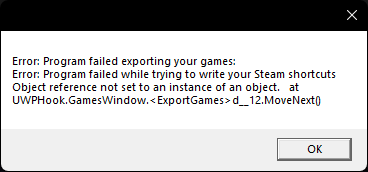
I haven't been able to use this program for well over a year now. Every time I try to export a game it results in the above error. I've done a clean install of UWPHook. At my wits end trying to fix this. Any help is appreciated. Thanks

Use this release : https://github.com/stevealexandre/UWPHook/releases/tag/2.15.1

So your vdf files which contains the shortcut created should be corrupted I guess.
These files are presents in your steam directory under Steam\userdata<userid>\config\shortcuts.vdf.
UWPHook doesn't matter about specific user, it created shortcuts in all userid.
I suggest you to backup the file in each userid and use this button in settings to reset vdf files in setting of uwphook  This will unfortunately delete all existing shortcuts (created via steam or uwphook).
Thanks. It appears to work now!
One thing though. I still get these errors upon launching the program. UWPHook works but not sure what the error is about.
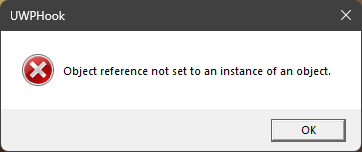
Let me be more specific.
Upon launching UWPHook (The release you linked) I get that error. I can just hit okay and export games to Steam like normal afterwards. After exporting a game, the app list gets refreshed and the error displays again. Seems like it gives the error every time upon retrieving the app list.
Hum interesting case. Run this script with powershell ise and give me the result please in a file https://github.com/stevealexandre/UWPHook/blob/master/UWPHook/Resources/GetAUMIDScript.ps1
Thanks, data looks great for me. Next thing you can do is to set logs severity level in TRACE mode in settings then restart the app to get again your error at the startup. Send me the log generated in application.log file with the most modified date (could be something application_00x.log)