
azure-sdk-for-python
 azure-sdk-for-python copied to clipboard
 Azure
Azure
InteractiveBrowserCredential.get_token failed: Failed to open a browser when testing mlflow hello world tutorial
I am trying to follow this tutorial to learn how to setup experiment tracking in my deep learning code based in PyTorch. https://learn.microsoft.com/en-us/azure/machine-learning/v1/how-to-use-mlflow?tabs=azuremlsdk
I got this error:
$ python hello_world.py
hello world!
InteractiveBrowserCredential.get_token failed: Failed to open a browser
To sign in, use a web browser to open the page https://microsoft.com/devicelogin and enter the code MYAZURECODE to authenticate.
InteractiveBrowserCredential.get_token failed: Failed to open a browser
InteractiveBrowserCredential.get_token failed: Failed to open a browser
InteractiveBrowserCredential.get_token failed: Failed to open a browser
InteractiveBrowserCredential.get_token failed: Failed to open a browser
InteractiveBrowserCredential.get_token failed: Failed to open a browser
hello_world.py is from this link: https://github.com/Azure/azureml-examples/blob/main/cli/jobs/basics/src/hello-mlflow.py
The error is shown after I entered the MYAZURECODE in the URL it asked and it was successful.

Please guide me how to fix this error?
Here's the code:
$ cat hello_world.py
import os
import mlflow

from random import random


print('hello world!')
# define functions
def main():
    mlflow.log_param("hello_param", "world")
    mlflow.log_metric("hello_metric", random())
    os.system(f"echo 'hello world' > helloworld.txt")
    mlflow.log_artifact("helloworld.txt")


# run functions
if __name__ == "__main__":
    # run main function
    main()
After running the script, a file named helloworld.txt:
$ cat helloworld.txt
hello world
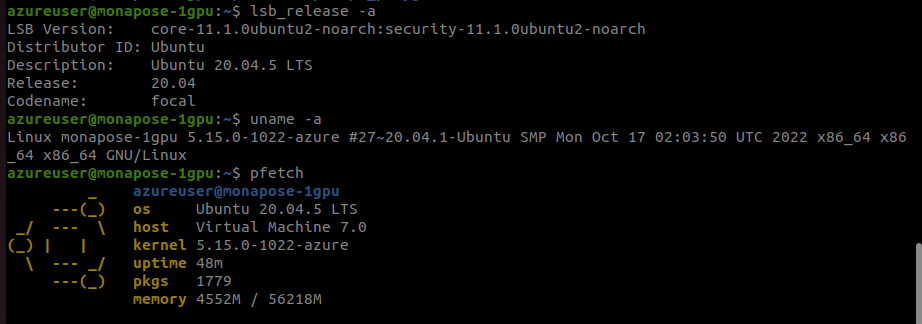
azureuser@monapose-1gpu:~$ python
Python 3.8.5 (default, Sep  4 2020, 07:30:14)
[GCC 7.3.0] :: Anaconda, Inc. on linux
Type "help", "copyright", "credits" or "license" for more information.
>>> import mlflow
>>> mlflow.__version__
'1.30.0'
azureuser@monapose-1gpu:~$ pip show azureml-core
Name: azureml-core
Version: 1.47.0
Summary: Azure Machine Learning core packages, modules, and classes
Home-page: https://docs.microsoft.com/python/api/overview/azure/ml/?view=azure-ml-py
Author: Microsoft Corp
Author-email: None
License: https://aka.ms/azureml-sdk-license
Location: /anaconda/envs/azureml_py38/lib/python3.8/site-packages
Requires: adal, humanfriendly, msrest, msal, packaging, pyopenssl, ndg-httpsclient, backports.tempfile, azure-mgmt-containerregistry, urllib3, knack, azure-mgmt-keyvault, azure-common, jsonpickle, azure-core, pkginfo, msrestazure, azure-mgmt-storage, docker, pathspec, contextlib2, azure-mgmt-authorization, requests, SecretStorage, pytz, jmespath, msal-extensions, azure-mgmt-resource, azure-graphrbac, cryptography, PyJWT, argcomplete, paramiko, python-dateutil
Required-by: azureml-widgets, azureml-train-core, azureml-train-automl-runtime, azureml-train-automl-client, azureml-tensorboard, azureml-telemetry, azureml-sdk, azureml-responsibleai, azureml-pipeline-core, azureml-opendatasets, azureml-interpret, azureml-defaults, azureml-datadrift, azureml-contrib-server, azureml-contrib-reinforcementlearning, azureml-contrib-pipeline-steps, azureml-contrib-notebook, azureml-contrib-fairness, azureml-contrib-dataset, azureml-cli-common, azureml-automl-dnn-nlp, azureml-accel-models
- Package Name:
- Package Version:
- Operating System:
- Python Version:
Describe the bug A clear and concise description of what the bug is.
To Reproduce Steps to reproduce the behavior: 1.
Expected behavior A clear and concise description of what you expected to happen.
Screenshots If applicable, add screenshots to help explain your problem.
Additional context Add any other context about the problem here.

Thanks for the feedback. /cc @azureml-github
This seems like it might be bug in the azureml-mlflow plugin or whatever mlflow uses to authenticate with Azure.
Looks like it first tries to use InterativeBrowserCredential where it opens up a browser to the Azure login page. If that fails (in cases where the user is on a server/VM without a browser available/configured), then it appears to try DeviceCodeCredential where a user is told to manually navigate to a login page where a code is input. However, after seemingly succesfully doing this, authentication attempts are still continued using InteractiveBrowserCredential which is strange.
I'm not sure if the mlflow auth mechanism uses DefaultAzureCredential which prioritizes other credential types, but one thing you can try is to install the azure-cli in your environment first, then login with az login. After that, try running the script again to see if it likes the AzureCliCredential better.

I have the same issue with Azure Python SDK V2. I got an invalid_grant error (token expired) for Mlflow operation. However, it works ok with Azure Python SDK v1.

@pvaneck thanks a lot for your response. Please note that I create a VM in Azure Compute and then ssh -i -X to it and then I want to run the authentication of mlflow natively. Is there a way to do this? I don't want to do this outside of the VM.
You should be able to do it in the VM. I am just unsure how azureml handles authentication.
Are you able to follow the first part of the guide you linked and do the following or is that also giving you the same error?
from azureml.core import Workspace
import mlflow

ws = Workspace.from_config()
mlflow.set_tracking_uri(ws.get_mlflow_tracking_uri())
Also have you tried installing the az cli (sudo apt-get install azure-cli) and then logging in (az login) before running your script? Would be good to see if having an alternative non-interactive credential path available might work.
Otherwise, input from @azureml-github might be needed.
@pvaneck thanks a lot for your response. I logged on directly to the VM and ran the above script with no problem.
I also ran another script however I don't know what is the link to my experiment. For example, when you use Weight & Biases API for each experiment you get a link to track it or see the results (e.g. accuracy/loss curves and hyperparameters). Could you please guide me where in Azure Portal can I access my experiment?
azureuser@monapose-1gpu:~/research/mlops_playground$ vi hi_mlops.py
azureuser@monapose-1gpu:~/research/mlops_playground$ cat hi_mlops.py
from azureml.core import Workspace
import mlflow

ws = Workspace.from_config()
mlflow.set_tracking_uri(ws.get_mlflow_tracking_uri())
azureuser@monapose-1gpu:~/research/mlops_playground$ python hi_mlops.py
azureuser@monapose-1gpu:~/research/mlops_playground$ vi mlflow_hang.py
azureuser@monapose-1gpu:~/research/mlops_playground$ python mlflow_hang.py
SDK version: 1.47.0
Data contains 353 training samples and 89 test samples
Mean Squared Error is 3424.900315896017
azureuser@monapose-1gpu:~/research/mlops_playground$ ls
total 68K
drwxrwxr-x 6 azureuser azureuser 4.0K Dec 19 15:40 ..
-rw-rw-r-- 1 azureuser azureuser  375 Dec 19 15:43 hello_world.py
-rw-rw-r-- 1 azureuser azureuser   12 Dec 19 16:01 helloworld.txt
-rw-rw-r-- 1 azureuser azureuser  148 Dec 19 16:18 test_mlflow.py
-rw-rw-r-- 1 azureuser azureuser 2.0K Dec 21 19:25 mlflow_hang.py
-rw-rw-r-- 1 azureuser azureuser  133 Jan  3 14:34 hi_mlops.py
drwxrwxr-x 2 azureuser azureuser 4.0K Jan  3 14:35 .
-rw-rw-r-- 1 azureuser azureuser  38K Jan  3 14:36 actuals_vs_predictions.png
Here's the MLflow_hang python code:
import mlflow
import mlflow.sklearn
import azureml.core
from azureml.core import Workspace
import matplotlib.pyplot as plt

# Check core SDK version number
print("SDK version:", azureml.core.VERSION)

ws = Workspace.from_config()

mlflow.set_tracking_uri(ws.get_mlflow_tracking_uri())


experiment_name = "LocalTrain-with-mlflow-sample"
mlflow.set_experiment(experiment_name)

import numpy as np
from sklearn.datasets import load_diabetes
from sklearn.linear_model import Ridge
from sklearn.metrics import mean_squared_error
from sklearn.model_selection import train_test_split

X, y = load_diabetes(return_X_y = True)
columns = ['age', 'gender', 'bmi', 'bp', 's1', 's2', 's3', 's4', 's5', 's6']
X_train, X_test, y_train, y_test = train_test_split(X, y, test_size=0.2, random_state=0)
data = {
    "train":{"X": X_train, "y": y_train},
    "test":{"X": X_test, "y": y_test}
}

print ("Data contains", len(data['train']['X']), "training samples and",len(data['test']['X']), "test samples")


# Create a run object in the experiment
model_save_path = "model"

with mlflow.start_run() as run:
    # Log the algorithm parameter alpha to the run
    mlflow.log_metric('alpha', 0.03)
    # Create, fit, and test the scikit-learn Ridge regression model
    regression_model = Ridge(alpha=0.03)
    regression_model.fit(data['train']['X'], data['train']['y'])
    preds = regression_model.predict(data['test']['X'])

    # Log mean squared error
    print('Mean Squared Error is', mean_squared_error(data['test']['y'], preds))
    mlflow.log_metric('mse', mean_squared_error(data['test']['y'], preds))

    # Save the model to the outputs directory for capture
    mlflow.sklearn.log_model(regression_model,model_save_path)

    # Plot actuals vs predictions and save the plot within the run
    fig = plt.figure(1)
    idx = np.argsort(data['test']['y'])
    plt.plot(data['test']['y'][idx],preds[idx])
    fig.savefig("actuals_vs_predictions.png")
    mlflow.log_artifact("actuals_vs_predictions.png")


ws.experiments[experiment_name]
actually I got an email notification that linked to the following. Is this what we expect to have for browsing the accuracy/loss curves and hyperparameters once the experiment is finished? How can I also access this link once the experiment is started not just only after it is finished?


I am gonna close this issue since I am not able to reproduce it. It might have been a one-off error.