
AutoLispExt
 AutoLispExt copied to clipboard
 Autodesk-AutoCAD
right click on a word select a menuitem "add it to local variable" in the current defun


it looks like VSCODE has supported to add variable to "watch" instead of "local" window. There is any other strong reasons it must add to "local" window?
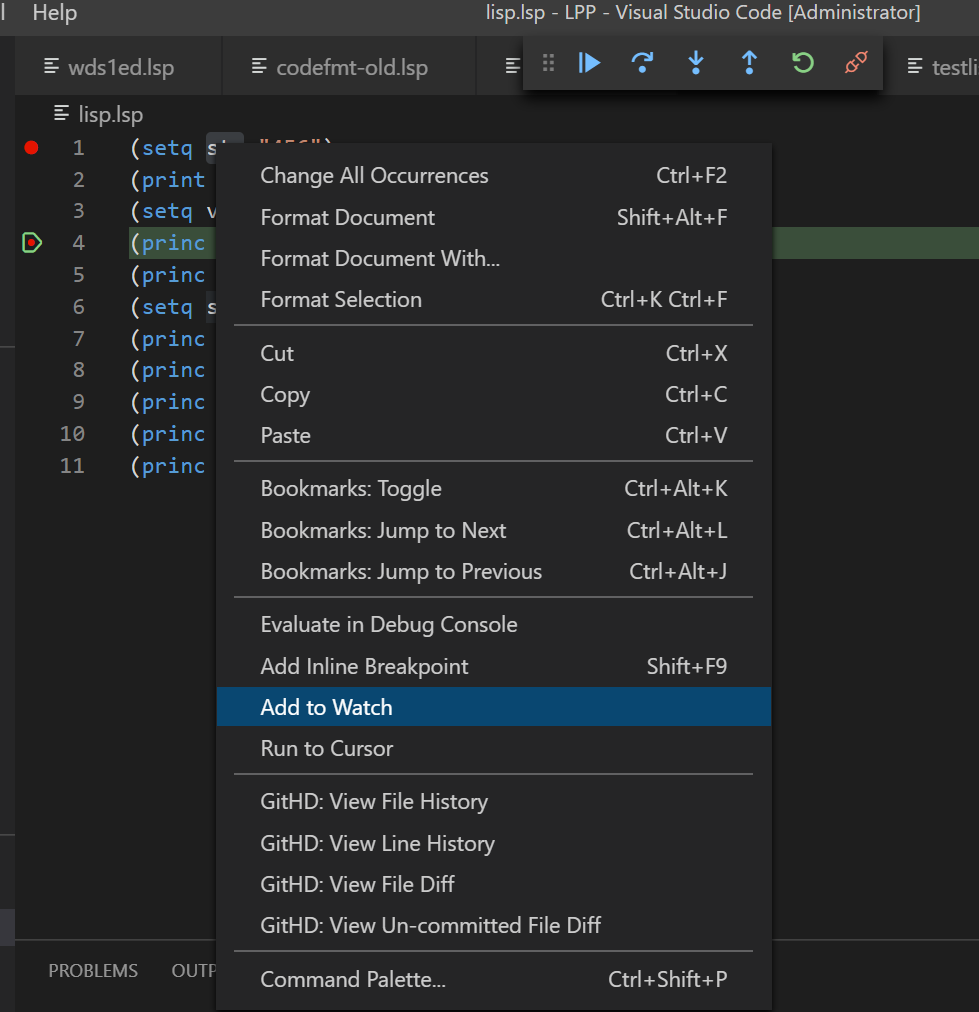

This is what I mean:
I have the code:
(defun test()
  (setq msg "This is a test.")
  (alert msg)
)
When I right click on the word "msg" with mouse, a popup menu is called out then I can select "add it to local var". Then the codes will become this:
(defun test( / msg) (setq msg...
If the var is in lambda, is will be (lambda ( xxx / var...)....
If "add to global var", several lines will be added in the beginning of the code: ;;; Globals ;;; ===== (setq msg v1) ... ;;; End of Globals and also can provide a global var editor box....
Thanks! I understand it! It looks like it is similar to this one https://github.com/Autodesk-AutoCAD/AutoLispExt/issues/2
I would prefer a code Aktion for this operation (default keybinding Ctrl+.).
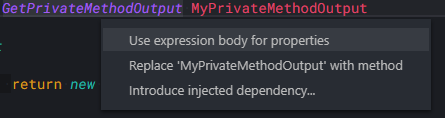
Knowledge which Variables a localized would also make renaming of Variables possible (default keybinding F2).

Another helpful improvement would be different highlighting for local and global variables.
Examples are from C#.

From my understand with go to definition now implemented this should not be too complicated to implemented. Basically after checking if it is a local variable add the variable to the defun statment.