

 Adobe-Consulting-Services
Default AEM functionality gone missing after service pack update
Required Information
Previous state (working):
- [6.5.9.0] AEM Version, including Service Packs Adobe Experience Manager (6.5.9.0)
- [4.2.0] ACS AEM Commons Version: 4.2.0
Current state(Not Working):
- [6.5.15.0] AEM Version, including Service Packs Adobe Experience Manager (6.5.15.0) Product : AEM (6.5.0.20180328)
- [5.4.0] ACS AEM Commons Version: 5.4.0
- [Yes] Reproducible on Latest? yes
Expected Behavior
ACS Commons functionality disappeared after AEM upgrade managed by AMS.
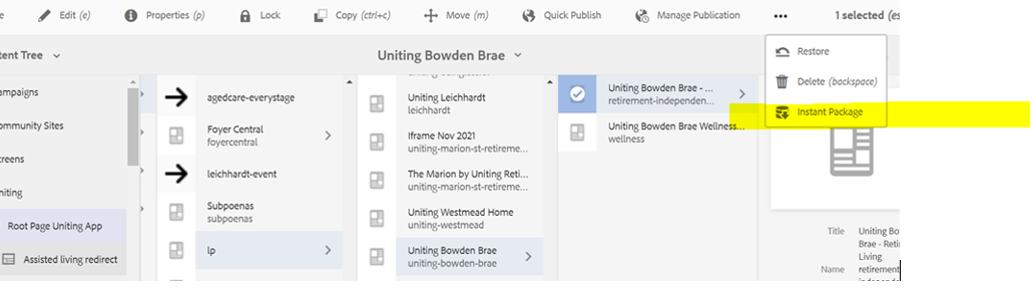
Actual Behavior
But Instead of that,
This is what we're seeing right now (After Service Pack update).
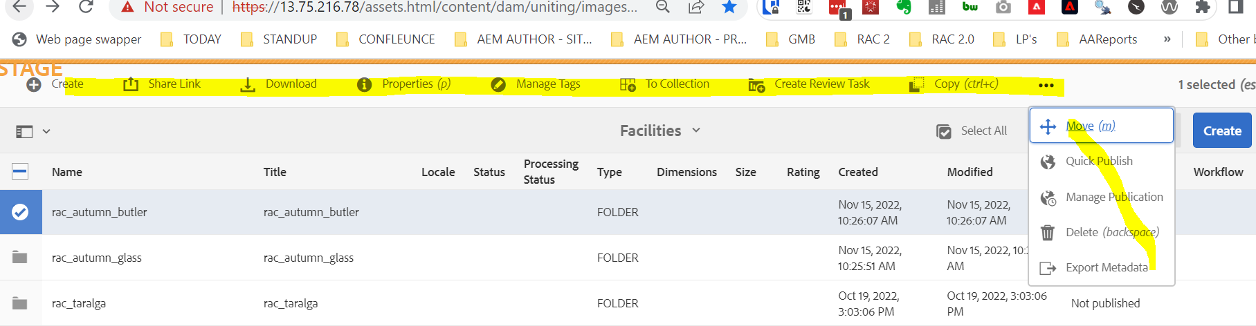
Steps to Reproduce
Take a stable service pack AEM version where you can see instant Package option as shown above.
Upgrade to latest AEM service pack(Version mentioned at the beginning of this ticket).
install ACS commons 5.4.0
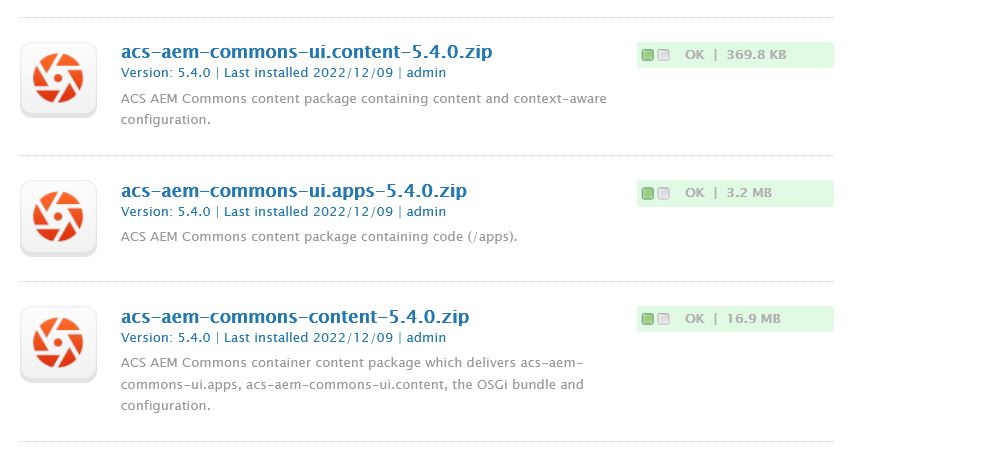
Check for "Instant Package" button [See above Screenshot] once installation is done.

@sampath5678 has AMS provided any thoughts on why and upgrade would change existing behavior in your AEM env? It doesnt seem an upgrade should break existing custom functionality in AEM?

@davidjgonzalez, Adobe support ticket was raised and response was that ACS is not a part of AEM default functionality so AMS is not responsible to further investigate the issue.
