

 Adobe-Consulting-Services
Sorting numerical or Integer tags in ascending order in AEM
Required Information
- [ ] AEM Version, including Service Packs, Cumulative Fix Packs, etc: _6.5 and above
- [ ] ACS AEM Commons Version: ___5.1.2
- [ ] Reproducible on Latest? yes/no yes
Expected Behavior
While using the sort node method of the ACS commons it should sort the title of tags in ascending order whether its is numerical title or alphabetical.
Actual Behavior
Only alphabetical title of tags are getting sorted not numerical tags. Requirement is to sort the numerical or Integer tags in ascending order in AEM AEM Sorting the tags in ascending order issue.docx
Steps to Reproduce
Please see the attached file for steps.
Links
Links to related assets, e.g. content packages containing test components

Interesting use case... what would your expectation be if:
- The tag spaces had a mix of numbers and strings? For example, how would you expect the following to be sorted?
- AA
- 111
- 12
- The tag names were a mix of numbers and strings (or example SKUs)? For example, how would you expect the following to be sorted?
- 111BB
- 12AA
- CC111
- CC11
It more clear when everything is a number, but there is certainly nothing that prevents a mix, which would have to be handled as well if we have different evaluation methods. We could check if everything in a both is a number and then sort numerically, else use normal string.

We can add a checkbox "Respect Numbers". If checked then the comparator will use numerical sort if both values are numbers and Lexicographic sort otherwise. Something like this:
String name1 = node1.getName();
String name2 = node2.getName();

if( isNumber(name1) && isNumber(name2) ){
   return number1.compareTo(number2);
} else {
   return name1.compareTo(name2);
}
For for a fancier algorithms users can plug-in their own sorters by imlementing com.adobe.acs.commons.sorter.NodeSorter

@davidjgonzalez My expectation is the first use case but we have both Alphabetical and numerical but not mix(AA33) Also please see the document attached. Example:
- 111
- 222
- 101
- 110
can you suggest how can I sort then in tagsdatasource.jsp file I overlayed this file in /apps and made changes in this file to sort the tags but its only sorting the Alphabetical value as the in Array List all values are taken as String so sorting is happening based on String
@shivam1412 Until the "Respect Numbers" feature is implemented you can sort nodes from AEM Fiddle Install ACS Tools if you don't have it and run the attached script. Change the path of the parent node in the script body. sortNodes.txt
Below is the order I'm getting :
10
20
100
200
aaa
bbb
Is it what you expect?
Hi @YegorKozlov I am not getting the expected output please see the screenshot below
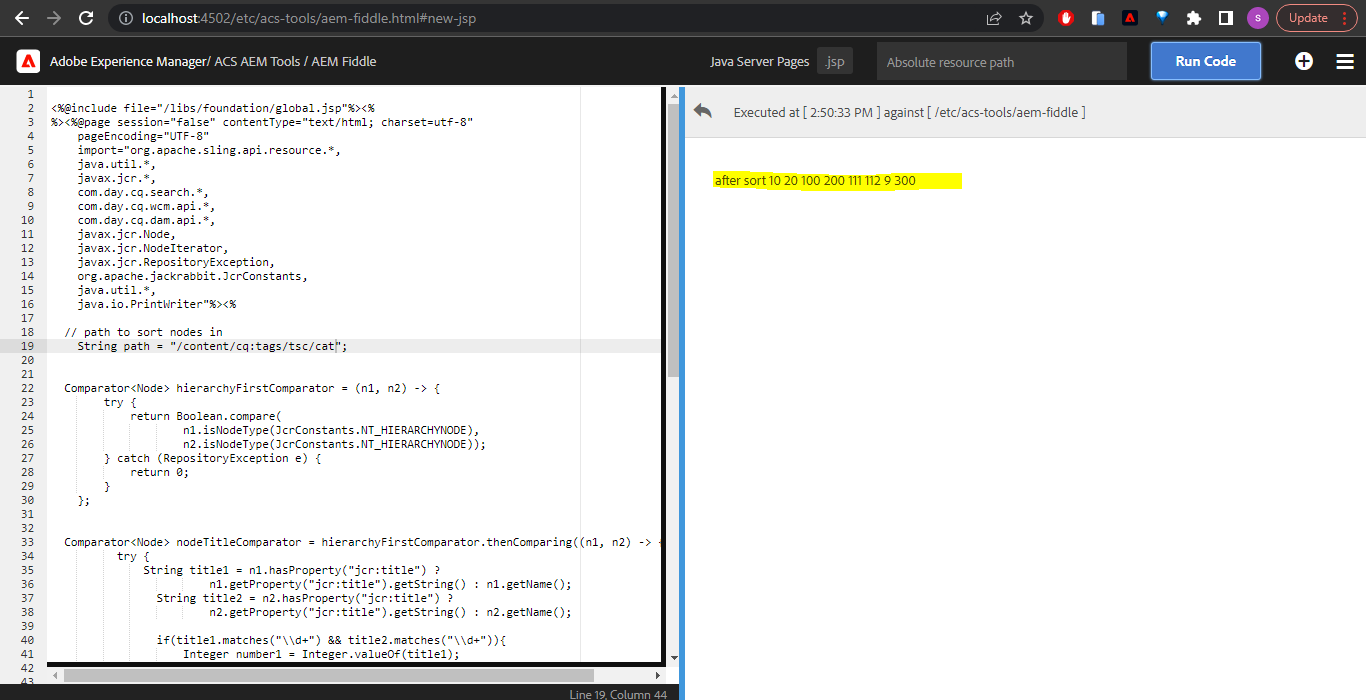
Current output: 10 20 100 200 111 112 9 300
Expected output: 9 10 20 100 111 112 200 300
Also I have one question after making the change in AEM fiddle how the change will reflect in the AEM touch UI Tags window?

@shivam1412 please try the attached version. This is the order I'm getting in my test:
after sort
9
10
20
100
111
112
200
300
1A
2B
aaa
bbb
Also I have one question after making the change in AEM fiddle how the change will reflect in the AEM touch UI Tags window? The Coral Tag Picker displays tags in the order they are saved in the repository. Once you sort the tags, they should come ordered in Touch UI.
Hi @YegorKozlov now it is giving the expected output in local environment thank you for your assistance. I have one question that we have multiple author instances so to work this logic AEM fiddle has to be installed on each author environment ? or I can include this script somewhere in our codebase.
Hi @YegorKozlov now it is giving the expected output in local environment thank you for your assistance. I have one question that we have multiple author instances so to work this logic AEM fiddle has to be installed on each author environment ? or I can include this script somewhere in our codebase.
yes, ACS Fiddle needs to be installed on every AEM instance and the script needs to run on every instance.
Hi @YegorKozlov I tried uploading ACS AEM tools package but unable to upload on AEM author instance its giving error "Package contains application content which isn't supported at runtime." is there any dependency for pom that I can add via code?
EDIT: IDK why i thought you were on AEM CS -- if you are not, then you can include ACS Tools using the maven coordinates at: https://search.maven.org/search?q=acs-aem-tools
You'll need bundle and content.
@shivam1412 Unfortunately ACS Tools will not install on AEM CS (in the cloud) since its content package contains both mutable and immutable content (/etc and /apps)
https://github.com/Adobe-Consulting-Services/acs-aem-tools/tree/master/content/src/main/content/jcr_root
Instead, i would make a package of the tags, install them on a clean AEM SDK - run this Fiddle there (ACS Tools should install/run on SDK) - then package up the results and install on your AEM CS (of course, install on AEM CS dev first and validate there before stage/prod).
HTH!
Which version of AEM are you using?
You can always wrap my script into a servlet and deploy with your code. In this case you will need to call it like /bin/sortServlet?path=/content/cq:tags/my-namespace
@YegorKozlov This is the AEM version Adobe Experience Manager 2021.12.6151.20211217T120950Z-211100.
@davidjgonzalez Yes I am trying to install it on AEM Cloud Service url : https://author-p34468-e253452.adobeaemcloud.com/aem/start.html
So you are suggesting sort the tags package on local and upload the same package on AEM cloud?
@davidjgonzalez when this feature will be available in AEM ACS commons? We are using the version 5.1.2.