
AdguardBrowserExtension
 AdguardBrowserExtension copied to clipboard
 AdguardTeam
Disable auto-enabling of a specific language filter
I'm using an external filter for the same language and I don't want the built-in one to be enabled automatically while still want that for other languages. The problem is the built-in one keeps being enabled whenever I disabled it.

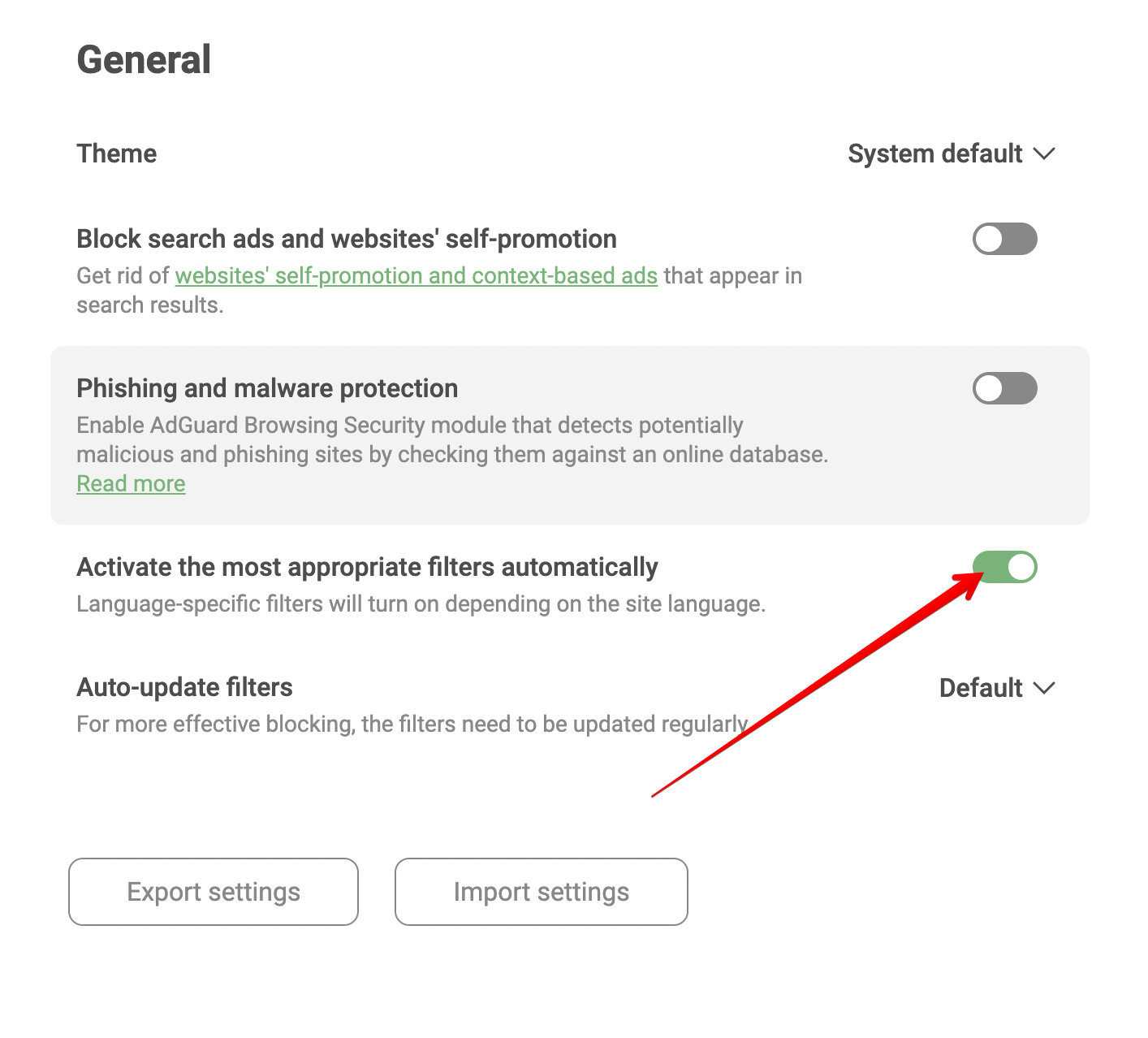

Wait, doesn't it also disable all other languages? I'm asking about disabling just one language, while keeping it on for other ones.
It will disable filters auto enabling for all languages. There is no other possibilities to solve your problem. There are two ways auto-enable filters or no.
Could it work like this: by default, language-specific filters will be automatically activated like how it works currently, but once the user explicitly disables a language, it will never be automatically activated again.
Although it is not clear how to return filter to the state where you want it to be enabled again? What if some person accidentally or diliberately disabled filter and is not against filter to be enabled automatically?
I think that result requires quite a lot of actions, so it couldn't be an accident, and that user definitely knows what he is doing and how to reenable it.
one action doesn't look like quite a lot of actions but filters auto enabling for this filter would turn off implicitly and this may be a surprise for the user
one action doesn't look like quite a lot of actions
To disable a language-specific filter, the user has to open Adguard settings (1) -> click on Filters (2) -> click on Language-specific (3) -> click on the Disable button to disable it (4). Sorry, maybe I meant this requires (4) steps, it can't be an accident.
but filters auto enabling for this filter would turn off implicitly and this may be a surprise for the user
sorry, I don't get this. Once the user disabled a filter, do you think he still wants to enable it automatically ?
@Stillness-2 @maximtop Well, a feature request like this has already been opened, maybe it will be included in the future. You can check this: Disable unused language-specific filters

Hey @trmdi,
Just wanted to let you know that we haven't started working on this feature request yet since it's not a top priority right now. We know it matters to you and others, so we'll keep it on our radar for the future. Thanks for being patient with us!
Closing this issue, since it is a duplicate of this one https://github.com/AdguardTeam/AdguardBrowserExtension/issues/2122