

 AdguardTeam
[Bug] AdGuard Cannot Apply Exported Setting File
- [x] I am running the latest version
- [x] I checked the documentation and found no answer
- [x] I checked to make sure that this issue has not already been filed
Issue Details
- AdGuard version:
- 4.0.161
- Browser and version:
- Firefox 100
- Operating system and version:
- Windows 10
- Filters you use in AdGuard: Exported settings file. 20220503_234243_adg_ext_settings_4.0.161.zip
Expected Behavior
AdGuard should apply all settings in exported settings file.
Actual Behavior
I had previously exported my AdGuard settings with my Firefox browser. I then imported my settings into the AdGuard add-on, which I installed in another Firefox browser. I waited for the message which say "Settings succesfully imported" Custom Filters seem added but not enabled generally. Language Filters were enabled generally but the Turkish filter was not enabled under the hood...
Screenshots
I always keep Turkish Filter enabled. Please see it in .json settings file.

But those are not enabled in imported settings.
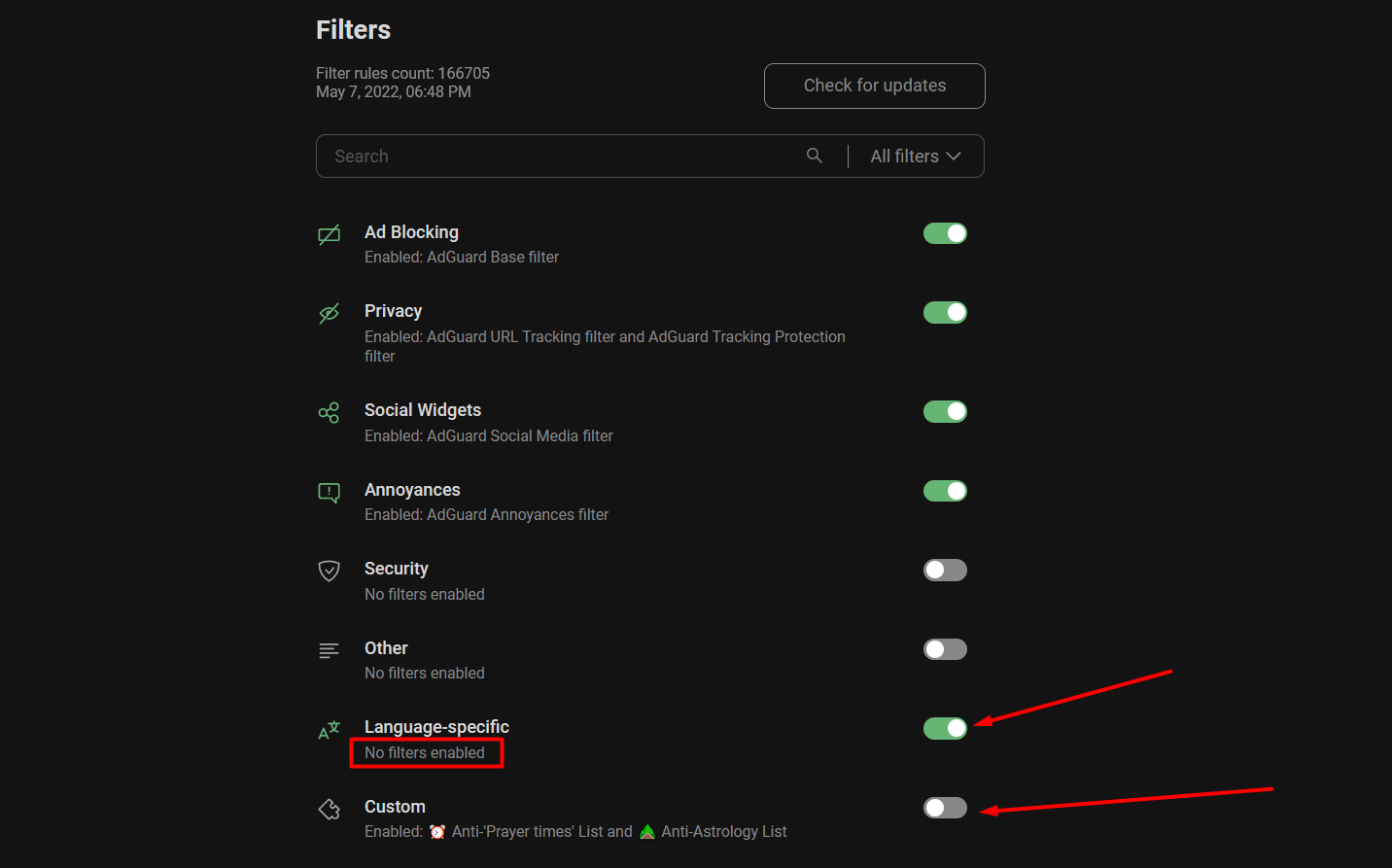

On my side, the Turkish filter enables as expected with the provided settings file. Maybe there are some errors on the background page?
Custom filters group should be enabled after migration, yes.

@maximtop I tested on different browsers. Turkish filter enabled on tests. But custom filters group did not enable after settings import. For your information
This issue has been automatically marked as stale because it has not had recent activity. It will be closed if no further activity occurs. Thank you for your contributions.
![github-actions[bot] avatar](https://avatars.githubusercontent.com/in/15368?v=4 "Published by a pub.dev verified publisher")
This issue has been automatically marked as stale because it has not had recent activity. It will be closed if no further activity occurs. Thank you for your contributions.
Let's leave this issue closed until won't find out how to reproduce it reliably.
This issue has been automatically marked as stale because it has not had recent activity. It will be closed if no further activity occurs. Thank you for your contributions.