
AdguardBrowserExtension
 AdguardBrowserExtension copied to clipboard
 AdguardTeam
`$stealth` modifier doesn't work correctly in iframes
Issue Details
- AdGuard version:
- AdGuard v4.0.133
- Browser and version:
- Chrome 99.0.4844.74
Steps to reproduce
- Enable Stealth mode and
Hide Referrer from third partiesoption - Add this rule to user rules
@@||i.ytimg.com^$stealth,domain=youtube.com
- Go to - https://example.org/
- Press
F12, go toConsolepane and run this script to load iframe with YouTube video:
 (() => {
        let video = '<iframe width="560" height="315" src="https://www.youtube.com/embed/Fy2rtb95QhY" title="YouTube video player" frameborder="0" allow="accelerometer; autoplay; clipboard-write; encrypted-media; gyroscope; picture-in-picture" allowfullscreen></iframe>';
        let createDiv = document.createElement("div");
        document.body.appendChild(createDiv);
        createDiv.innerHTML = video;
      })();
- Go to network pane and search for:
i.ytimg.com
- Click on a search result and in
Headerstab checkreferer
Expected Behavior
@@||i.ytimg.com^$stealth,domain=youtube.com should disable stealth mode and referer should shows:
referer: https://www.youtube.com/
Screenshot
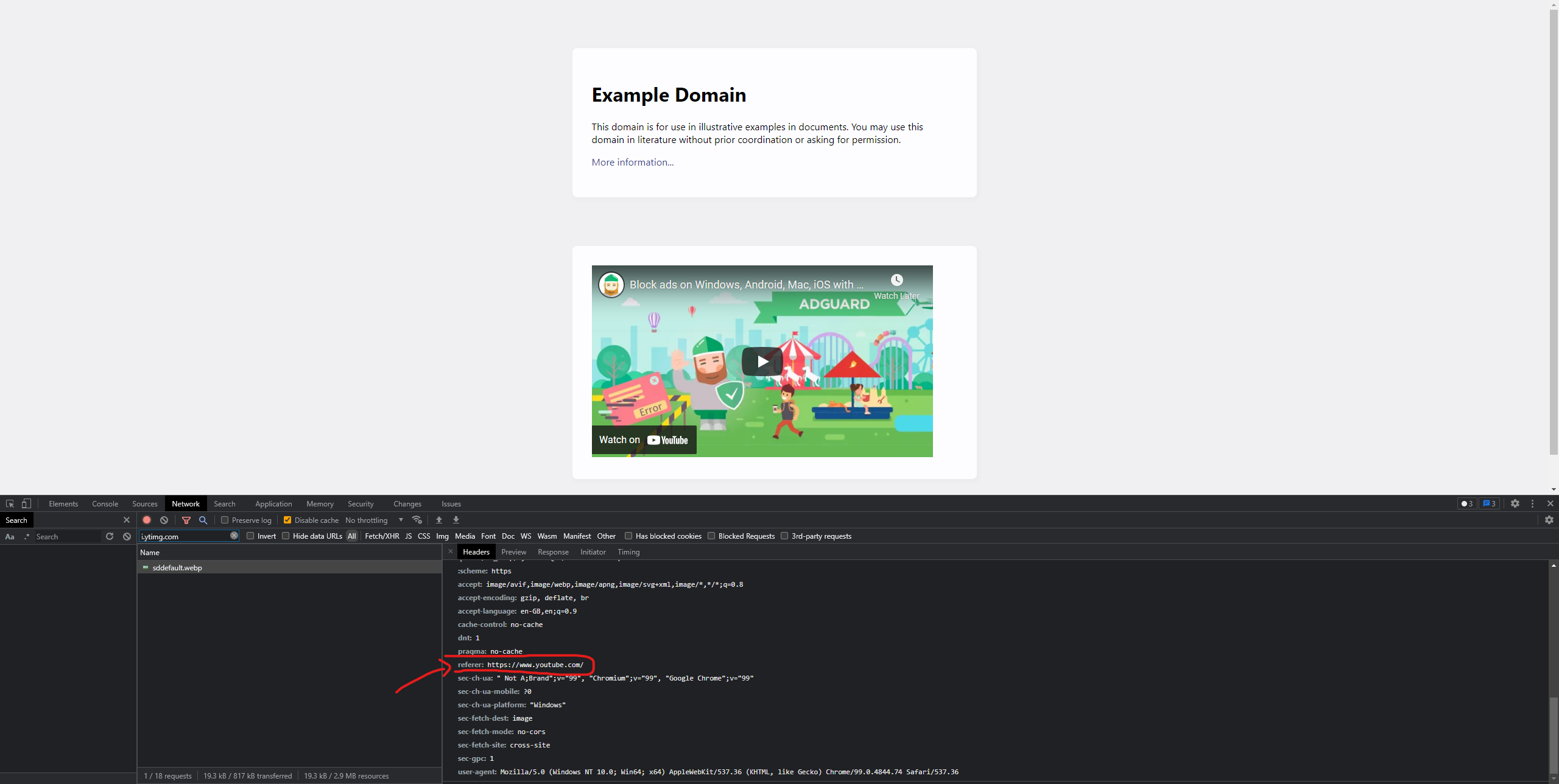
Actual Behavior
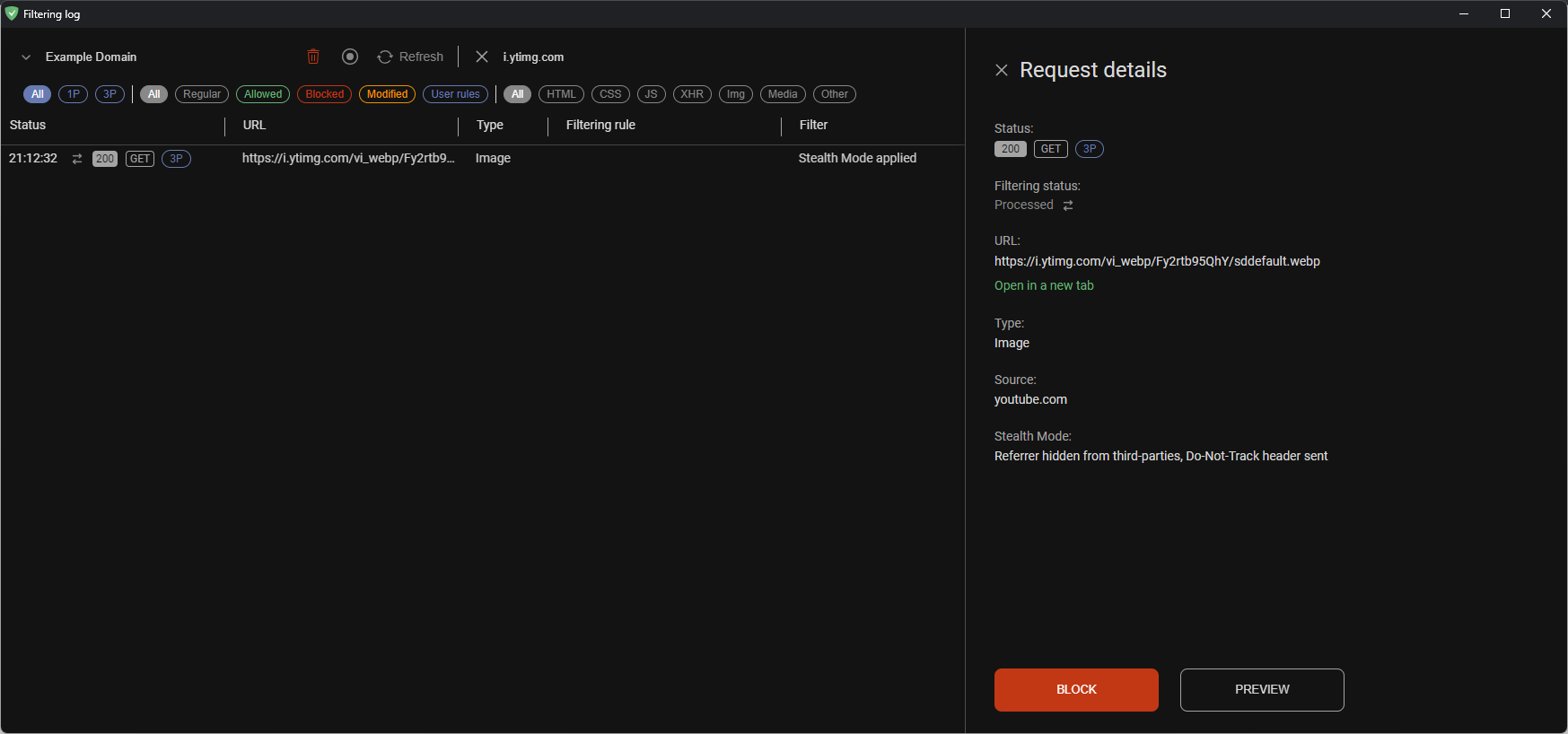
It looks like that $stealth rule is not applied to iframe and referer shows:
referer: https://i.ytimg.com/
Screenshot

Additional Information
This rule:
@@||i.ytimg.com^$stealth,domain=example.org
causes that stealth mode is disabled in iframe (in this case youtube.com), if I'm not wrong, it's not a correct behavior.

As i understand, $domain modifier only matches by main frame, therefore expected behaviour is not true.
@maximtop could you please confirm this?
~~edit: @@||i.ytimg.com^$stealth,subdocument,domain=youtube.com also doesn't stop stealth feature~~

@stanislav-atr compare please how it behaves in the extension v3.x and in the desktop application
