
AdGuardDNS
 AdGuardDNS copied to clipboard
 AdguardTeam
Getting message In wifi settings "connected without Internet"
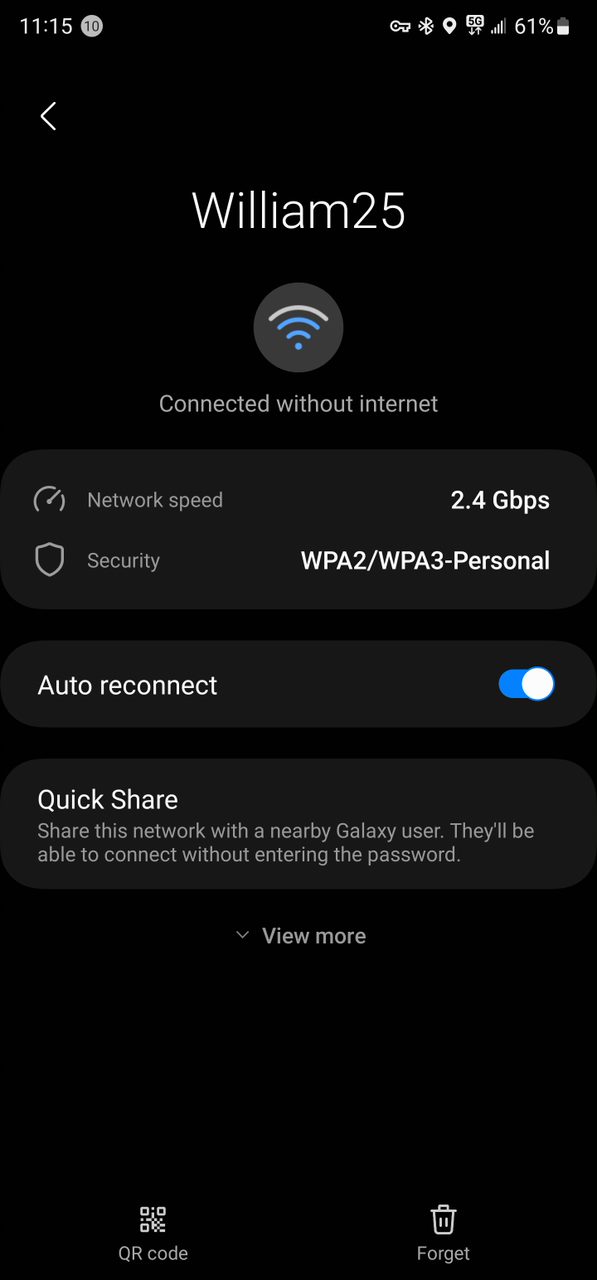
My Samsung phone is connected to my wifi network and it keeps going to "connected without Internet". I did some research and said that it could be related to my DNS where it's having trouble communicating with ip address. Not sure if this would also be under category Adguard for Android to because that where I have my Adguard personal DNS setup in. So can you guys look into this.

Please clarify the issue is reproduced if you setup private AdGuard DNS as upstream in your AdGuard for Android app? If you choose any other DNS server there will be no troubles with the connection?

seems to happen with Adguard Private DNS or any other DNS setup in Adgaurd for Androud. not sure if this means anything but it seems to happen when its using Wi-fi 6 which is the higher band frequency of the 5 ghz. band.
might have found the issue. I don't thing it was Adgaurd DNS it might off been when I have WPA3 enabled on my eero. that's when I get that message connected without Internet. so I'm going to close this case for now.
Seems to be when I use Adgaurd Private DNS in the android version of Adgaurd where I would get the message connected without internet. So when I put it on the regular DNS Adgaurd app I didn't get that message so it only happens when I use Private Adgaurd DNS
the last update I said it was only happening on the Adguard Private DNS but it's not just Adguard Private DNS it's happening on every DNS that is setup in the Adguard Android App even where I have Adguard Private DNS setup on my router it gives me that message connected without Internet. So I been forced to use eero secure on my eero router which uses Amazon's DNS Service so please developers fix this problem because I'm not able to use my device when its connected to my WI-fi network.
@Batman2814 @Chinaski1 Which blocklists do you have activated under DNS in the app, if you have a total of 500,000 rule entries, then a "similar" behavior occurs under iOS. Wifi is not usable/crashes. Just a hint.

Yes, I understood that, was just a hint, the behavior under Android can be similar ...
This also seems to happen where if I just setup Adguard private DNS in my phone settings and having the Adguard for Android App disabled. In order for me to use the device on my wifi network I have to use eero secure that I have setup on my eero router so developers if you could fix this issue so I can go back to use Adguard Private DNS with the android for Adguard because when I do use them gives me that message connected without Internet. This is a huge bug that needs to be fixed right away and I'm not the only one having this problem. There is a similar report under Adguard for Android on here.
@hagezi
I tried to reproduce the issue according to your steps, but the number of rules applied had no effect on the operation of Wi/Fi
@Batman2814
So the issue only occurs on the network where eero secure is used?
I said I'm forced to use eero secure because the problem happens when I'm using adguard private dns. The problem doesn't happen on eero secure that why I'm using it. When I turn eero secure off to use adgaurd private dns that when the issue happens.
https://www.androidcentral.com/phones/samsung-galaxy-s23-ultra-wi-fi-issues
Looks like samsung is aware of the issue but also happening on samsung Galaxy s22 Ultra
I have same problem with PrivateDNS on my Honor Magic5 Pro, sometimes with adguard dns, sometimes with nextdns, sometimes etc... I maked thousands of tries, literally, for days, both on my asus router and my phone. Now i am completely devastated. Especially because i can't understand the cause and how to fix it.
For example: https://help.nextdns.io/t/m1h0by9/prixel-6-pro-shows-me-at-home-the-private-dns-server-cannot-be-accessed
There are hundreds of similar post, all born in the last 2-3 years, in ALL google, reddit, forums, etc..


Could it be just a bug of private DNS implementation in Android?
Honestly i have not idea, but i am starting to think so, but a so important bug not fixed for years? And how we can be sure about of this? At least we could stop WASTING time without a logic (and go back to sleep).
I.e search on google: adguard private dns no connection or nextdns private dns no connection or similar