

 AcademySoftwareFoundation
Support Track type "Data", Add support for reading AAF data tracks.
Feature Request
This would be a new feature to, in addition to track types Audio and Video, to add type Data. The AAF adapter would then be modified to support reading of AAF data tracks.
Description
Our editors extensively make use of markers added to a Media Composer 'Data' track. We would like OTIO to be able to read these data tracks and the markers contained on them.
Context

I'm not too familiar with data tracks in NLEs. Do you know of a good explanation of them I could read? Is that same term used in other NLEs besides Avid Media Composer?

I did a quick web search and all I found is:
The D1 track is the data track. About the only real purpose for it that I know of is to support Captioning. If your camera records ancillary information (e.g. running focus and zoom values) it would be recorded there (assuming the AMA plug-in copies it from the camera).
But I've reached out to our editors to see if they can point me to some Media Composer documentation on Data tracks. I have no idea if other NLEs support a similar concept.
All I really know if that our workflow has the editors dropping markers on that track to indicate things like shot breaks. That workflow existed long before I joined the editorial support group, so I'm not really sure of its origin.
I could see why an editor might like doing this. Depending on the workflow or task a data track could be convenient because you can't accidently drag a video or audio clips on it. Most editors I know would probably place the markers on a timecode track instead. Are they actually editing clips with data tracks on them? Is this for round tripping with Pro tools?
The AAF adapter already seems to handle the test sample AAF file correctly by default. If the default adapter arg attach_markers = True, the adapter will attach the markers to the correct track. The Track's kind is just set to "" instead of the rather generic name Data.
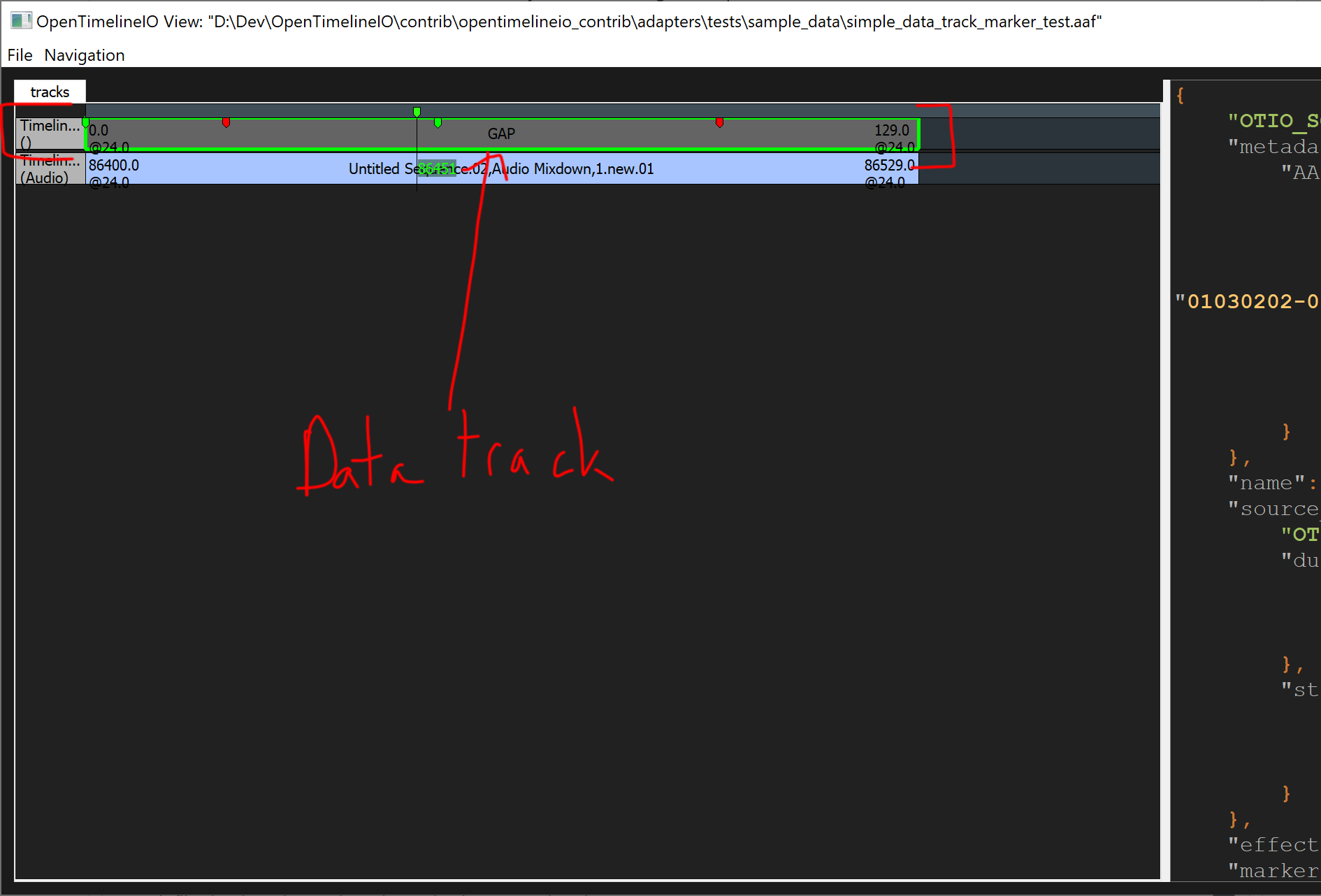
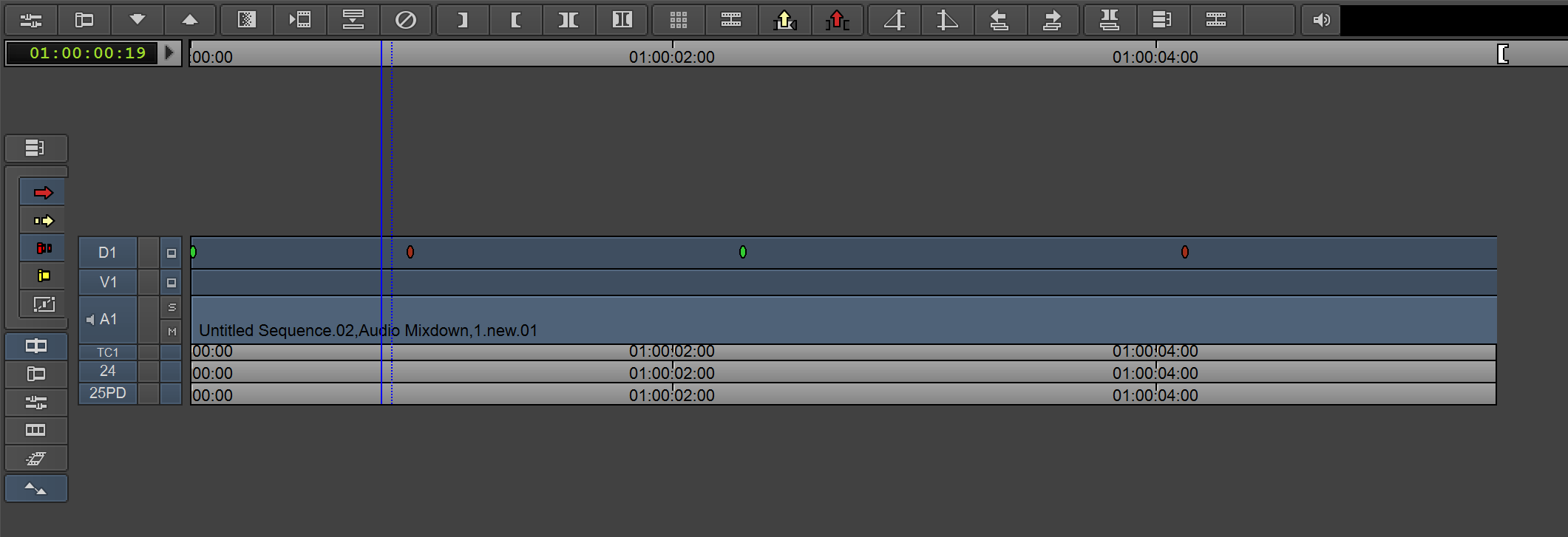
simple_data_track_marker_test.zip

I messed around a bit more with Avid Data tracks. I found a XDCAM sample someone sent me long ago that has closed caption data. It's pretty finicky to get working. Data tracks seem mostly for broadcast scenarios.
- A Timeline can only have one data track (at least for the MC 2018)
- For XDCAM media the data track won't show up unless AMA link and then consolidate/transcode
- Scenarist Closed Captions (.scc) files can also be imported/exported to create a closed caption data tracks (attach one if anyone wants to test)
I don't have the hardware but Media Composer's manual claims to be able to capture the following for use on a data track
- Closed Captioning (CEA 608, CEA 708): according to the SMPTE 334M standard.
- Program Description (AFD) according to the SMPTE 334M standard.
- Ancillary Time Code (ATC): Ancillary timecode packets are captured from the HD-SDI source.
There is also this Active Format Description thing that is supposed to get stored on the Data track, but I haven't been able to figure it out yet.
Here is what closed captioning looks like on the timeline, since I've never seen it before either.
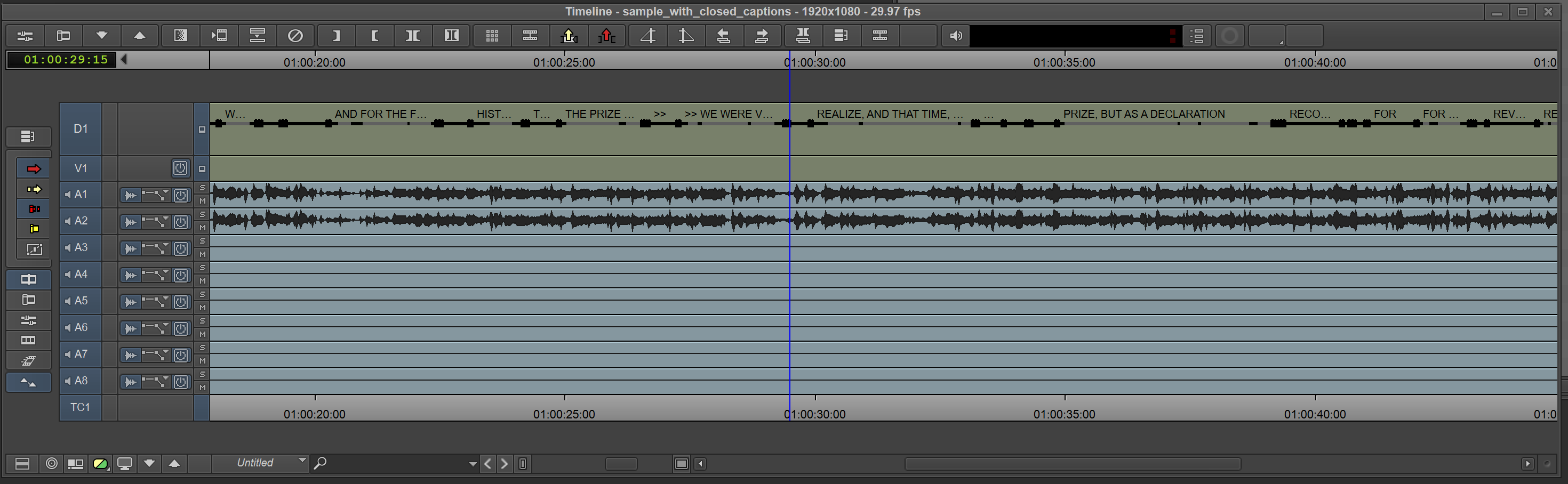
.
The AAF adapter already seems to handle the test sample AAF file correctly by default.
Yes, my changes were simply to get the track marked with the type "Data". The marker handling all worked as is.
Most editors I know would probably place the markers on a timecode track instead. Are they actually editing clips with data tracks on them? Is this for round tripping with Pro tools?
No, not for use with ProTools, but rather with our in-house developed "editorial publishing" tool. The shot break markers on the data track end up getting used to populate shot information (location, length, ...) into the Shotgun production tracking tool.
Is there any interest in revisiting this topic? If so I could revive the PR that Roy started. If Data is a bit to ambiguous or AAF specific, maybe something like Auxiliary would be a better fit?

My immediate thought is that this could be useful.
However both Data and Auxiliary are quite broad definitions and can contain quite a lot of different types of data. Do we need to introduce some sort of subtype definition?
Could of course be defined as metadata.
Or is it enough to look at the data itself?
Just some thoughts.

I suppose those names are very broad, but I couldn't think of anything aside of maybe just Metadata that would be broad enough to describe the AAF data tracks while not making it AAF specific. I guess other cases for aux tracks could be subtitles or maybe even timecode?
I don't have a problem with Data or Auxiliary.
Using a broad definition like Auxiliary is good so we don't have to add Track.kind for all sorts of data types. We just might need a way to define what kind of auxiliary data we're dealing with.
How about adding a default key ("auxiliary_type") in a tracks metadata encouraging the specification of a sub type?
{"auxiliary_type": "data"} or {"auxiliary_type": "timecode"} and so on.
I'm afraid using Metadata as a track kind could be confusing with the other use of metadata all over the place though.
Yeah, I like that as well. Would the key values be arbitrary? I suppose so?
Hmmmm, yeah. Since it's in the metadata dict it's hard to enforce I guess, but we should perhaps try to have some of the main ones "covered" as suggestions on the docs so we don't end up with too many variations of the same types. It would be good to get some input from a vendor on this as well.
Just a jobbing editor (Avid MC, PP, Resolve - mainly broadcast sport) here, recently stumbled upon OTIO. Not a (very good) coder. My experience of Data / Aux / Subtitle / Timecode tracks.
In MC we almost universally see Data tracks (from Sony cameras) as an annoyance to be hidden/deleted. I've never had any occasion to use them, or onpass them, for the data they are supposed to contain.
Even the @redroy use case is as a container for markers (IE they don't seem to be using anything from the data track clips themselves - other than as a holder for the markers - indeed they may be using gap/filler, rather than clips on the data track).
That said I can see the benefit of this over using Video, Audio or TC track to hold markers, but I think it's Avid MC only. I don't think PP or Resolve support Data tracks.
I have always thought that the Data track could be useful as the holder of the 'dirty' information for a downstream graphics renderer for sports. So clocks, team, score info for bugs + lower thirds + tickers. Thus the clean + dirty versions co-exist in the same timeline/file.
Anyway, that's enough from me - but hope that's of some use.

Thanks for the insight @TrevorAyl. The use case @redroy mentioned is indeed the only one so far I've encountered. That being said, we should be able to categorize these tracks a bit better nonetheless, even if they mostly get ignored / discarded.
@timlehr
https://community.avid.com/forums/t/196217.aspx - seems like maybe it can contain caption data, so would be similar to Premiere caption tracks?
Never seen it used as such myself.
Oh and CBS Lidia data (bugs + tickers?) https://evertz.com/products/PKGHD9725LG-L https://community.avid.com/forums/p/119973/691729.aspx
So presumably it could have time dependant metadata from a camera (otherwise why would we get it from camera masters).