
stable-diffusion-webui
 stable-diffusion-webui copied to clipboard
 AUTOMATIC1111
[Feature Request]: Latent diffusion upscaler for the Stable Diffusion autoencoder
Is there an existing issue for this?
- [X] I have searched the existing issues and checked the recent builds/commits
What would your feature do ?
Can we implement it?
Q from Twitter @RiversHaveWings: I've trained a latent diffusion upscaler for the Stable Diffusion autoencoder (and anything you feel like feeding into it if you can tolerate a little artifacts) in collaboration with @stabilityai . Try the Colab written by @nshepperd1 https://colab.research.google.com/drive/1o1qYJcFeywzCIdkfKJy7cTpgZTCM2EI4


Proposed workflow
See in colab
Additional information
No response

Is it similar to the "scale latents" option for A1111's highres fix ? (see https://github.com/AUTOMATIC1111/stable-diffusion-webui/issues/2613 for example for some info)

Is it similar to the "scale latents" option for A1111's highres fix ? (see #2613 for example for some info)
Nope
I tested this out, wasn't hard to convert it to a stand-alone script. Note that there is a stray config file used from here - https://huggingface.co/spaces/multimodalart/latentdiffusion/blob/main/latent-diffusion/models/first_stage_models/kl-f8/config.yaml (not the CompVis repo), but just putting that file there did work.
Also added .half() in a bunch of places to use less VRAM, etc.
sdu.txt

I tested this out, wasn't hard to convert it to a stand-alone script. Note that there is a stray config file used from here - https://huggingface.co/spaces/multimodalart/latentdiffusion/blob/main/latent-diffusion/models/first_stage_models/kl-f8/config.yaml (not the CompVis repo), but just putting that file there did work.
Also added
.half()in a bunch of places to use less VRAM, etc. sdu.txt
Can u explane for newbie how to use it?
I cant get through

@specblades probably better to start with the notebook, then, it will be friendlier to use.
@specblades probably better to start with the notebook, then, it will be friendlier to use.
Goal is to use it in webui, i mean nvm, mb somebody will add it
Little comparison x2 upscale: native/ldsr (50 steps)/autoencoder upscale (48 steps)
The last is much sharper, but with artefacts. I like it more. And its faster by ~10-20x We rly need it in a1111!


Okay, I was able to convert @pbaylies sdu.txt into a script for automatic1111
https://gist.github.com/nagolinc/3993e7329cafab5d5bd4698977ebebcc
Before you can run it, you will need to download the two files: https://models.rivershavewings.workers.dev/config_laion_text_cond_latent_upscaler_2.json https://models.rivershavewings.workers.dev/laion_text_cond_latent_upscaler_2_1_00470000_slim.pth
into your {automatic}/models/LDSR/ folder

Okay, I was able to convert @pbaylies sdu.txt into a script for automatic1111
https://gist.github.com/nagolinc/3993e7329cafab5d5bd4698977ebebcc
Before you can run it, you will need to download the two files: https://models.rivershavewings.workers.dev/config_laion_text_cond_latent_upscaler_2.json https://models.rivershavewings.workers.dev/laion_text_cond_latent_upscaler_2_1_00470000_slim.pth
into your {automatic}/models/LDSR/ folder
Could you provide some kind of tutorial on how to use it? There are no ui for change upscale ammount or steps
Okay, I was able to convert @pbaylies sdu.txt into a script for automatic1111
https://gist.github.com/nagolinc/3993e7329cafab5d5bd4698977ebebcc
Before you can run it, you will need to download the two files: https://models.rivershavewings.workers.dev/config_laion_text_cond_latent_upscaler_2.json https://models.rivershavewings.workers.dev/laion_text_cond_latent_upscaler_2_1_00470000_slim.pth
into your {automatic}/models/LDSR/ folder
Many OOMs, "RuntimeError: Input type (torch.cuda.HalfTensor) and weight type (torch.HalfTensor) should be the same" and other errors. Does not save the result automatically.
Exception: bad file inside ./models/LDSR/laion_text_cond_latent_upscaler_2_1_00470000_slim.pth: laion_text_cond_latent_upscaler_2_1_00470000_slim/data.pkl
The file may be malicious, so the program is not going to read it. You can skip this check with --disable-safe-unpickle commandline argument.

it start with --disable-safe-unpickle, then works only once, then restart required to work again once :( but it's good for testing, i like the result very much! (the second run gives the "Input type (torch.cuda.HalfTensor) and weight type (torch.HalfTensor) should be the same" error)
could it be implemented as an upscaler, to be usable in Extras tab too, instead of being a script? if it's a latent diffusion upscaler (as the twitter says), maybe it's enough to add an LDSR model selector to settings, to use this version of model?
hmm this is also interetsing: "[Stability AI]Nov 10 That means that if you want to use it with Stable Diffusion, you take the generated "latent" and pass into the upscaler before decoding with your standard VAE."
i've done some cleanup on the script, removed unused imports and functions, and moved a few model.to() around, and now it works fine, no crash, feel free to test: http://thot.banki.hu/arpi/sdu_upscale.py
also added some test code to main() so it can be used standalone from cli. next step will be adding it to extras as upscaler :) no idea how to do that yet...
i've replaced the bilinear interpolate function in processing.py (for highres fix latent scaling) to a call to this new model (which operates in latent space anyway), and IT WORKS! if you enable highres fix & scale latent, and set denoising to zero, then it will immediately upscale by 2x the generated image! if you set denoising to some low value <0.3 then it will work further on the upscaled version and fix some artifacts too!
!!!!!!!!!!!!!!!!!! UPSCALING LATENT !!!!!!!!!!!!!!!!!!!!! ['Portrait photo of Goddess'] before: torch.Size([1, 4, 64, 64]) 42it [00:06, 6.75it/s] after: torch.Size([1, 4, 128, 128]) !!!!!!!!!!!!!!!!!! UPSCALING DONE !!!!!!!!!!!!!!!!!!!!!
@AUTOMATIC1111 please look at run_sdu_latent_upscale() in http://thot.banki.hu/arpi/sdu_upscale_mod.py it can be used as replacement in processing.py instead of torch.nn.functional.interpolate(samples, ..., mode="bilinear")
i've replaced the bilinear interpolate function in processing.py (for highres fix latent scaling) to a call to this new model (which operates in latent space anyway), and IT WORKS! if you enable highres fix & scale latent, and set denoising to zero, then it will immediately upscale by 2x the generated image! if you set denoising to some low value <0.3 then it will work further on the upscaled version and fix some artifacts too!
!!!!!!!!!!!!!!!!!! UPSCALING LATENT !!!!!!!!!!!!!!!!!!!!! ['Portrait photo of Goddess'] before: torch.Size([1, 4, 64, 64]) 42it [00:06, 6.75it/s] after: torch.Size([1, 4, 128, 128]) !!!!!!!!!!!!!!!!!! UPSCALING DONE !!!!!!!!!!!!!!!!!!!!!
@AUTOMATIC1111 please look at run_sdu_latent_upscale() in http://thot.banki.hu/arpi/sdu_upscale_mod.py it can be used as replacement in processing.py instead of torch.nn.functional.interpolate(samples, ..., mode="bilinear")
You can re-create the discussion so you have the authorship
hmm, it even works for 4x upscaling (calling the model twice on latents), the 4x version reminds me to old midjourney style... unfortunately 2048x2048 resulted cuda out of memory, so the example here is 512x384, original, 2x and 4x upscaled in latent space:


i really love this upscaler! it has an unique style at 4x but still better than other methods:

@arpitest i dunno, a1111 wont load it in t2i/i2i
COMMANDLINE_ARGS= --disable-safe-unpickle --xformers --allow-code

@specblades the _mod version is not a script, it should be in modules/ and the func called from hires-fix part of processing.py, needs some small changes to the code... i hope @AUTOMATIC1111 will do it soon in proper way, instead of my ugly hack :)
@arpitest i understand can u modify processing.py to load it? or it will work if i put it in modules folder?
i think we need both - upscale in extras and hr-fix
@arpitest i understand can u modify processing.py to load it? or it will work if i put it in modules folder?
i think we need both - upscale in extras and hr-fix
here is my modified version: http://thot.banki.hu/arpi/processing.py
copy this (replace original) and the sdu_upscale_mod.py to modules/
then restart, enable scale latent in settings and hires fix at txt2img, set denoising=0 then generate something :)
(it has 4x scaling now, if you want 2x then remove one of the 2 calls to run_sdu_latent_upscale)
sorry this is a proof of concept only, not intended for wide use this ugly way :)


Out of curiosity, does anybody knows of some comparison between this new latent upscaler and the "scale latent hires-fix" already implemented in A1111 (that performs bilinear interpolation in latent space) ?
(that performs bilinear interpolation in latent space) ?
using bilinear interpolation on vectors (latents are not pixels!) is a bad idea anyway... there are methods for vector interpolation, like euler, quaternion etc. it's a very different math...
(that performs bilinear interpolation in latent space) ?
using bilinear interpolation on vectors (latents are not pixels!) is a bad idea anyway... there are methods for vector interpolation, like euler, quaternion etc. it's a very different math...
I see a way for improving highres-fix's scale latents option here. TY
(that performs bilinear interpolation in latent space) ?
using bilinear interpolation on vectors (latents are not pixels!) is a bad idea anyway... there are methods for vector interpolation, like euler, quaternion etc. it's a very different math...
I see a way for improving highres-fix's scale latents option here. TY
FYI : feature request for new latent vector interpolation methods here
Out of curiosity, does anybody knows of some comparison
just did one. it's a bit difficult to do 1:1 comparison, because at <0.3 denoise level the bilinear version just creates blurry mess, and at >=0.7 (default) both produce a similar sharp image but it does not look good at all. So testing at 0.5:
A Detailed hyper-realistic Sinister and dark colored, Nouveau Architecture Horror House Ruined by Lovecraftian Eldritch Creatures, Unreal Engine 5, horror, high resolution, detailed digital art Steps: 30, Sampler: Euler a, CFG scale: 7, Seed: 1234, Size: 1536x1024, Model hash: 81761151, Denoising strength: 0.5, First pass size: 768x512
First pass image:

Bilinear latent upsacaler:
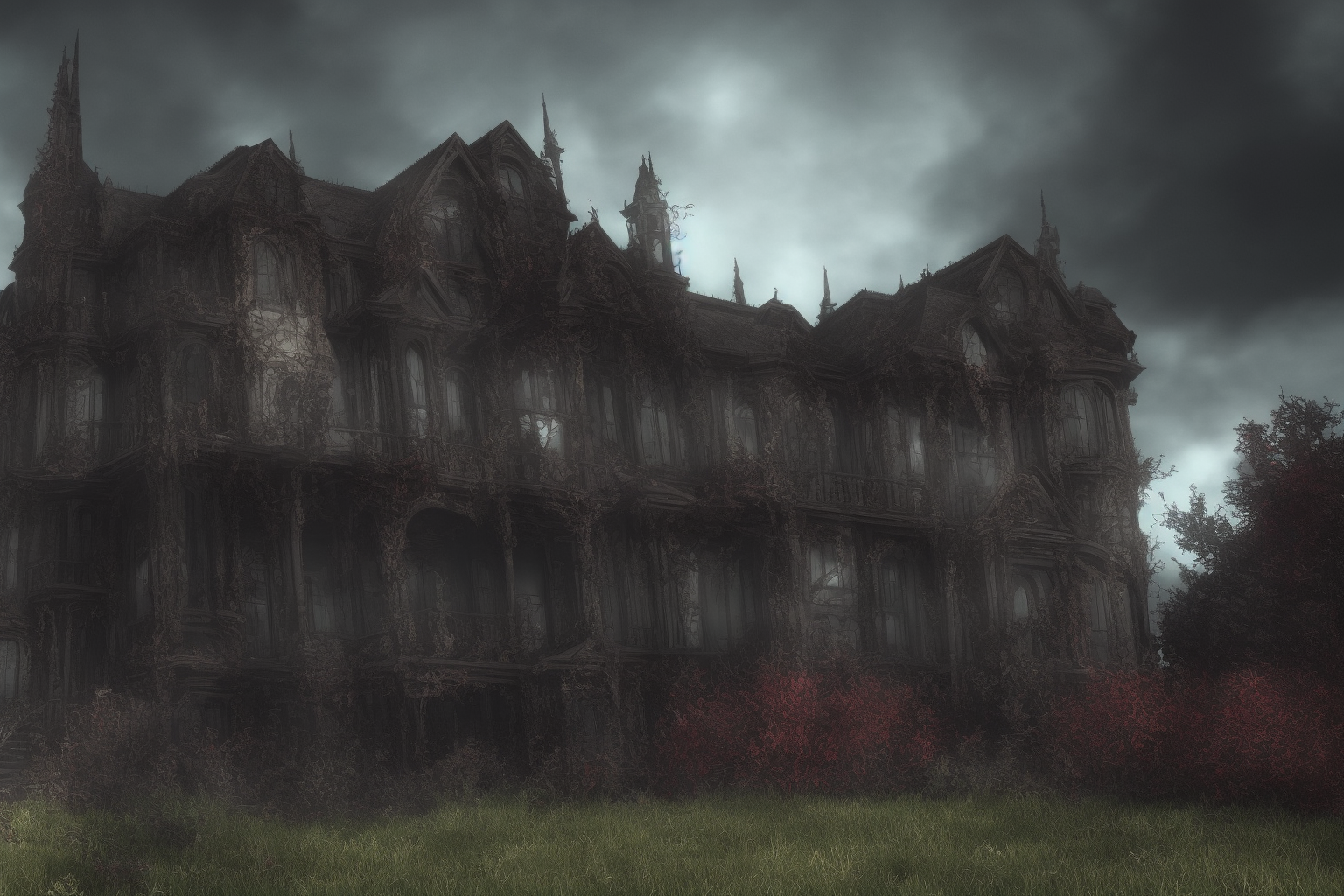
Old latent upscaler, mode changed from 'bilinear' to 'nearest':
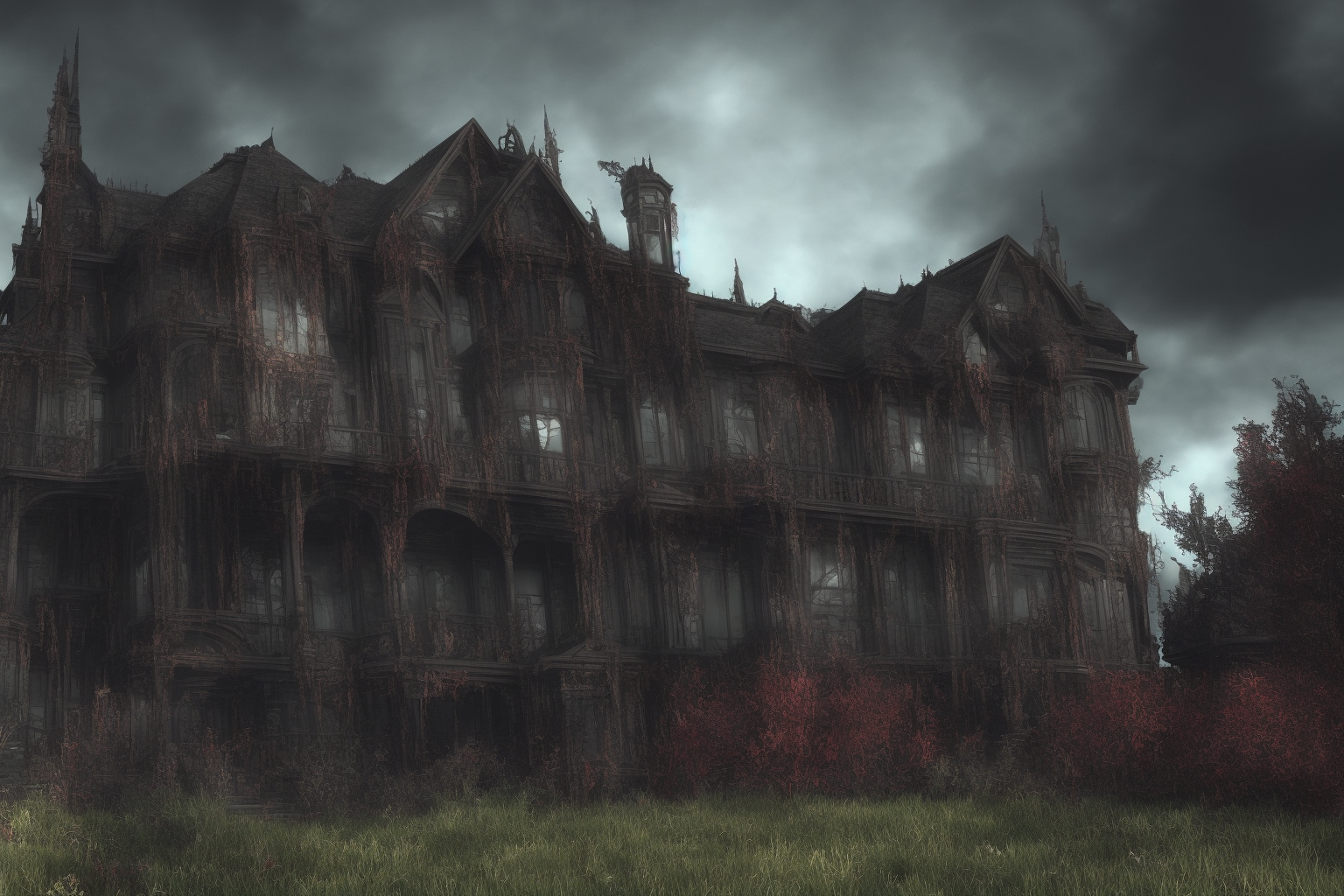
New NN latent upscaler:
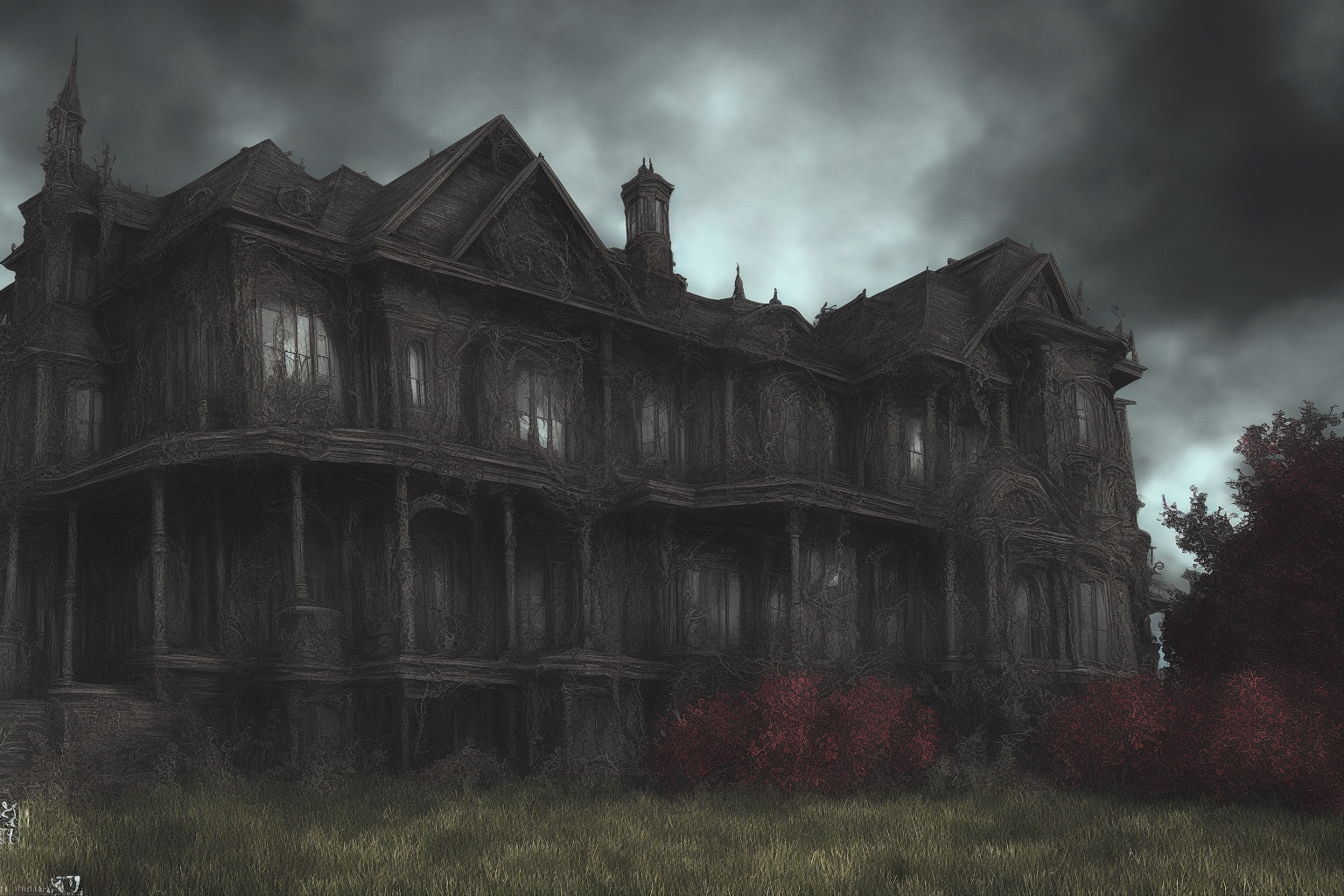
New NN latent upscaler at denoise level 0.25:
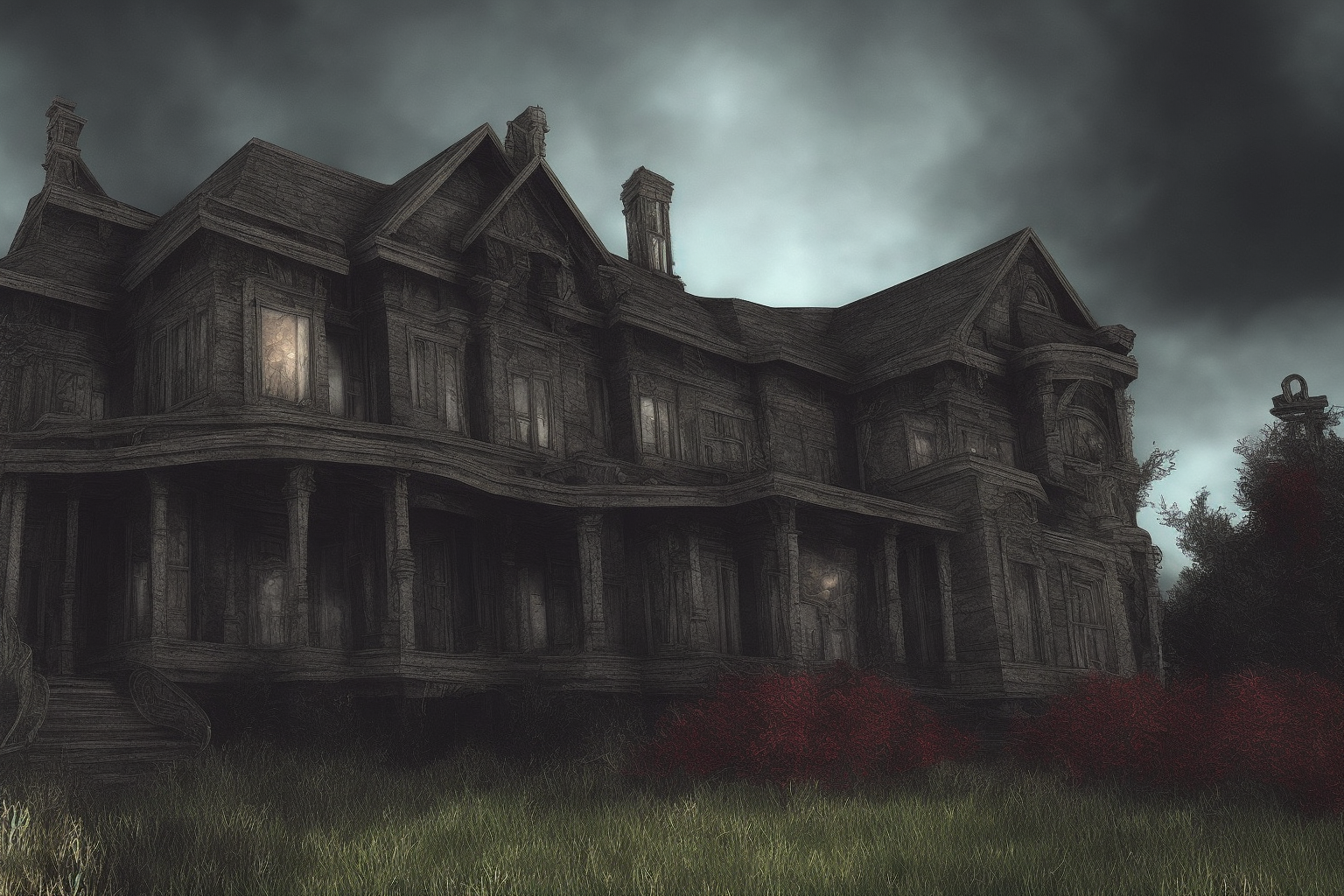
And for comparison, with "Upscale latent space image when doing hires. fix" disabled in settings:
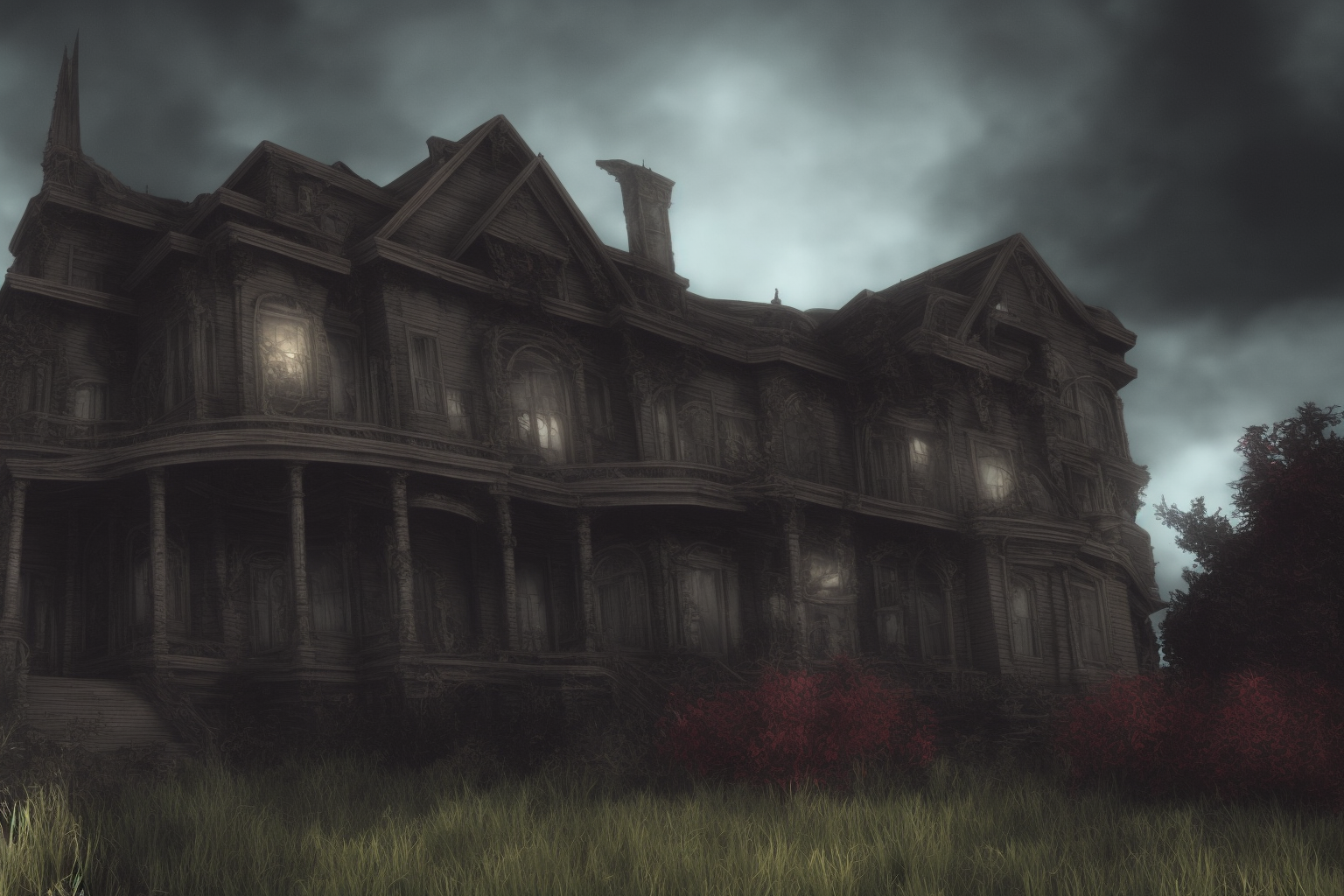
TY @arpitest This is very interesting in itself. Now I think I understant why a dedicated model would be preferable instead of "dumb" latent vector interpolation (specifically, bilinear). Unsure about "nearest", though. And you said there are other methods as well. I'm too curious. NB : TY for the comparison with "hires-fix when disabled scale latent" also. enligthening.