
astc-encoder
 astc-encoder copied to clipboard
 ARM-software
Alpha Outlining
Im am converting an image outputted from spine with the following commands:
astenc -cs input output 4x4 -exhaustive -pp-premultiply (with latest astcenc)
Observe on the ouputted texture there is a grey border being created around the clouds. It may not seem noticeable but it is very noticeable in game on its intended background. Is there anything that can be done about this? I almost want to tell the encoder not to compress the image at all just convert it?
Zoomed in area of concern

Here is my input texture:
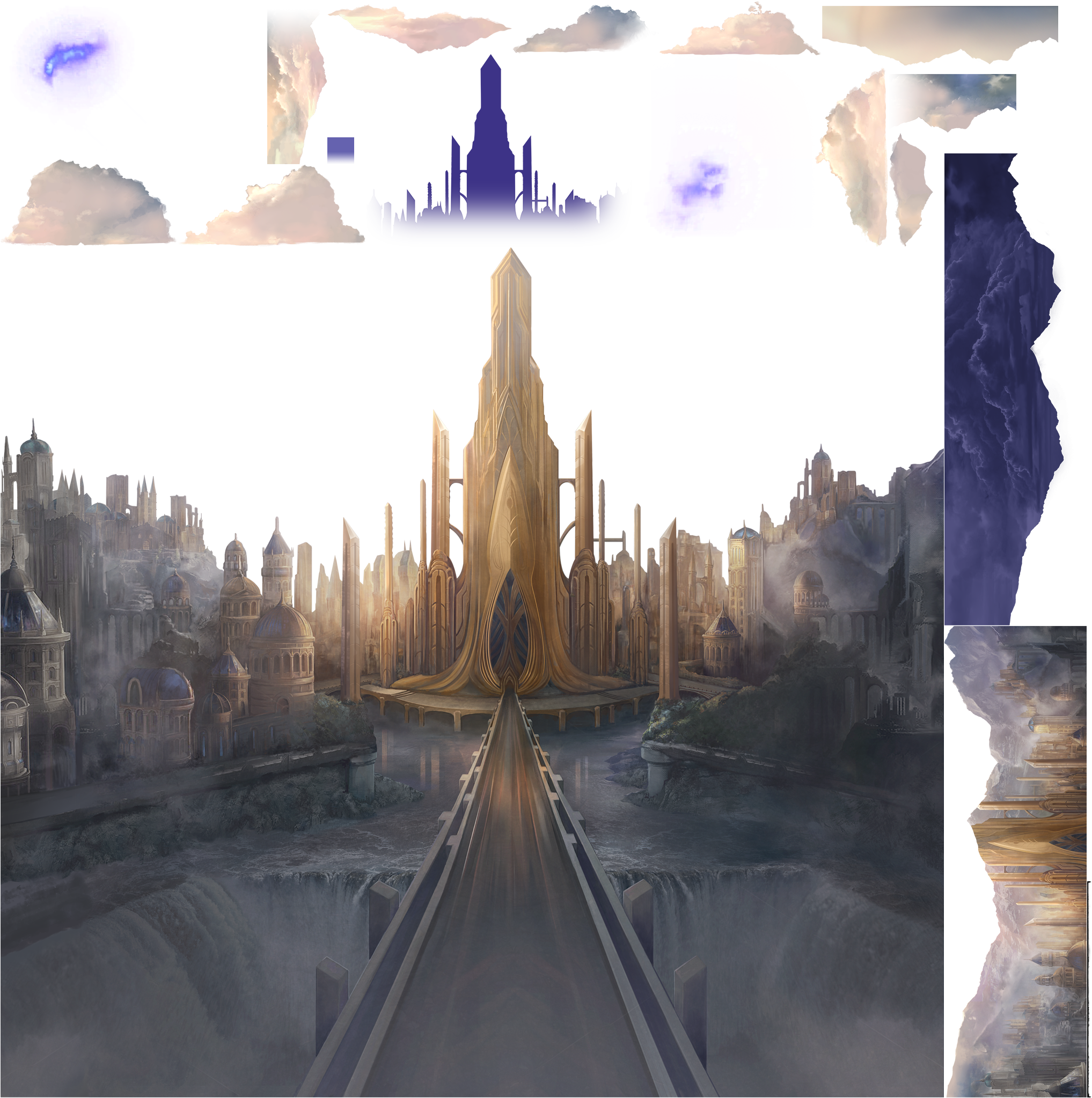

The usual fix, without needing pre-multiplication, is to extrude the object edge RGB color out past the edge of the objects into the transparent zone, instead of using a black RGB value for the transparent areas. I see you are doing this already, so using non-pre-multiplied data should work OK without black banding around the edges.
Does it work OK without pre-multiplication if you fiddle the blending on the target to use post-mul blending?

Is your texture definitely authored in sRGB gamma? The current code will linearize the input sRGB texture for -cs data, apply pre-multiplication, and then covert back into sRGB gamma for compression.
If your texture isn't actually in sRGB gamma then this is going to cause "problems".
Also, just to double check, did you change your blend equation in your application to account for the fact it's a pre-multiplied input source?
In standard tools expecting a post-multiply blend, the high alpha regions will look dark with a standard (dst * 1-src.a) + (src * src.a) blend because the "src" component gets scaled twice (once at compression time, and then again at runtime).
For pre-multiplied textures your application blend equation must be (dst * 1-src.a) + (src * 1.0) (i.e. GL_ONE for the source weight, not GL_SRC_ALPHA).
Hi and thanks for the prompt response. I am unfortunately not very technical on image settings side of things. Settings used to create that texture are the same we have used for years using spine 2D (see example below) which are consumed in the web browser using pixijs where premultipliedAplha: true by default. As PNGs they work like magic and dont diplay any border artifacting even after quantization and other compression.
Its only recently we have been looking to use astc textures on those devices that support it. The settings used to create the astc texture that i mentioned above work great for basically every other image in the game except this one. It is worth mentioning that during runtime i had to set premultipliedAlpha: false in order for them to render correctly, otherwise the images that had alpha had a kind of glow effect. The image above got an even stronger border with premultipliedAlpha: true during runtime.
Default spine settings:

Color options:
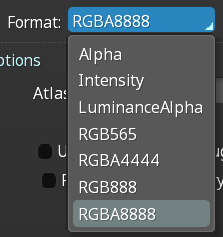
I had to set premultipliedAlpha: false in order for them to render correctly, otherwise the images that had alpha had a kind of glow effect. The image above got an even stronger border with premultipliedAlpha: true during runtime.
Hmm, that sounds like a gamma curve problem. Do you have any way of finding out the texture format enum that these get uploaded to at the graphics API level? I suspect your sRGB textures are getting uploaded as linear ASTC.
It might also be useful to know the format that the PNG version gets uploaded to (i.e. if that isn't one of the sRGB texture formats, then it's possible your data isn't actually sRGB at all). (Although this sounds unlikely - the "glow" you describe would occur from sRGB being interpreted as linear, causing a brightening of the image).
If you can share a reproducer offline feel free to get in touch at [email protected].
I use this library to do all the heavy lifting at runtime https://github.com/pixijs/pixi-compressed-textures/tree/v4.x which may give you some hints?
However I feel this may be a separate issue, as you can see quite clearly in the outputted image the border it creates that is not there on the source image. I will also share the compressed png below which also doesnt display the border

It looks like the library you pointed me at could use sRGB, but depends if a flag is set. No way of telling whether it is or not.
I'll pull together a small native test for this using your texture to see if we're doing the right thing in the compressor - it might take a few days though.
maybe you need an alphaThreshold option for the encoder, a tolerance below which alpha (or pixel forgive me not super clued up on this) is ignored. Because on the source image the alpha is very very faint at those edges
Running some experiments here and I'm 99% sure the issue is application side in how the blend equation is being set up. I've uploaded a test program here which will let you pass in a decompressed texture i.e. a PNG resulting from using astcenc -ts and see how it blends in various scenarios.
- https://github.com/ARM-software/astc-encoder/blob/main/Utils/astc_blend_test.cpp
Scenario one: Post-multiplied sRGB input with post-multiplied blend
Normal texture (no -pp-premultiply), blended with normal blending ((dst.rgb * (1-src.a) + src.rgb * src.a)):
Nearest filtering:

Bilinear filtering:

Scenario two: Pre-multiplied sRGB input with pre-multiplied blend
Premultiplied texture (use -pp-premultiply), blended with premultipled blending ((dst.rgb * (1-src.a) + src.rgb * 1.0)):
Nearest filtering:

Bilinear filtering:

These all look perfectly fine to me.
Things start to look wrong for the experiments where things are mismatched.
Scenario three: Pre-multiplied sRGB input with post-multiplied blend
Premultiplied texture (use -pp-premultiply), blended with normal blending ((dst.rgb * (1-src.a) + src.rgb * src.a)):
Nearest filtering:

Bilinear filtering:

FWIW I think you should be ticking the "Premultiply alpha" tick box in the spine exporter and in the runtime as per your usual content workflow, and NOT using the -pp-premultiply flag for astcenc.
If the texture has already been pre-multiplied by your content generation tools you don't need an astcenc pre-process pass to do it again because it's already in the correct format. Doing it twice would make the images look darker in transparent regions, even if you have the correct blend equation, which would be an alternative explanation for what you were seeing.
Apologies for delay, we are exploring potential issues you highlight above and will get back to you
Closing, as no activity and it looks like an application-side issue. Please feel free to reopen if needed.