
AR.js
 AR.js copied to clipboard
 AR-js-org
Rotation of Y axis (on Marker Based AR) only goes up to 90 degrees
This is reporting a possible bug in the Marker-Based A-Frame build.
'm using AR.js with A-Frame trying to make my character (on the local access) rotate and play and animation based on the rotation of the markers Y-axis rotation. The character is a child of the marker entity. Think of a character which is moving to face the camera. I have some code to detect the angle between the camera and marker, then I play the gltf animation and add rotation to it.
See here in inside the AFrame register component, I added this to detect the difference between the two angles:
if (this.marker.rotation.y  > this.el.object3D.rotation.y + 30*(Math.PI/180)) {
    console.log("rotate");
    this.el.setAttribute('animation-mixer', {
      clip: 'turning-right',
      loop: 'once',
      crossFadeDuration: 0.4,
  });
    this.el.object3D.rotation.y += 30*(Math.PI/180);

  }
But my issue is that I cant accurately detect the angle of the marker, as it goes from 90 to 0 to -90. This makes it impossible to tell whether the user is behind or in front, and whether they are moving left or right.
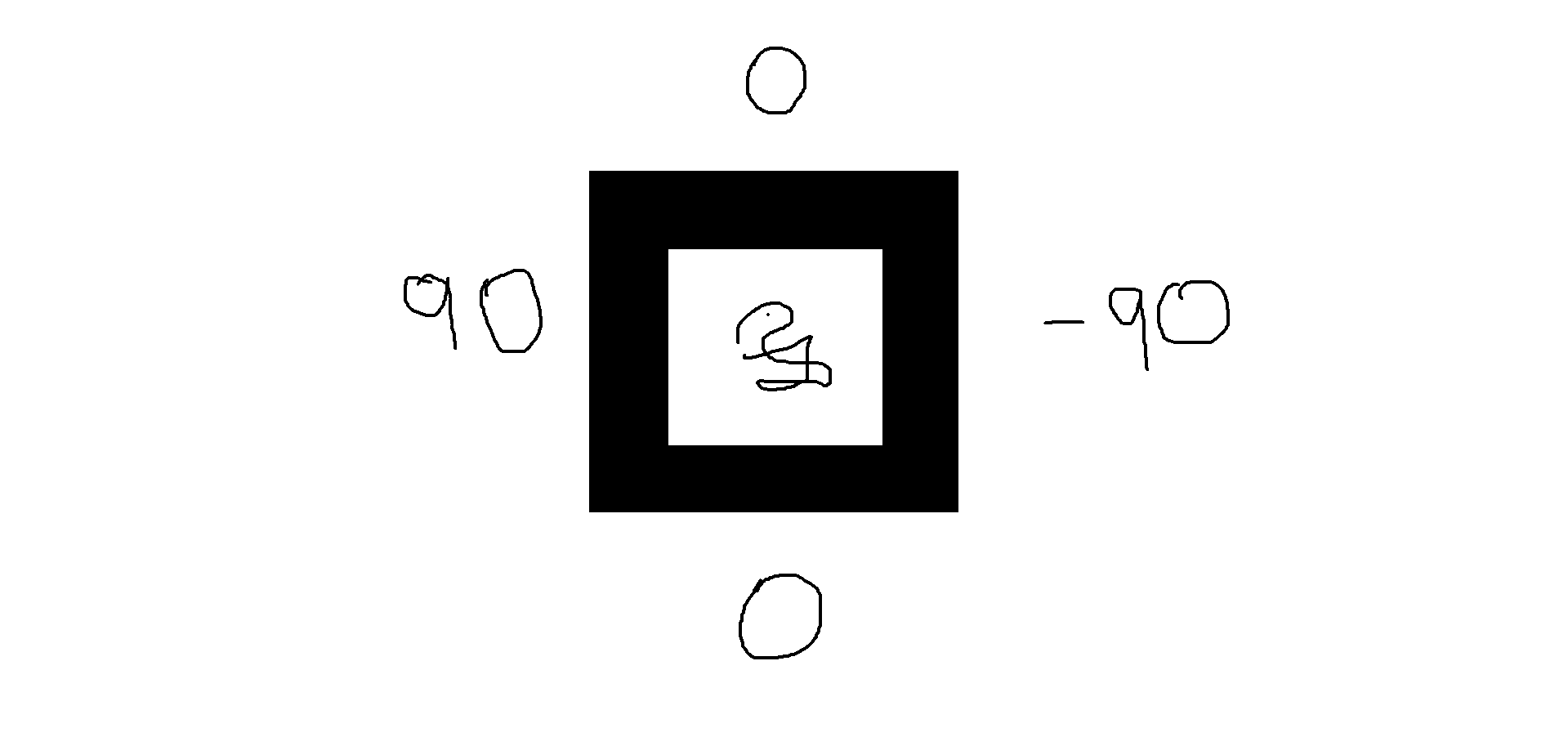
I used this line to print out the rotation, and the value of the Y rotation of the marker is 0, the same from the front, as it is from the back.
console.log(this.marker.rotation.y)
My expectation would be that it would rotate from 0 to 360 or 180 to -180. This would allow me to detect if the character is looking away/turning his back from the camera. At the moment, the character will have his back turned because once I go behind the marker theres no telling if its in the infront or back.
The strange thing is that If I dont apply any rotation to the character it will accurately track the character in 360 degrees.
Is there a way that I can change the angle mode, or tell if im behind? Ive tried to change the Euler order from XYZ to YXZ but I still get the same issue.
If you would like to recreate this issue, in A-Frame just track a Hiro marker and then console.log the rotation on the Y axis. The value will go from 0 to 90 back to 0 then to -90 and then back to 0.
Thanks.
