
AR.js
 AR.js copied to clipboard
 AR-js-org
<a-marker-camera> with type="barcode" does not work
Do you want to request a feature or report a bug? Bug
What is the current behavior?
Whenever I scan a barcode marker with a <a-marker-camera> setting, the detection gets recognized but no entity gets displayed. Using a hiro marker with <a-marker-camera preset="hiro"> works just fine.
If the current behavior is a bug, please provide the steps to reproduce. I'm currently working with
<a-scene id="scene"
             embedded
             arjs="detectionMode: mono_and_matrix; matrixCodeType: 4x4_BCH_13_9_3; debugUIEnabled: false;">

        <a-marker-camera barcode_marker
                         id="marker"
                         type="barcode"
                         value="1">
            <a-box></a-box>
        </a-marker-camera>
    </a-scene>
and
var markerAlreadyDetected = false;

AFRAME.registerComponent('barcode_marker', {
    init: function () {
        const marker = document.querySelector('#marker');
        marker.addEventListener('markerFound', function () {

            console.log("Marker Already Detected:", markerAlreadyDetected);
            console.log("Marker:", marker.object3D.position);

            if (!markerAlreadyDetected) {
                markerAlreadyDetected = true;
                //displayEntity("#box");
                console.log("New marker has been detected.");
            } else {
                console.log("Already detected marker.");
            }
        });
    }
});
Please mention other relevant information such as the browser version, Operating System and Device Name Tested on Chrome Canary 70 Android and Chrome 81 Desktop Win10
What is the expected behavior?
Entities inside <a-marker-camera>...</a-marker-camera> should get displayed after marker detection.
If this is a feature request, what is motivation or use case for changing the behavior?

In theory it should works but I think <a-marker-camera> it is a bit buggy, if you can try to use <a-entity-camera> and <a-marker>. I can't look at this, because i have limited time now :cry:
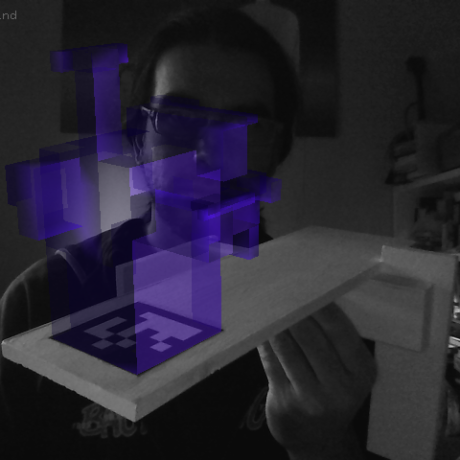
Hi I managed to reproduce @MalteJosten's issue (toggle video quality to 1080p or else it'd be blurry). I think I might be able to help. @kalwalt, can I look into this and submit a PR?


