
Niagara-Issues
 Niagara-Issues copied to clipboard
 8bitPit
Option to set different icon sizes on cover screen and main screen on foldables (like Fold4)
Is your feature request related to a problem?
On foldables, like the Fold4 you have 2 screens, the cover screen and main screen. The icons on the cover screen seem much smaller than on the main screen. With the current setup, I see everything fine on the cover screen, but on the main screen I don't see everything without scrolling, when media is playing, and I get some notifications 😔
Describe the solution you'd like
It would be nice to set the icon size separately to have a more consistent view. I would love to make the icons on the main screen smaller, but keep the size on the cover screen.
I attached a screenshot of both screens.
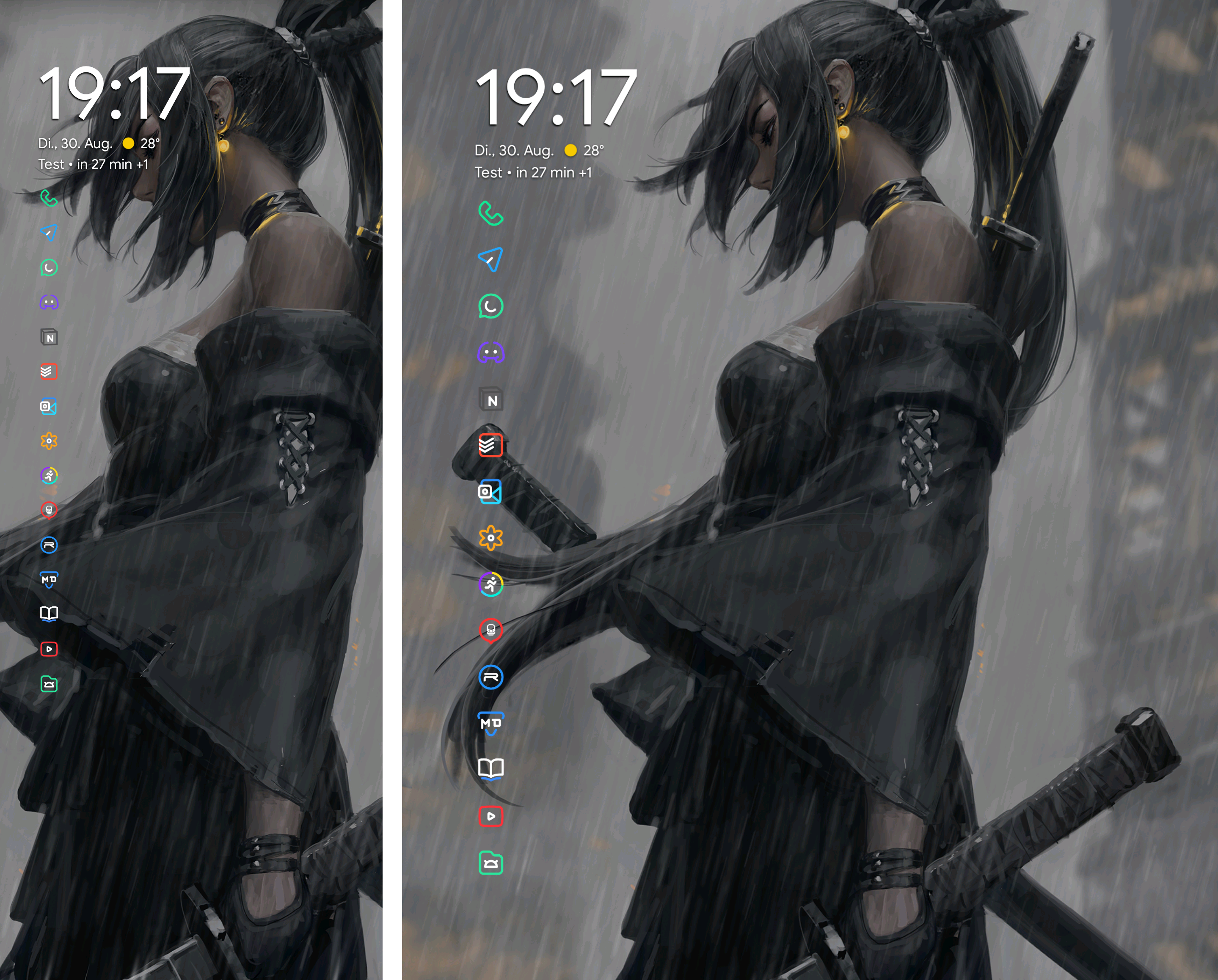
Alternatively, and as a quick fix, it would be nice to have more sizing options for the icon size; to make them even smaller.
Feature Request Procedure
- [x] I have read the knowledge base article on feature requests and followed the steps mentioned

I don't think different icon sizes would be the way to go here. And while we could introduce even smaller icon sizes, I fear they'd only cause accessibility issues (due to even smaller touch targets).
You have a lot of favorites on your home screen. For the best experience, you could try these recommendations:
- Remove unnecessary apps or use more folders
- Enable the two column layout in Niagara's settings to better utilize the screen's space
I'm using the two column layout with 8 favorite apps on my Fold 4 and it adapts very well to both screens:
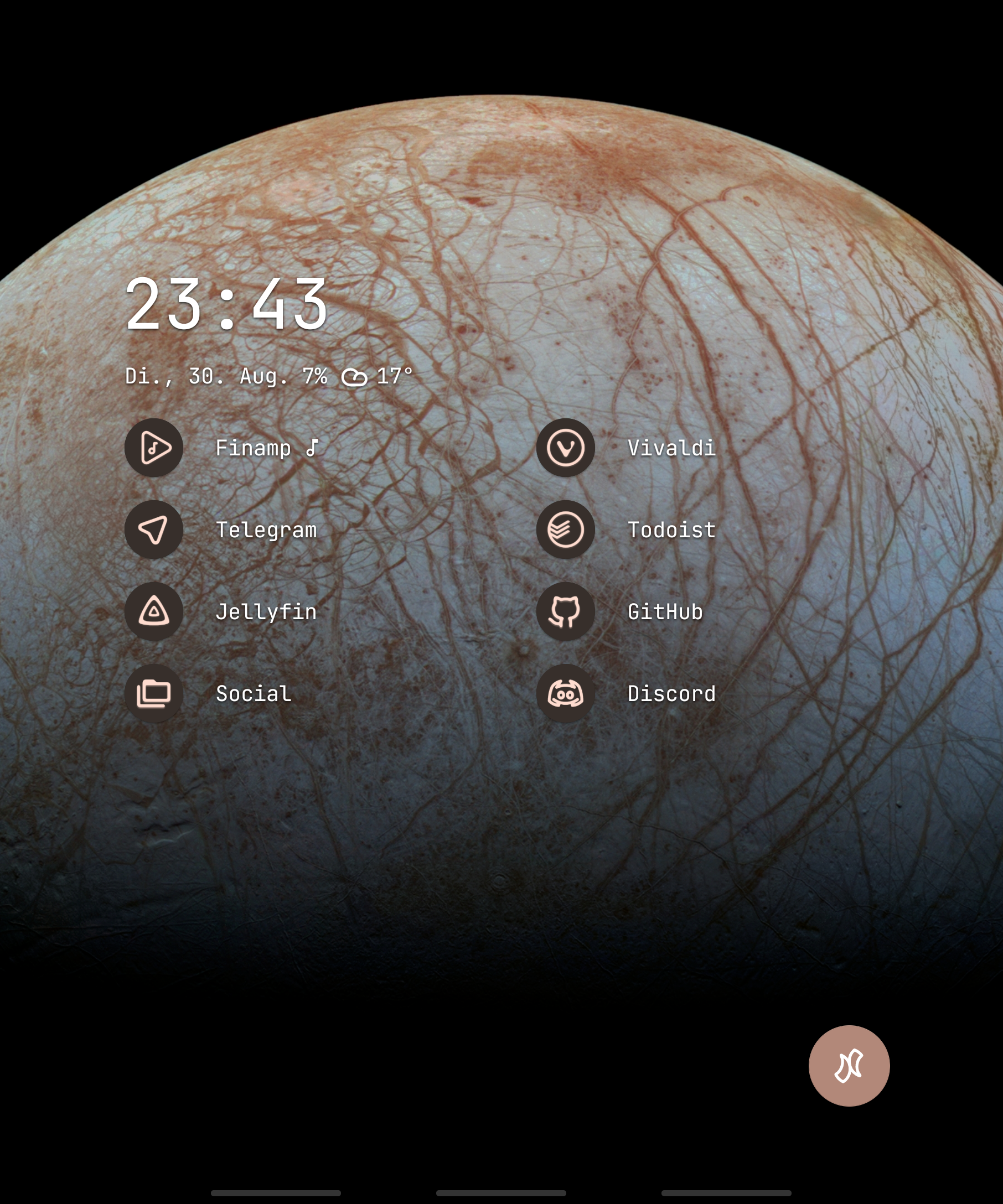

Hey, thank you for the fast reply. I totally get your point, but the 2 column style doesn't look good to me. All favorite apps are already folders.
Can you please still add more size options?
I mean, no one is forced to use smaller icons, but the option could be there. If you are worried, that people could be overwhelmed with too many options, you could add it as a hidden feature, for example if the user taps 5 times on the text "icon size".
At the very least, can the icons be scaled so that on each screen they are the same height proportional to the screen height? My list of icons fits perfectly on the cover screen of my Z Fold, but on the inside screen, they are slightly larger for some reason, which results in them scrolling past the bottom of the screen.
