
convert-to-blocks
 convert-to-blocks copied to clipboard
 10up
10up
Add settings UI to opt CPTs into convert-to-blocks support
Describe the bug
When enabled, my custom post type, even when set to supports:editor is loading with the Classic Editor, not Gutenberg
Steps to Reproduce
- Create a custom post type using CPTUI - set it to support editor
- Create a new post
- Classic editor is displayed
Expected behavior
Gutenberg editor should be displayed
Screenshots
https://drive.google.com/file/d/18g7ZA3PO_7z0SYCS988aDoY3gX1bGHTR/view?usp=sharing
https://drive.google.com/file/d/18guVcMb80axpMMwVhFf1Dno69k2G9YIQ/view?usp=sharing
https://drive.google.com/file/d/18hc4ye0AJTdkV9jFrJTyrVGPhomfXxRs/view?usp=sharing
Environment information
WordPress 5.7

Needed to add this to make it work.
Great plugin, this is a terrible bug though.
/**
 * Restore default functionlity for use with Convert-to-blocks
 * https://wordpress.org/support/topic/plugin-doesnt-work-at-all-9/#post-14721403
 * https://github.com/10up/convert-to-blocks/issues/54
 *
 */
add_filter( 'post_type_supports_convert_to_blocks', function( $supports, $post_type ) {
	// I should not have to do this - these are already enabled for the editor
	$supported_cpts = array(
		'news',
		'form',
		'curriculum',
		'policy',
		'linked_content',
		'virtual_page',
		'sidebar',
		'staff_profile',
		'school',
		'board_meeting'
	);

	if ( in_array($post_type, $supported_cpts) ) {
	  return true;
	}
	return $supports;
}, 10, 2 );
Attaching the screenshots linked in the original description so they're not lost if those links get broken.
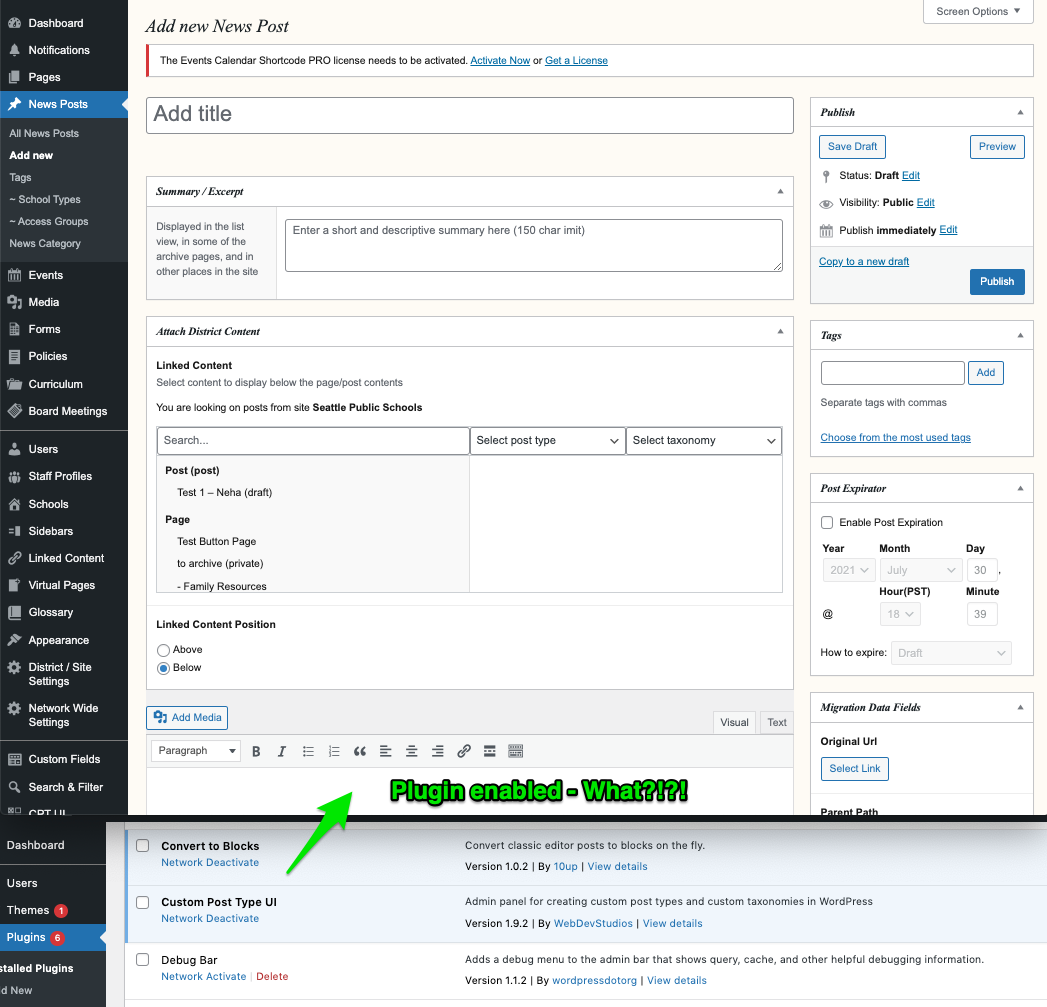
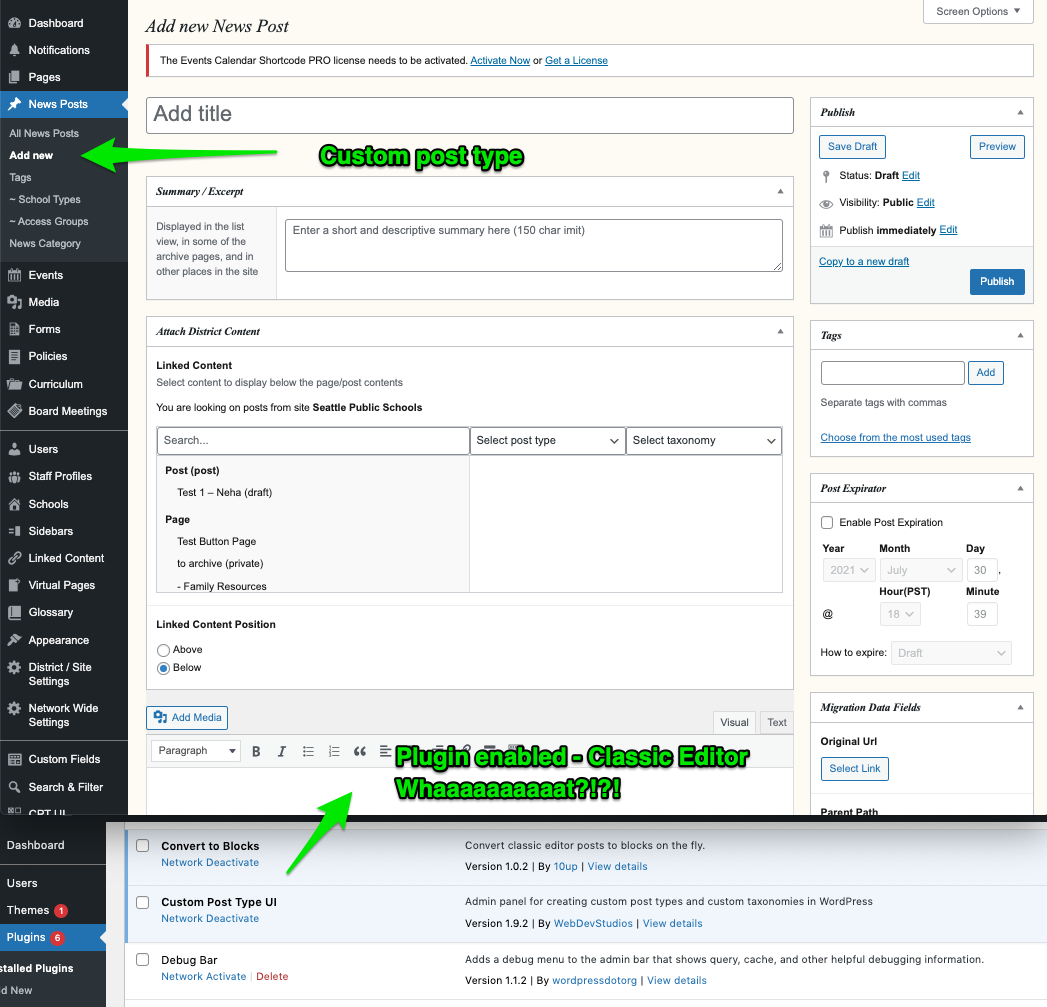
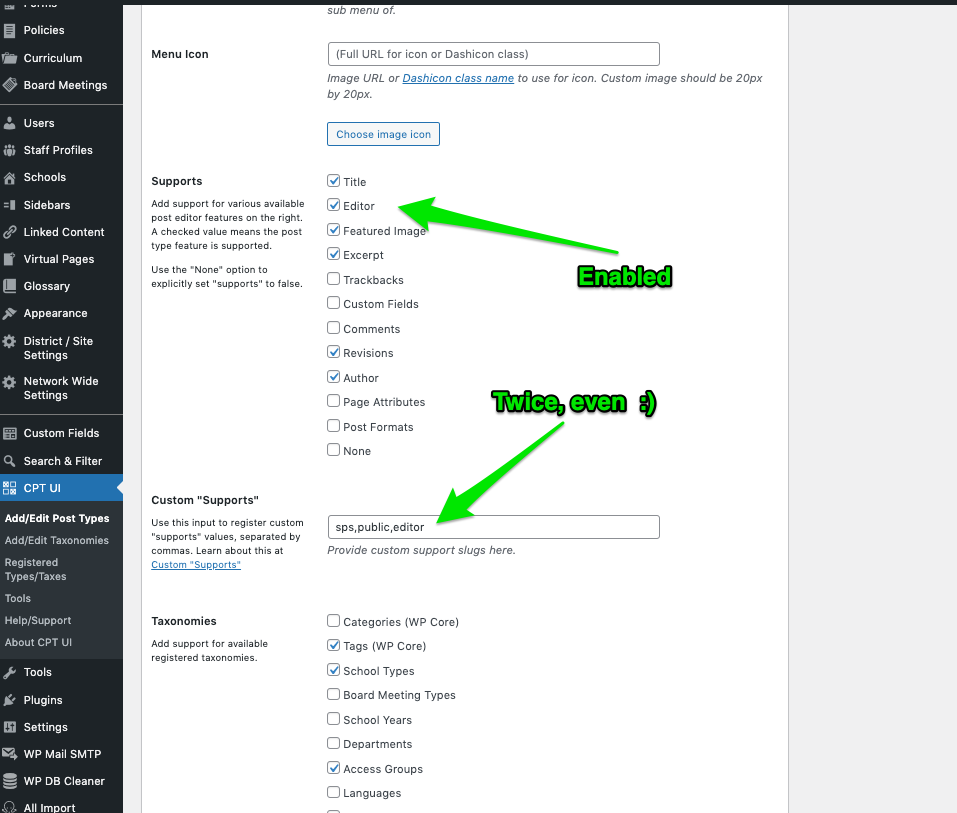

@terrance-orletsky-d7 for now the plugin does not provide a UI to opt additional CPTs into the conversion to blocks, but rather hooks to do so. For now you'll need to utilize those hooks to extend support to your CPTs. I'll update this from a bug issue to an enhancement for us to look into adding a settings for the plugin that allows selection of additional CPTs to get the convert-to-blocks support.
@jeffpaul I am facing the same issue. CPTs do not load with Gutenberg anymore. But I think this is a very confusing behavior and I am not sure an UI is making that more logic. While a CPT is not set to support "Convert to Blocks", the plugin should just leave the default editor. (Gutenberg by default, Classic Editor when using Classic Editor Plugin)
Thanks and kind regards

If someone wants to work on a PR to add this, we will get it through code review but this is otherwise not likely to be something we work to add in the near future.
Hmmm, welll....When a plugin I install breaks expected behaviour for other plugins and WP core functionality, then I consider it a bug. Nonetheless, as you were...I left this plugin behind after that. Thanks for the feedback, good luck with it.

For anyone running across this, it looks like it was duplicated in another (still open) bug report that was submitted a few months later: https://github.com/10up/convert-to-blocks/issues/57
@EarthmanWeb and it looks like a workaround was noted there as well: https://github.com/10up/convert-to-blocks/issues/57#issuecomment-989501012 && https://github.com/10up/convert-to-blocks/issues/57#issuecomment-989688641